Open SpeedGrader
Open SpeedGrader from any assignment, graded discussion, or quiz.
Open Student Submission
Use the student list to locate a student submission.
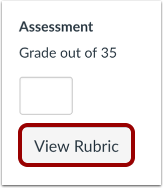
View Rubric
Click the View Rubric button.
Resize Rubric
To view the entire rubric window, you may need to scroll vertically and horizontally. To resize the rubric window, click and drag the sizing column horizontally.
Complete Rubric
For each criterion, click the rating that applies to the student's submission [1].
You can also add a comment for each rubric criterion [2].
To deselect a rating, click the assigned rating [3].
Save Rubric
Click the Submit Assessment button.
View Rubric Ratings
View the rubric ratings.