You can view section enrollments within your course Settings in Canvas.
Section enrollments also include the Test Student, created when you enable Student View.
View the video transcript
00:05: How do I view enrollments in a course section?
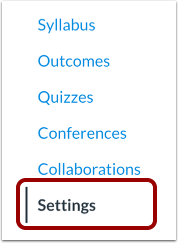
00:08: In Course Navigation, click the Settings link.
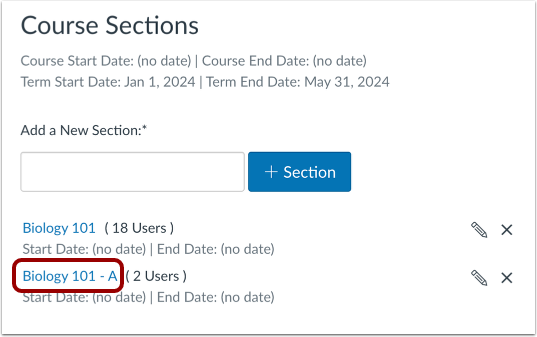
00:12: Click the Sections tab.
00:14: Click the section name link.
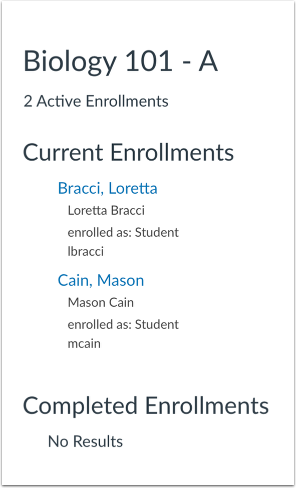
00:17: View current and completed enrollments, if any, in the section.
00:21: Students are listed in alphabetical order by last name.
00:25: This guide covered How to view enrollments in a course section.
Open Settings
In Course Navigation, click the Settings link.
Open Sections
Click the Sections tab.
Open Course Section
Click the section name link.
View Section Enrollments
View current and completed enrollments, if any, in the section. Students are listed in alphabetical order by last name.