You can delete a section by editing your course Settings in Canvas. You cannot delete a section that has users enrolled.
Note: Sections may be added by your institution's student information system (SIS). If a section in your course includes an SIS ID, you may not have permission to delete sections.
View the video transcript
00:07: How do I delete a course section?
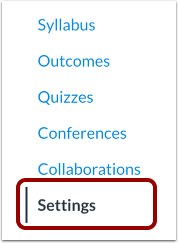
00:09: In Course Navigation, click the Settings link.
00:13: Click the section name link.
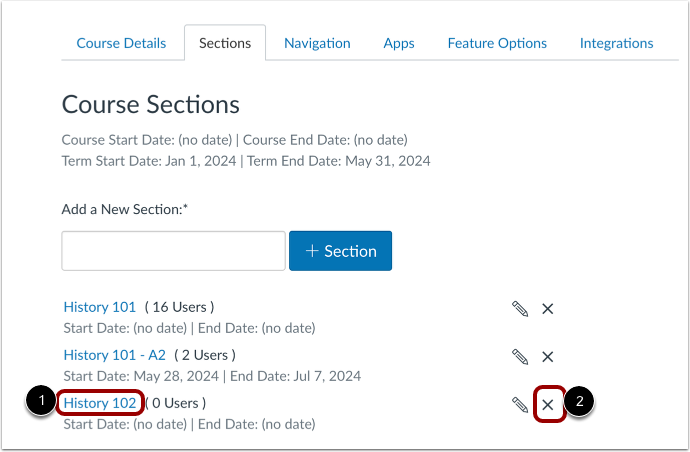
00:15: Locate the section and click the Delete Section icon.
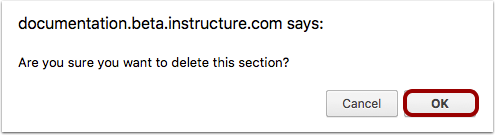
00:20: Click the OK button.
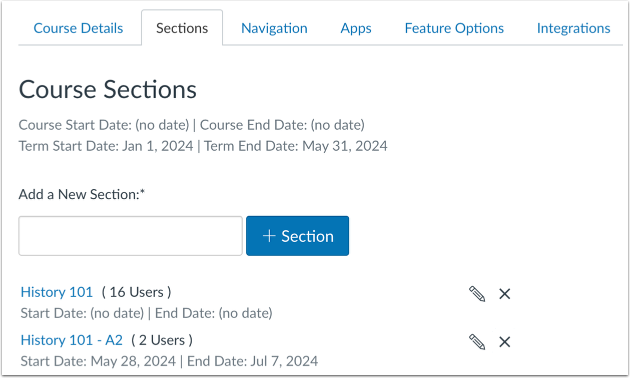
00:22: View the remaining course sections.
00:25: This guide covered how to delete a course section.
Open Settings
In Course Navigation, click the Settings link.
Open Sections
Click the Sections tab.
Delete Section
Locate the section [1] and click the Delete Section icon [2].
Note: You cannot delete a section that have users enrolled.
Confirm Deletion
Click the OK button.
View Sections
View the remaining course sections.