You can change the language settings for your course to override user and account settings. This feature should probably only be used for foreign language courses.
View the video transcript
00:07: How do I change the language preference for a course?
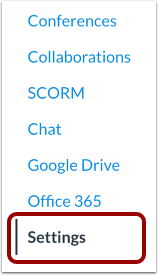
00:10: In Course Navigation, click the Settings link.
00:14: Click the Course Details tab.
00:17: In the Language drop-down menu, select the new default language.
00:22: Click the Update Course Details button.
00:25: View your course in the updated language preference.
00:29: This guide covered how to change the language preference for a course
Open Settings
In Course Navigation, click the Settings link.
Open Course Details
Click the Course Details tab.
Select Language
In the Language drop-down menu, select the new default language.
Update Course Details
Click the Update Course Details button.
View Course in New Default Language
View your course in the updated language preference.