00:07: How do I import content from Blackboard 6 7/8 /, 9
00:11: into canvas?
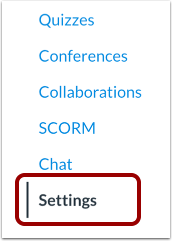
00:13: In Course Navigation, click the Settings link.
00:16: Click the Import Course Content link.
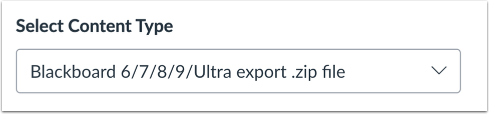
00:20: In the content, type drop-down menu, select the Blackboard 6/7
00:24: / 8/9 export zip file option.
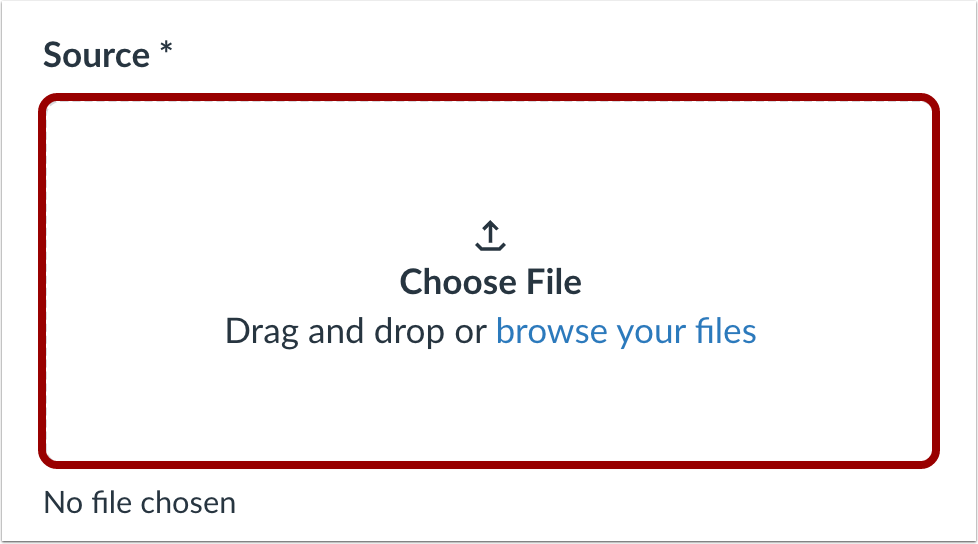
00:29: Click the Choose File button.
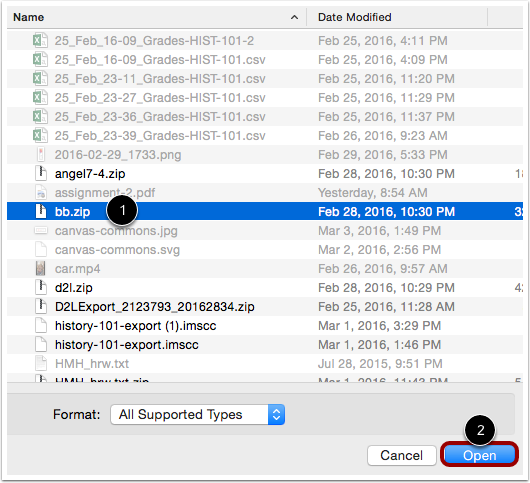
00:31: Fine and click the Blackboard as zip file.
00:34: You want to import, click the open Button.
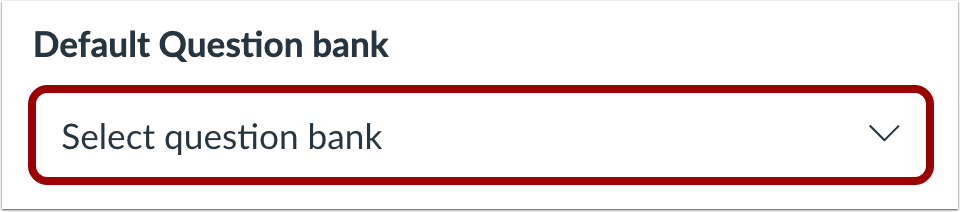
00:37: In the default. Question Bank drop down menu.
00:40: Select the question Bank. You want to use for your question Bank from Blackboard?
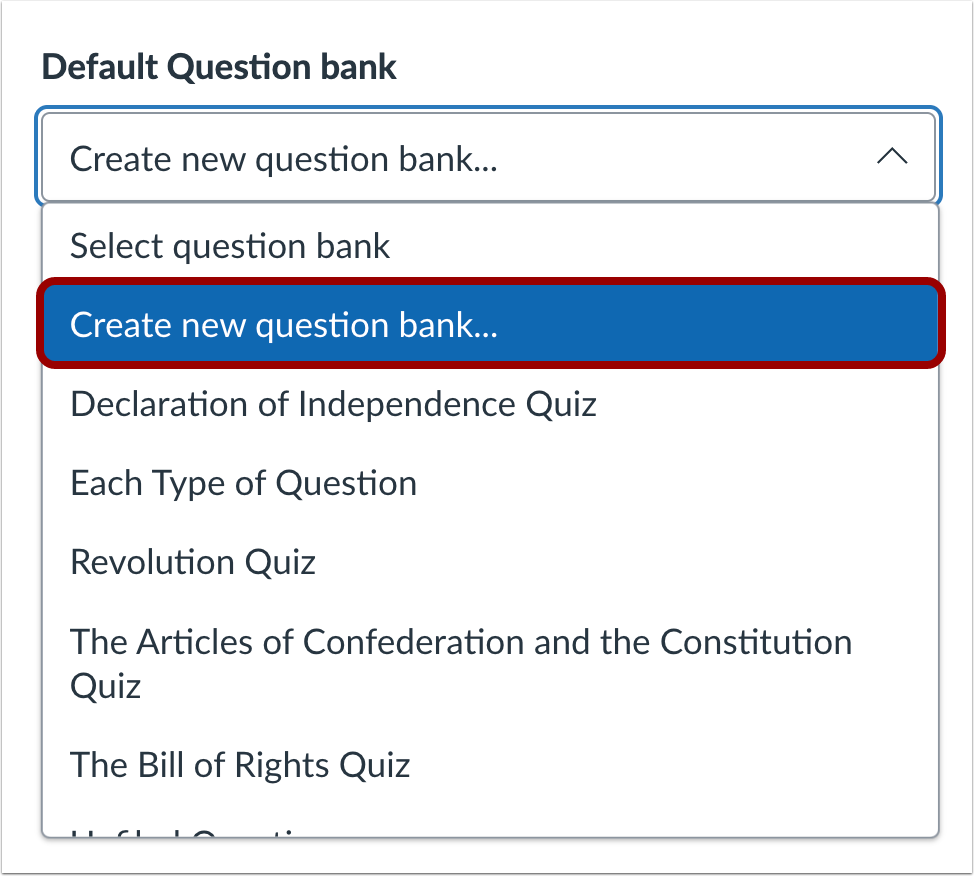
00:45: If you do not have a question bank you want to use, you can create a
00:49: new question bank. In the drop-down menu,
00:51: select the Create new question bank option.
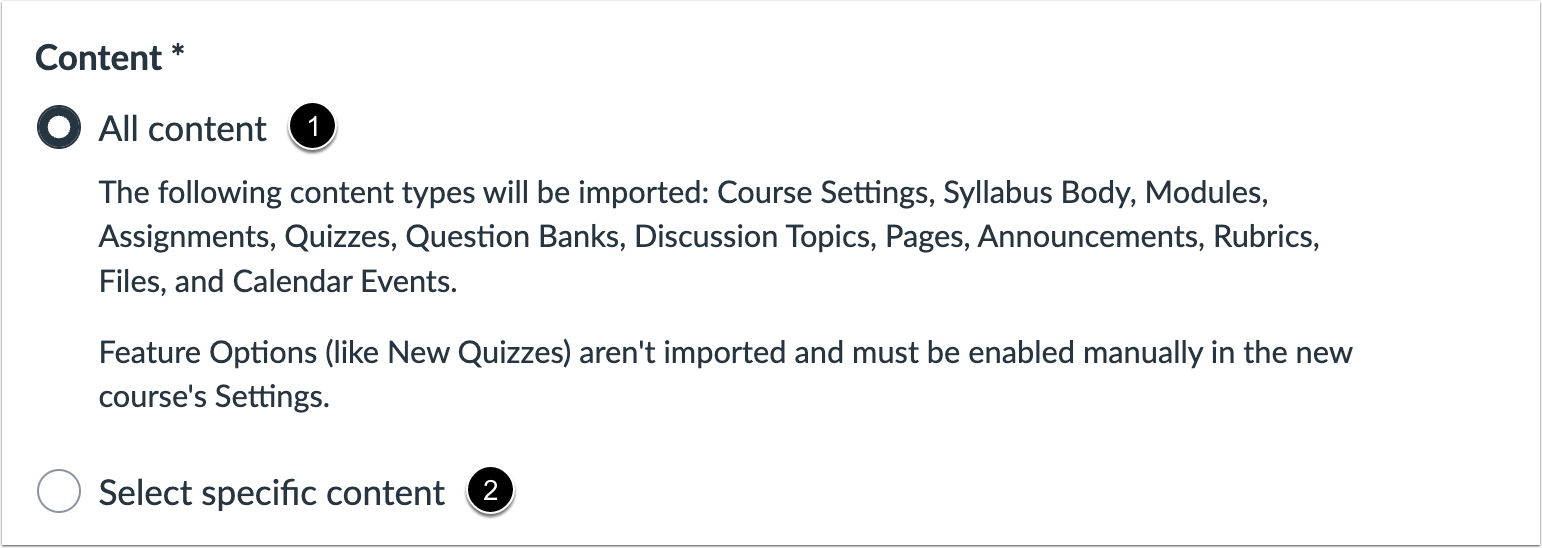
00:56: To import all content from the course, click the All Content button If
01:00: you want to select specific content, click the Select specific content button
01:05: To overwrite the assessment content with matching IDs, click the override
01:09: assessment content with match IDs, checkbox, some systems, recycle
01:14: their ideas for each new export.
01:16: Therefore, if you export two separate question Banks, they will have the
01:20: same IDs to prevent losing assessment data.
01:23: Canvas treats. The question Banks as separate objects despite the IDS
01:28: choosing this option will disable the safety feature and allow
01:32: assessment data to overwrite existing data with the same IDs,
01:37: If you want to adjust the due dates associated with the course events and assignments,
01:41: click the Adjust events and due dates checkbox.
01:45: When importing content a message.
01:47: Display is explaining that previously, imported content from the same course,
01:51: will be replaced while manually added content will remain.
01:56: Click the Add to Import Queue button.
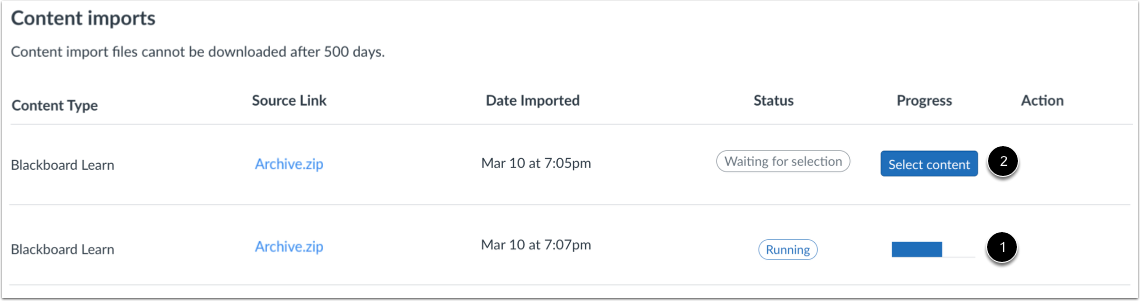
01:59: The content Imports section displays the status of your import running
02:03: reports.
02:05: If you chose to select specific content in your course, the current job
02:09: will show as Waiting for selection, which means you must select the content you
02:13: want to import. The import may also display other status
02:18: indicators as part of the import process.
02:21: View the content from any completed imports by accessing any link
02:26: in Course Navigation.
02:28: This guide covered how to import content from Blackboard 67 8/9
02:33: into canvas.