00:07: How do I import Thin Common Cartridge files as separate modules?
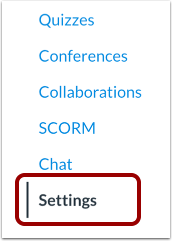
00:12: In Course Navigation, click the Settings link.
00:15: Click the Import Course Content link.
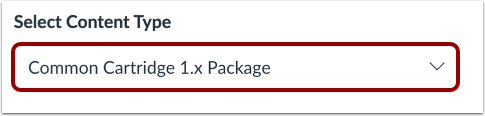
00:19: In the Content Type drop-down menu, select the Common Cartridge
00:22: 1.x Package option. Complete any additional fields required
00:27: for the content.
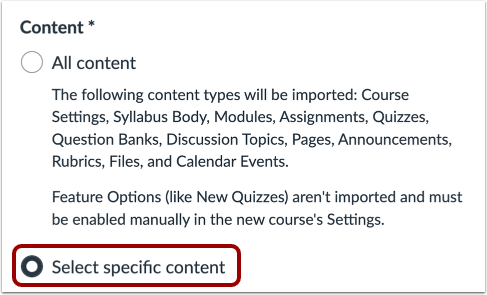
00:29: In the Content section, click the Select specific content radio button.
00:34: When importing content, a message displays explaining that previously imported
00:38: content from the same course will be replaced while manually added
00:43: content will remain.
00:45: Click the Add to Import Queue button.
00:48: In the Content imports section, click the Select content button.
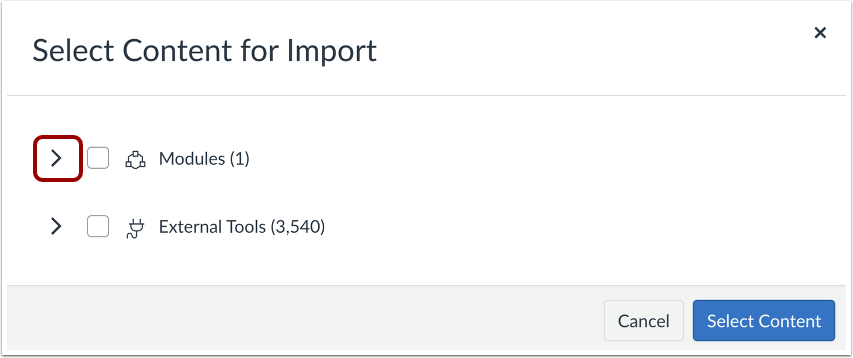
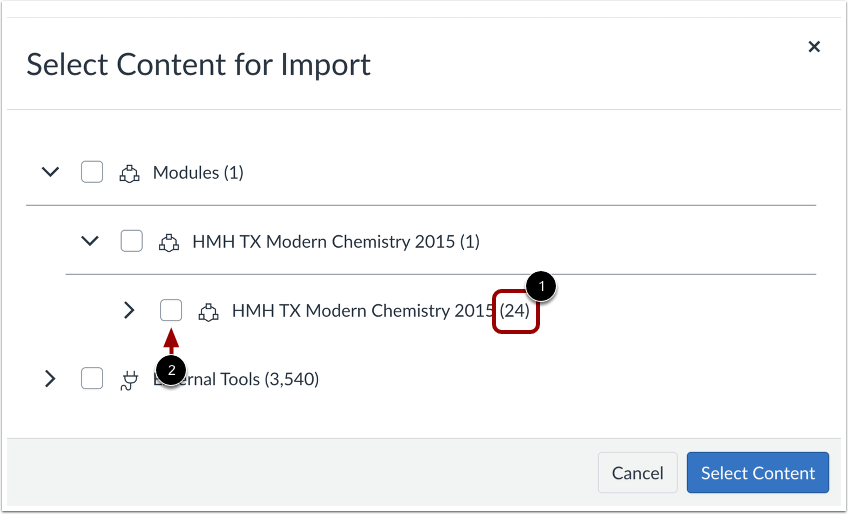
00:53: Thin Common Cartridge files are shown as one module. Click the Modules expand
00:58: icon.
00:59: Locate the content by expanding the nested structure. Content
01:04: groups show the number of items within the group. If
01:08: you want to import an entire content group, select the checkbox next
01:12: to the group.
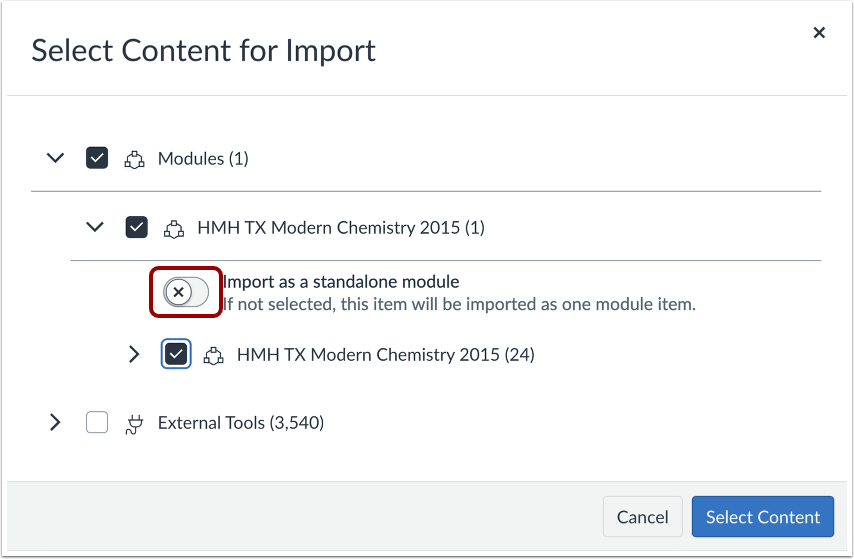
01:14: Like other course, import types, selecting a Content group selects all
01:18: items within the module group. However, a thin common cartridge content,
01:22: is always imported as one module, which can be extremely cumbersome
01:26: in a canvas course, By default content is imported
01:31: as one module if you would rather import content as separate modules,
01:35: click the import as a standalone, module radio button.
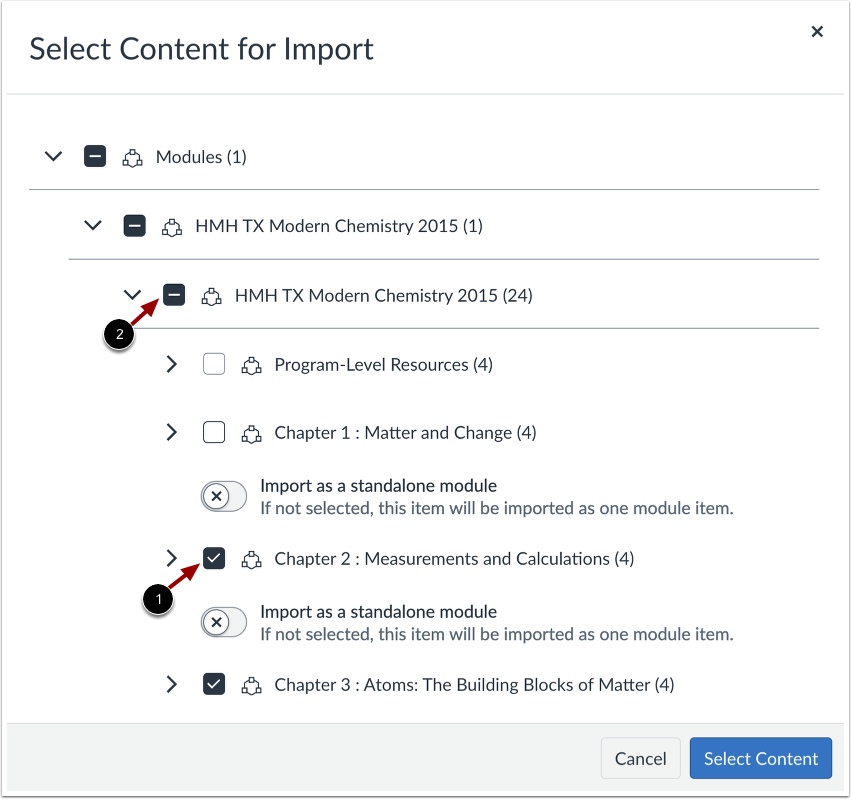
01:40: To import only a few items from a content group, select the specific items
01:44: to be imported.
01:46: Can this places a dash in the content group checkbox? Indicating not, all items
01:51: are selected within the group. Selecting individual
01:55: content items, automatically Imports content as separate modules.
02:00: Click the Select Content button.
02:03: The Content imports section displays the status of your import.
02:07: Running reports display a progress bar.
02:11: The import may also display errors as part of the import status. When
02:17: the course has completed, view modules content by accessing the Modules
02:21: link in Course Navigation.
02:23: View the modules content in your course, either as one module or a separate
02:28: modules.
02:29: This guide covered how to import Thin Common Cartridge files as separate
02:34: modules