00:07: How do I view the status of current and prior course imports?
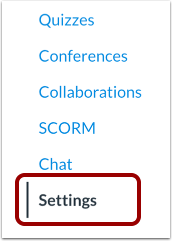
00:11: In Course Navigation, click the Settings link.
00:15: Click the Import Course Content link.
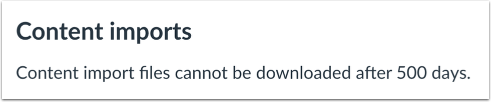
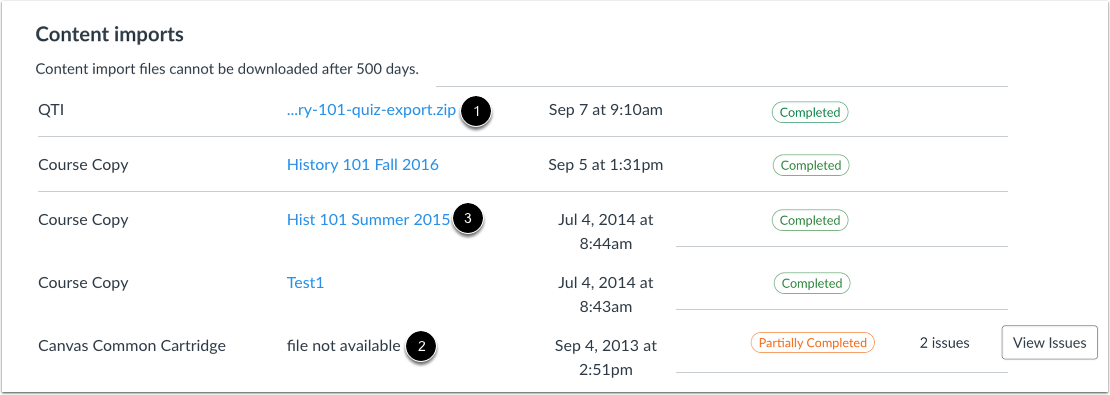
00:18: The Content imports section displays the status of your import. Canvas
00:23: can display several import statuses.
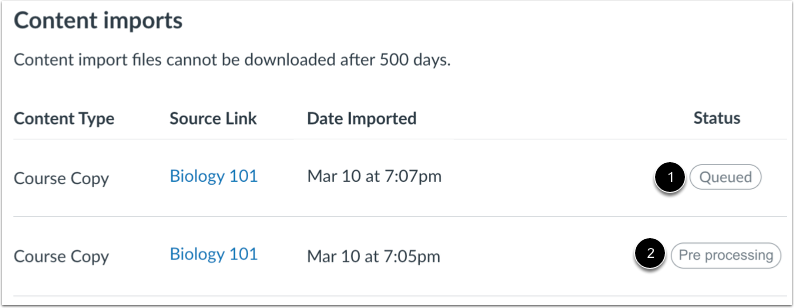
00:26: When an import is first uploaded, the status displays as Queued.
00:30: Canvas copies may also display as Pre-processing. These
00:35: statuses both mean that Canvas is preparing the file for import.
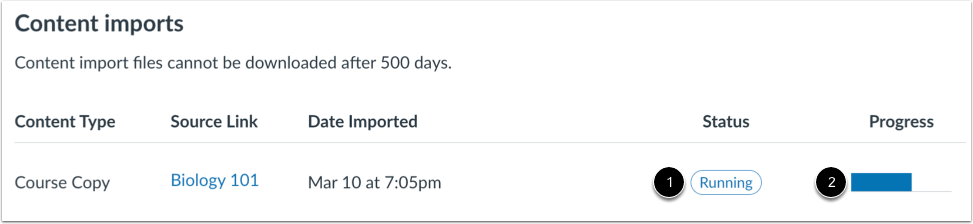
00:40: When a report is uploading, the status displays as Running. Running
00:44: reports display a progress bar indicating the time remaining to complete
00:48: the import.
00:50: If you chose to select specific content as part of the import process, the
00:55: current job shows as Waiting for selection, which means you must select the
00:59: content you want to import before it can be completed.
01:02: You cannot cancel this action. Click the Select content
01:06: button. Once you select content, the statuses will return
01:10: to Queued and Running until Canvas imports the selected content.
01:15: When your import is complete, the status displays as Completed. View imported
01:20: content by accessing any link in Course Navigation.
01:24: A Partially Completed status indicate the import contains errors. To
01:29: view the specific errors, click the View Issues button. Examples
01:33: of error issues include an external tool that needs to be reconfigured or content
01:37: that includes a broken link.
01:39: If an import is unsupported or otherwise cannot be imported, the
01:43: status displays as Failed. To view the specific errors, click
01:47: the View Issues button.
01:50: You can view previously imported content using the link next to the import
01:54: type. For imported files, click the content name. The
01:58: file will download to your computer. File imports
02:01: cannot be downloaded for re-import after 500 days.
02:06: For course copies, clicking the link will take you back to the course that was copied.
02:11: This guide covered how to view the status of current and prior course imports.