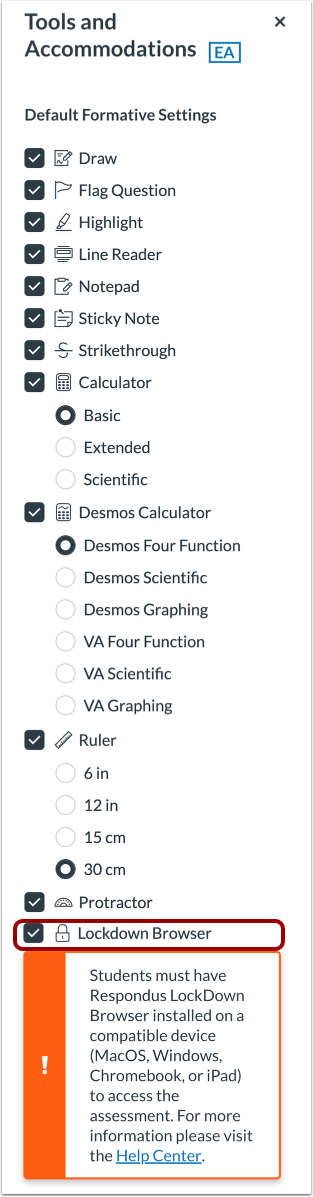
You can enable LockDown Browser for all the Enhanced Accommodation (EA) formative assessments in a tracker.Notes: The LockDown Browser tool can also be enabled for individual EA formative assessments.LockDown Browser cannot be used for uploaded assessments or non-EA formative assessments.A Mastery Connect admin can enable the LockDown Browser tool for benchmark assessments.Students must have Respondus LockDown Browser installed on a compatible device (MacOS, Windows, Chromebook, or iPad) to access the assessment.Open TrackerIn the Mastery TrackersHome page [1], click the tracker name link [2].Open Tools and AccommodationsClick the Tools and Accommodations button.Enable LockDown BrowserSelect the Lockdown Browser checkbox.Save Tools and AccommodationsClick the Save button.