LockDown Browser by Respondus is a customized browser that allows for increased security when you deliver assessments in Mastery Connect. When LockDown Browser is enabled, students can not print, copy, go to another URL, or access other applications while taking the assessment. You can learn more about the LockDown Browser student experience in the Respondus website.
All users can enable LockDown Browser for Enhanced Accommodation (EA) formative assessments. Only Mastery Connect district administrators (admins) and users with Benchmark Author and Benchmark Facilitator permissions can enable LockDown Browser for benchmark assessments.
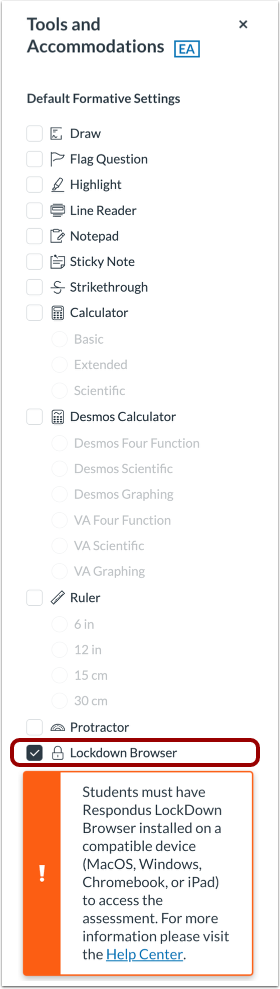
Note: When LockDown Browser is enabled, students must have it installed on their devices to take the assessment.
LockDown Browser for Formative Assessments
LockDown Browser can be enabled for an individual EA formative assessment in the Assess window of the tracker.
Note: LockDown Browser cannot be used for document-based assessments or for non-EA formative assessments. To deliver a non-EA formative assessment with LockDown Browser, you can convert it to an EA assessment and then deliver it.
Alternatively, you can enable LockDown Browser for all EA formative assessments in the tools and accommodations window of the tracker.
LockDown Browser for Benchmark Assessments
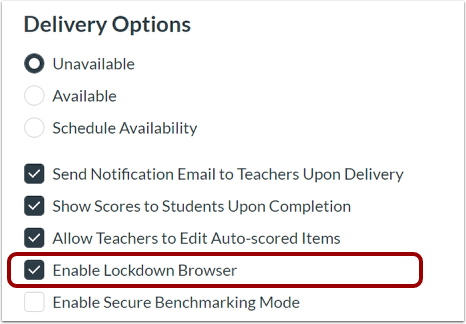
In Mastery Connect, district admins and users with Benchmark Author and Benchmark Facilitator additive permissions can enable LockDown Browser for benchmark assessments in the Assessment Manager.
LockDown Browser for Students
When LockDown Browser has been enabled and is installed on the student device, it will automatically launch when students log in to the benchmark or formative assessment.