In Mastery Connect, If your school or district has made multiple proficiency calculations available, you can change the default proficiency calculation settings at the tracker level. When you create a tracker, it uses the default calculation method set by your school or district. You can still change the proficiency calculation settings for individual standards after setting the tracker-level proficiency settings.
Note: To display scores from archived trackers, you need to first unarchive the tracker.
Open Tracker
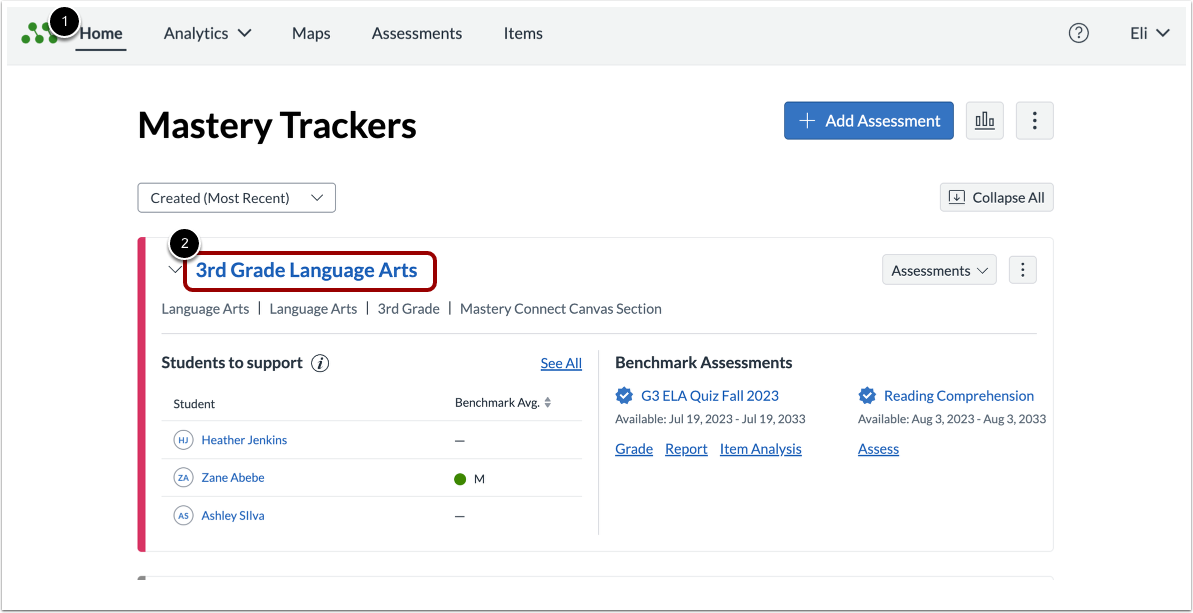
In the Mastery TrackersHome page [1], click the tracker name link [2].
Open Tracker Settings
To open the Settings menu, click the Settings button.
Select Standard Proficiency Calculation
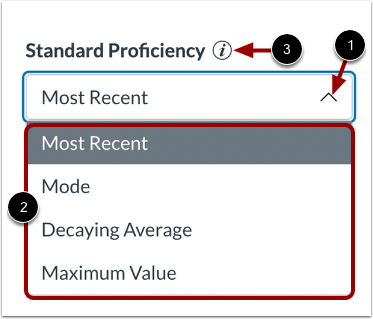
To select the method for calculating standard proficiency at a tracker level, click the Standard Proficiency menu [1]and select an option from the list [2]. To learn more about the different proficiency calculation methods, click the Information icon [3].
Notes:
- If you do not have access to this feature, please contact your administrator.
- After all of a parent standard's sub-standards are assessed, the tracker selects the sub-standard with the lowest mastery level to roll-up to the parent standard.
Sub-Standard Proficiency Calculation
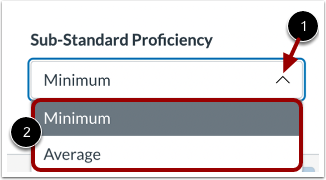
To select a method for determining sub-standard proficiency on a tracker level, click the Sub-Standard Proficiency menu [1] and select an option [2].
Save Changes
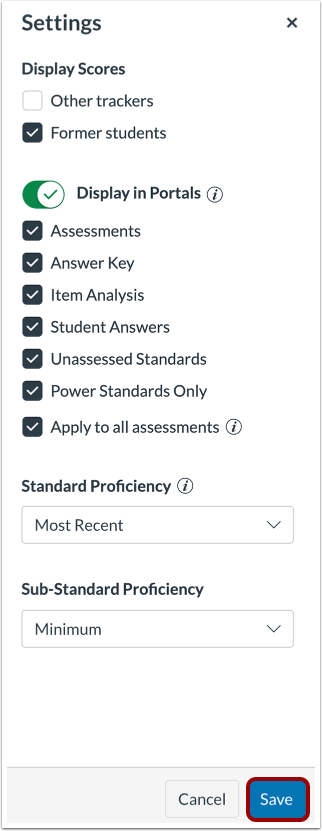
To save your changes, click the Save button.