When a benchmark has been assessed for a student across multiple trackers, those benchmark scores can display in your tracker as remote benchmark scores.
Notes:
- Your school or district SIS must be integrated with Mastery Connect to be able to use remote benchmark scores.
- If you do not want your benchmark scores to appear as remote benchmark scores, you can hide them from other trackers by customizing your tracker settings.
- If you do not want other remote benchmark scores to appear in your trackers, you can disable remote scores.
Open Tracker
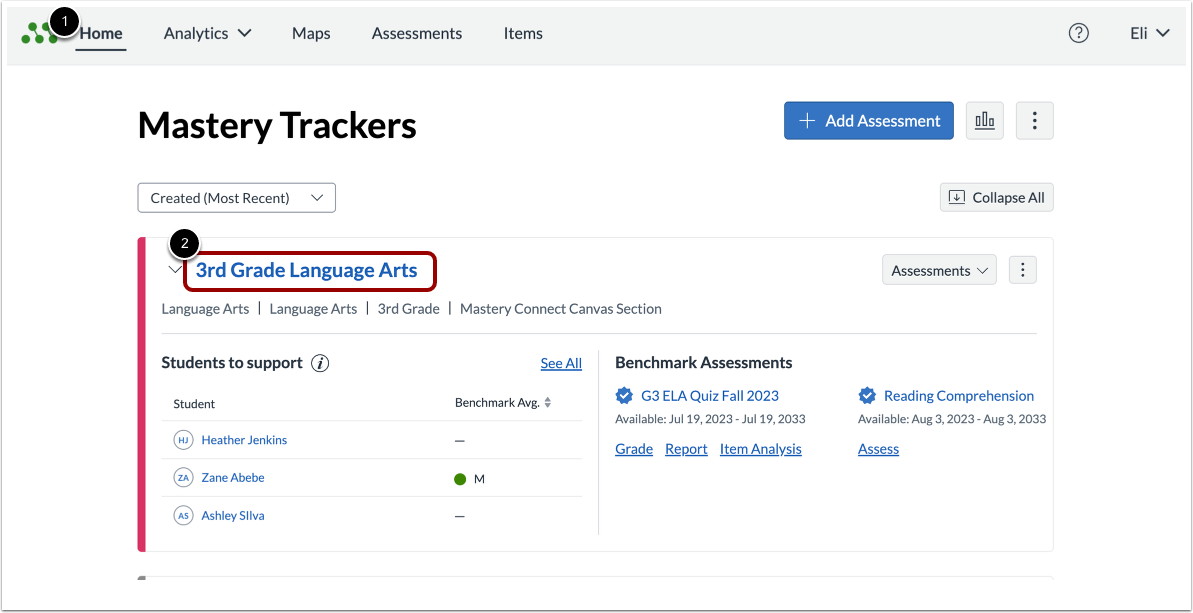
In the Mastery TrackersHome page [1], click the tracker name link [2].
View Tracker
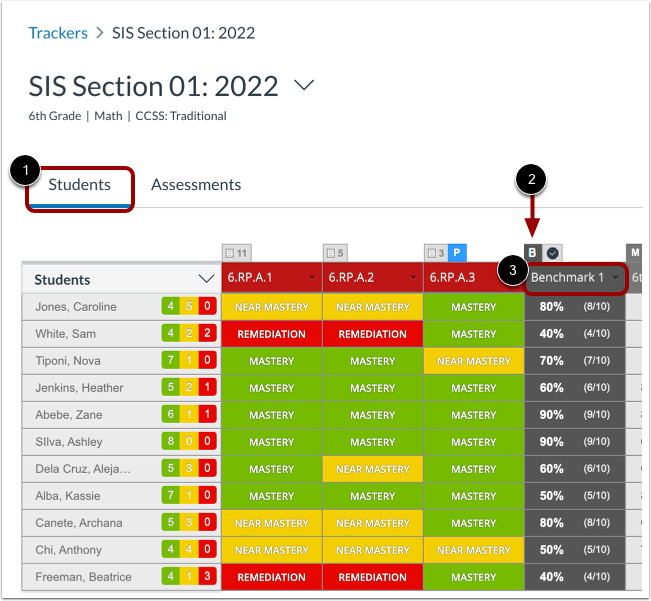
In the Students tab [1] of the Tracker view page, benchmark scores display as a dark column with a B at the top [2]. To view student mastery of each standard in the benchmark assessment, click the benchmark header title [3].
View Benchmark Details
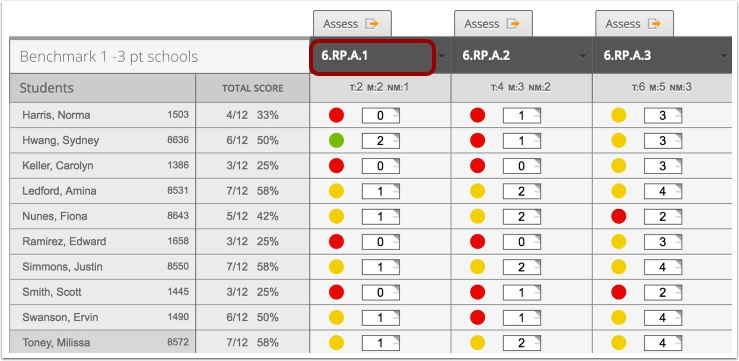
Student assessment scores and mastery display in the Benchmark Details view. To view details of an assessment, click any standard header.
View Assessment Details
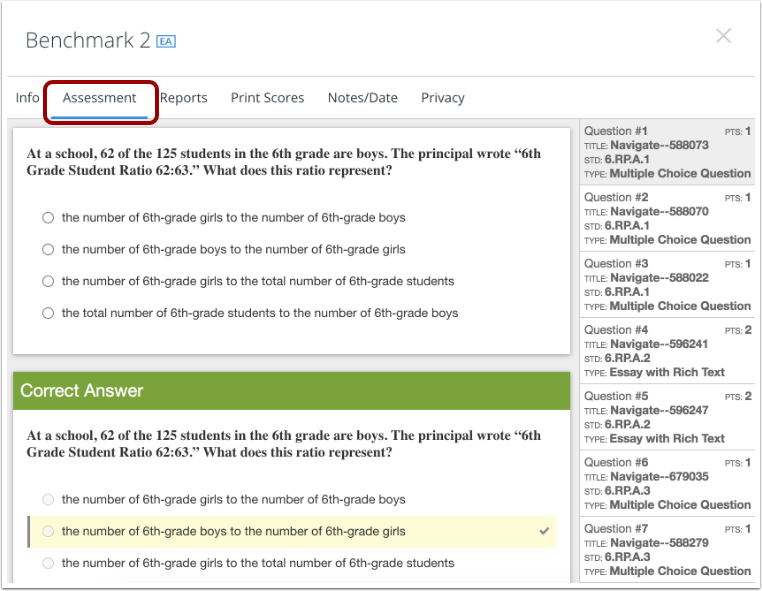
To view the assessment source, answer key and aligned standards , click the Assessment tab.