Open Print Report Options
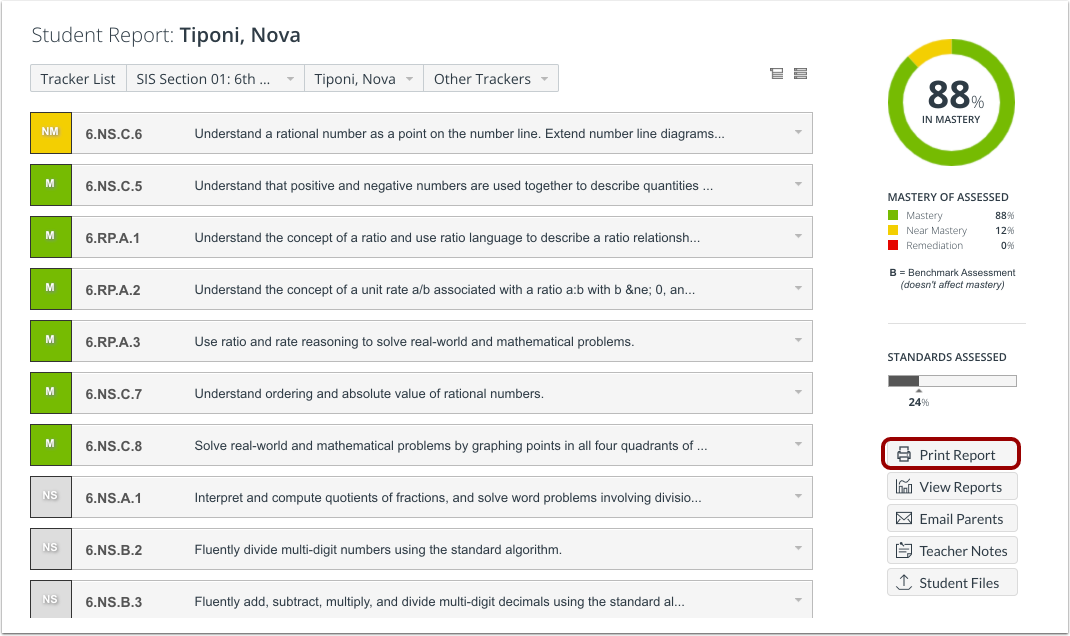
From the Mastery Summary section of an individual student report, click the Print Report button.
Select Print Options
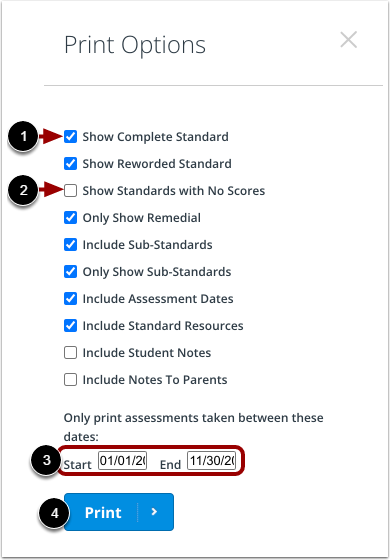
In the Print Options menu, you can select the information you want included in the report. By default, no report options are selected.
To select an option, click the checkbox next to the option [1]. You can also deselect any option by re-clicking the checkbox [2].
You must specify a date range for the report. Enter dates in the Start and End fields [3].
To generate the report, click the Print button [4].
View Student Report
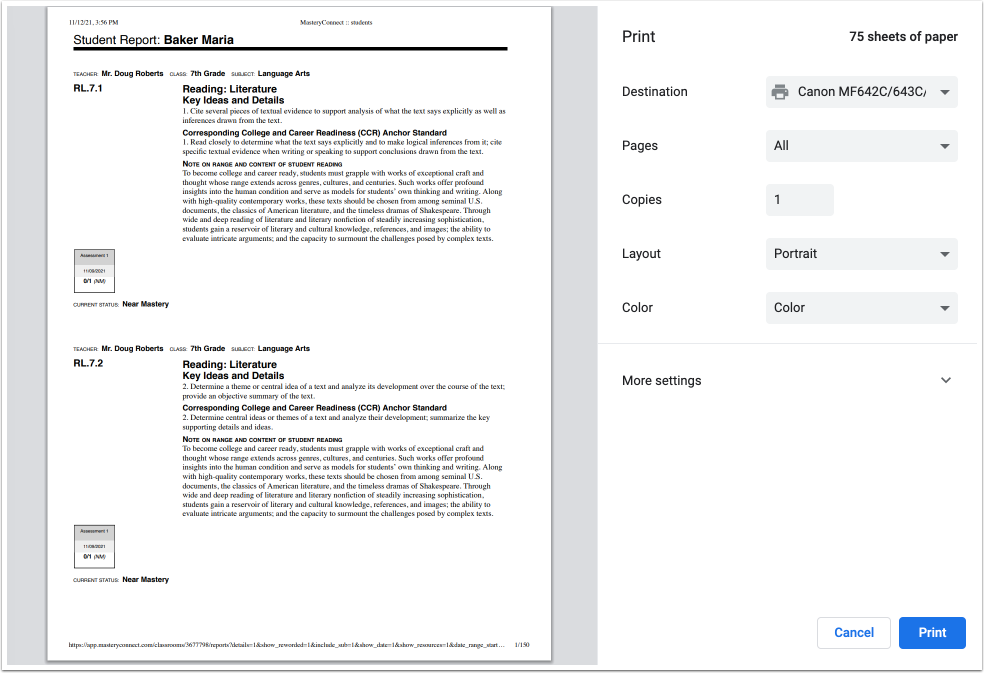
The student report opens in a new browser tab. Use your browser print options to print the report.