When a student has been assessed in the same standard across multiple trackers, those scores can display in your tracker as remote scores. In the Tracker View page, you can view the mastery level, assessment, and student answers for the remote standard, and compare it to your own assessment.
Notes:
- Your school or district Student Information System (SIS) must be integrated with Mastery Connect to be able to use remote scores.
- If you do not want assessments from your tracker to appear as remote scores, you can hide them by customizing your tracker settings.
- If you do not want remote scores to appear in your tracker, you can disable remote scores.
Open Tracker
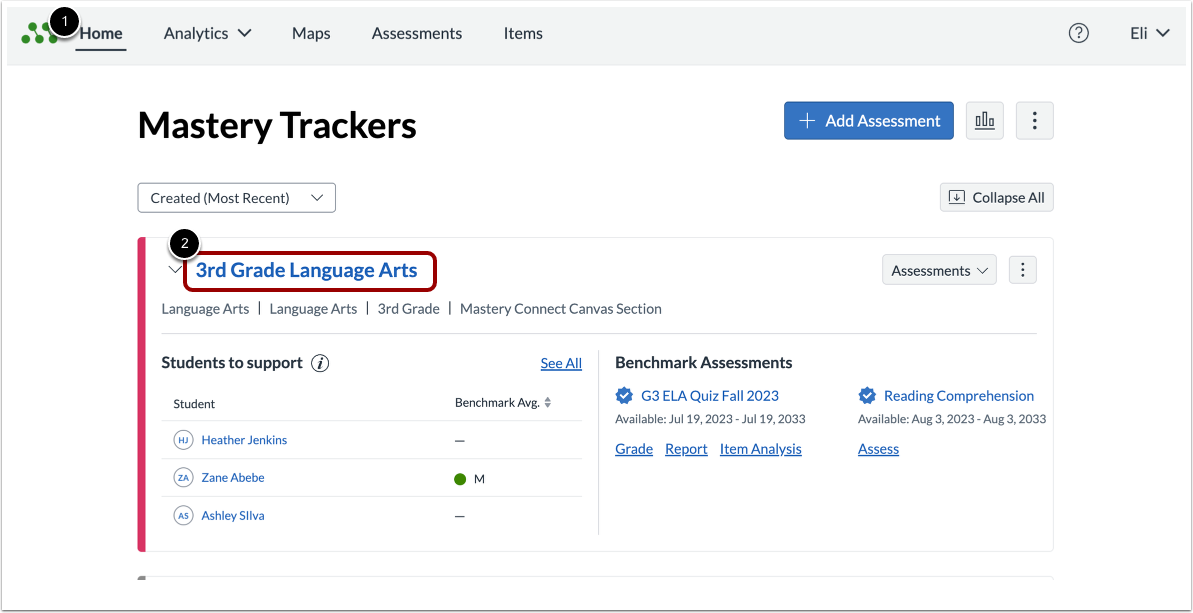
In the Mastery TrackersHome page [1], click the tracker name link [2].
In the Global Navigation menu, click the Trackers link [1]. Then, click the name of the tracker [2].
View Shared Standards
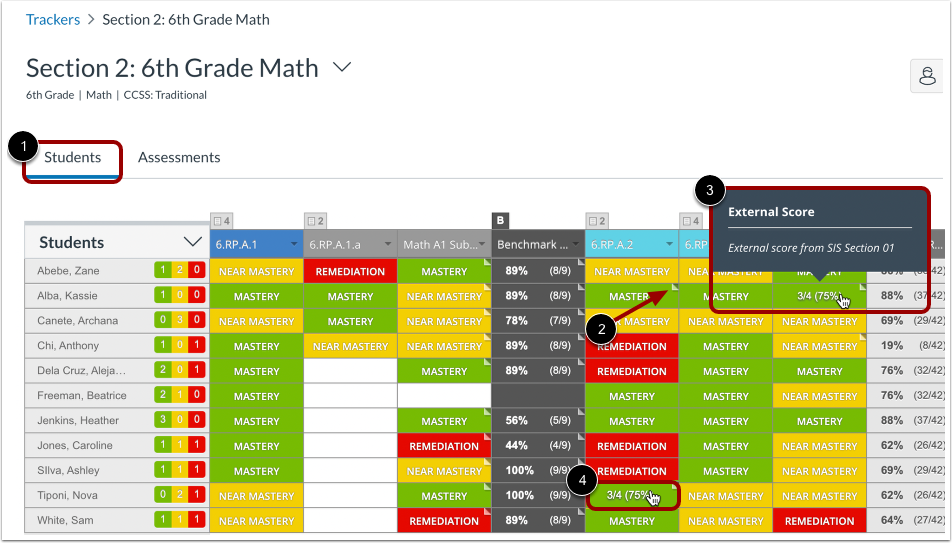
In the Students tab [1] of the Tracker View page, assessed standards that are shared with another tracker display with a dog-eared corner [2]. To view the source of the shared standard assessment, hover the cursor over the cell that displays the standard [3].
To view details for an external score assessment, click the mastery level for that standard [4].
View Student Mastery
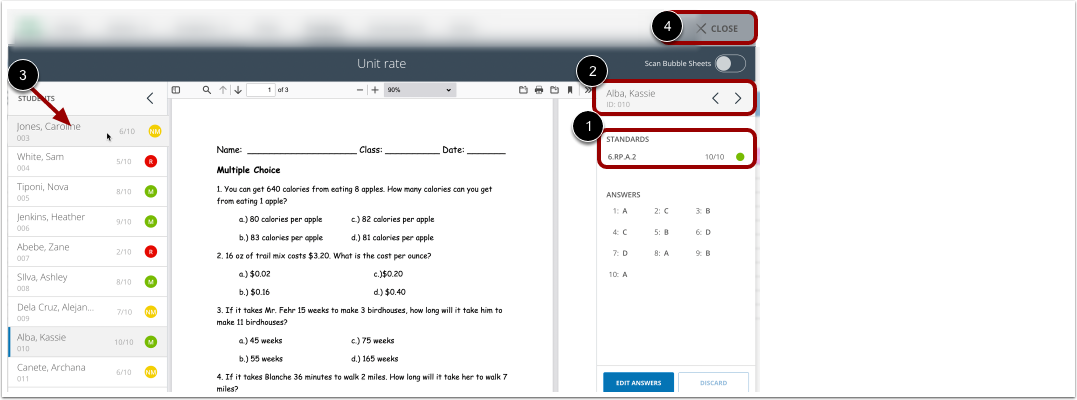
Student score and mastery information displays in the Standards heading [1]. To view scores for a different student in the Student Name header, click the right and left arrow icons [2]. Alternatively, you can select a specific student by clicking on the student name in the Students column [3].
To return to the Tracker View page, click the Close button [4].