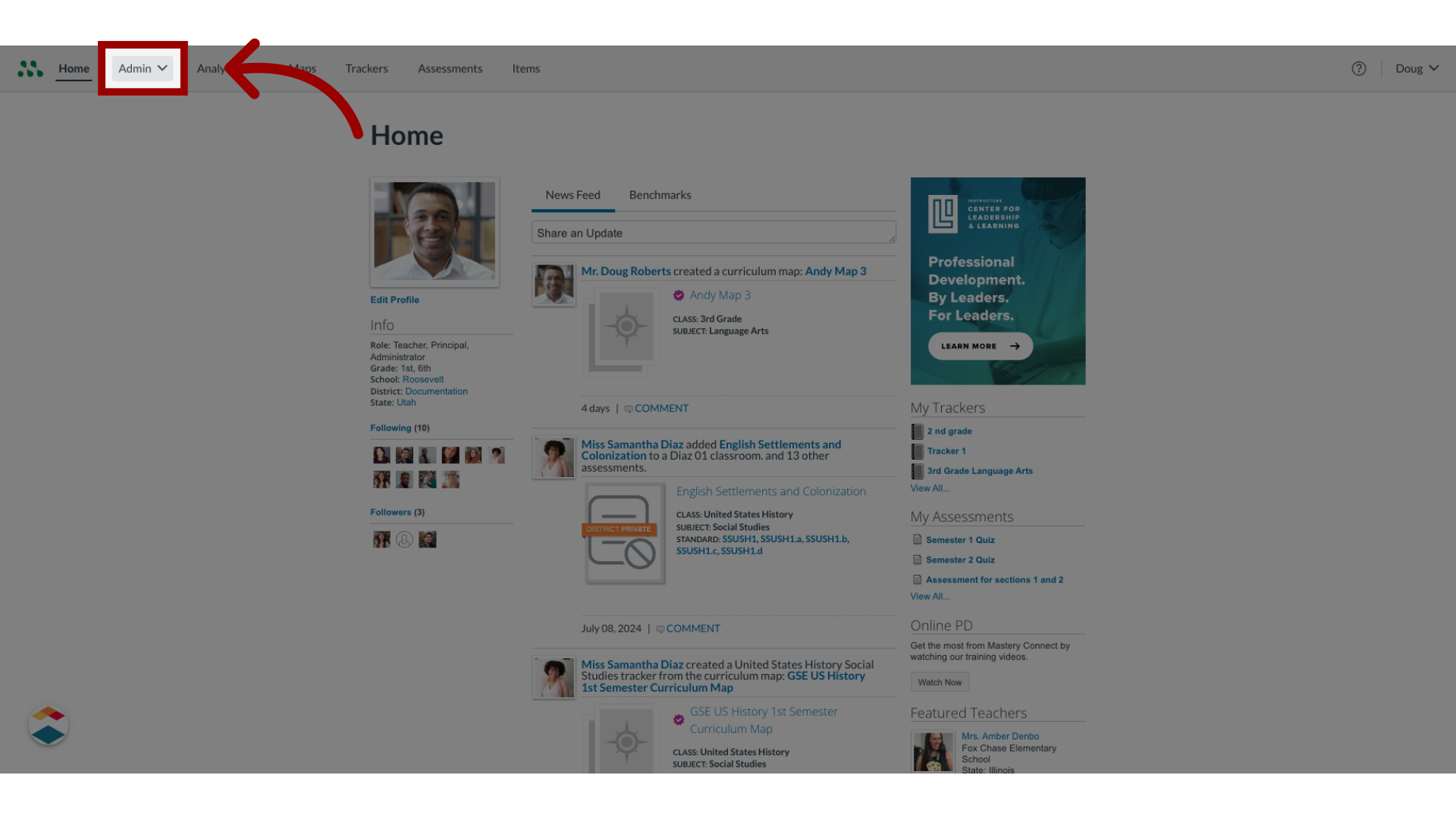
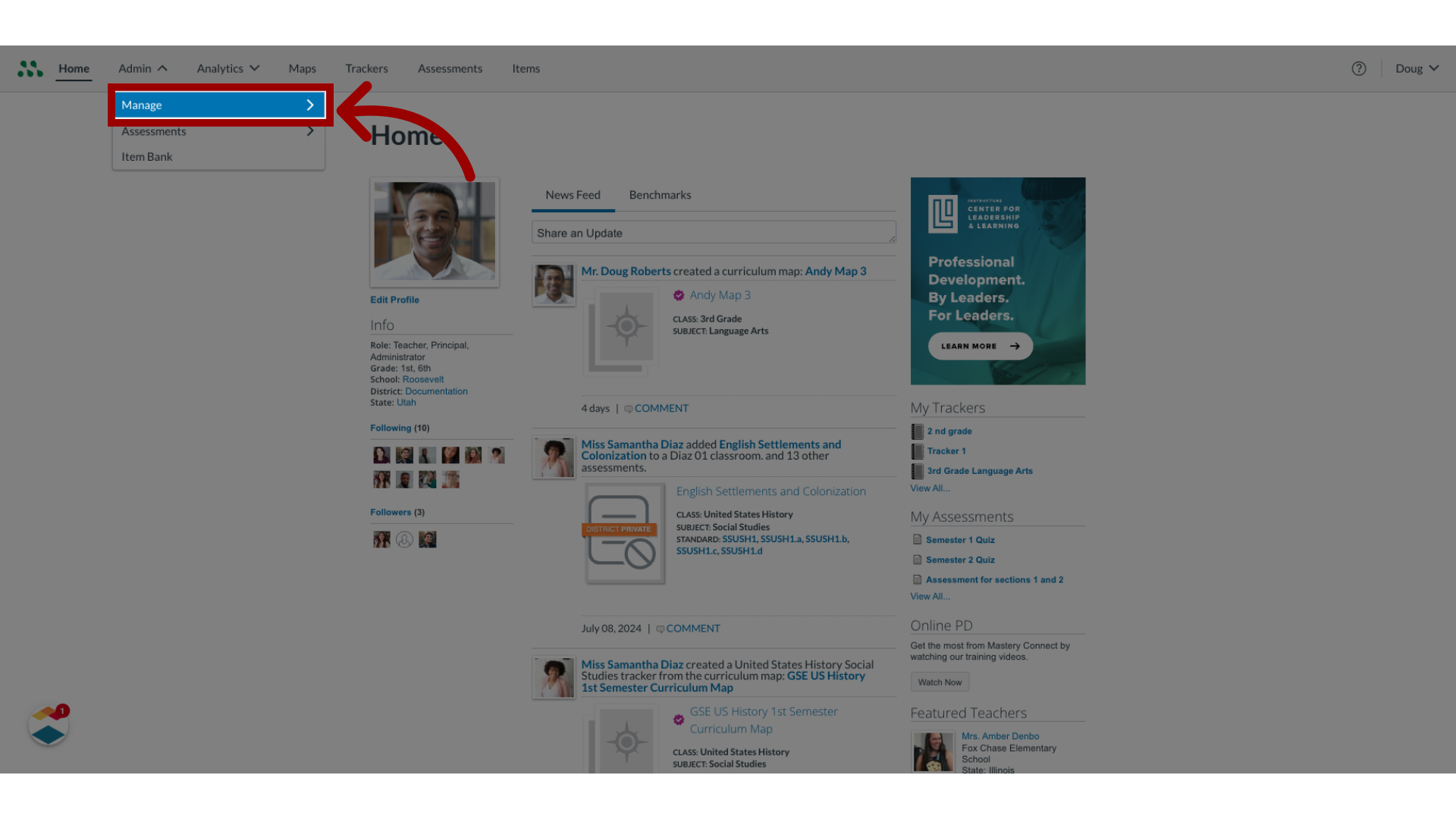
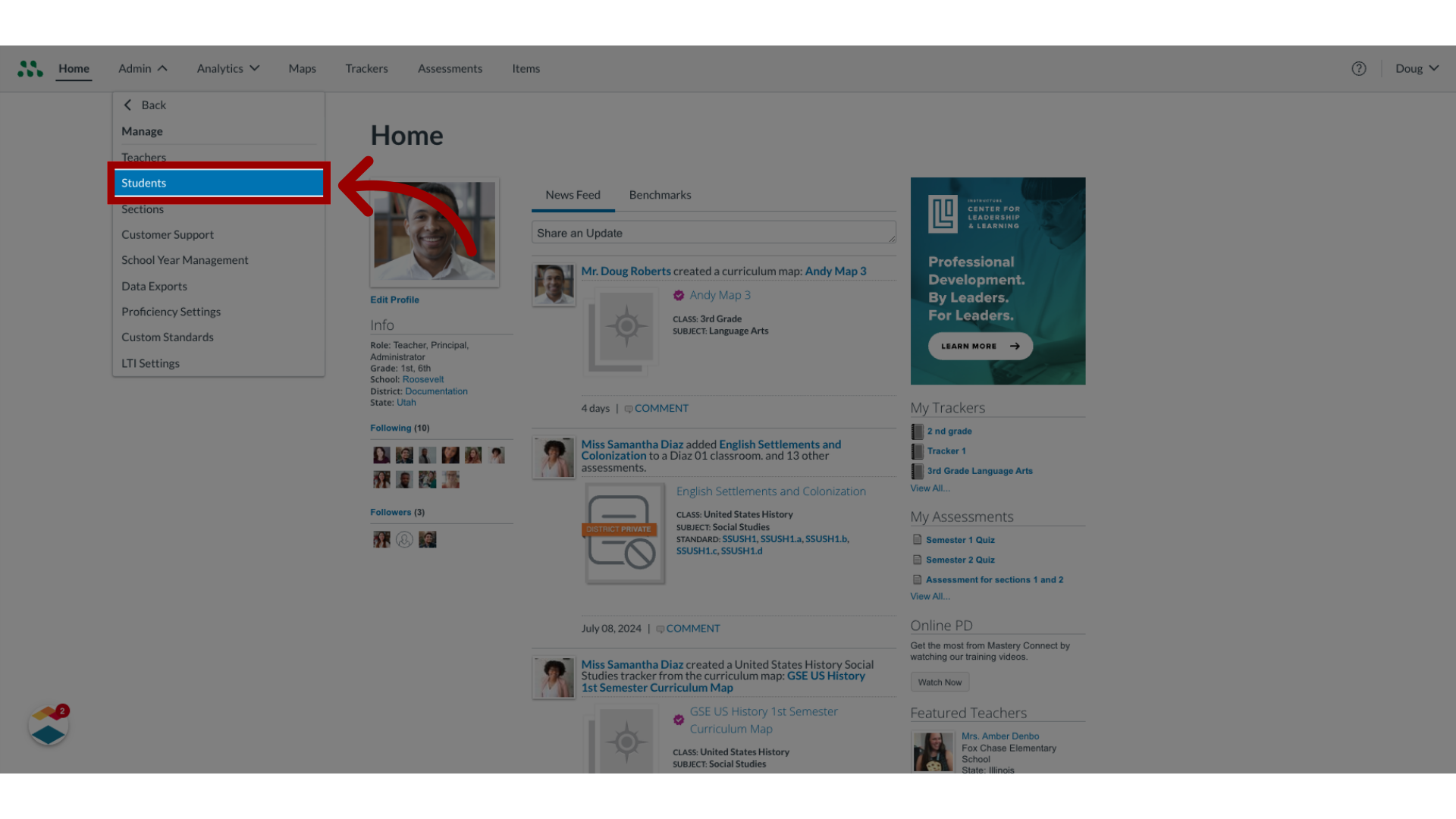
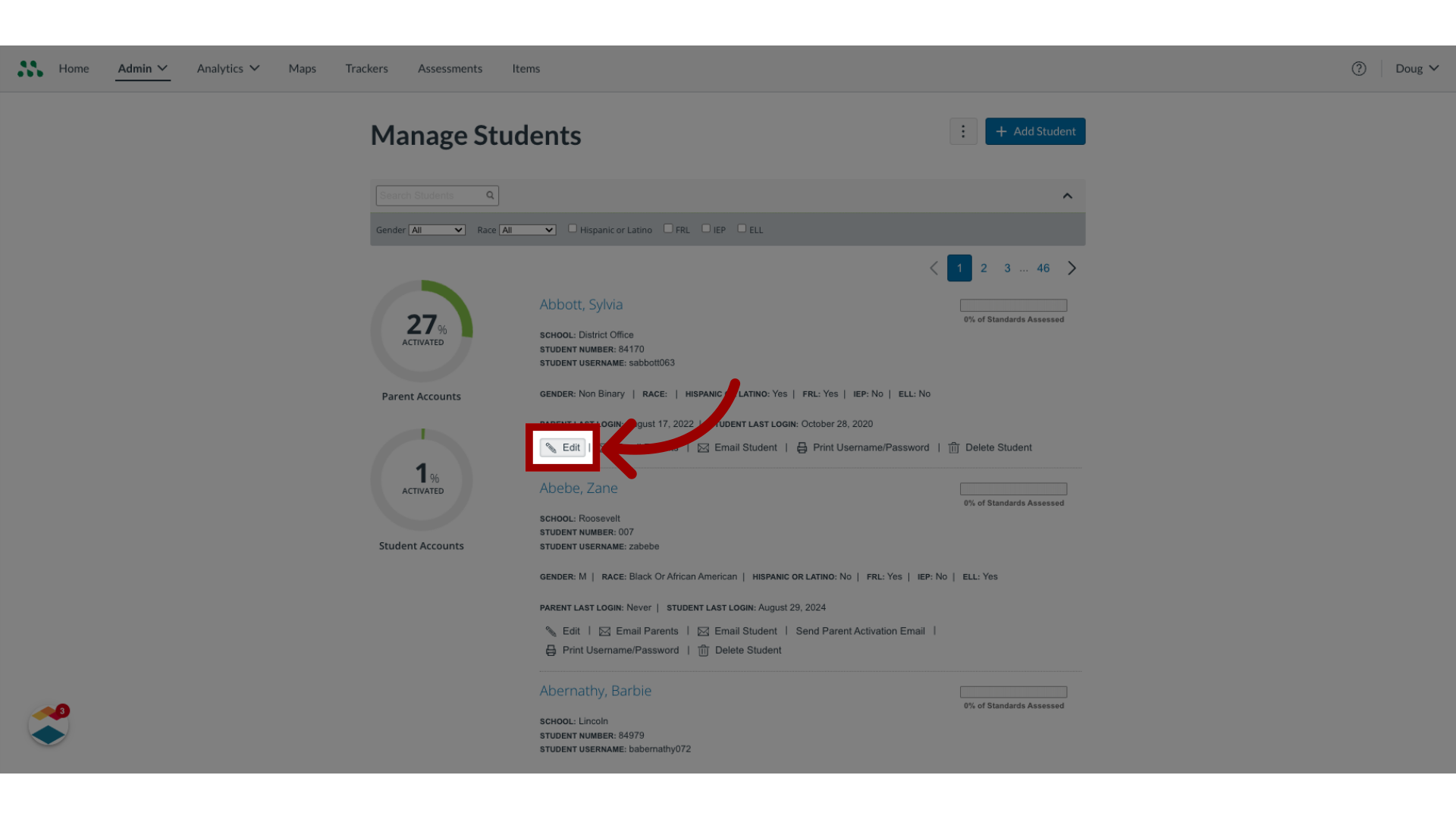
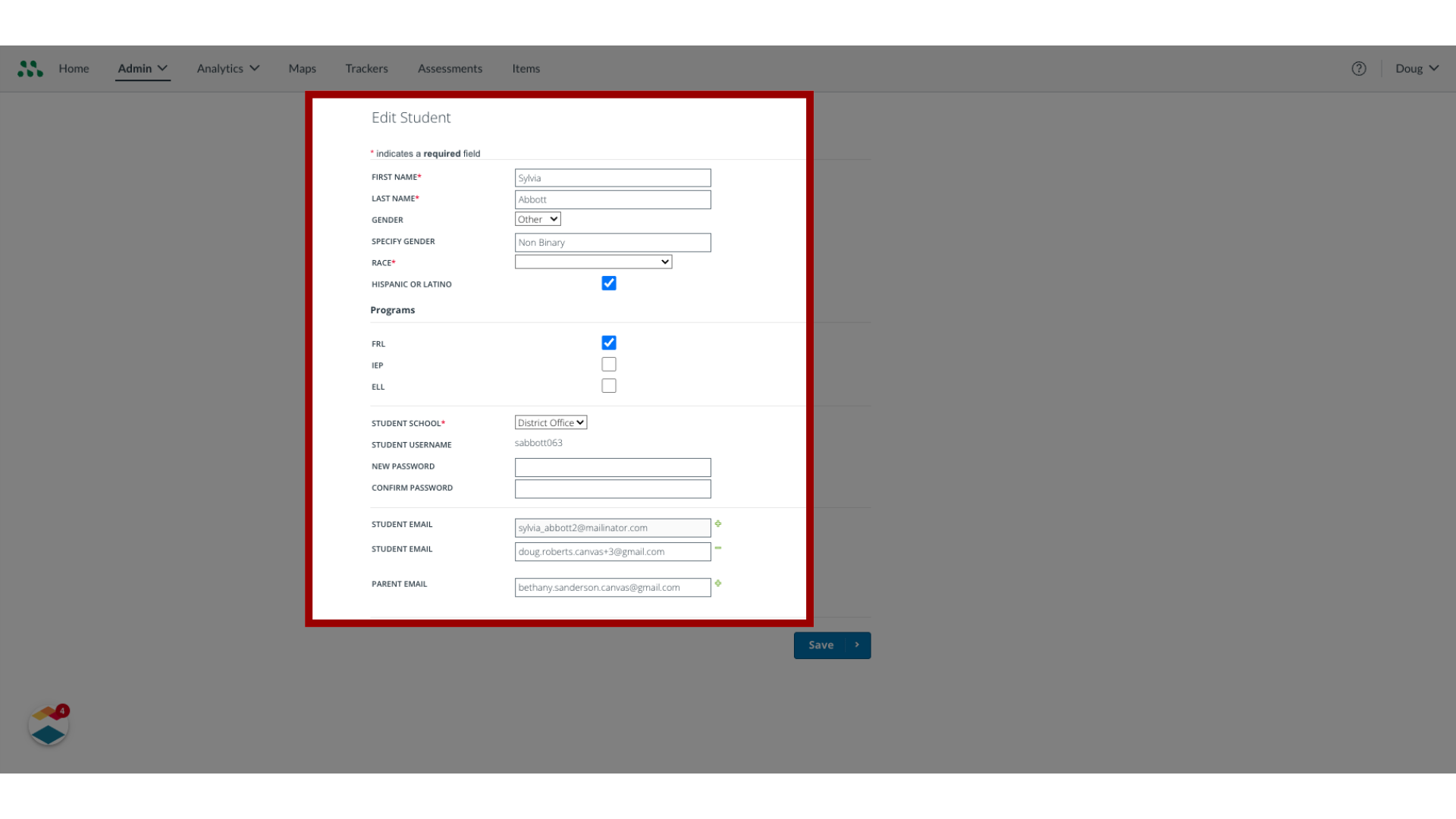
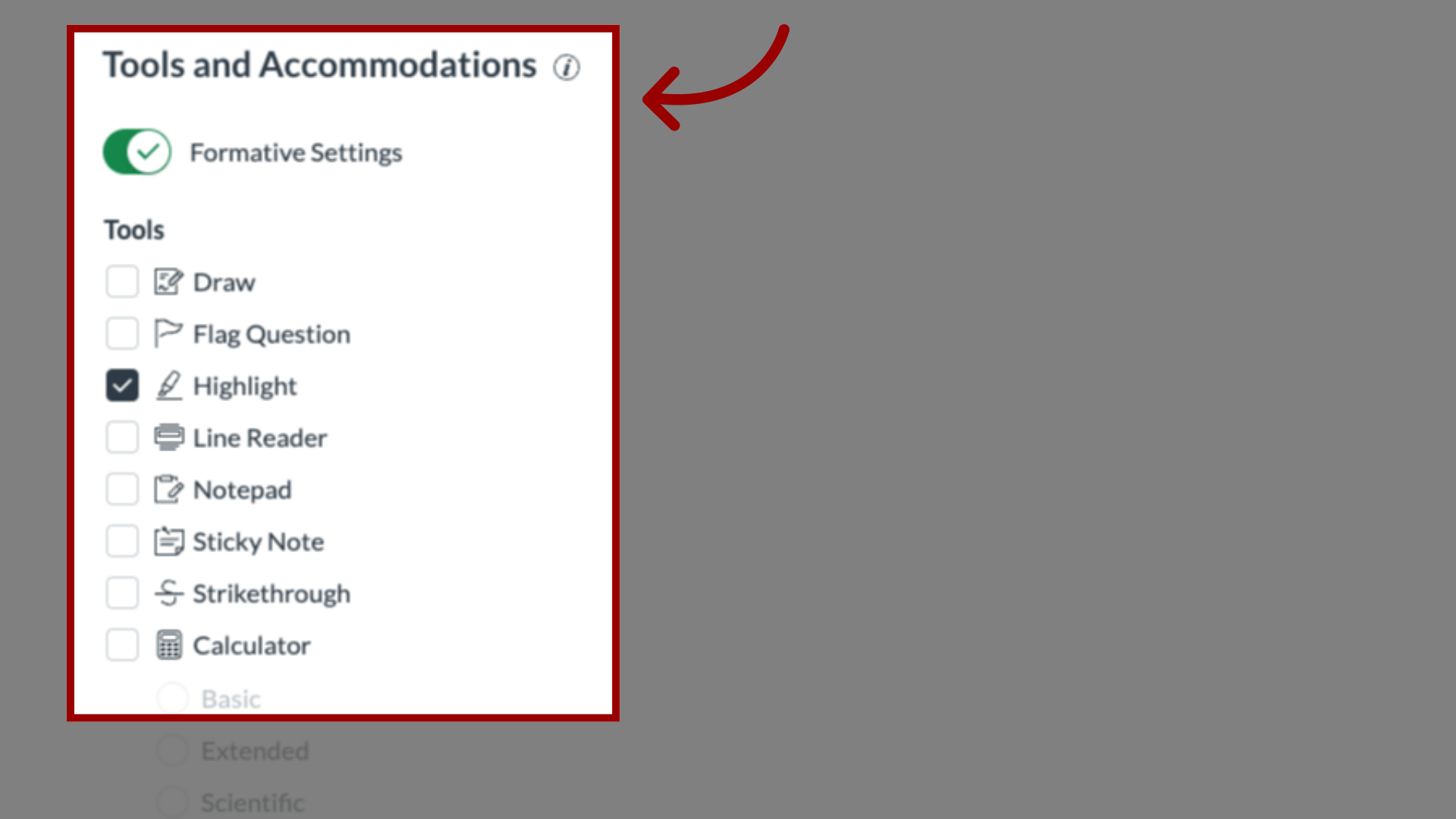
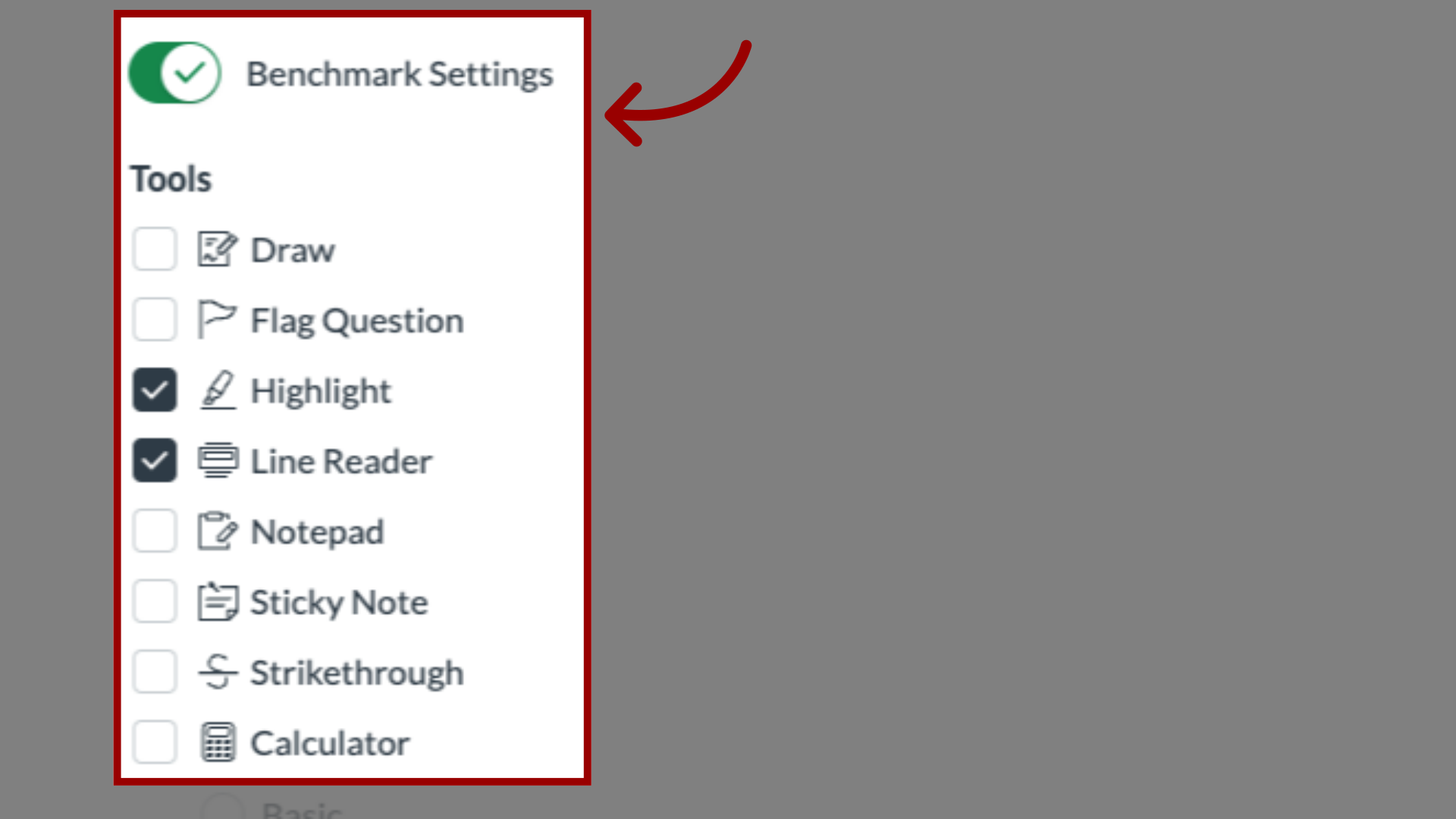
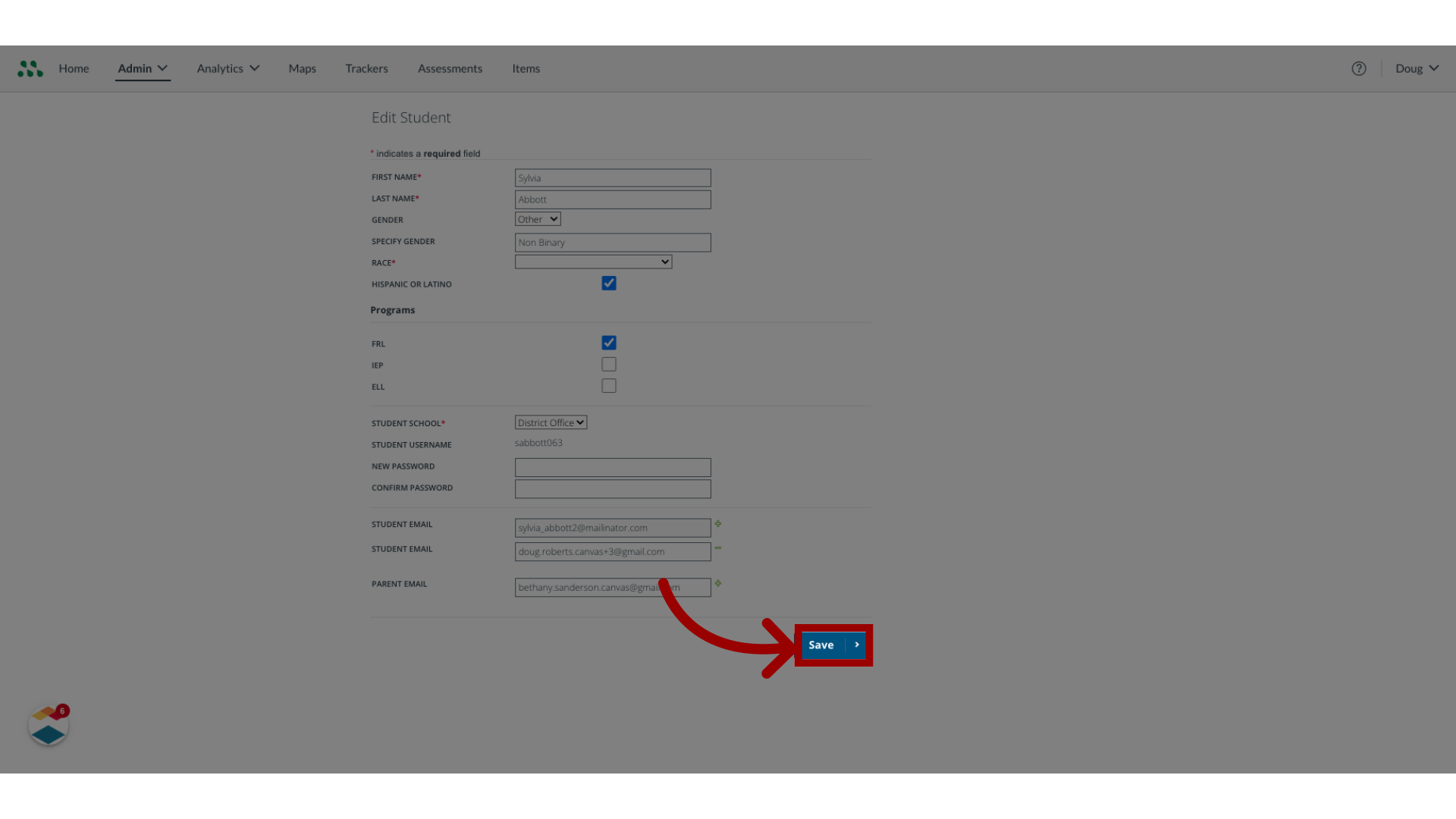
As a Mastery Connect admin, you can edit student account information. You can edit a student's name, gender, race, program enrollments, accommodations, and associated email addresses. You can also reset a student's password.How do I edit a student account as a Mastery Connect admin?1. Open Admin MenuIn global navigation, click the Admin drop-down menu.2. Open Manage MenuIn the drop-down menu, select the Manage link.3. Open Manage StudentsIn the Manage drop-down, click the Students link.4. Edit Student AccountLocate the student account to edit, then click the Edit link.5. Change Account InformationIn the Edit Student page, enter or change any information as needed using the fields and menus. 6. Manage Formative SettingsTo select relevant tools and accommodations under formative settings for students, click the FormativeSettings toggle.7. Manage Benchmark SettingsTo select relevant tools and accommodations under benchmark settings for students, click the BenchmarkSettings toggle. Students will take any assessment and have the selected tools.8. Save ChangesTo save changes, click the Save button. This guide covered how to edit a student account as a Mastery Connect admin.