As the owner of a curriculum map, you can add standards to a curriculum map. Additional standards can be added from the existing standards library, or you can create new standards to add to a map.
Note: District-approved curriculum maps cannot be copied.
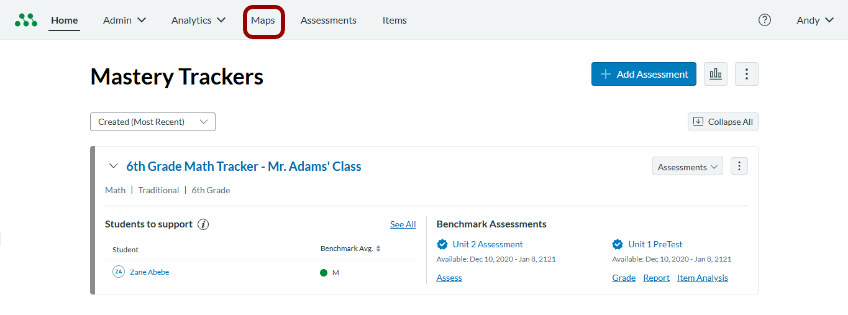
Open Maps
In the Global Navigation menu, click the Maps link.
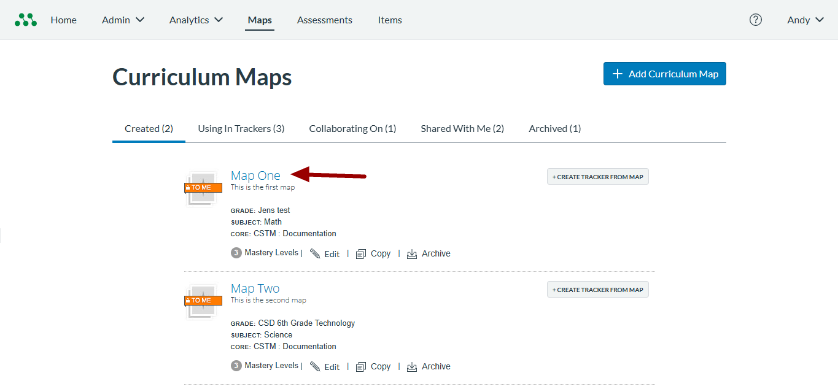
Open Curriculum Map
Click a curriculum map name link.
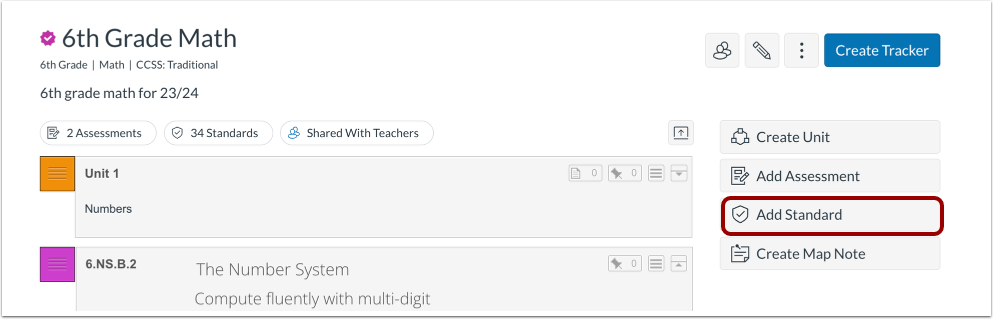
Open Add Standard
In the curriculum map, click the Add Standard button.
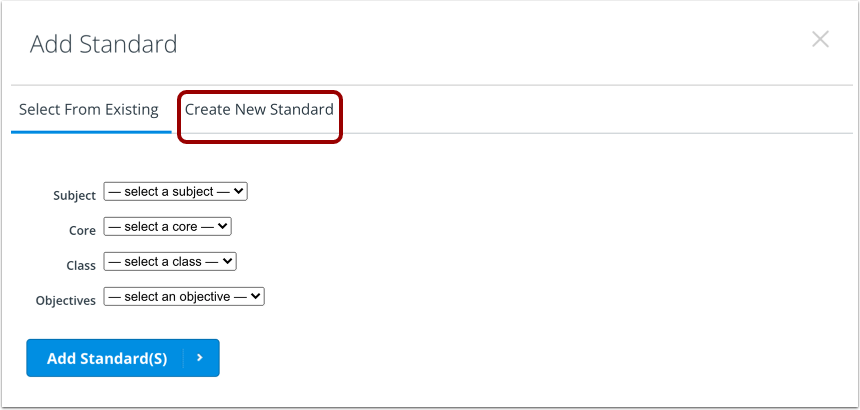
Open Create New Standard
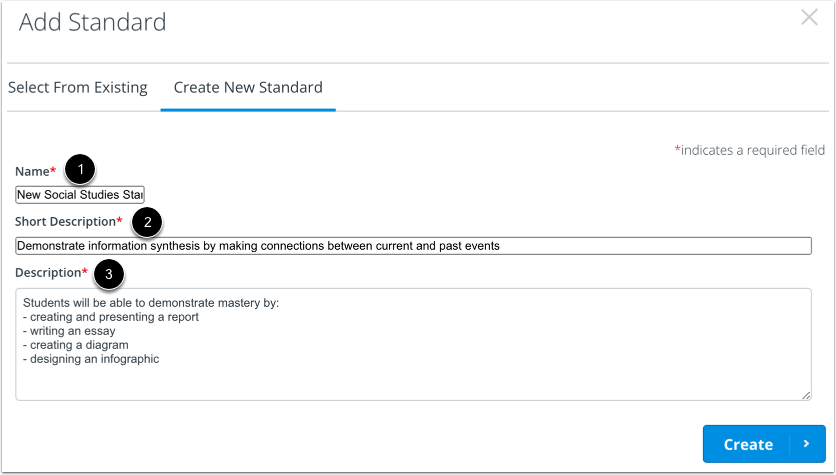
In the Add Standard window, click the Create New Standard tab.
Add New Standard Details
To create a new standard in the Create New Standard tab, you must enter a name [1], short description [2], and description [3].
Create Standard
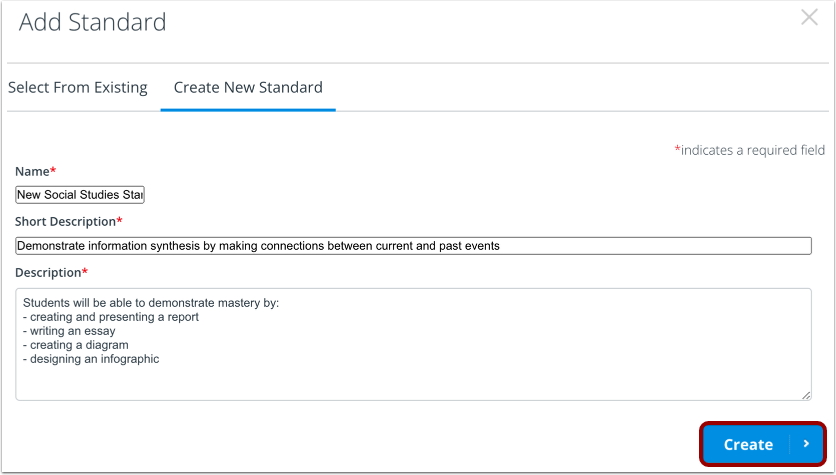
Click the Create button.
View New Standard in Map
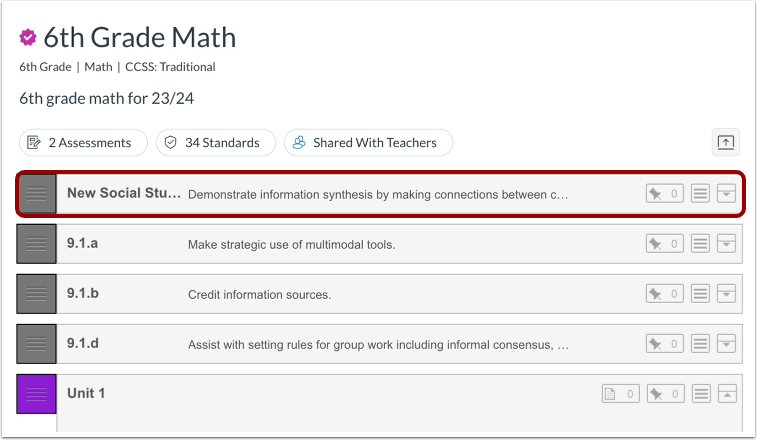
View the new standard in your curriculum map.