In a curriculum map, you can remove assessments. All owners collaborating on your curriculum map can also remove assessments.
Note: Only the owner of a district-approved curriculum map can remove assessments or make other edits to it.
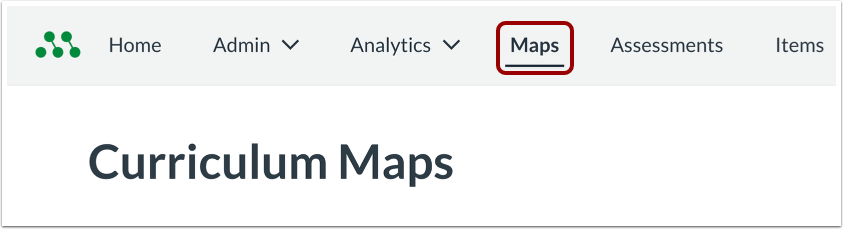
Open Maps
In the Global Navigation menu, click the Maps link.
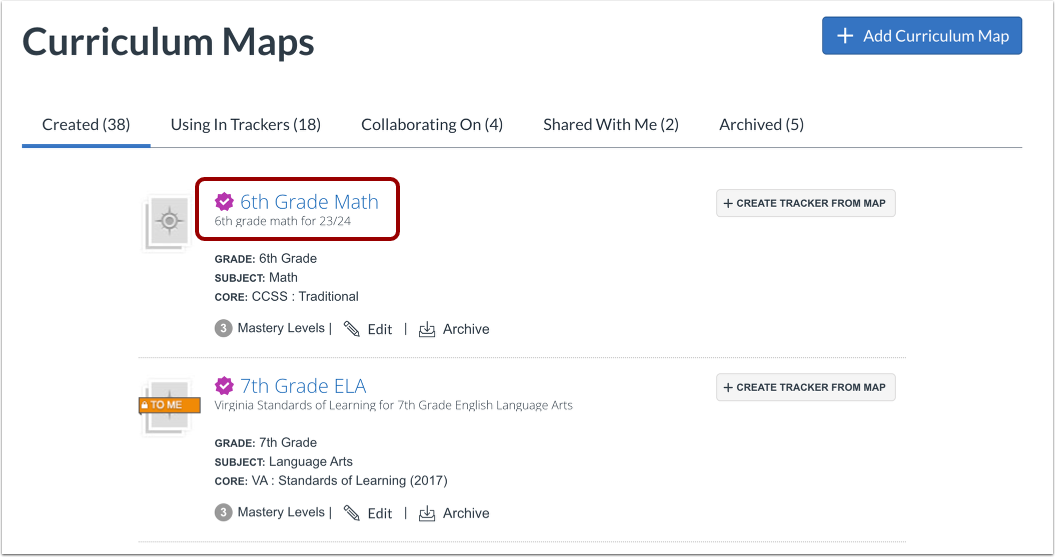
Open Curriculum Map
Click a curriculum map name link.
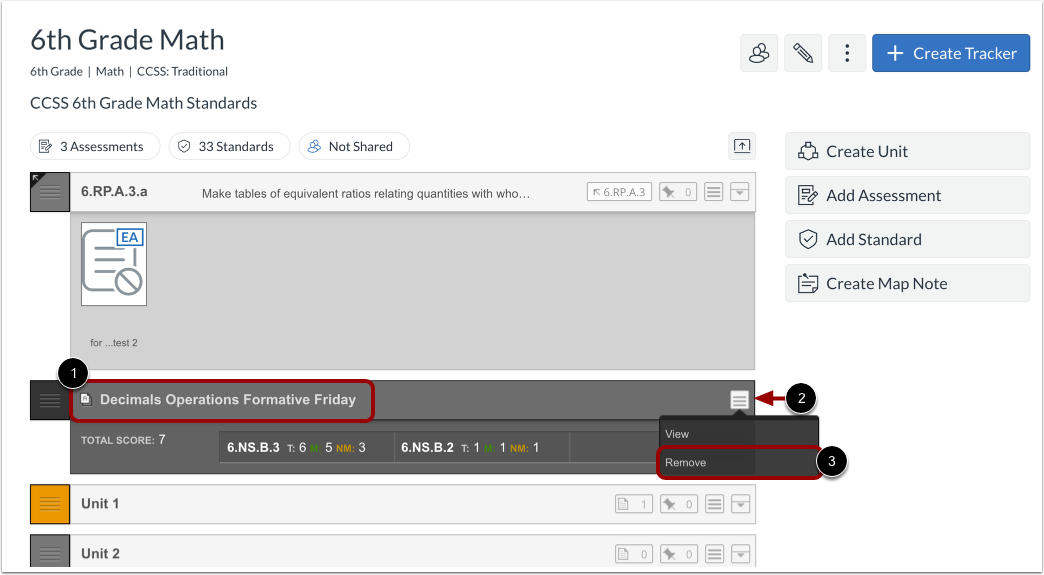
Open Assessment Options
Locate the assessment to remove [1]. Then click the Options button [2] and click the Remove link [3].
Remove Assessment
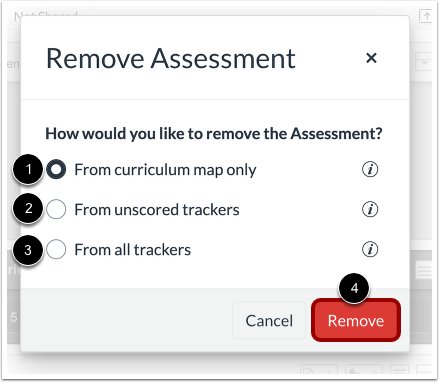
In the Remove Assessment modal, choose the preferred option:
- From curriculum map only [1]: Only remove the assessment from the curriculum map. This will preserve all versions of the assessment in trackers, including those with and without scores.
- From unscored trackers [2]: Remove this assessment from the curriculum map, and delete all unscored versions from Trackers. Scored version will not be deleted.
- From all trackers [3]: Remove this assessment from the curriculum map, and delete all versions of this benchmark from trackers, including all scores.
Then click the Remove button [4].