The proficiency calculation settings can be changed for an individual standard or sub-standard in Mastery Connect.
When a tracker is created, all standards use the default calculation method set by the school or district. You can change the default calculation method for all the standards in the tracker by changing the tracker settings, or you can change the proficiency method used for individual standards.
Note:Managing default proficiency calculations is an admin-only feature. If you do not have access to this feature, please contact your administrator.
Open Tracker
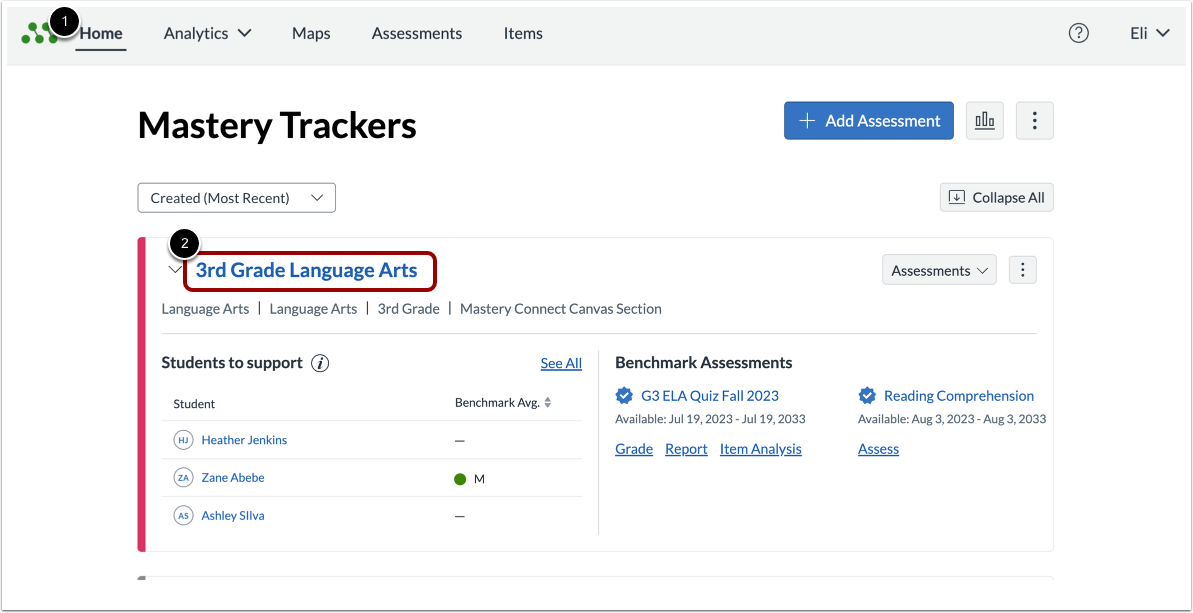
In the Mastery TrackersHome page [1], click the tracker name link [2].
Open Standard
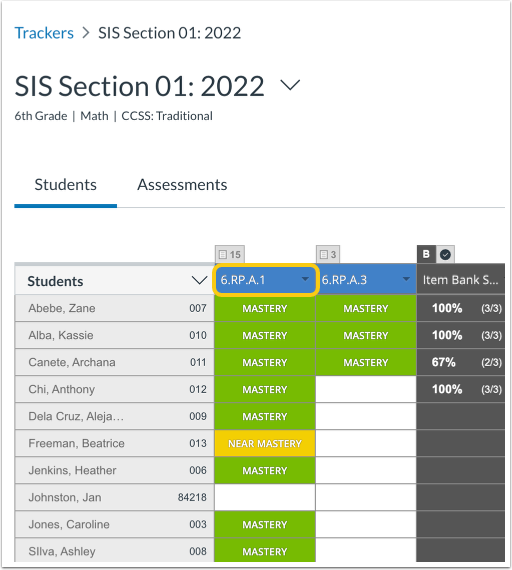
Click the Standard name.
Open Proficiency Settings
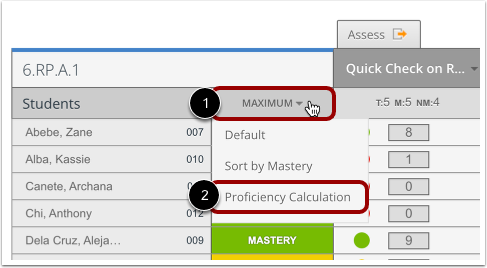
Hover the cursor over the Most Recent header [1] and click the Proficiency Calculation link [2].
Select Proficiency Calculation Settings
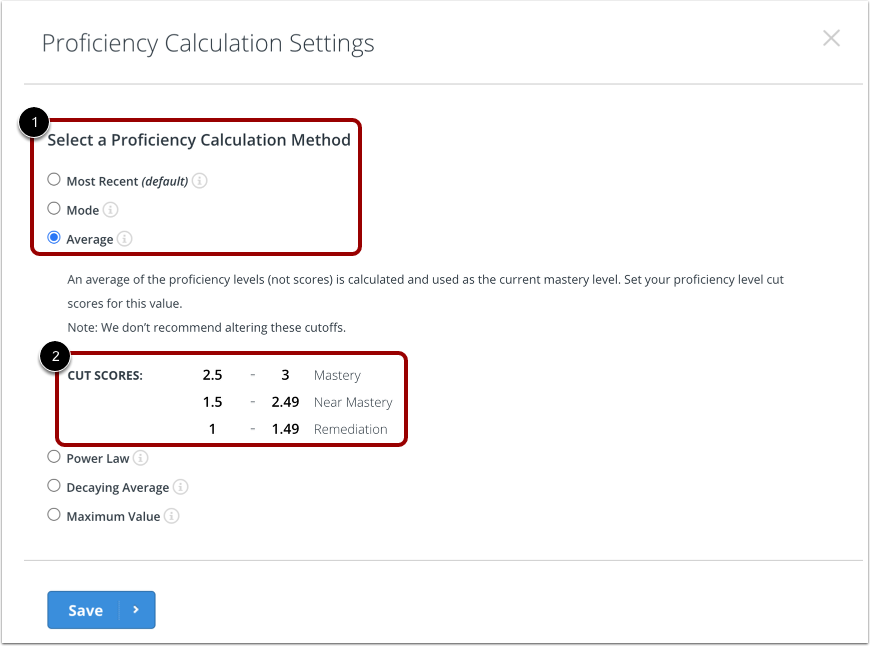
Select the calculation method [1] to use for this standard.
Note: If your administrator has enabled teachers to set their own cut scores, you can enter proficiency cut scores [2]. However, editing cut scores at the tracker level is not recommended.
Select Save
Click the Save button.