As a Mastery Connect administrator (admin), you can reserve or release items in district-level item banks. Reserved items cannot be used by teachers in their assessments. Released items can be used by teachers.
Notes:
Open Admin Manage
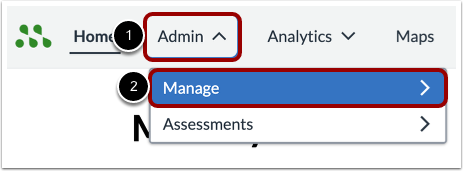
In the Global Navigation menu, click the Admin drop-down menu [1]. Select the Manage option [2].
Open Item Bank
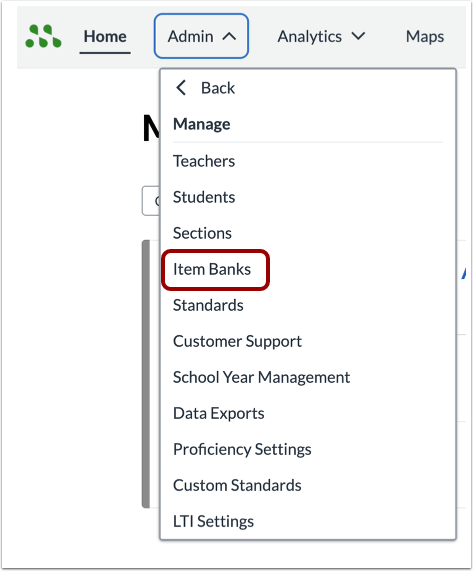
Click the Item Banks link.
Open Item Bank
Click the name link of the item bank containing the item to reserve or release.
Reserve Item
To reserve an item, find the item in the item list [1]. From the Actions column, click the Lock icon [2].
The item is now reserved and cannot be used by teachers in their formative assessments.
Note: The reserve button is only available for published items.
Release Item
To release a reserved item, click the item name link [1]. Then, in the item display window, click the Release button [2].
The released item is now available for teachers to use in their formative assessments.