How do I activate parent email accounts as a teacher?
How do I activate parent emails as a teacher?
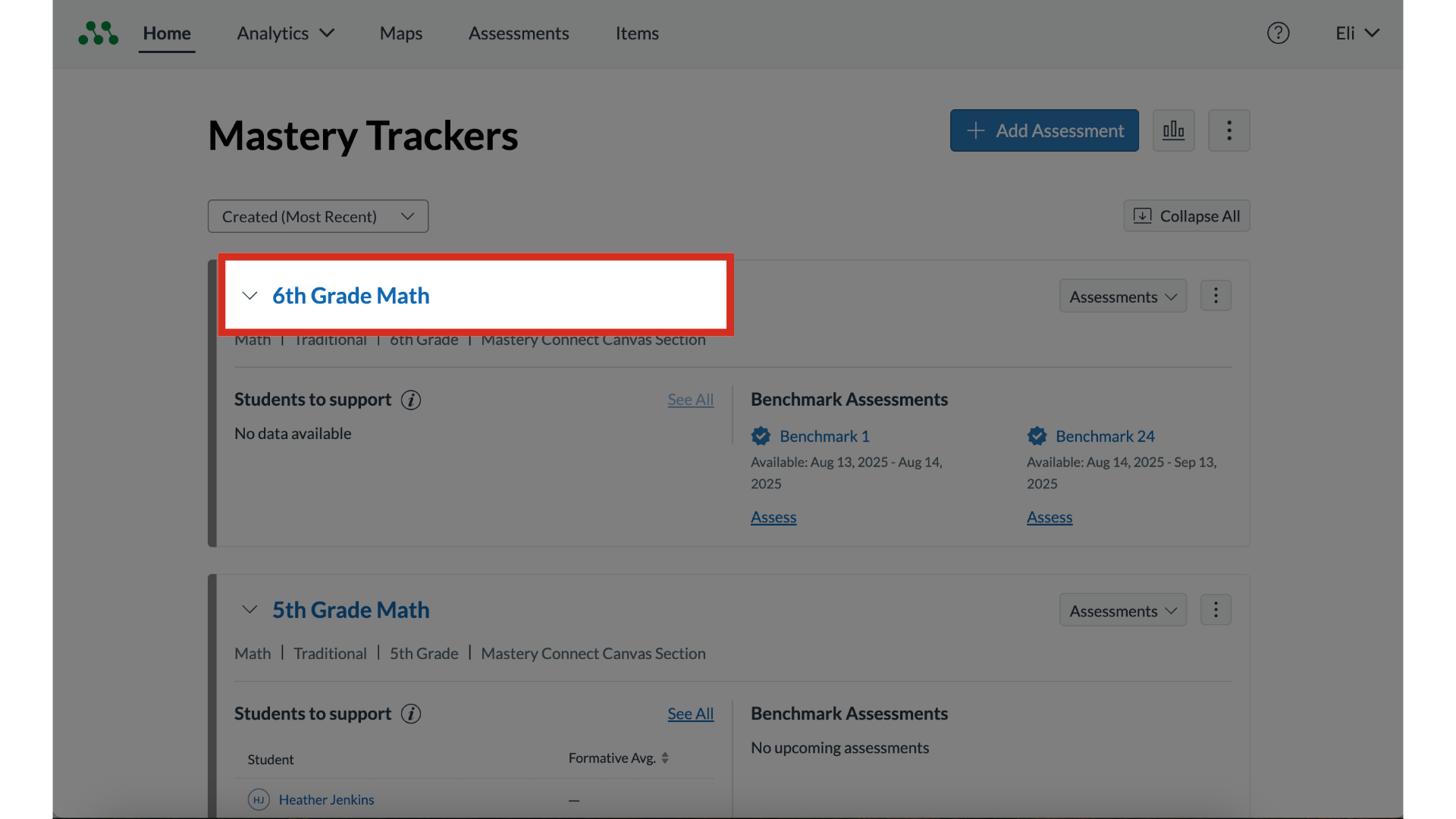
1. Select Tracker
To select a tracker, click the tracker name link.

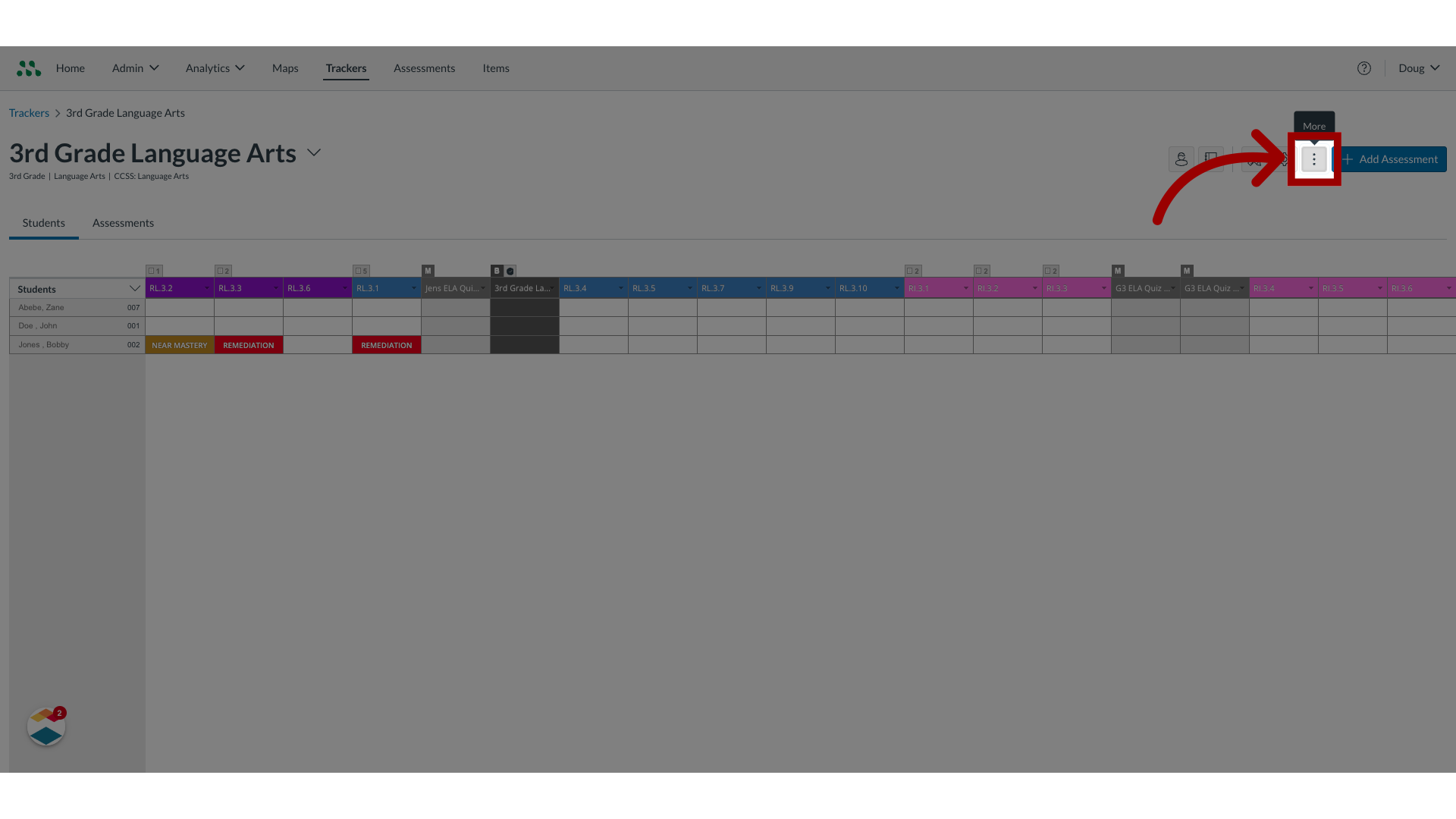
2. Select More options
Then click the More Options menu.

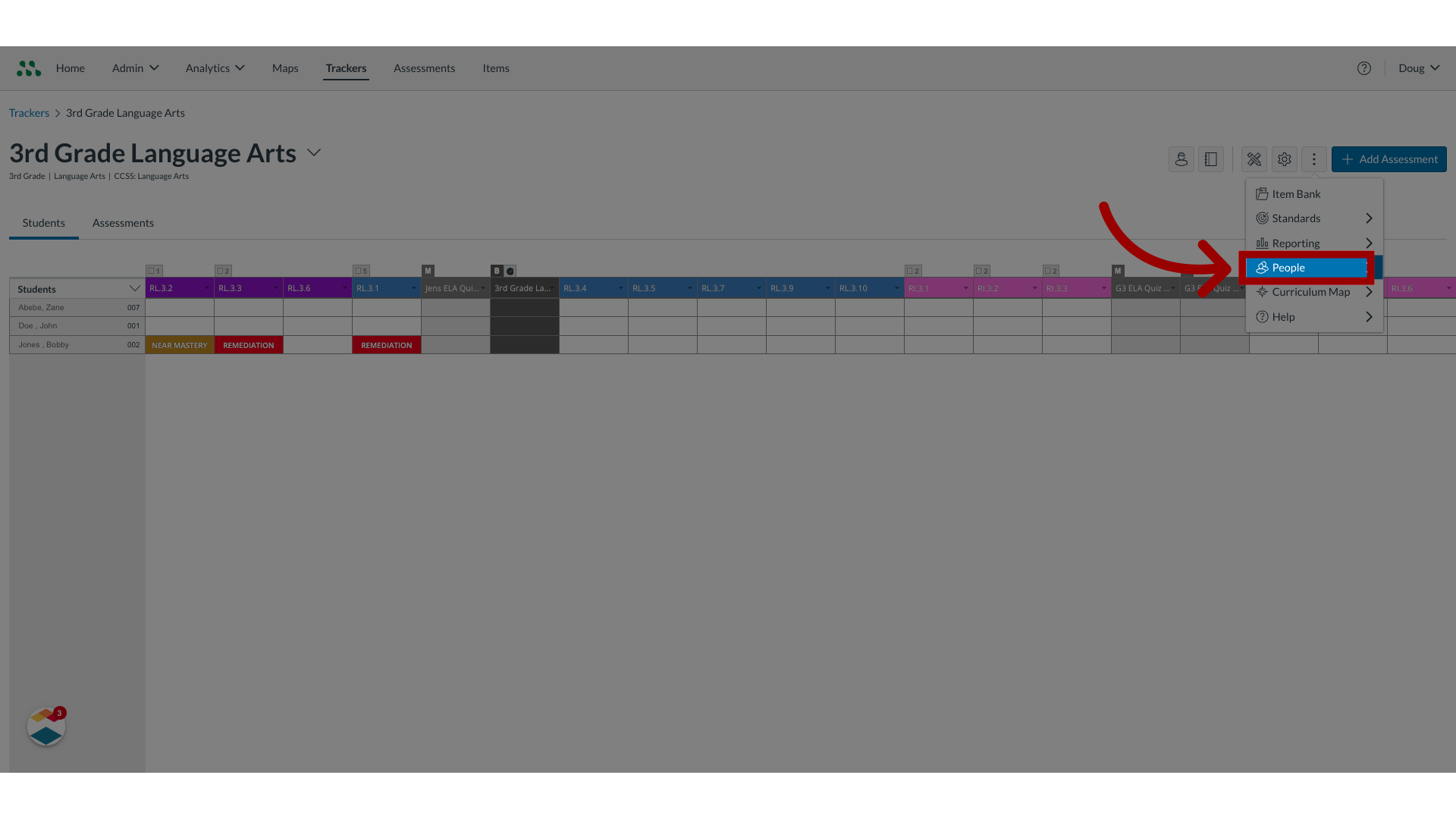
3. Select People
Click the People menu.

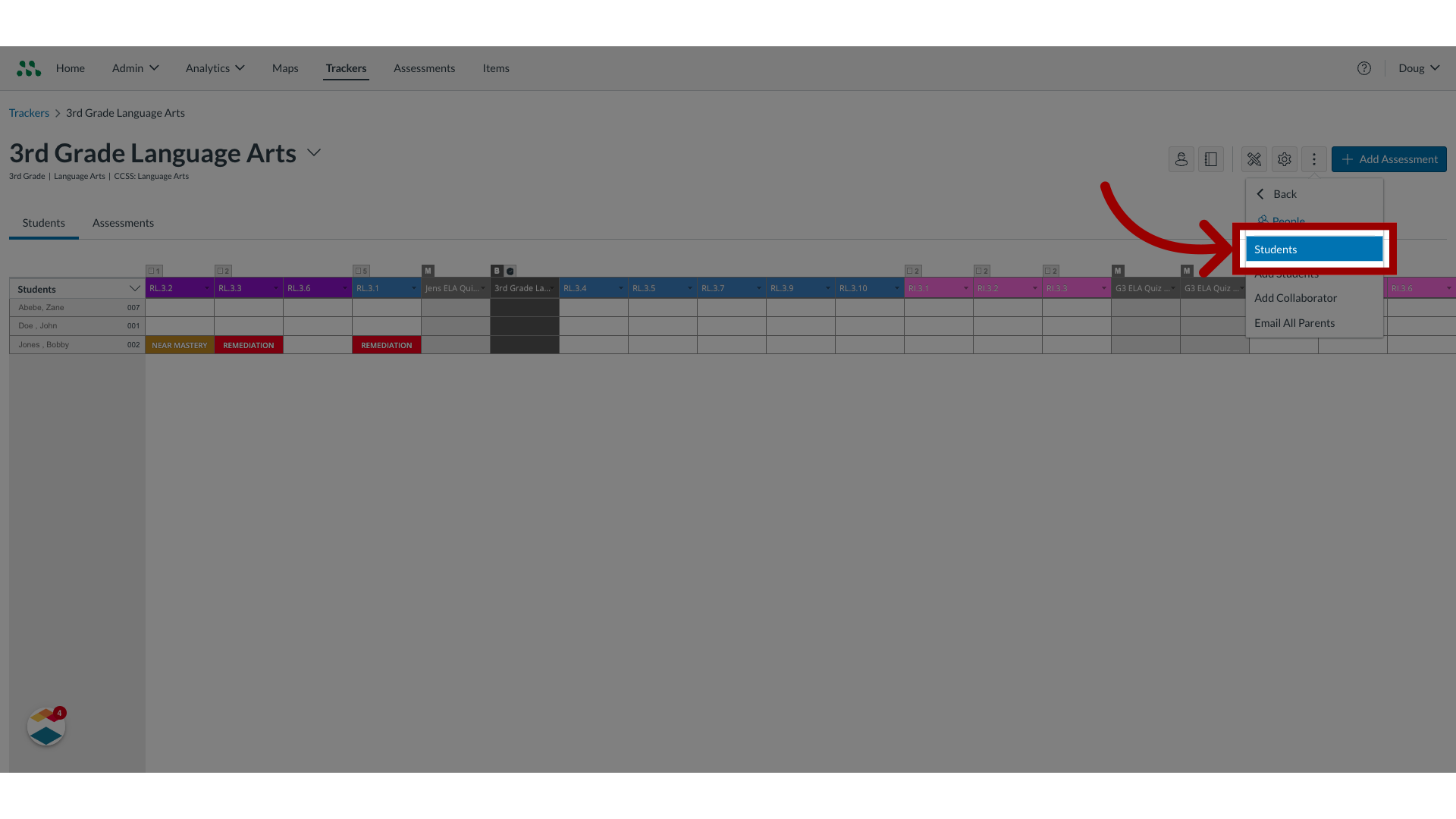
4. Select Students
Then select the Students option.

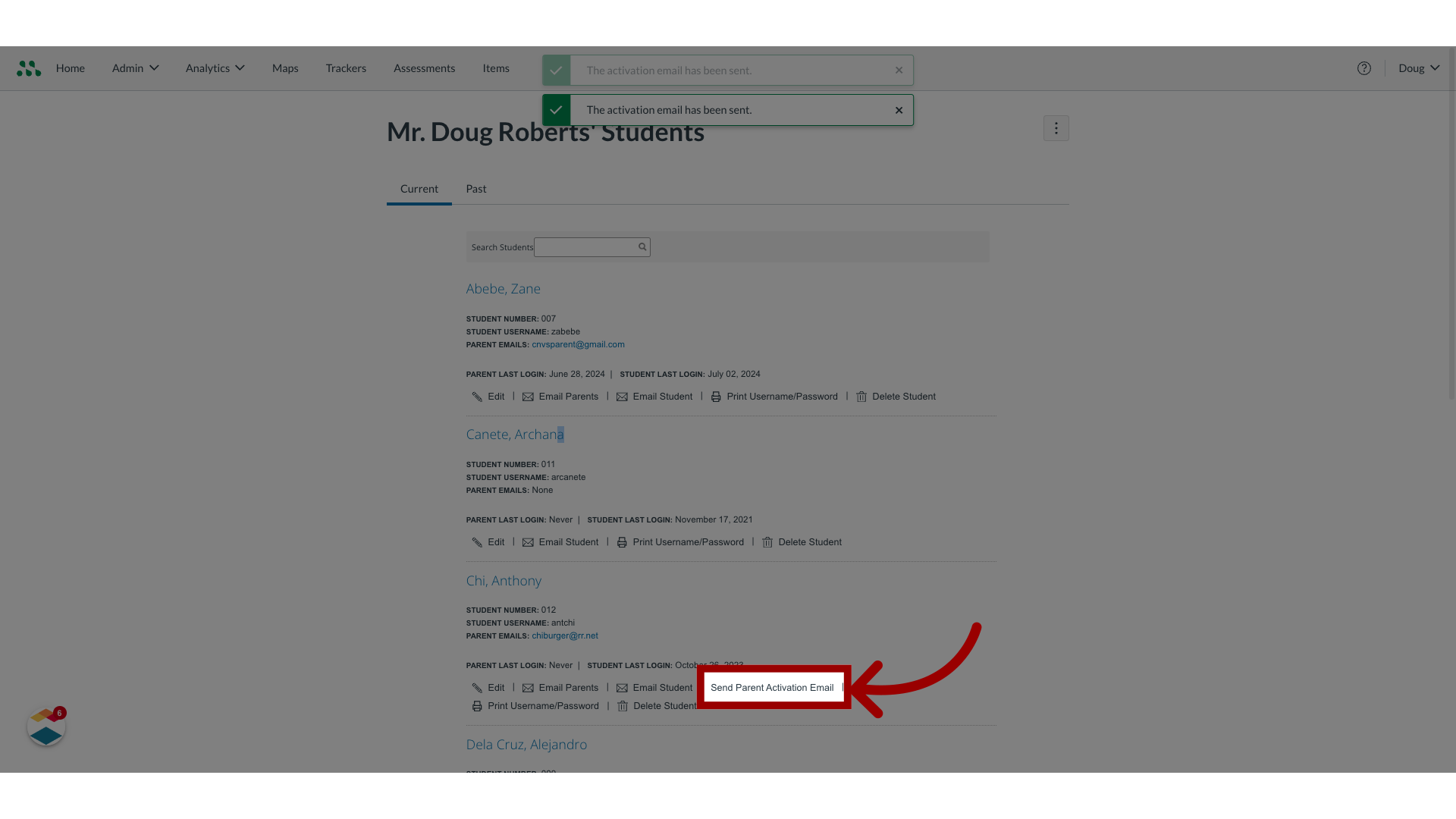
5. Select Send Parent Activation Email
To send an individual email, locate the student name and click the Send Parent Activation Email link.

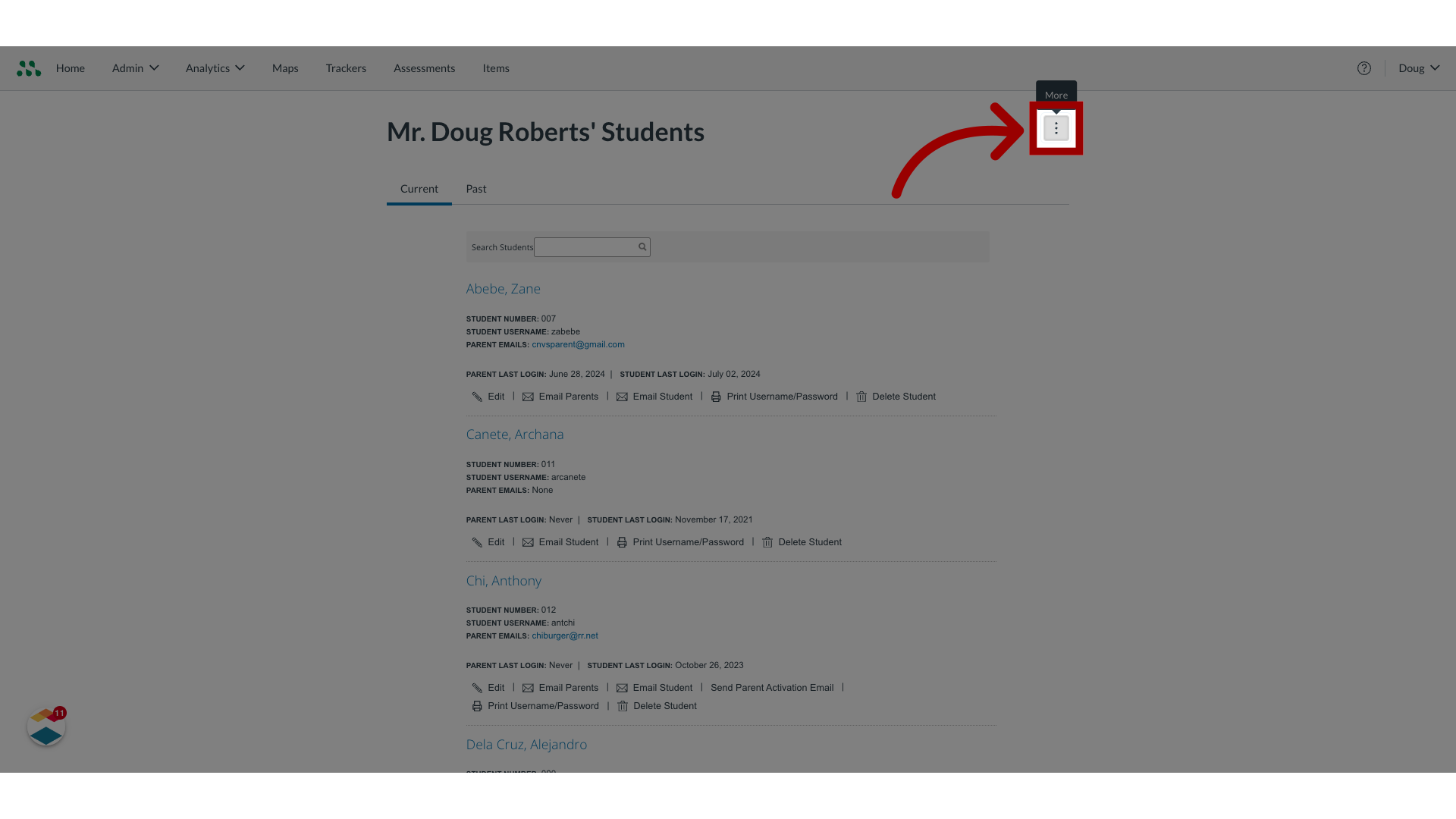
6. Select More Options
To send parent activation emails in bulk to parents in one or more classrooms, click the More Options button.

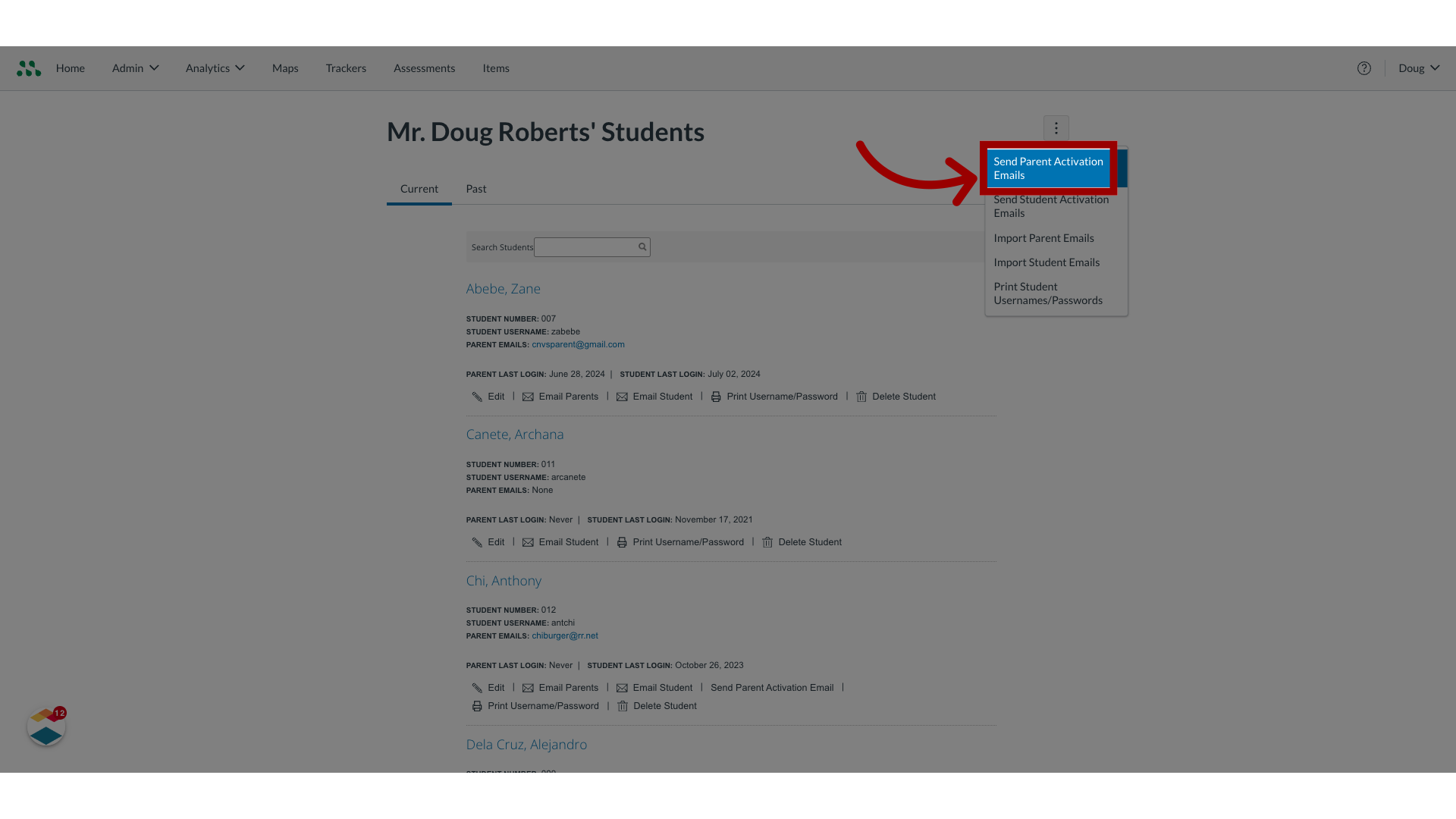
7. Select Send Parent Activation Emails
Click the Send Parent Activation Emails option.

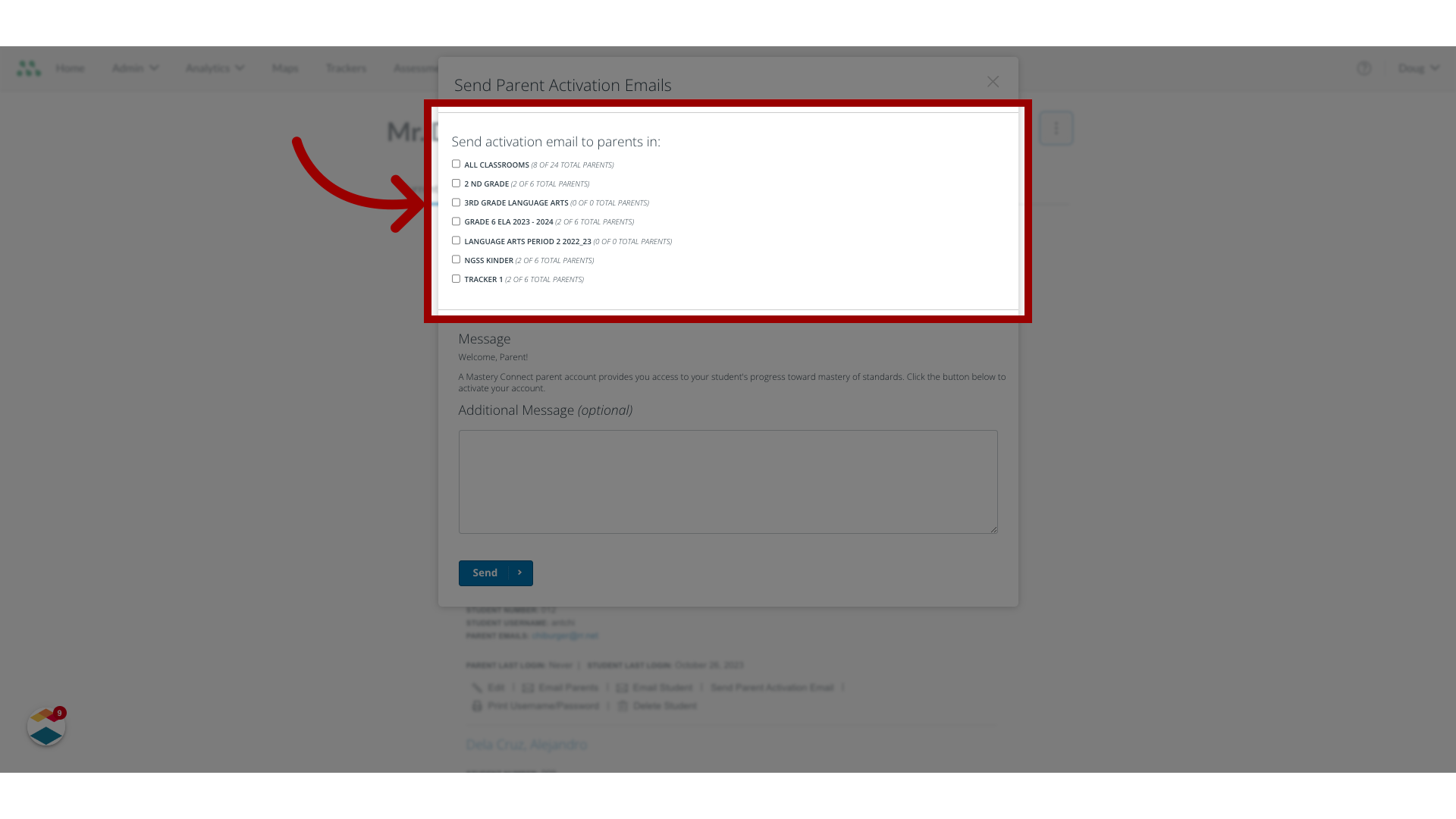
8. Select classroom
To send activation emails to all parents in all classrooms, click the All Classrooms checkbox. To send activation emails to all parents in a single classroom, click the [class name] checkbox.

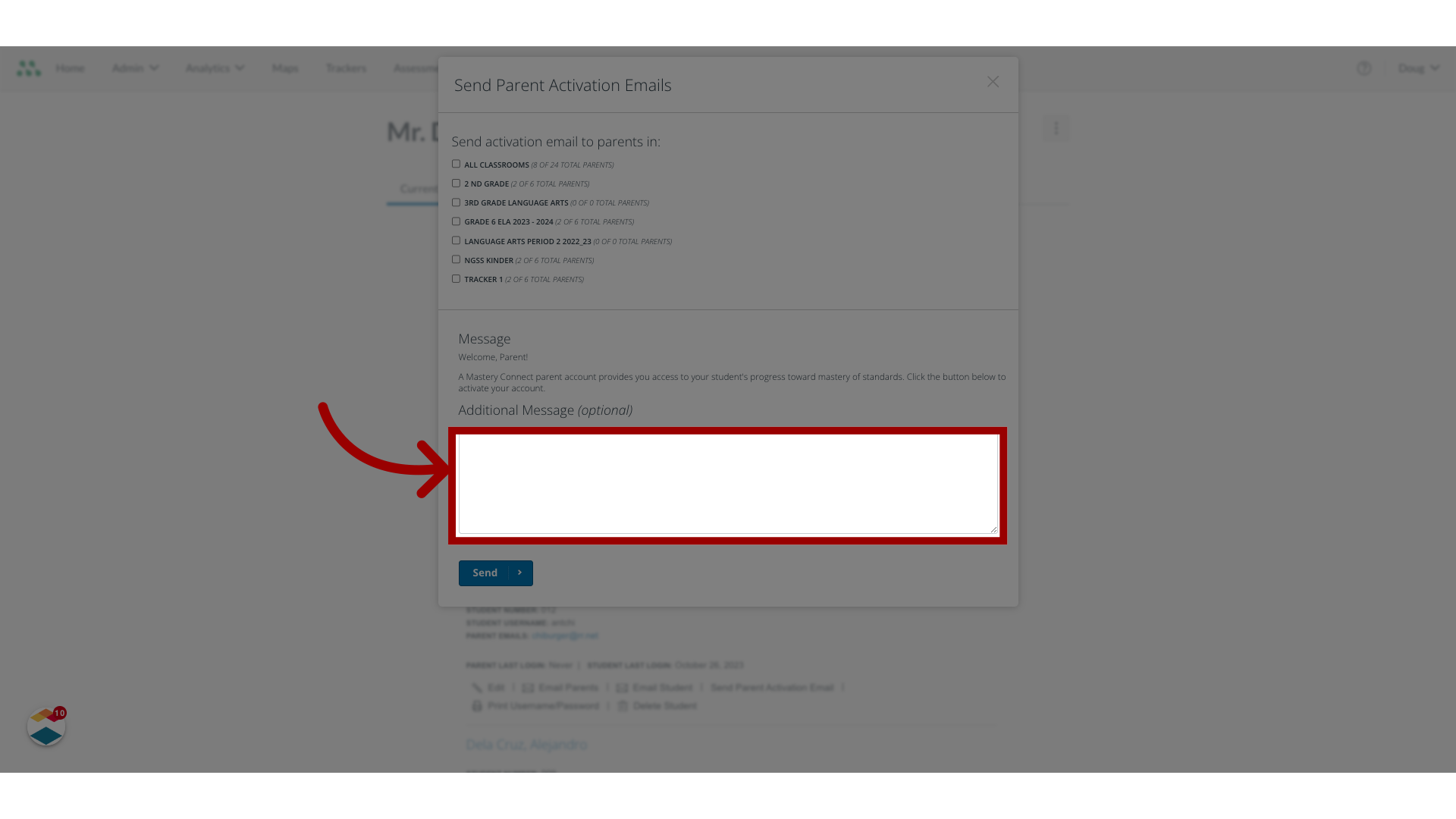
9. Enter Text
By default, a generic message displays.
To add an optional personalized message to the email, enter text in the Additional Message field.

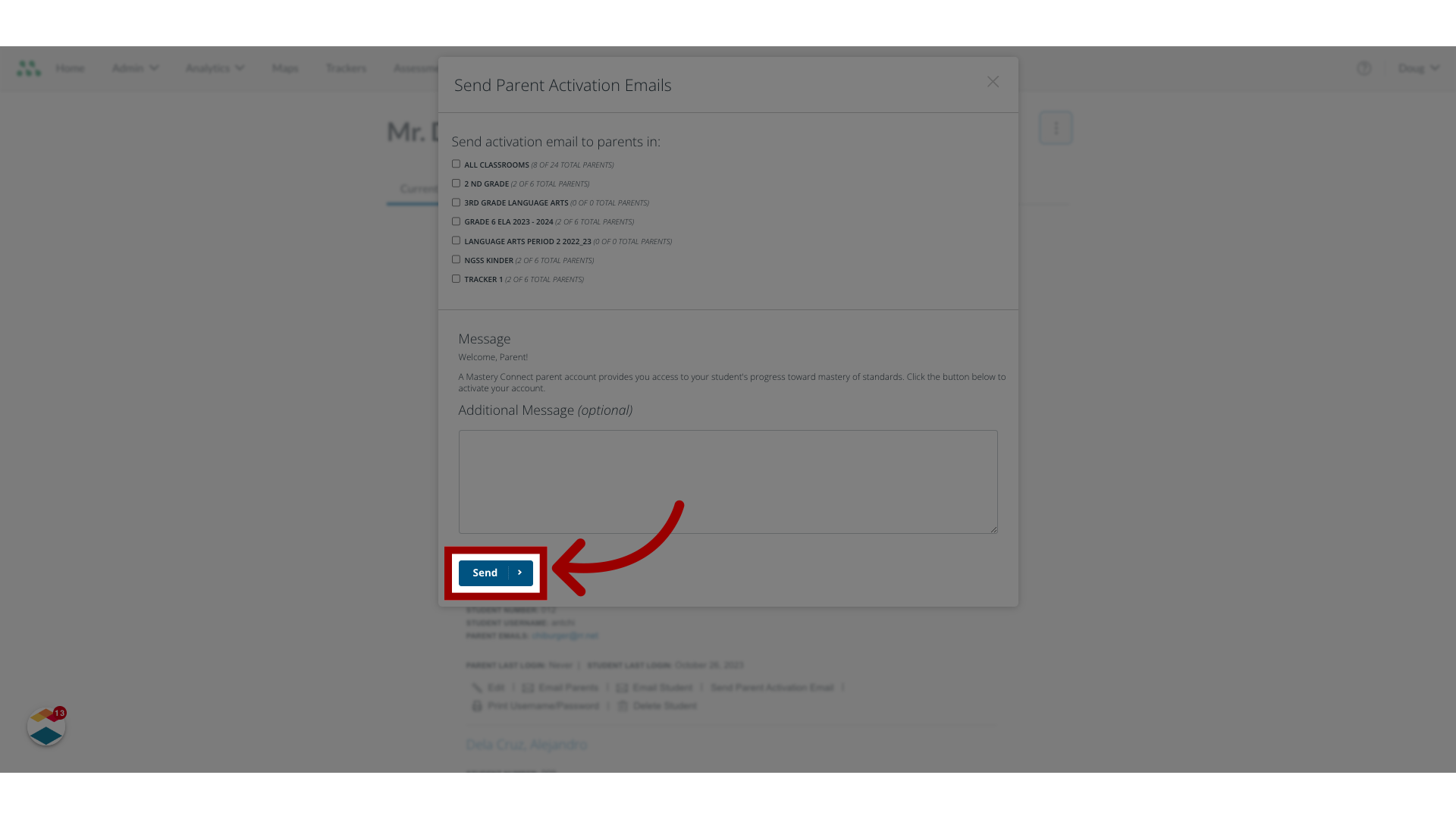
10. Select Send
Then click the Send button.

This guide covered how to activate parent emails as a teacher.