When viewing the Standard Details page in a tracker, you can sort the student list to display in order of standard mastery. The Sort by Mastery option sorts students in descending order based on a proficiency calculation setting. Students with higher mastery scores display at the top of the student list, while students with lower mastery scores display at the bottom.
Open Tracker
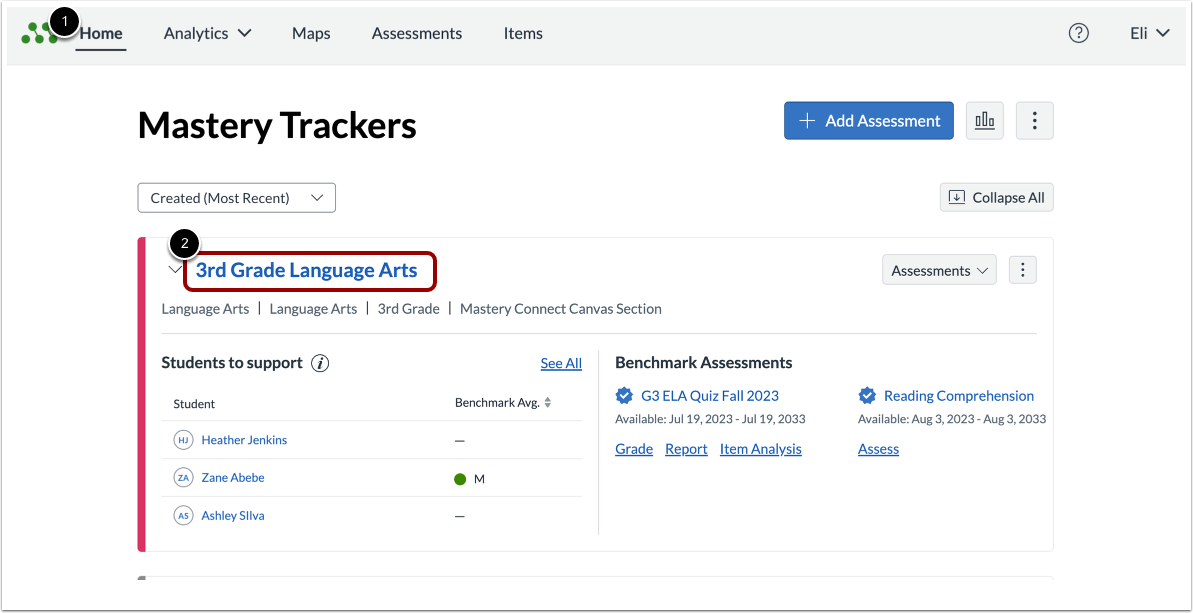
In the Mastery TrackersHome page [1], click the tracker name link [2].
Select Standard
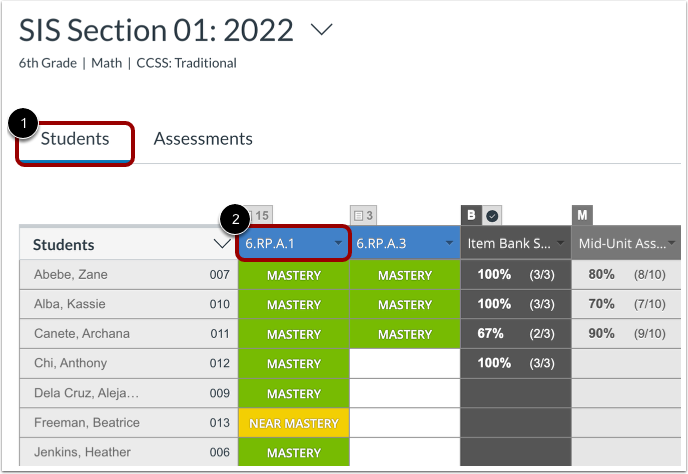
Click the Students tab [1]. Then, to open the Standard Details page, click the standard header name [2].
Sort by Mastery
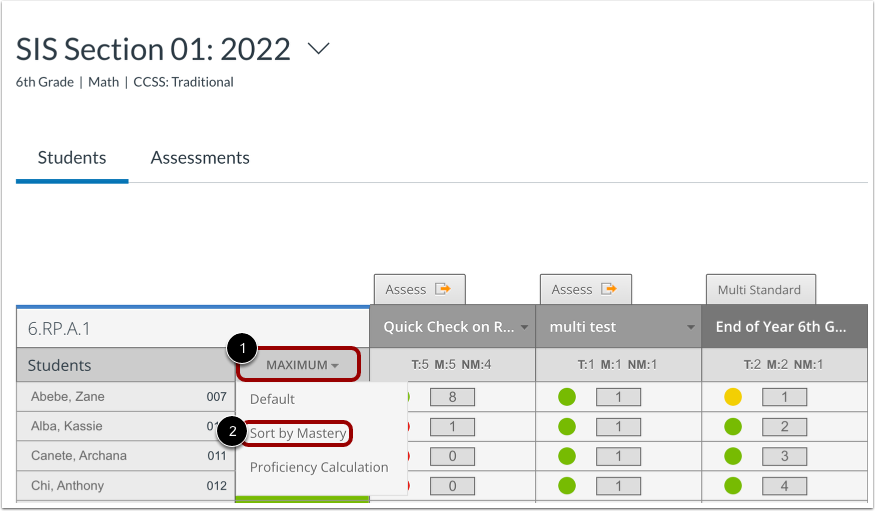
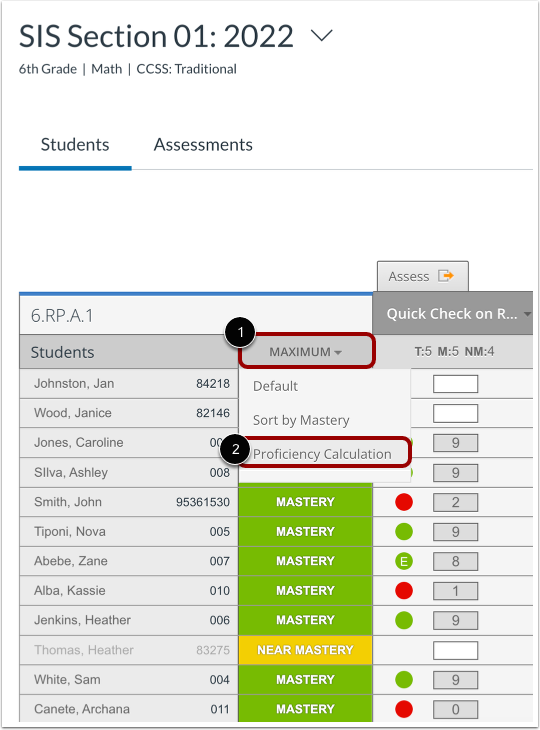
By default, the Standard Details page displays students in alphabetical order by last name. To sort by mastery status, hover the cursor over the Mastery Status Sort menu [1] and select the Sort by Mastery option [2].
View Sorted Student List
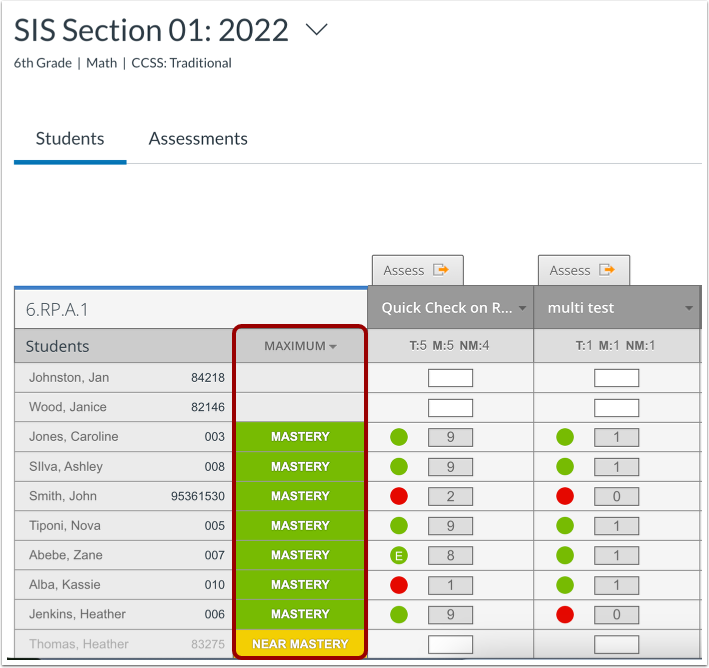
View the student list sorted in descending order based on the default mastery status proficiency calculation.
Select Proficiency Calculation
To select a proficiency calculation method for sortring by mastery, in the Standard Details page, hover the cursor over the Mastery Status Sort menu [1] and select the Proficiency Calculation option [2].
Select Proficiency Calculation Method
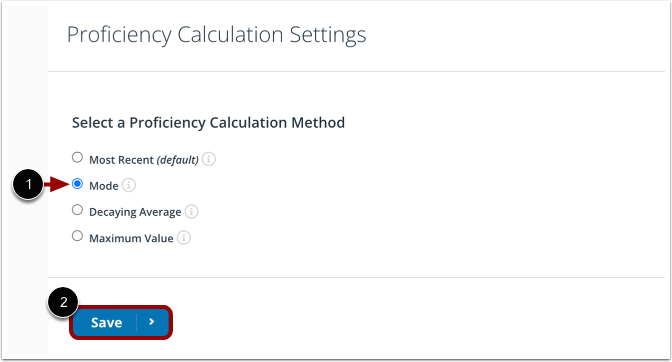
To set a proficiency calculation method, find the method in the list and click the radio button [1]. Then, to select the new method, click the Save button [2].
Select Default Sorting
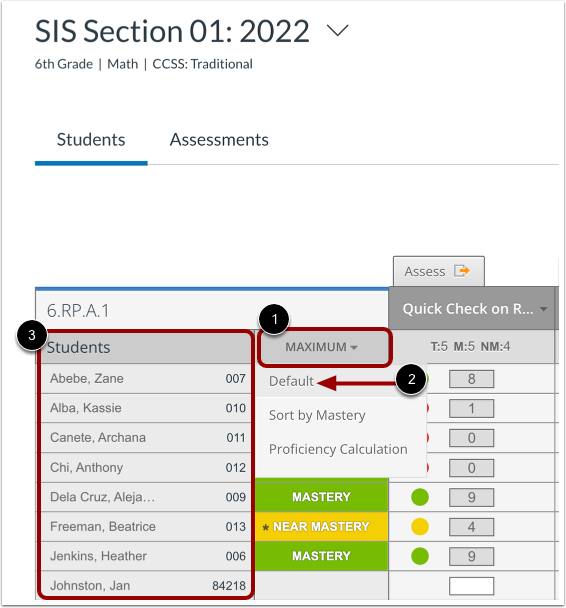
To view the list in alphabetical order by last name, hove the cursor over the Mastery Status menu [1], and select the Default option [2].
The Student's list displays in alphabetical order by surname [3].