You can change the privacy settings for curriculum maps that you own. Based on the selected privacy setting, you can share your map with the Mastery Connect Community or make the map private to yourself, your team, your school, or your district.
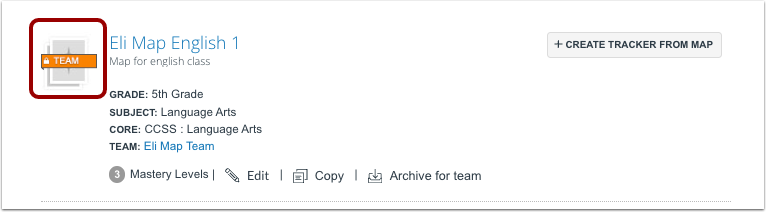
If a curriculum map setting is set to Private, it displays a privacy label.
Open Curriculum Map
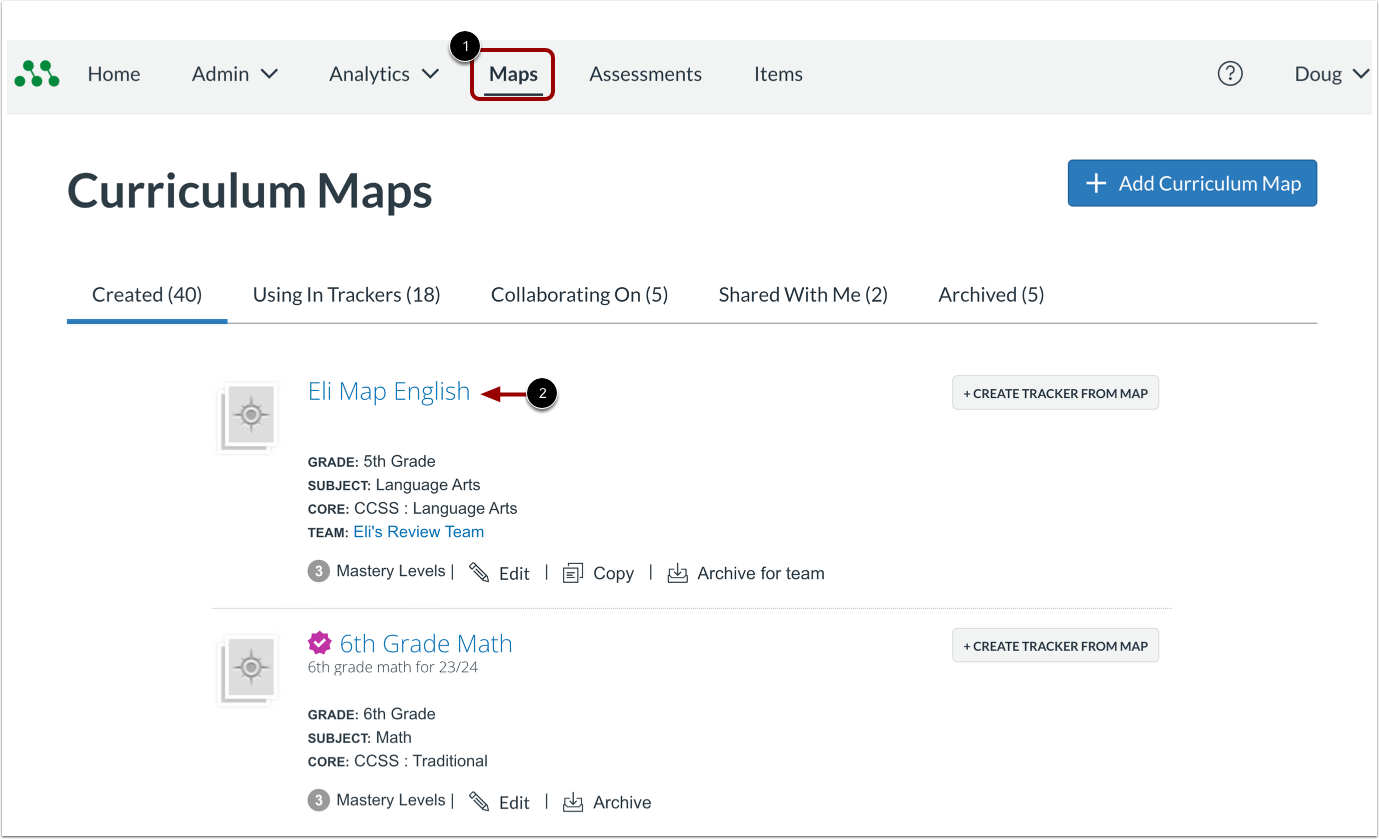
In the Global Navigation menu, click the Maps link [1]. Then, click a curriculum map name link [2].
Open Edit Window
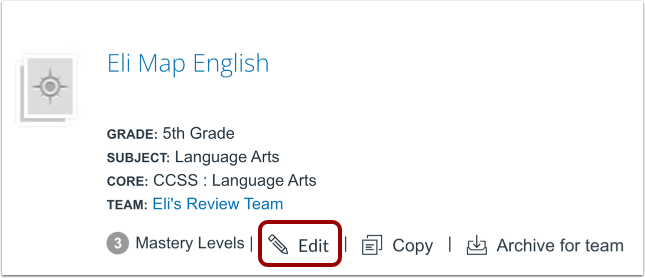
Click the Edit link.
Select Privacy Settings
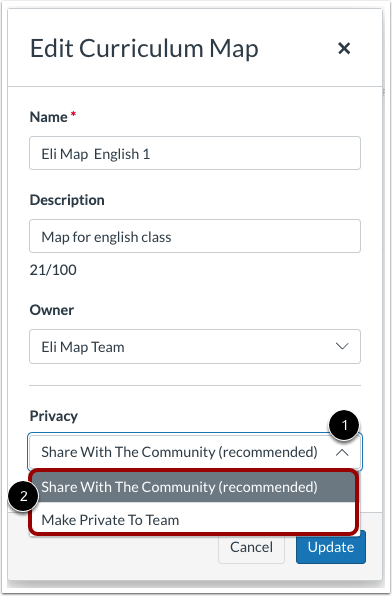
Click the Privacy drop-down menu [1]. Select a new privacy setting option [2].
Save Settings
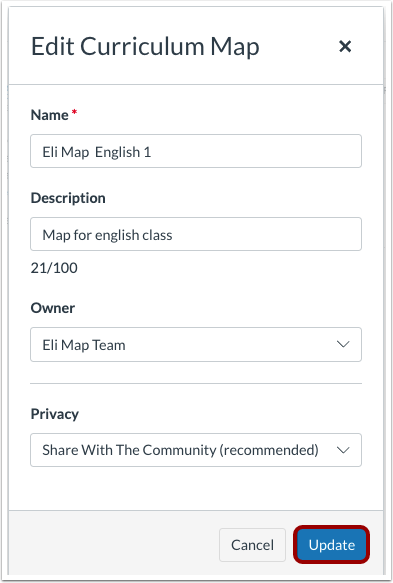
Click the Update button.
View Updated Privacy Label
On the Curriculum Maps page, view the curriculum map's privacy label.
Note: Curriculum maps shared to the Mastery Connect Community do not display a privacy label.