As a Mastery Connect district administrator or user with benchmark author and benchmark facilitator additive permissions you can allow students to view their scores immediately after they submit a benchmark assessment.
Viewing permissions can be enabled when a benchmark delivery is scheduled, or adjusted on a benchmark that is already in progress.
Note: Rubric based questions must be graded by the teacher, and scores for those items are not available for immediate viewing.
View the video transcript
00:05: How do I allow students to view scores at the end of a benchmark assessment?
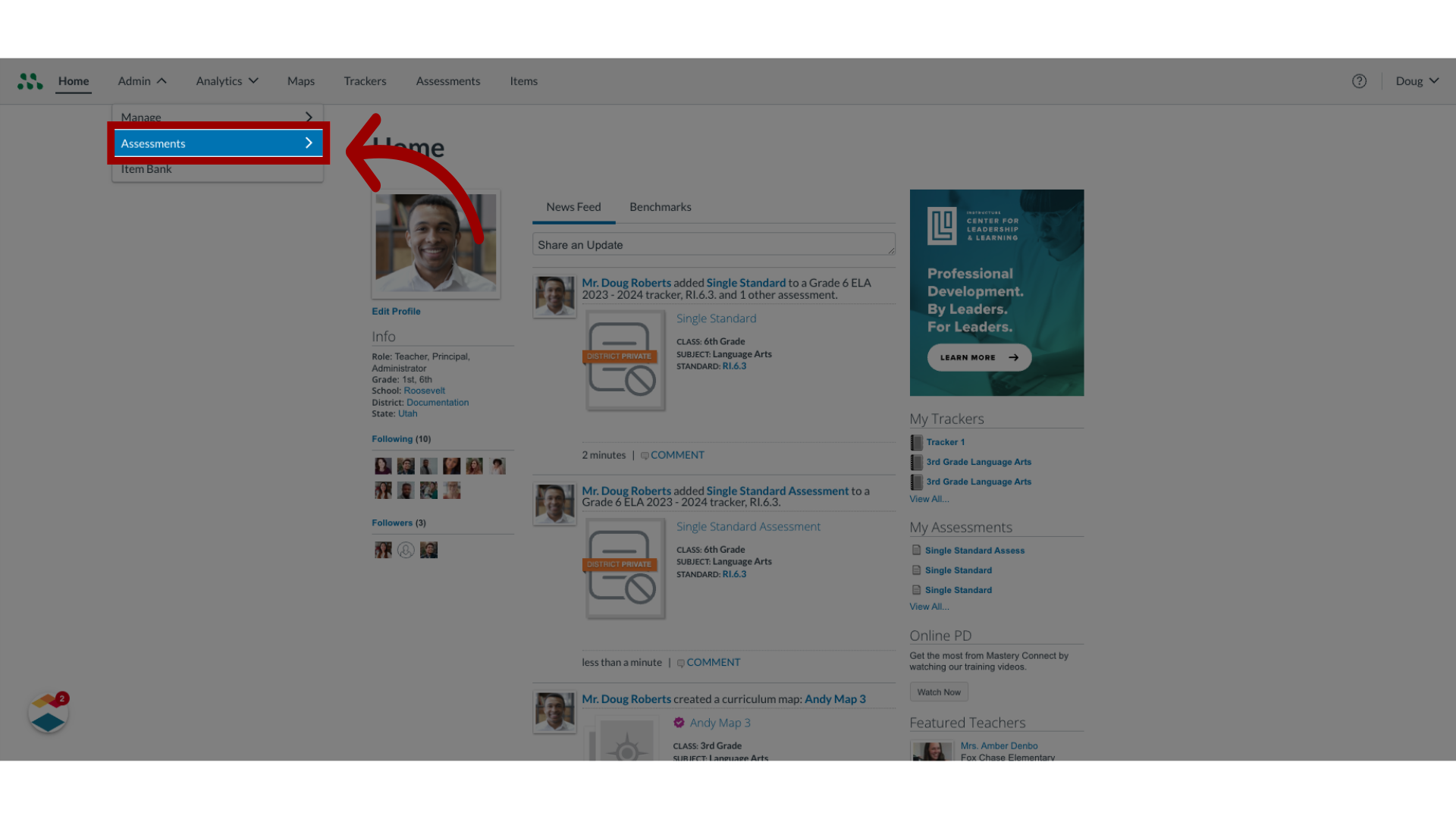
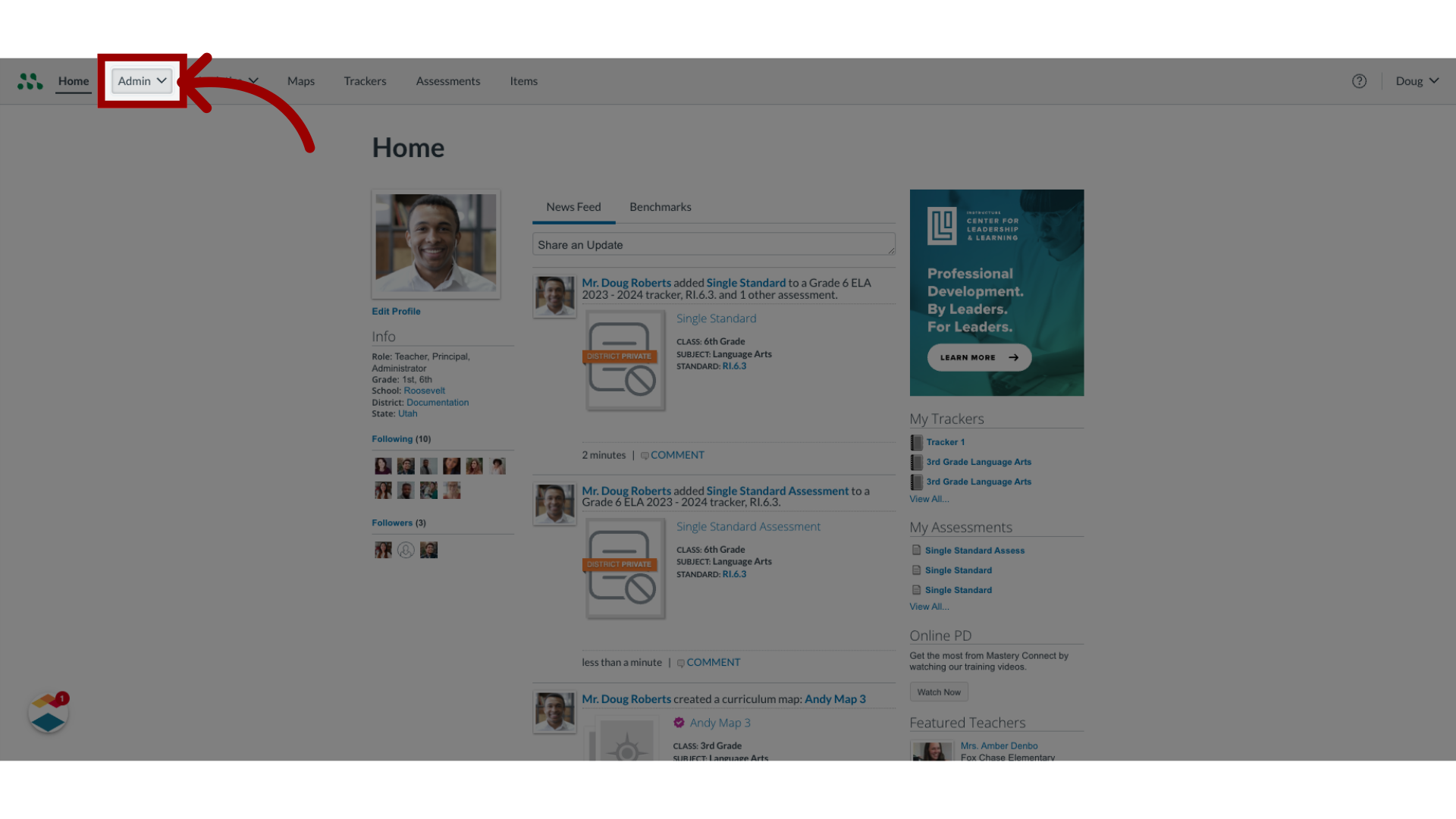
00:10: In the global navigation, click the Admin drop-down menu.
00:15: Then, click the Assessments option.
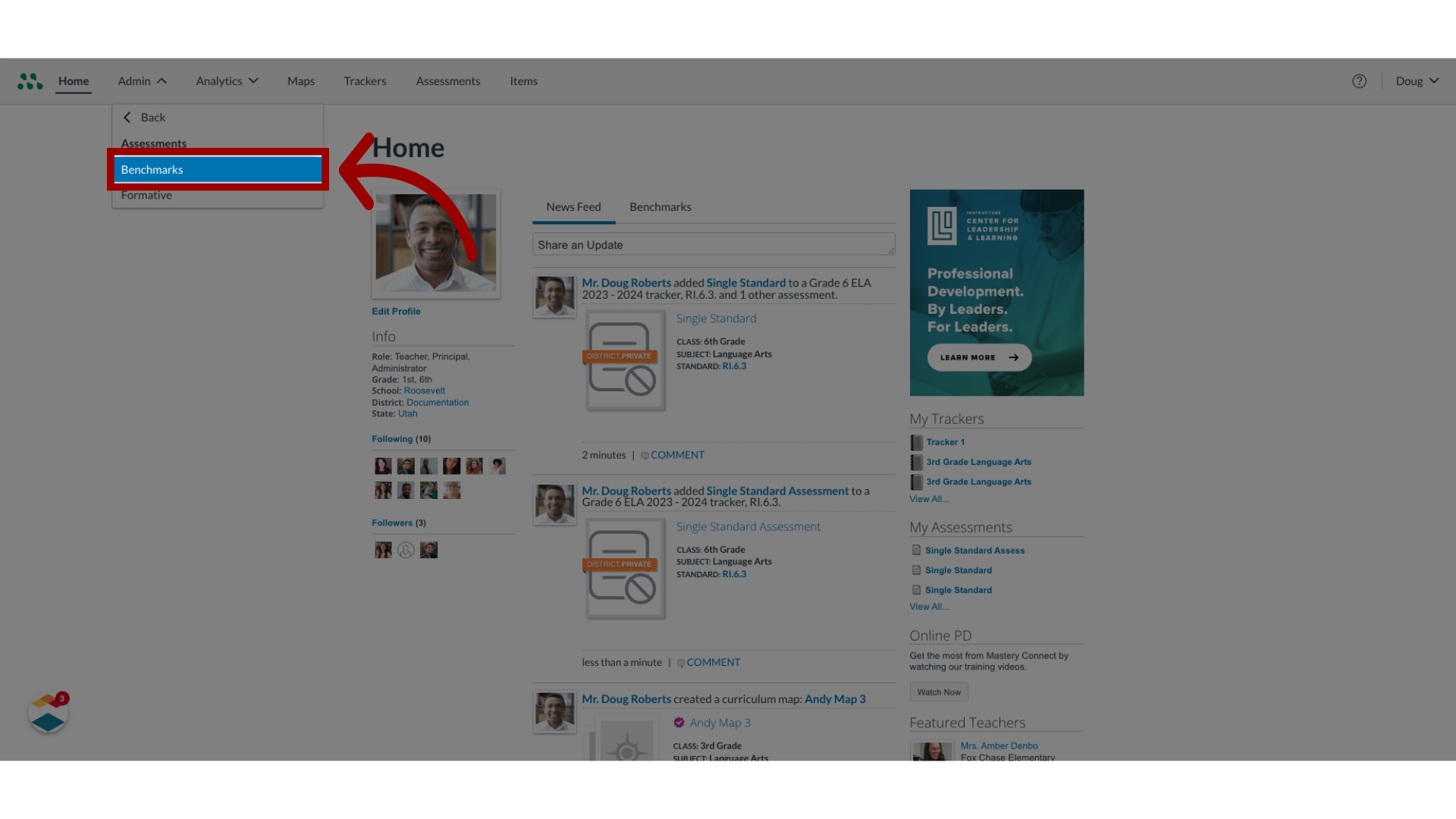
00:18: In the Assessments list, click the Benchmarks link.
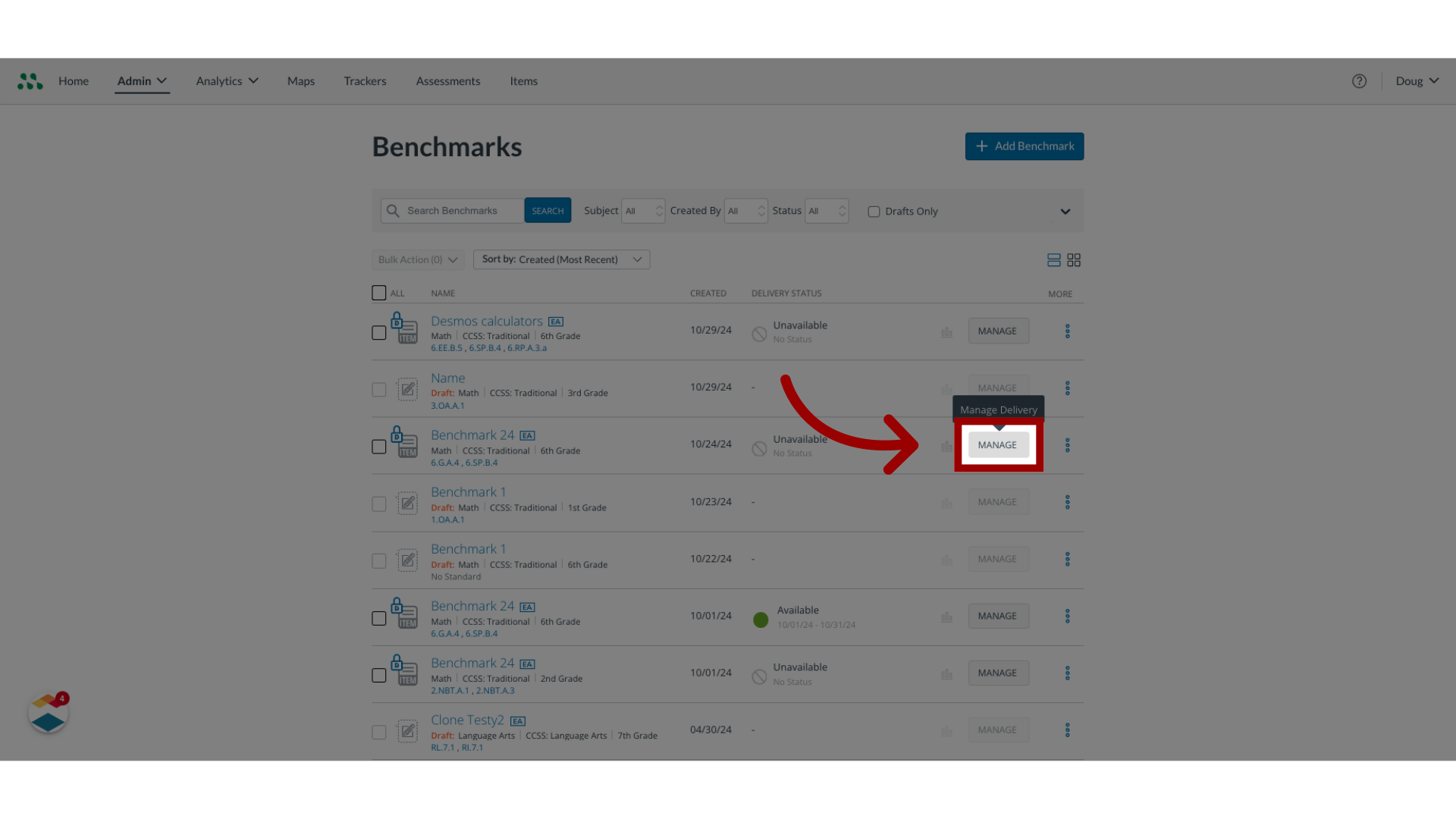
00:22: In the benchmarks page, locate the assessment in the list and click the Manage
00:26: button.
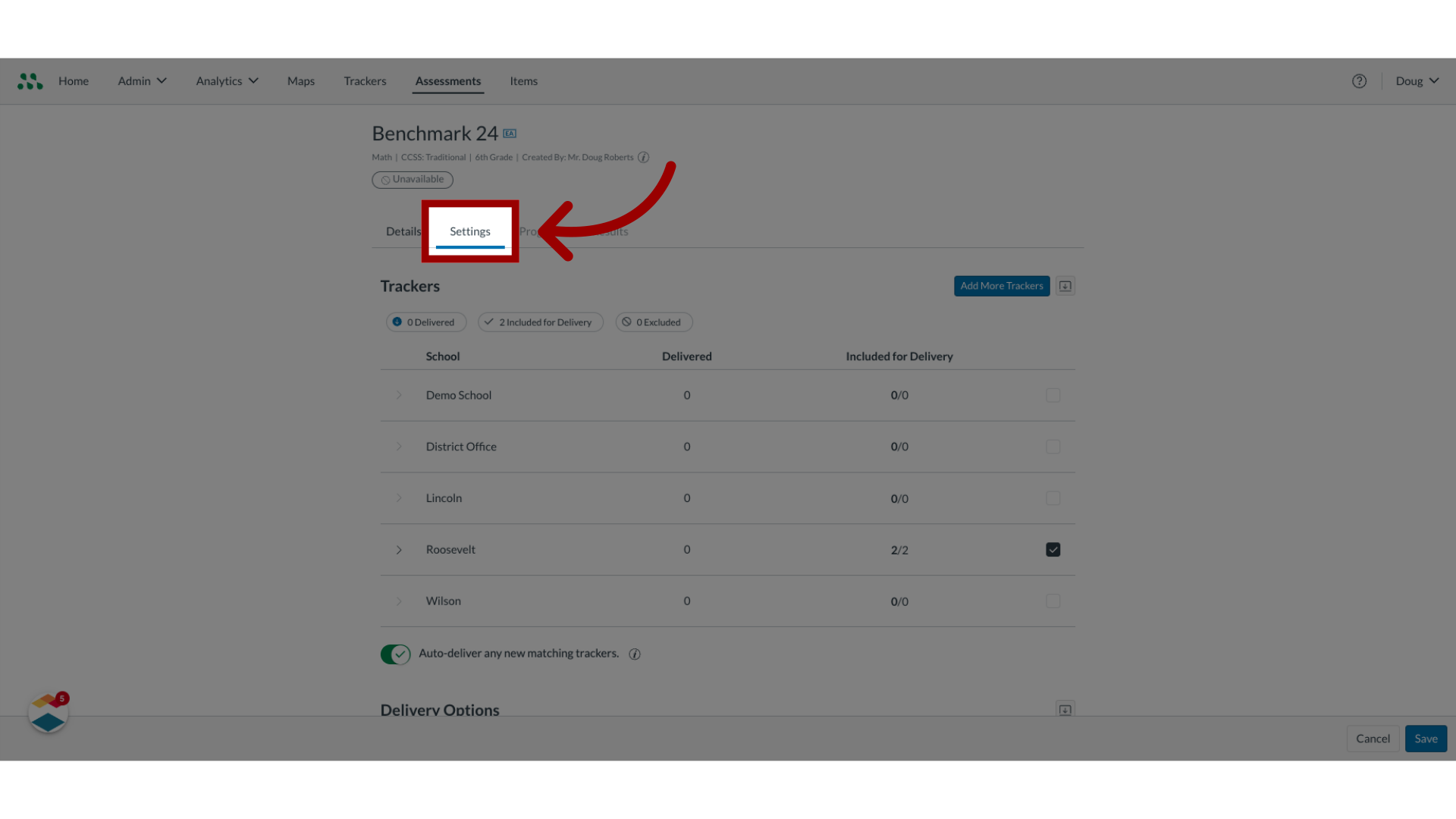
00:27: In the Assessment manager, click the Settings tab.
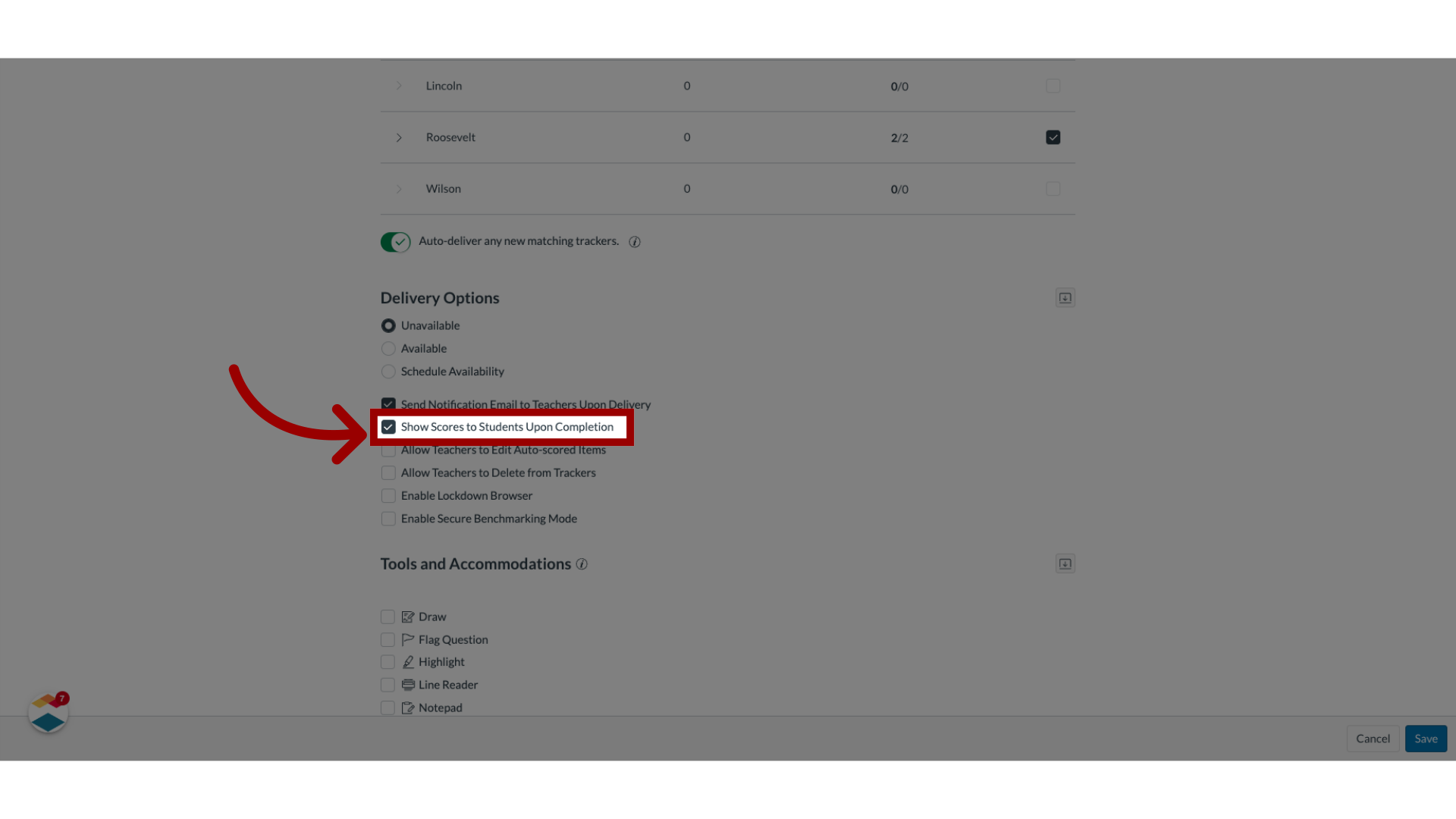
00:31: Here in the delivery options section, check the show scores to students upon completion
00:36: checkbox.
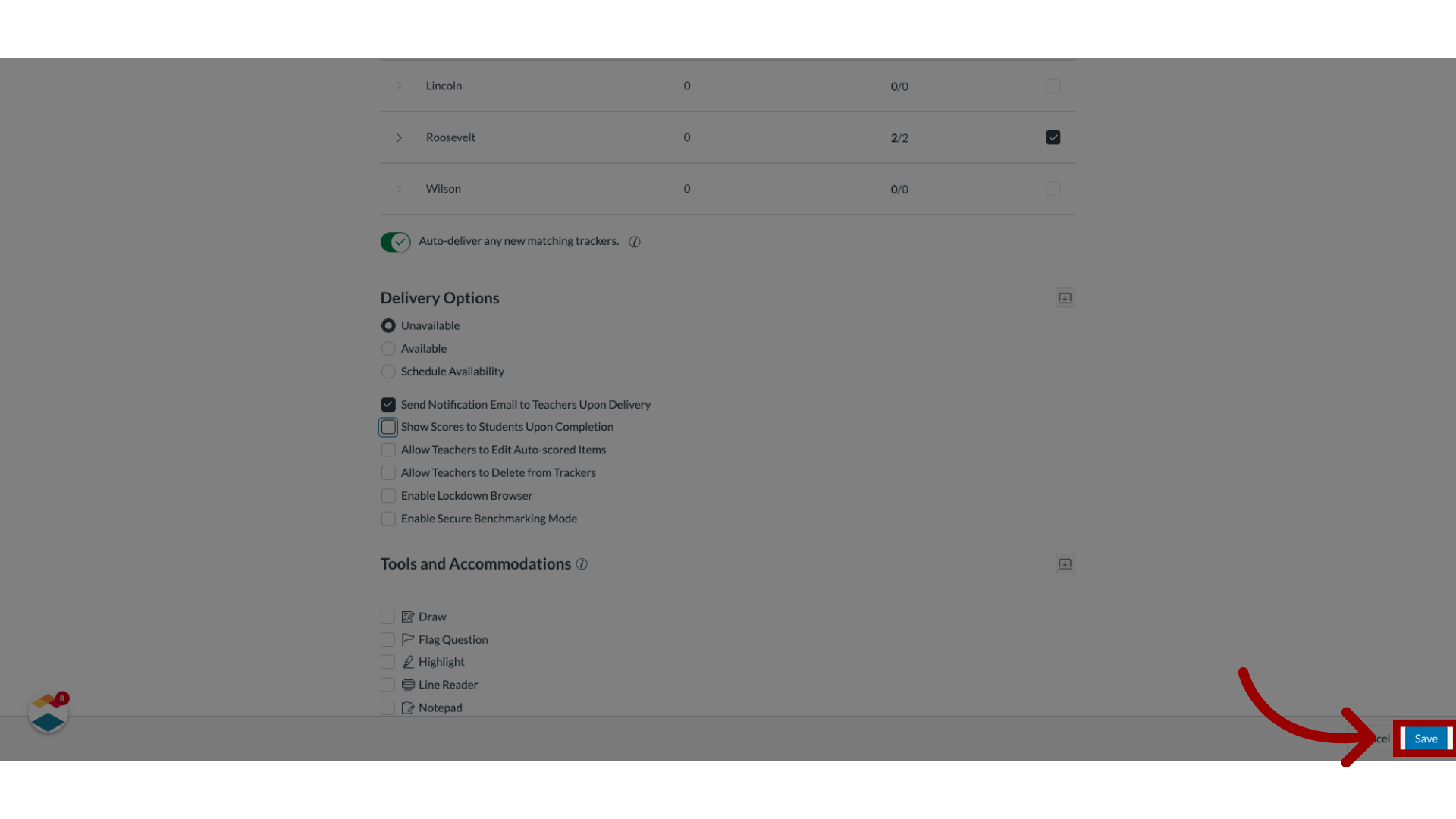
00:38: To save the setting, click the Save button.
00:41: The guide covered how to allow students to view scores at the end of a benchmark
00:45: assessment.
Open Assessments
In Global Navigation, click the Admin drop-down menu [1]. Click the Assessments link [2].
Open Benchmarks
Then, click the Benchmarks link.
Open Assessment Manager
In the Benchmarks page, locate the assessment in the list and click the Manage button.
Open Settings
In the Assessment manager, click the Settings tab.
Enable Show Scores Upon Completion
In the Delivery Options section, check the Show Scores to Students Upon Completion checkbox [1]. To apply the changes, click the Save button [2].