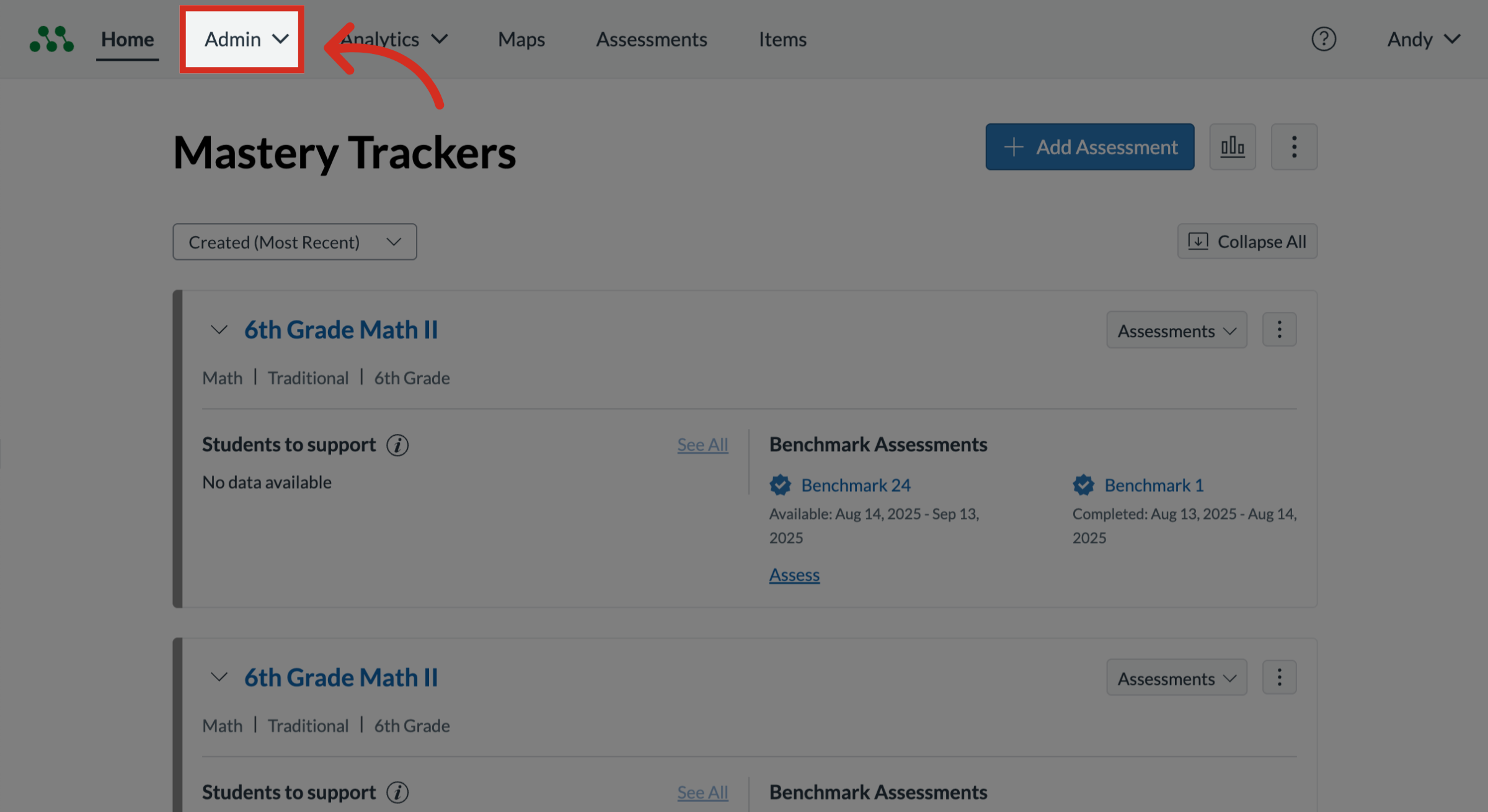
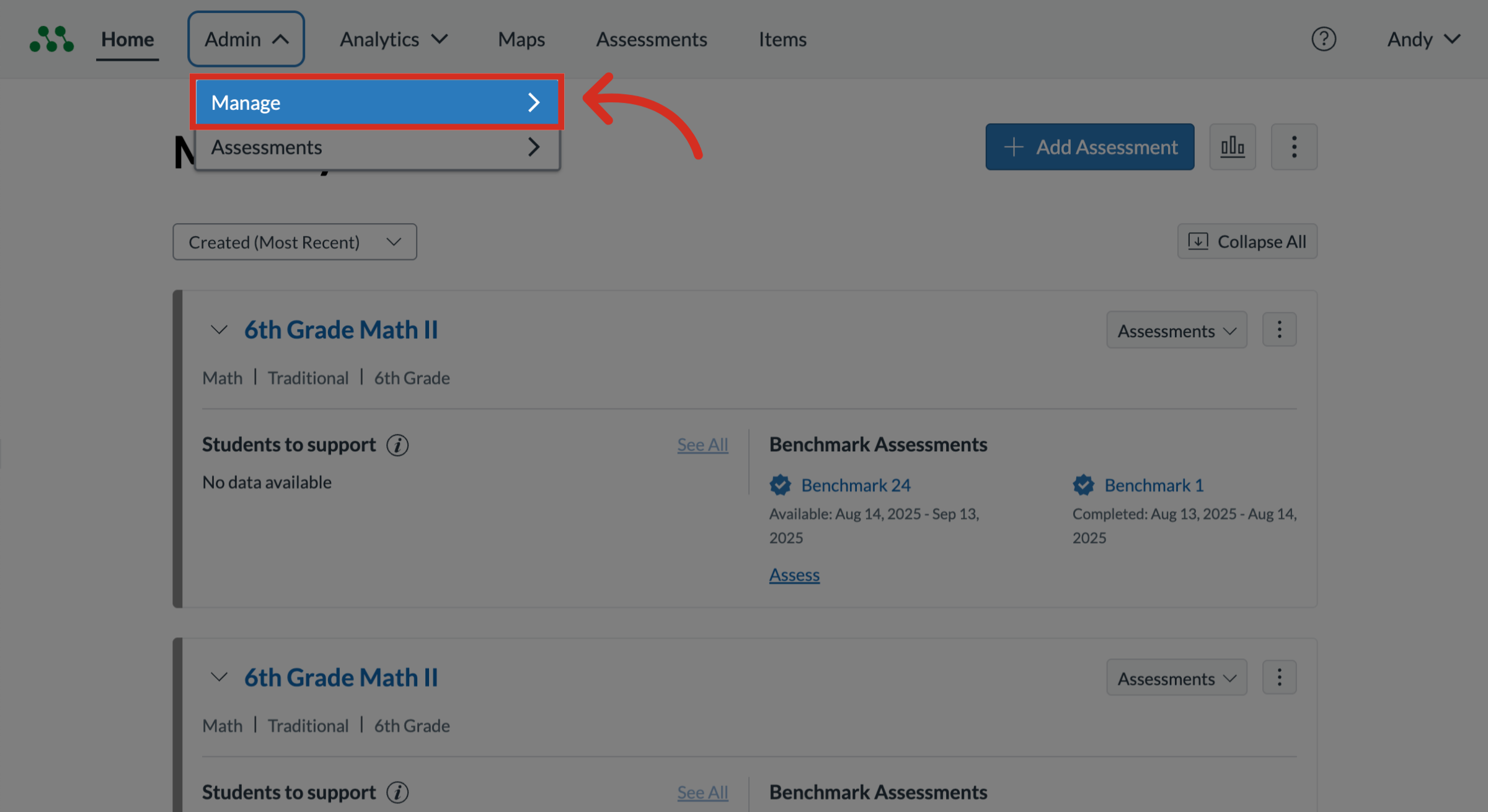
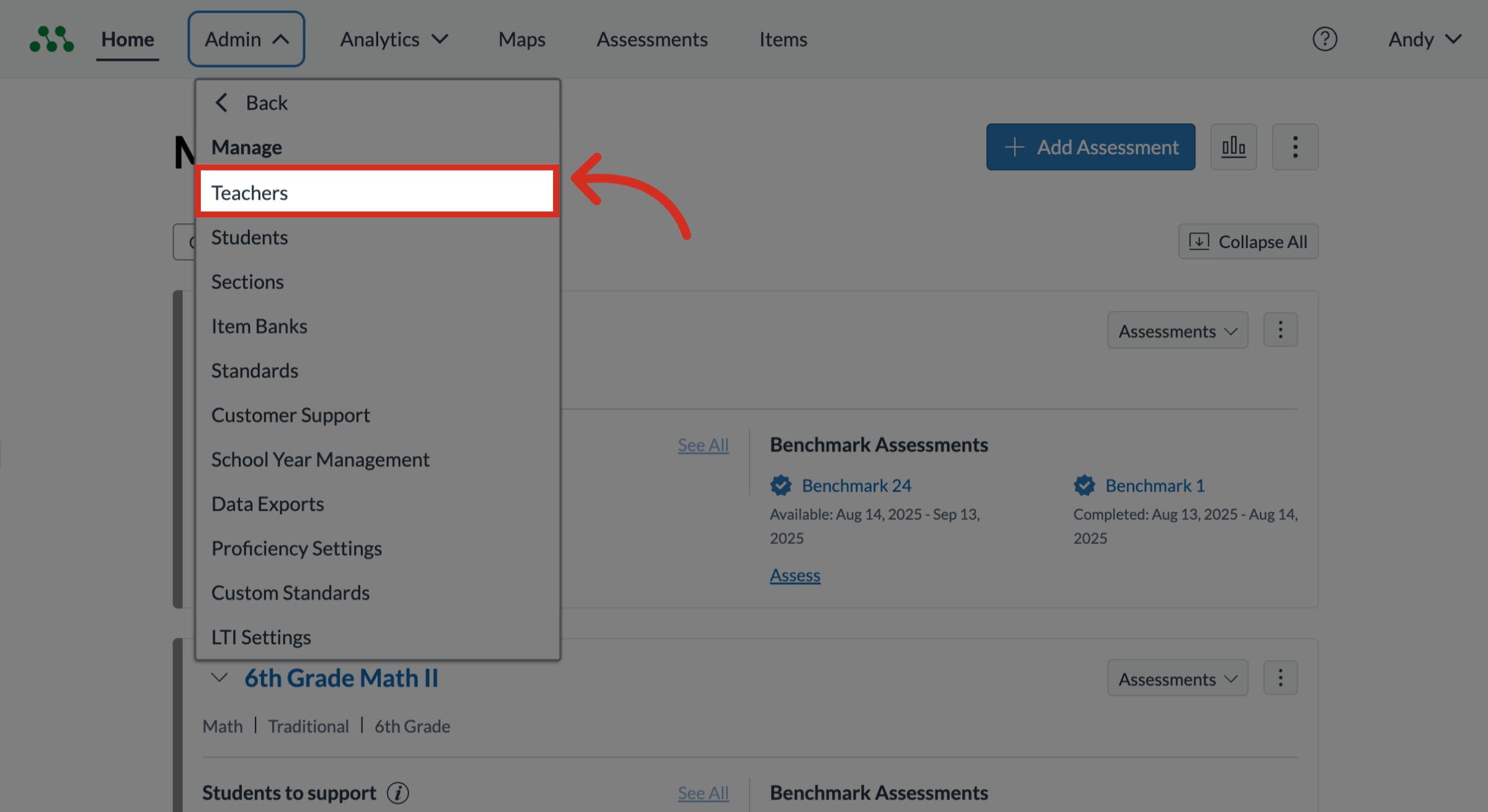
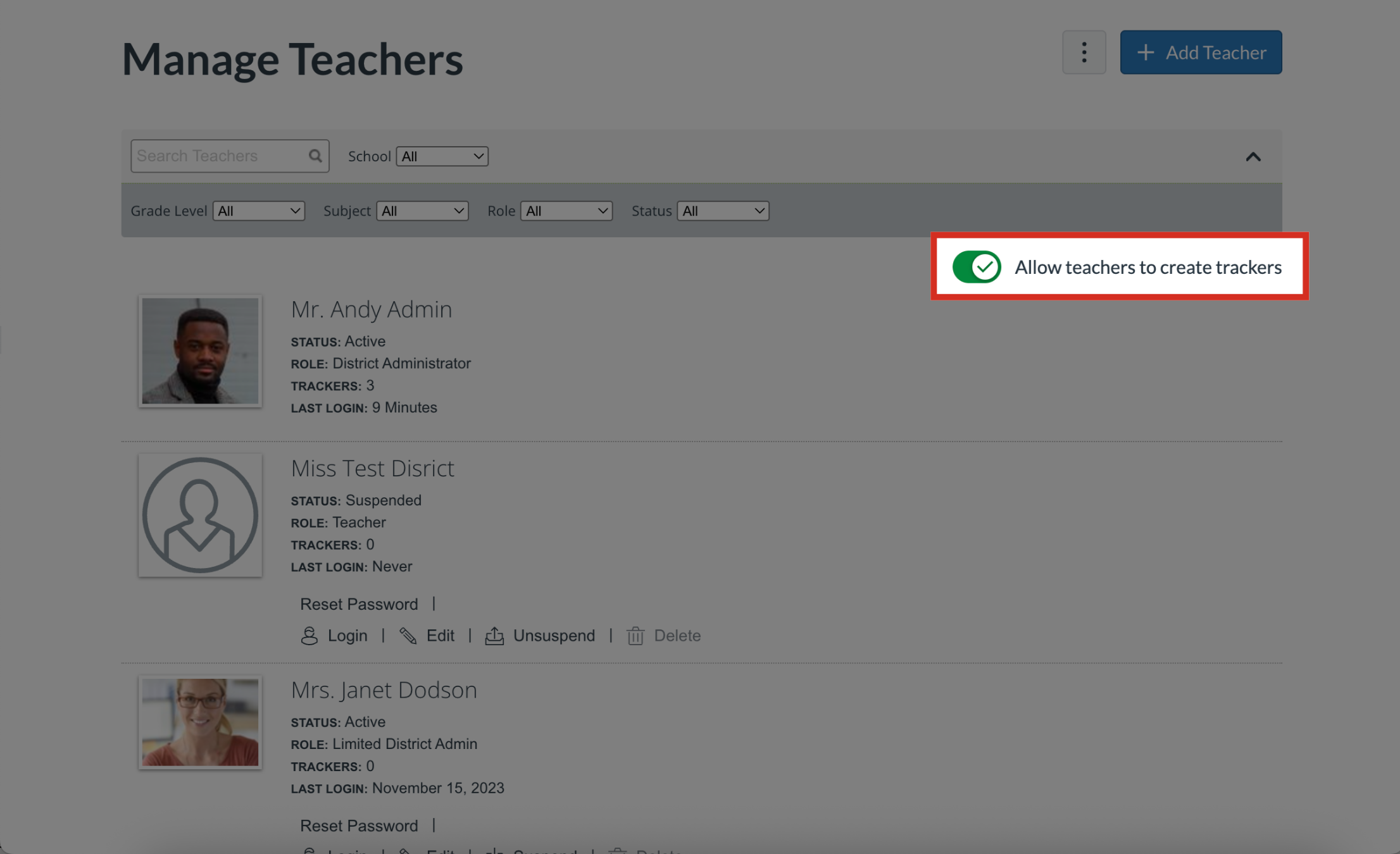
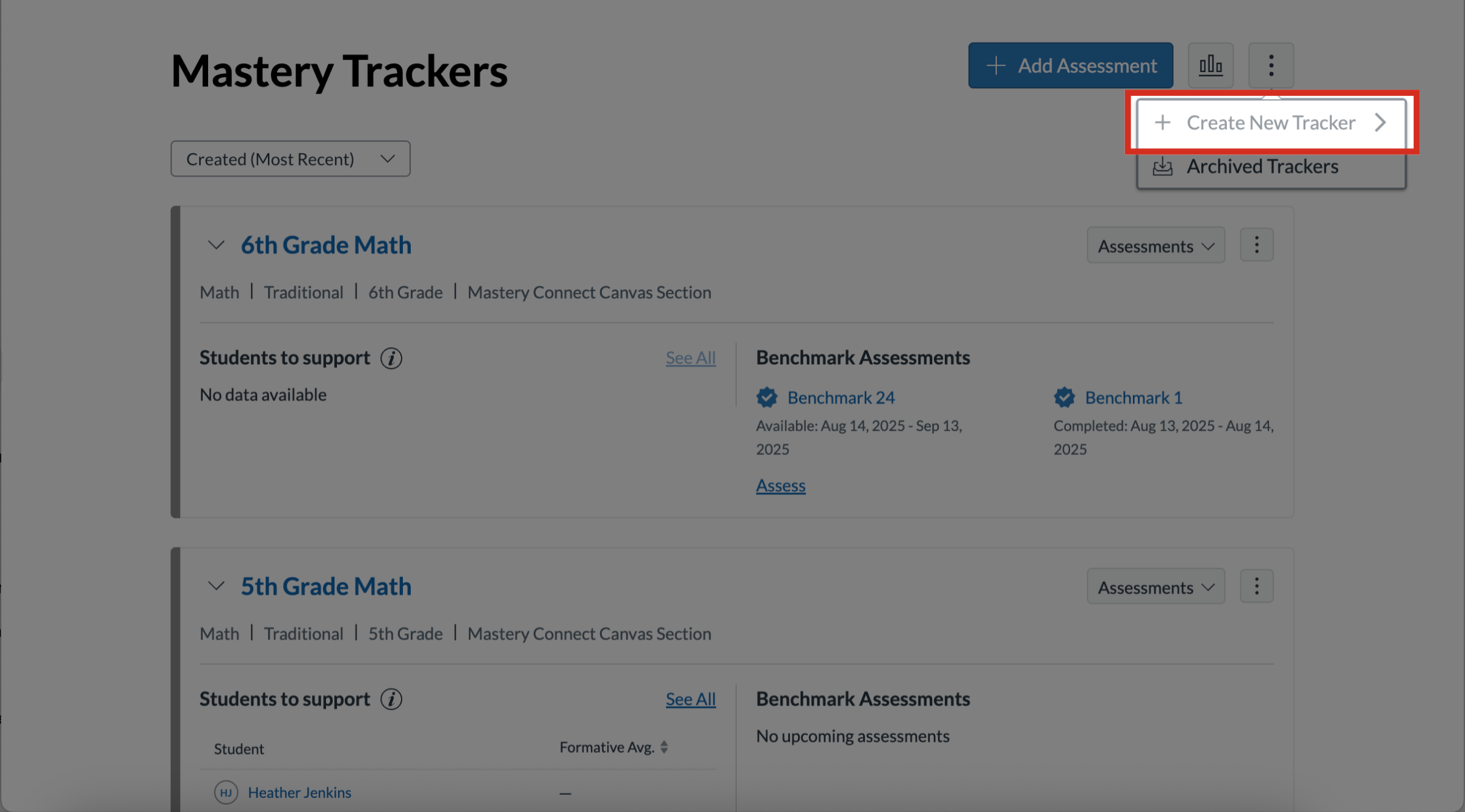
District admins can restrict teacher tracker creation for control of tracker creation and the resulting data.How do I manage teacher tracker creation as an admin?1. Open AdminIn the global navigation, click the Admin drop-down menu.2. Open ManageIn the drop-down menu, click the Manage link.3. Open Manage TeachersIn the Manage list, click the Teachers link.4. Manage Teacher Tracker CreationBy default, the Allow teachers to create trackers toggle is turned on. To prevent teachers in your district from creating trackers, click the Allow teachers to create trackers toggle off.5. Disabled Teacher Tracker Creation When a teacher tracker creation is disabled by district admins, the Create New Tracker option is unavailable to teachers. This guide covered how to manage teacher tracker creation as an admin.