By default, trackers in the Mastery Connect Parent Portal and the Mastery Connect Student Portal display all tracker standards. However, you can choose to display only power standards in the portals.
Notes:
Open Tracker
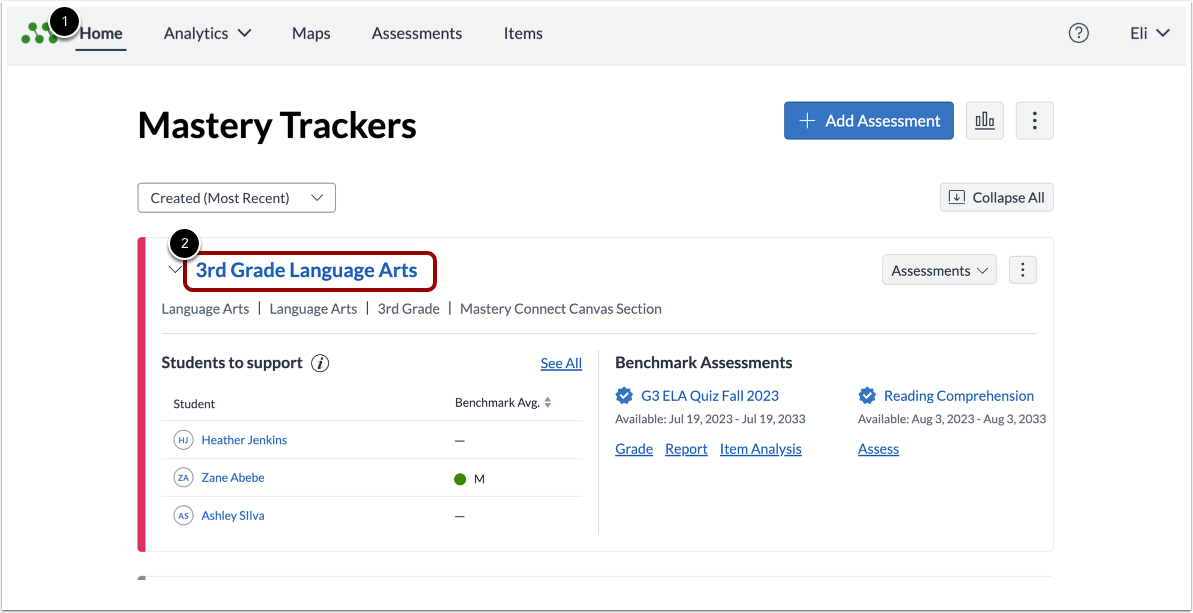
In the Mastery TrackersHome page [1], click the tracker name link [2].
Open Tracker Settings
To open the Settings menu, click the Settings button.
Display Power Standards Only
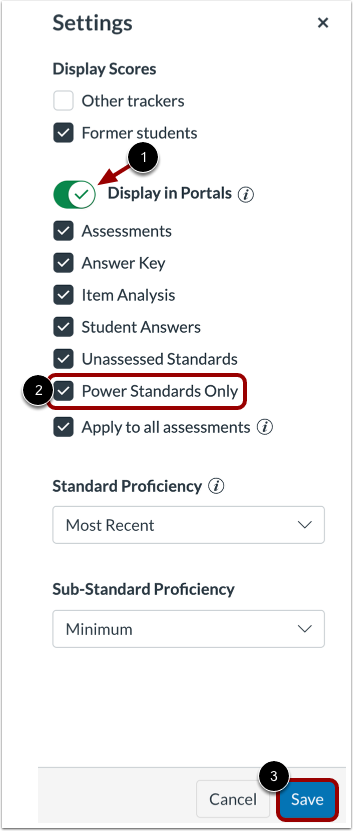
By default, a tracker displays all standards. To display only power standards in the portals, enable the Display in Portals toggle [1], then select the Power Standards Only checkbox [2].
To save your changes, click the Save button [3].