How do I delete a benchmark assessment or remove it from multiple trackers as an admin?
1. Open Admin
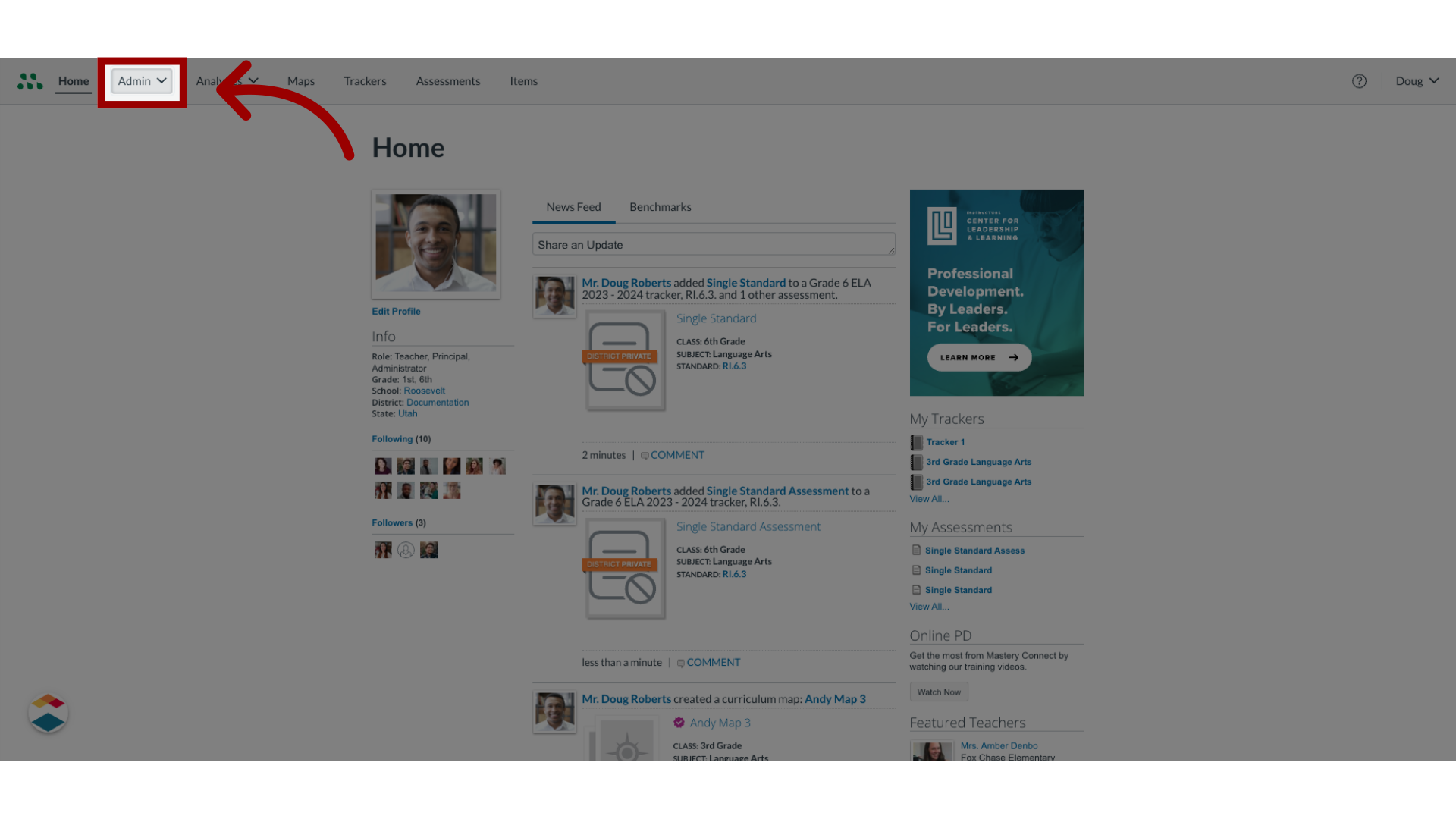
In the Global Navigation menu, click the Admin drop-down menu.
2. Open Assessments
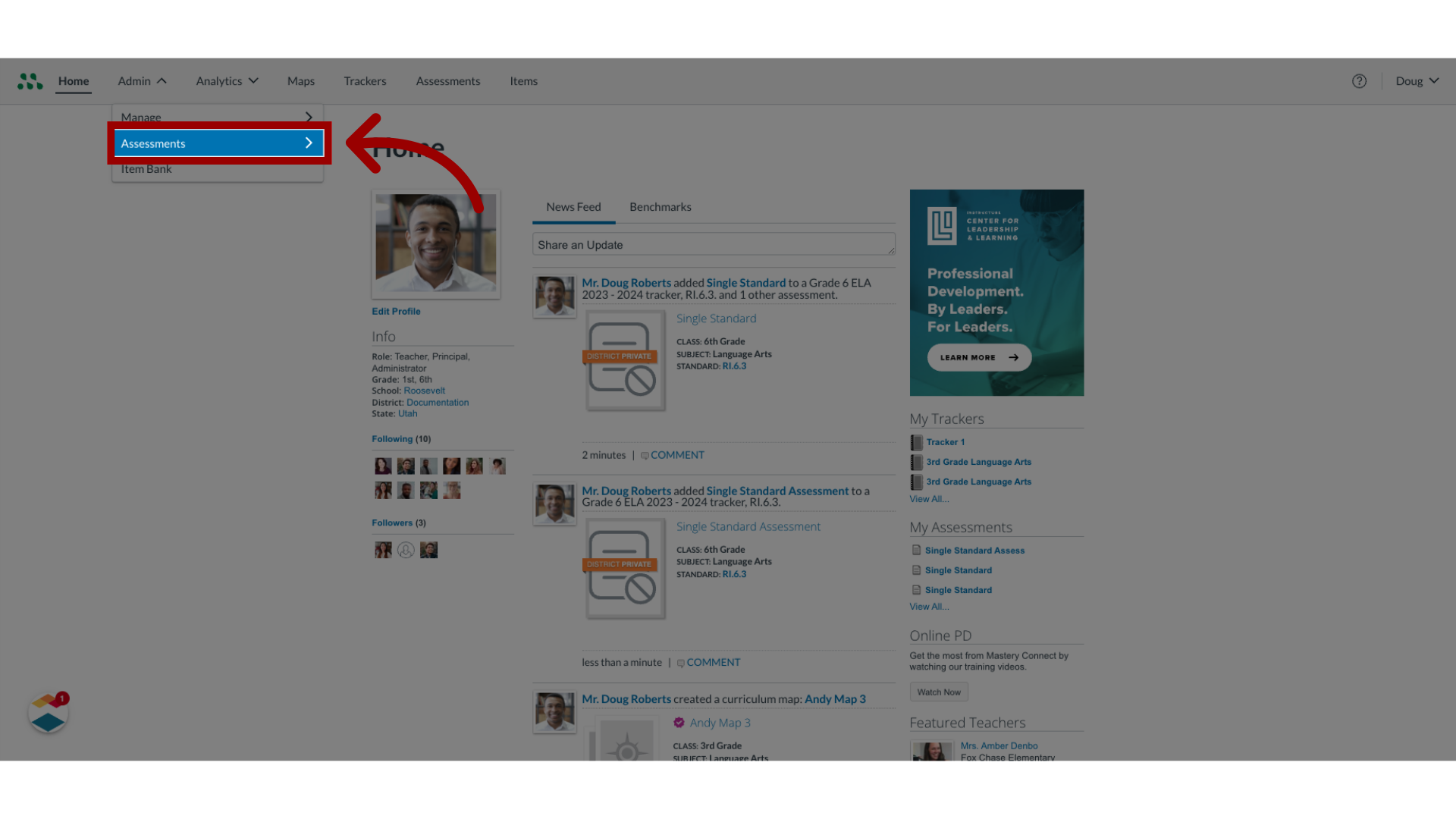
Then, click the Assessments link.
3. Open Benchmarks
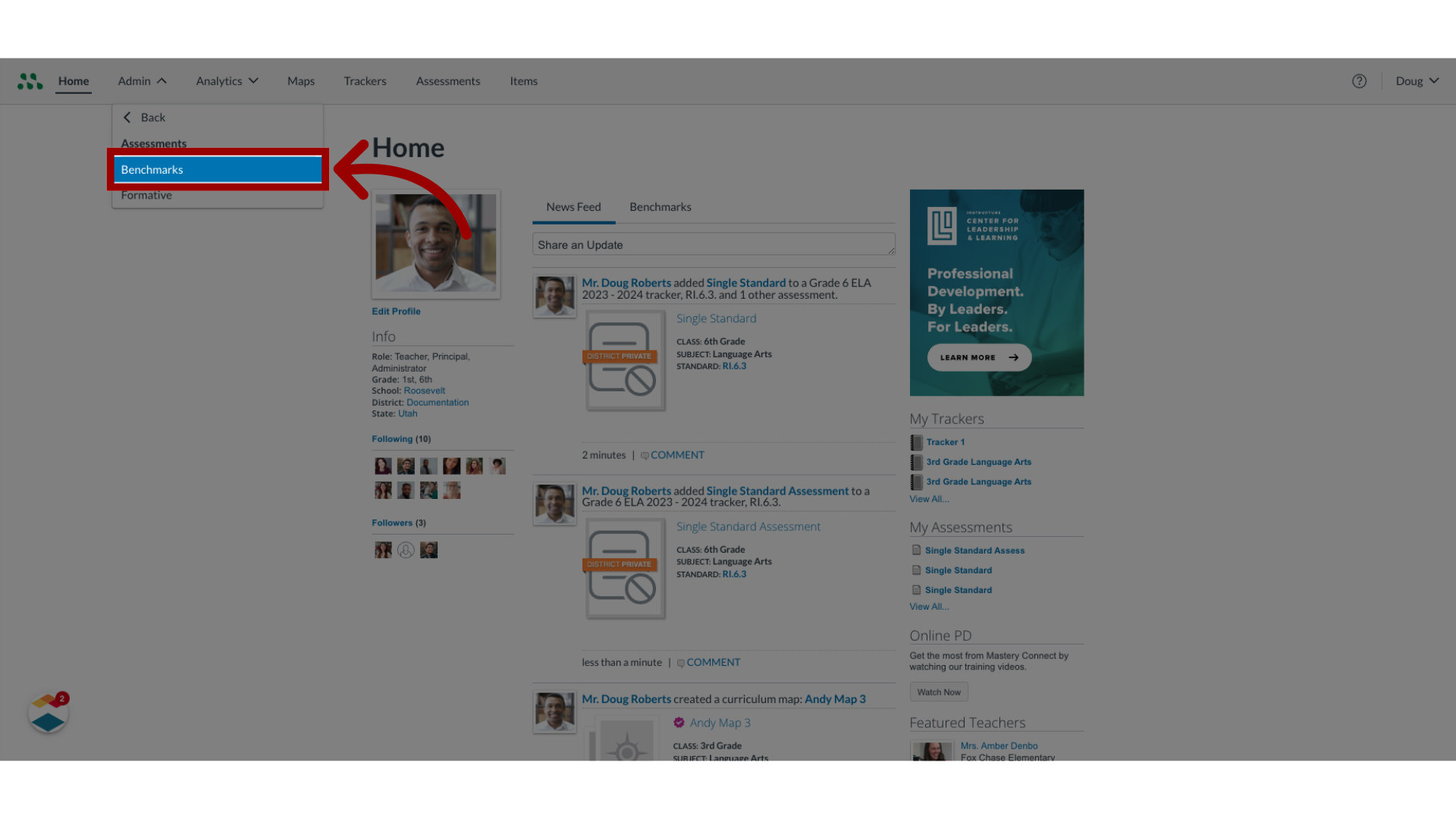
In the Assessments link, click the Benchmarks link.
4. Open Benchmark Options
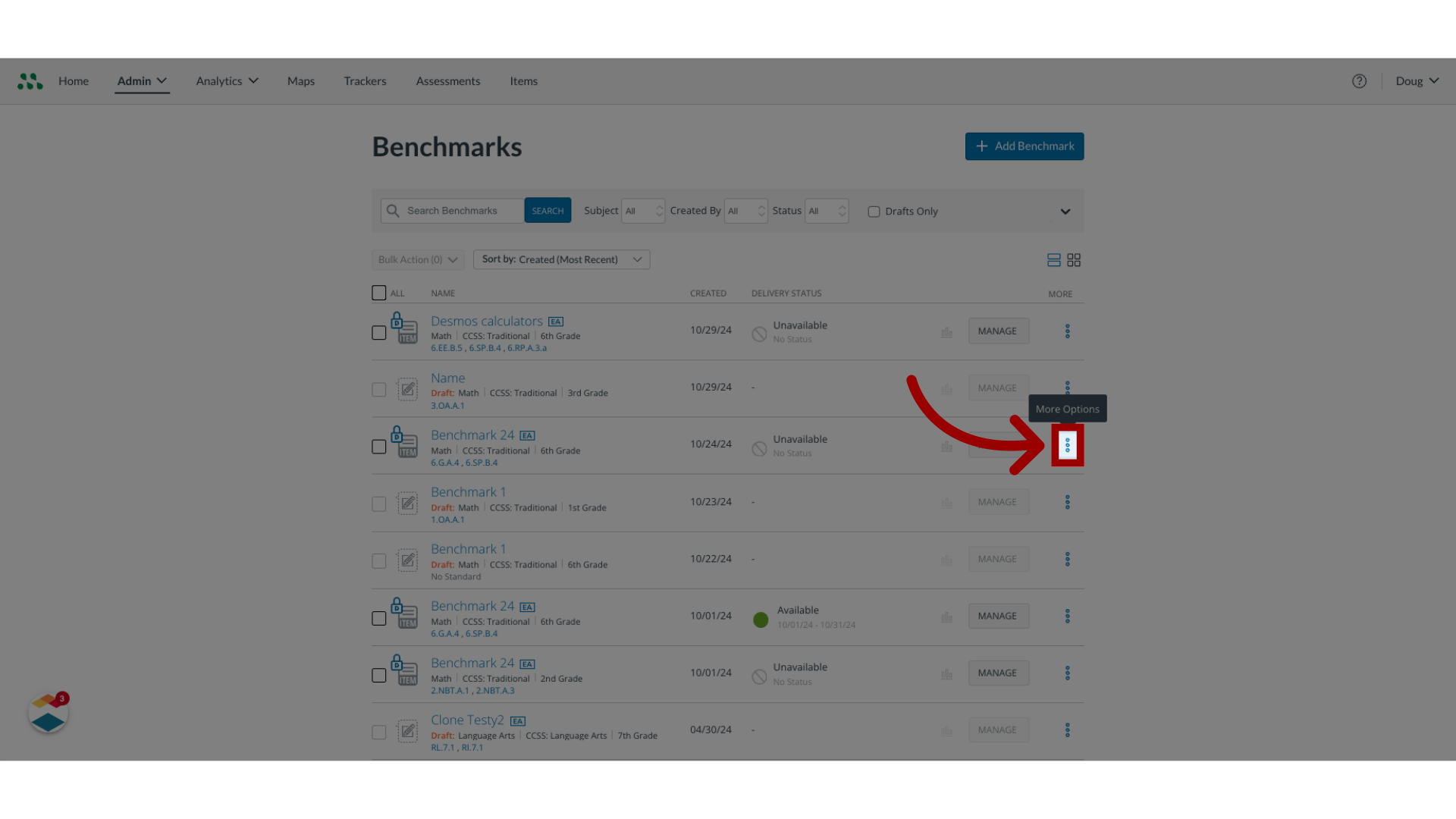
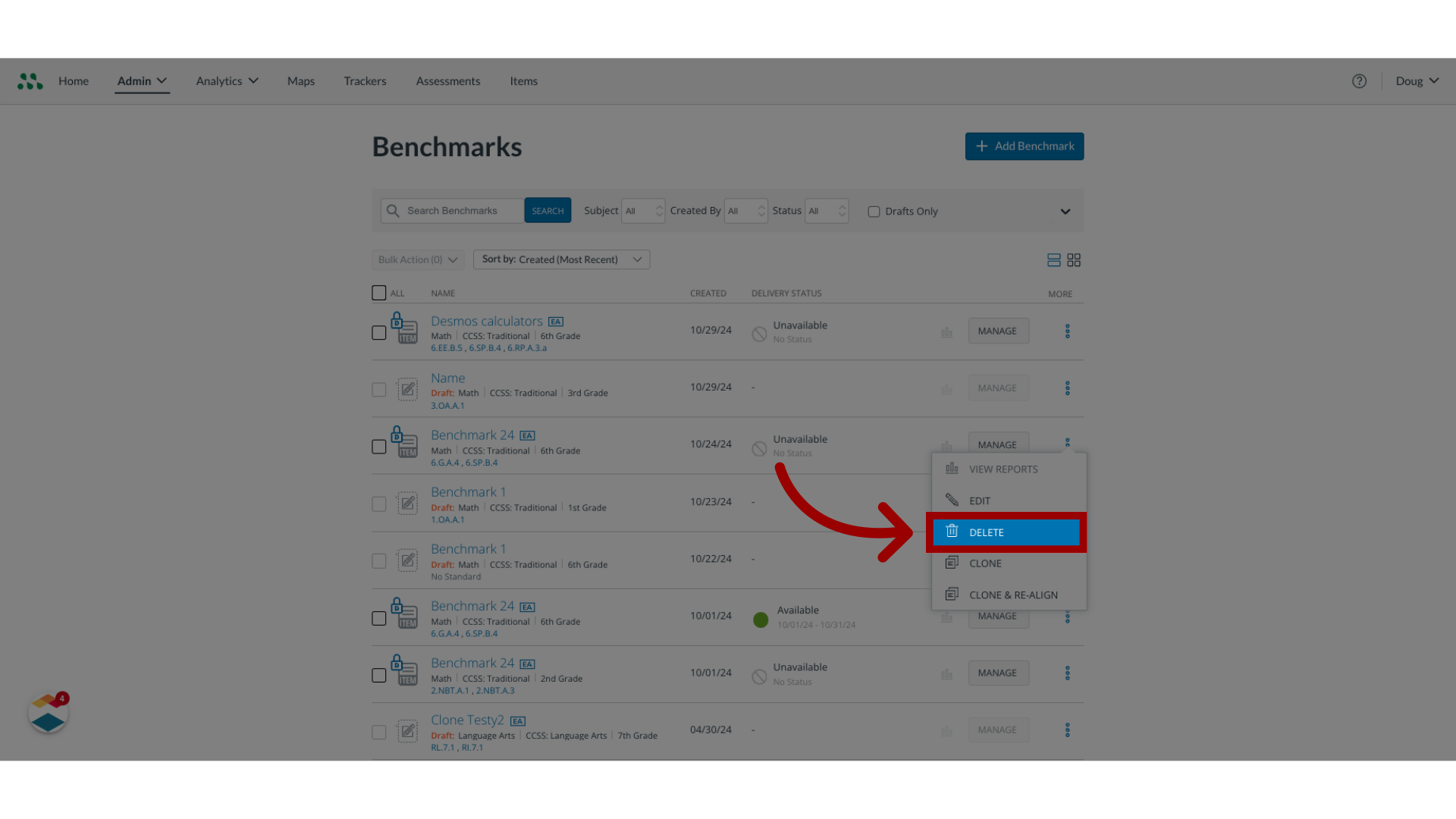
To open the Delete Benchmark options, locate the benchmark int he Benchmarks page. To delete the benchmark without opening it, click the More Options button.
5. Delete Benchmark
Then, click the Delete link.
6. Select Delete Locations
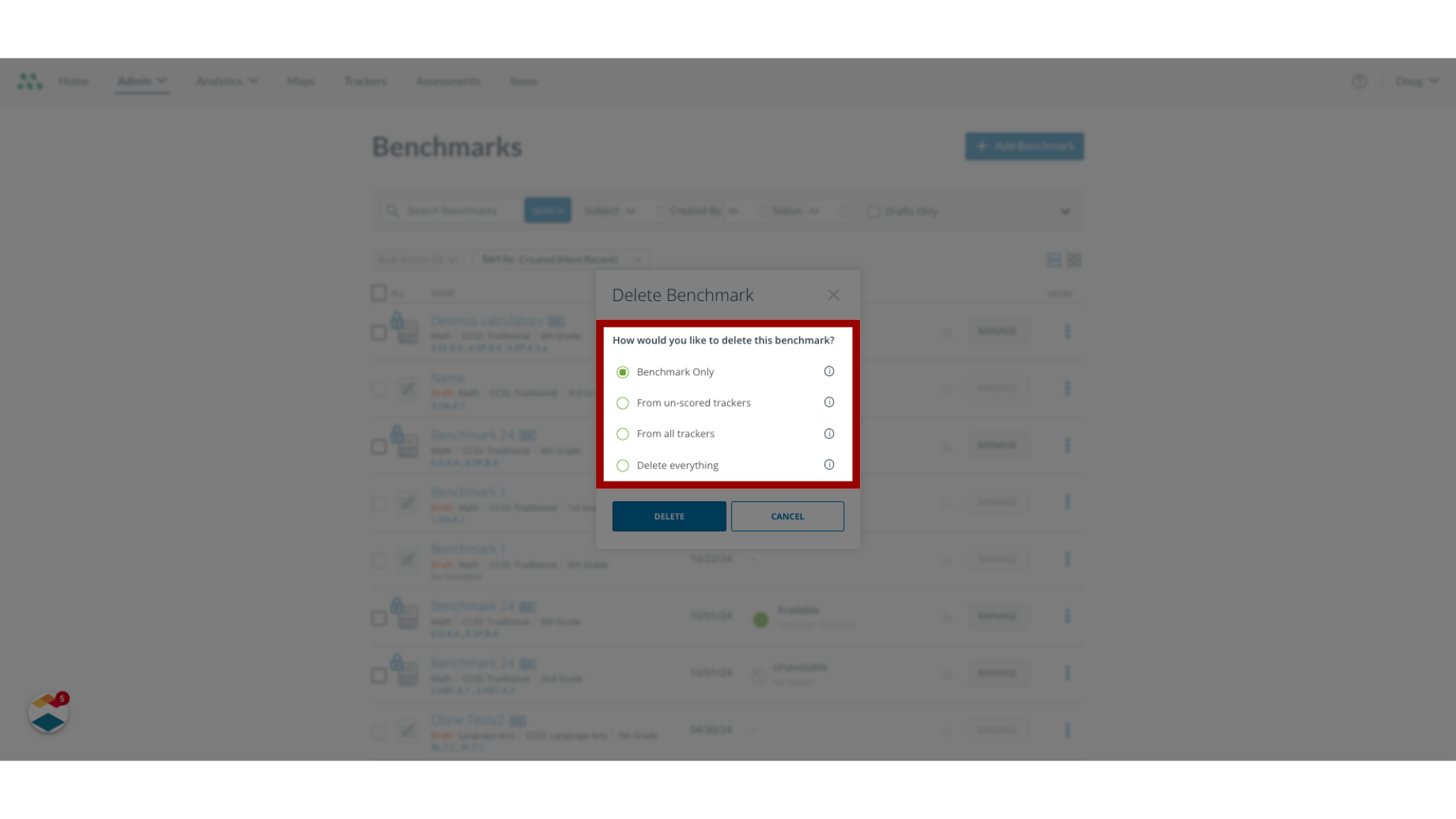
The Delete Benchmark window displays options for deleting the benchmark from various locations. In the Delete Benchmark window, click the radio button for the option you want to select.
7. Confirm Delete
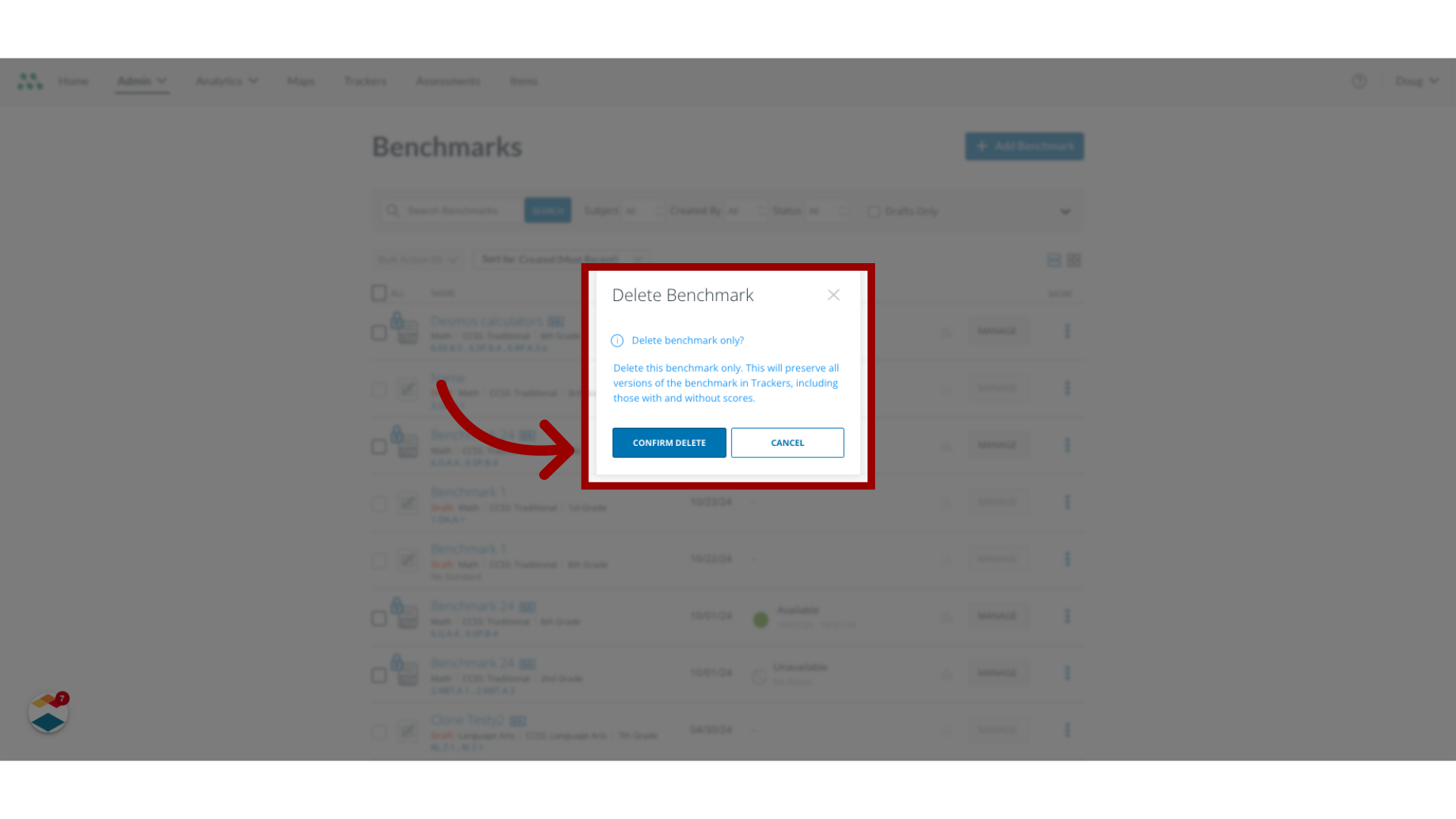
A confirmation window displays. To confirm that you want to delete the benchmark as described in the confirmation window, click the Confirm Delete button.
This guide covered how to delete a benchmark assessment or remove it from multiple trackers as an admin.