How do I view an assessment with Secure Benchmarking mode enabled?
How do I view an assessment with Secure Benchmarking mode enabled?
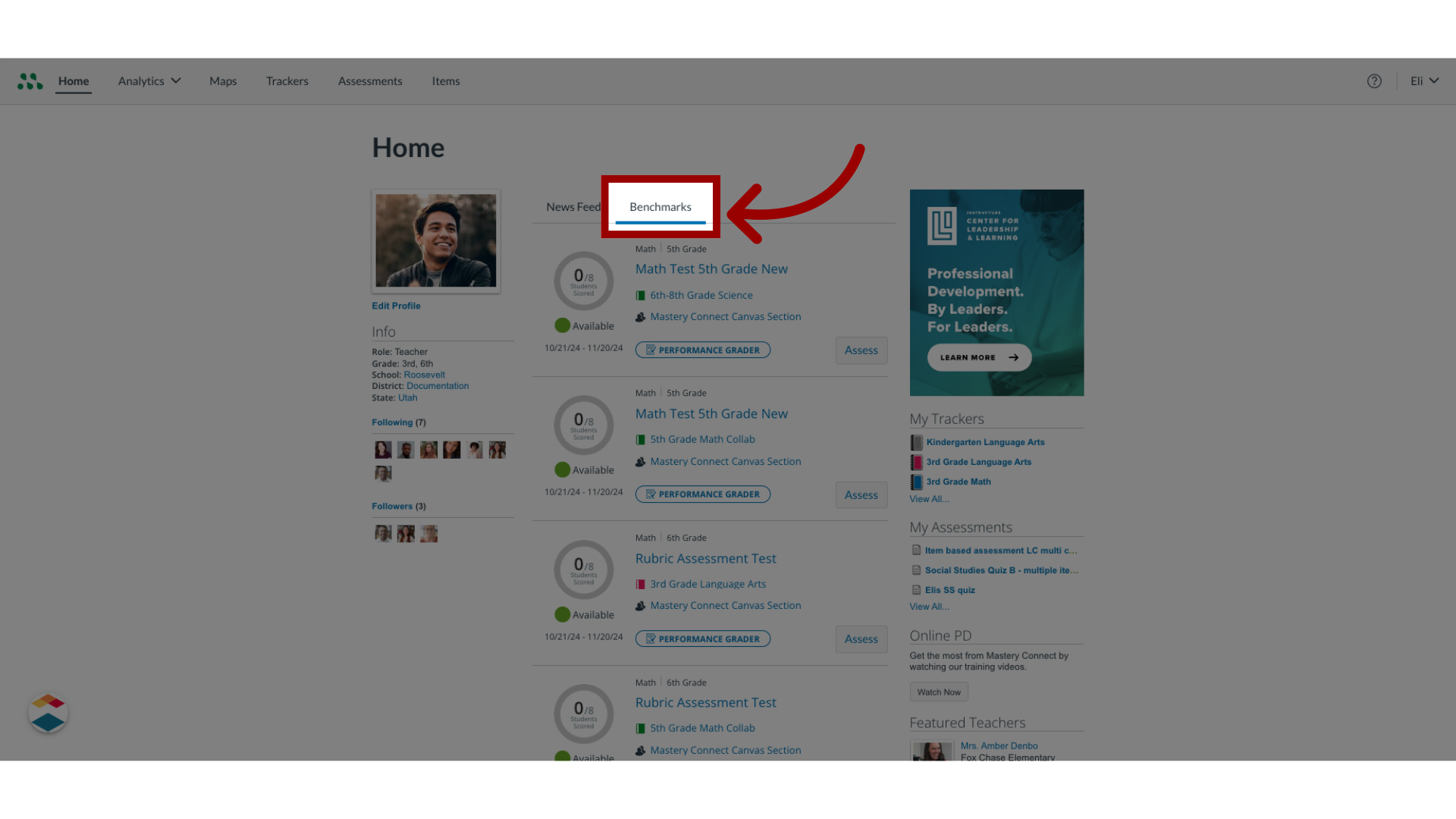
1. Open Benchmarks
To manage benchmarks, locate the tracker on the Home page.
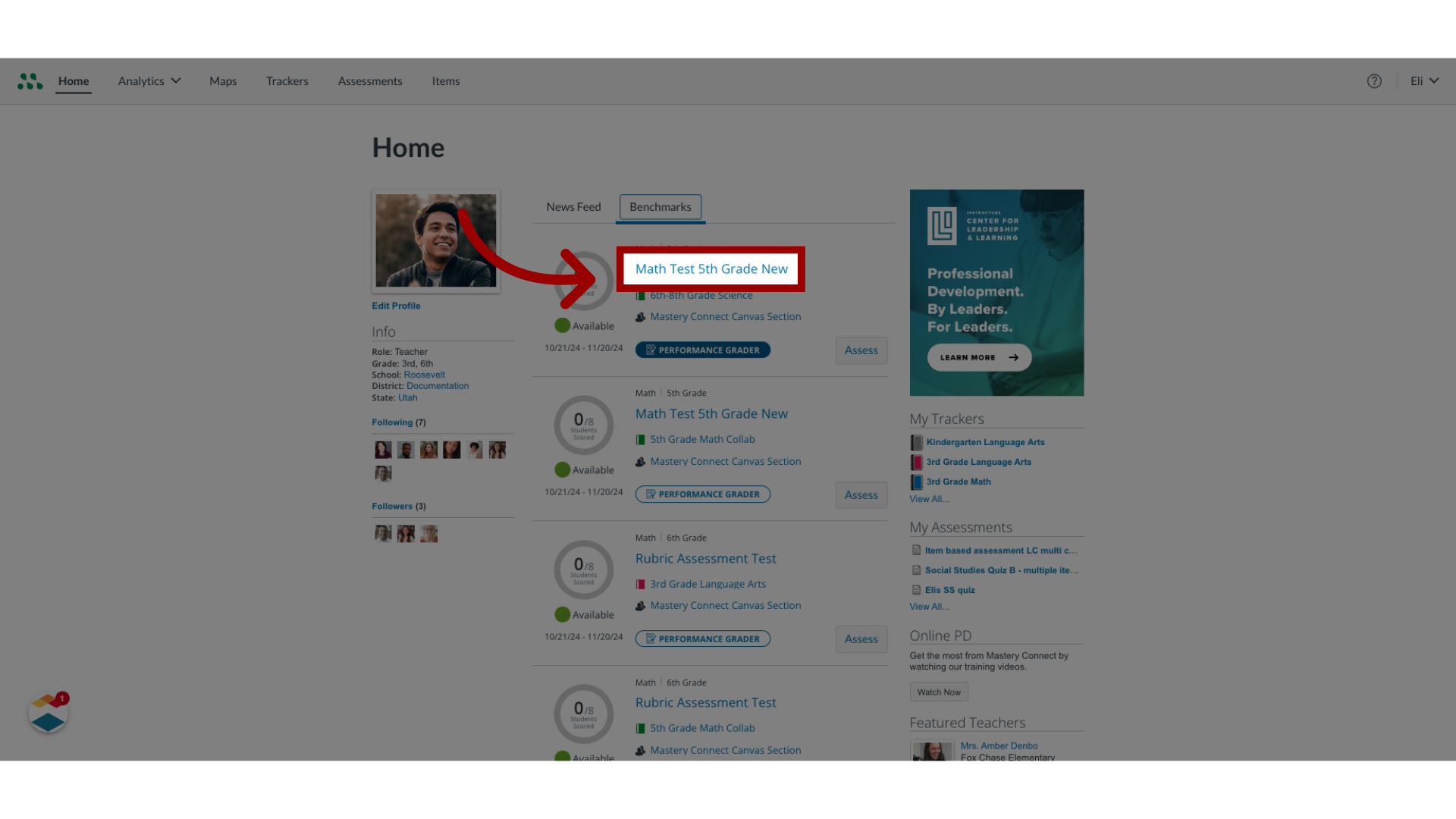
2. View Secure Benchmark
To view Assessment Details for the benchmark, click the benchmark name link.
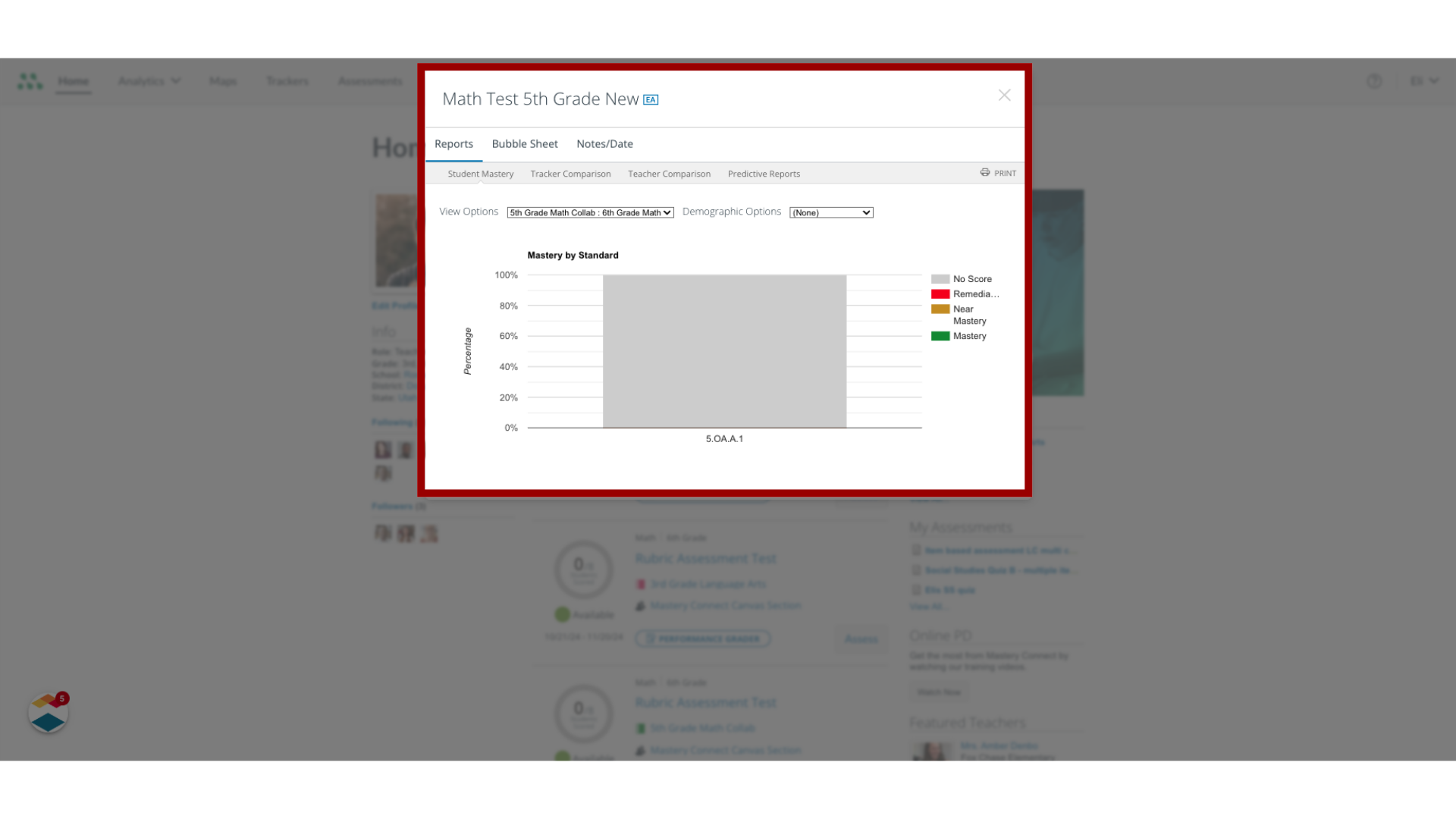
3. View Assessment Details
The Assessment Details window displays the options that are available for the benchmark. Teachers can view and print Student Mastery, Tracker Comparison, and Teacher Comparison reports, create bubble sheets, and take notes about the assessment.
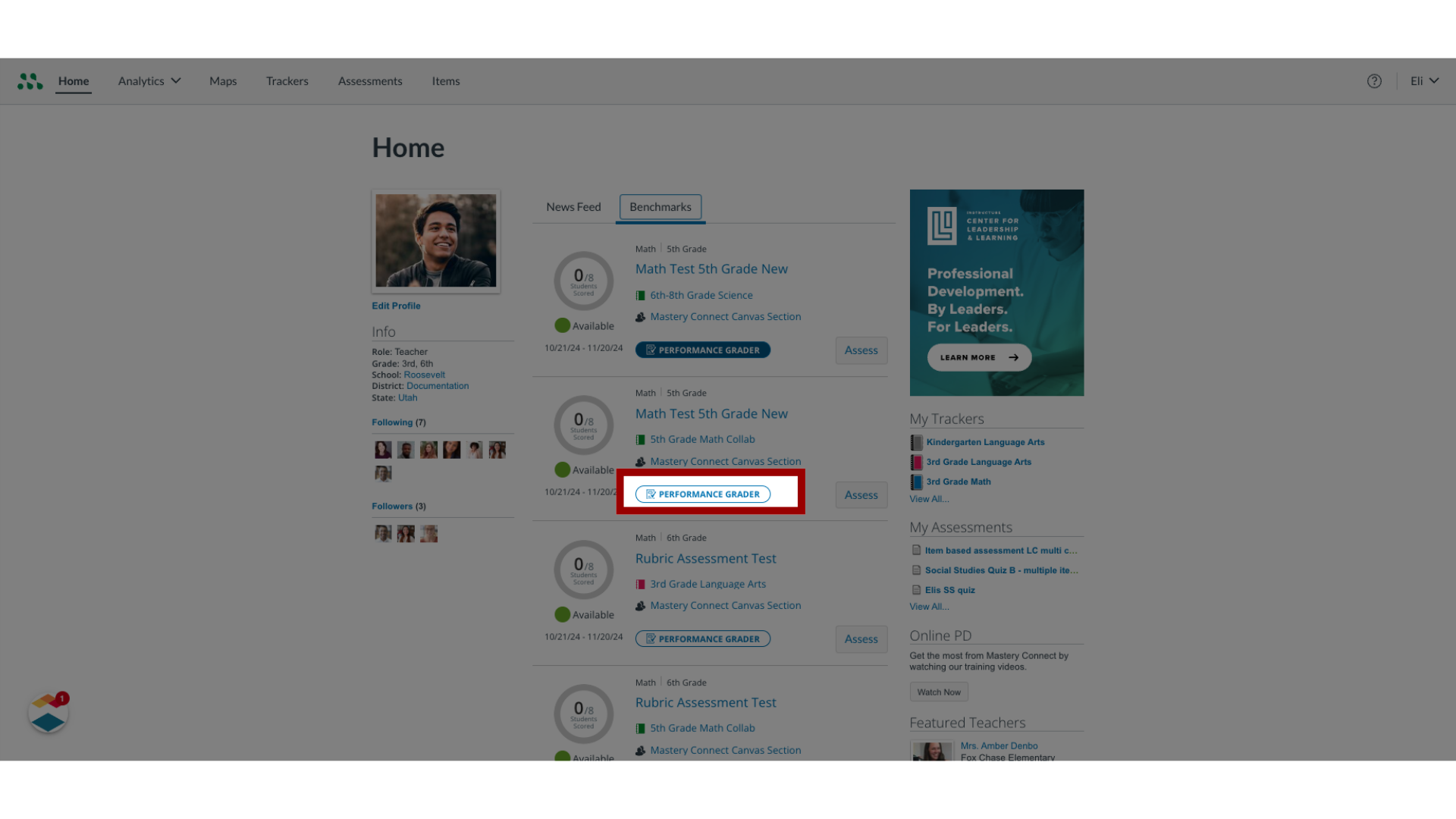
4. View Performance Grader Button
In Secure Benchmarking mode, the Performance Grader button displays, but the feature is disabled.
5. Return to Dashboard
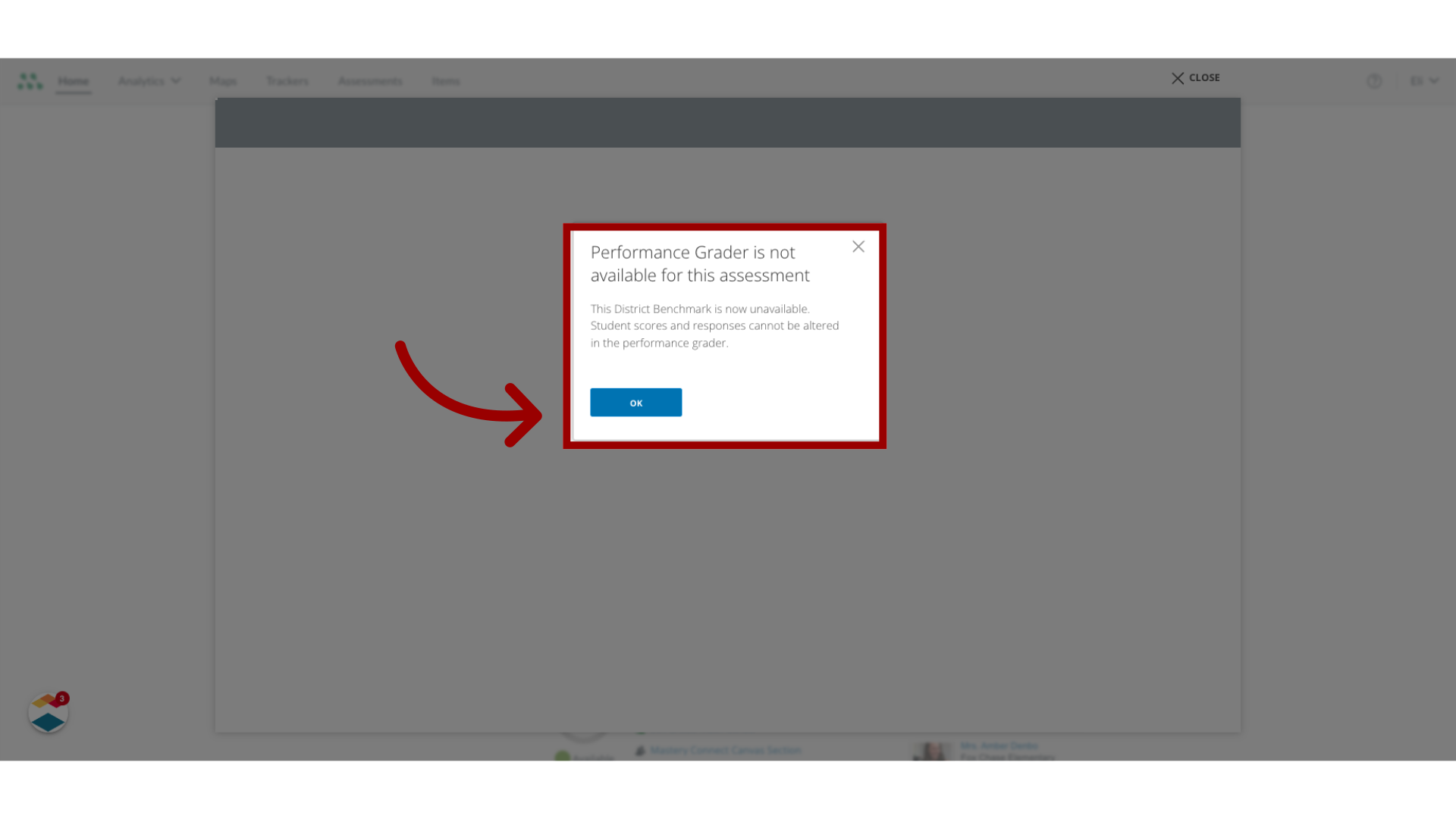
If the Performance Grader button is selected for a secure benchmark, the Not Available window displays. To return to the dashboard, click the OK button.
This guide covered how to view an assessment with Secure Benchmarking mode enabled.