You can compare Mastery Connect student assessment results in your Assessment Comparison dashboard. You can select specific assessments to compare and view their result-based data. This dashboard is available to all roles with differences in available data depending on role.
Note: Teachers can only access assessment results and comparisons for their own students.
View Assessment Results Dashboard
Open the Assessment Results dashboard as an admin or as a teacher.
Click the Compare Assessment button.
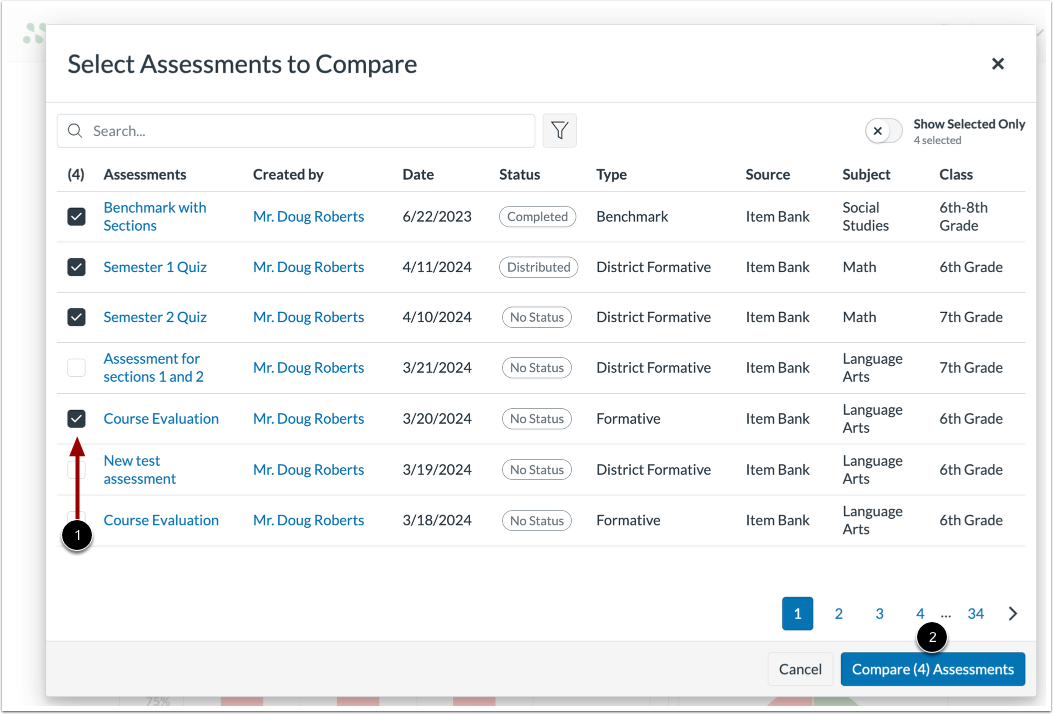
Select Assessments to Compare
In the window that displays, select the assessments you want to compare by clicking the corresponding checkboxes [1].
Click the Compare Assessments button [2].
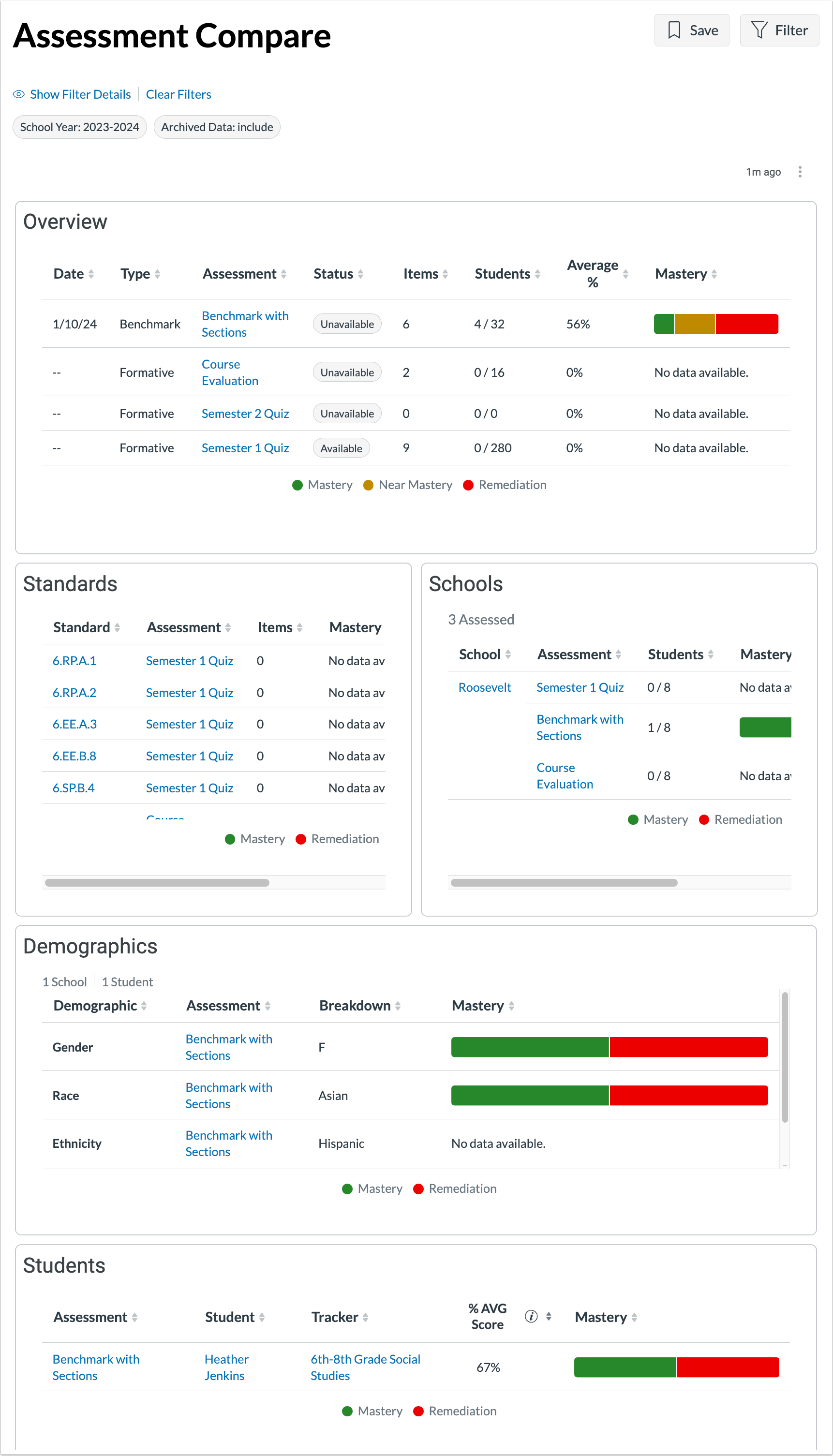
View and Compare Assessment Data
View and compare the data and charts that display for your selected assessments.
Note: If you navigate away from the Assessment Comparison dashboard without saving your filters, your view will be erased.