As an administrator, you can suspend the account of any staff member. Suspending an account prevents the user from accessing Mastery Connect. However, it does not remove them from your school or district.
If needed, you can reactivate suspended accounts.
Notes:
- You cannot delete staff accounts.
- In Mastery Connect, a teacher account is any account that is neither a student nor a parent account. All staff member accounts are considered teacher accounts. However, users with a teacher account are not necessarily teachers and may have a user role other than the teacher role.
View the video transcript
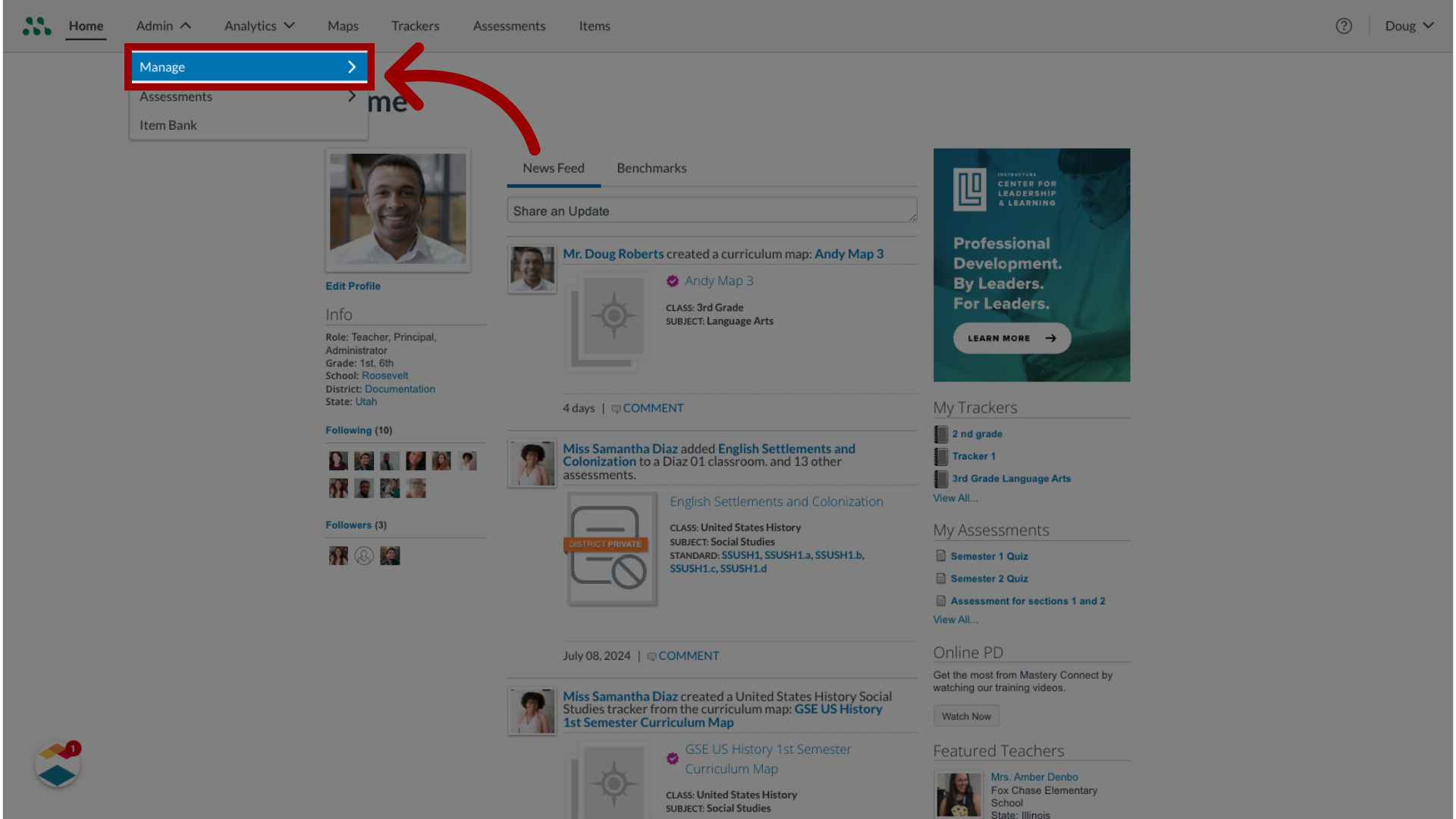
00:09: In global navigation, click the Admin drop-down menu.
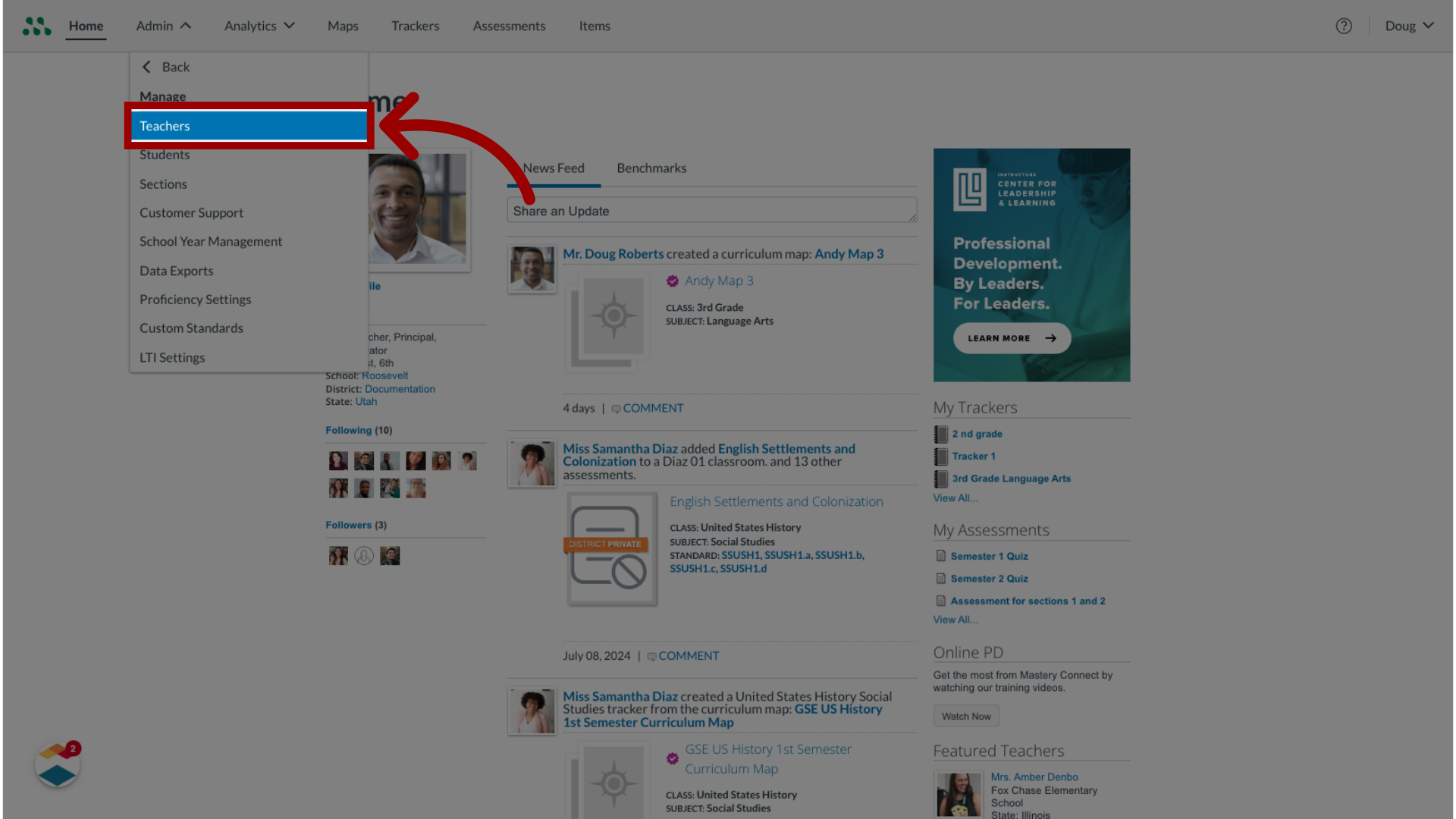
00:17: In the manage lists, click the teachers link.
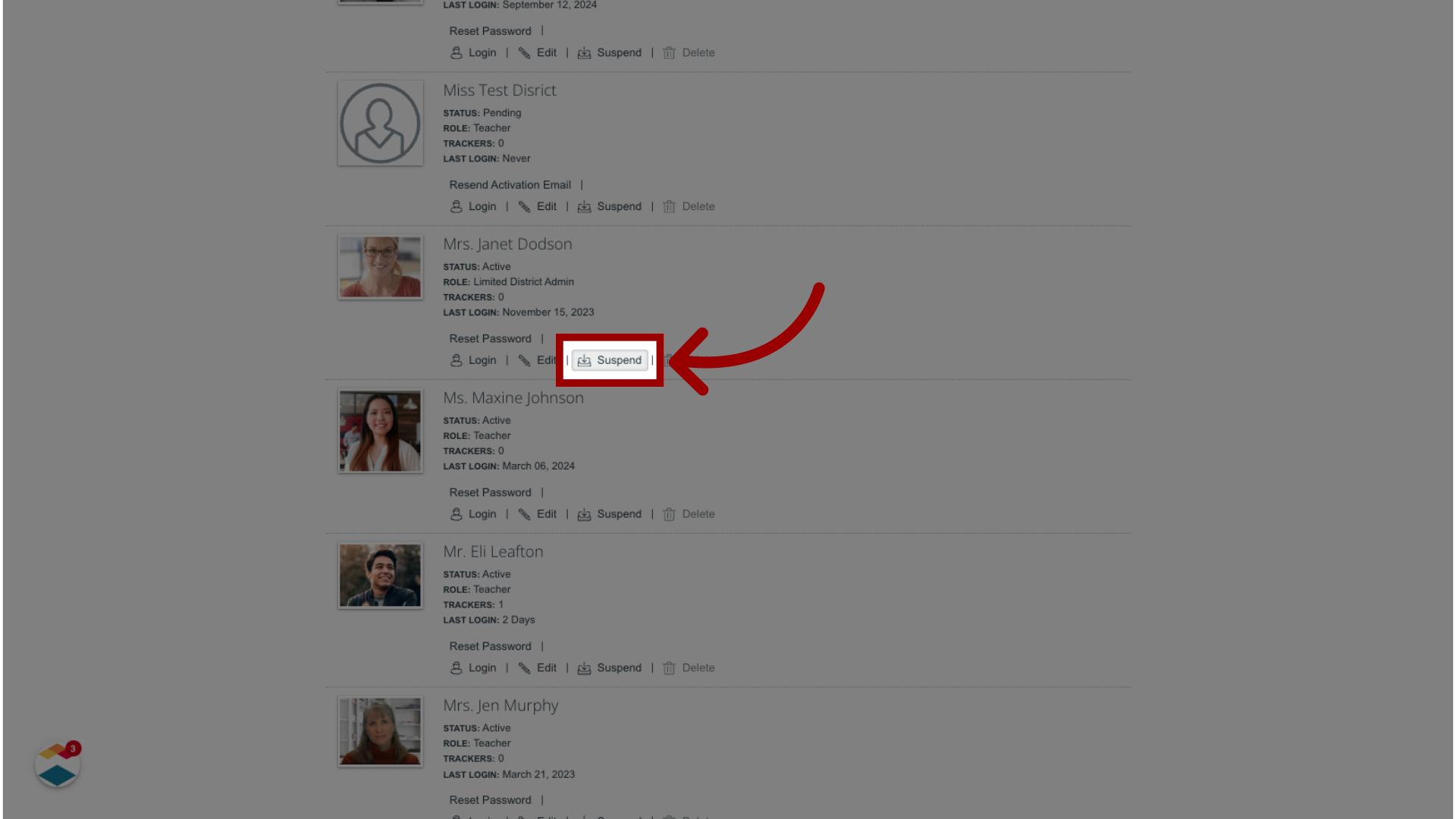
00:21: Locate the staff account profile. Then click the accounts suspend button.
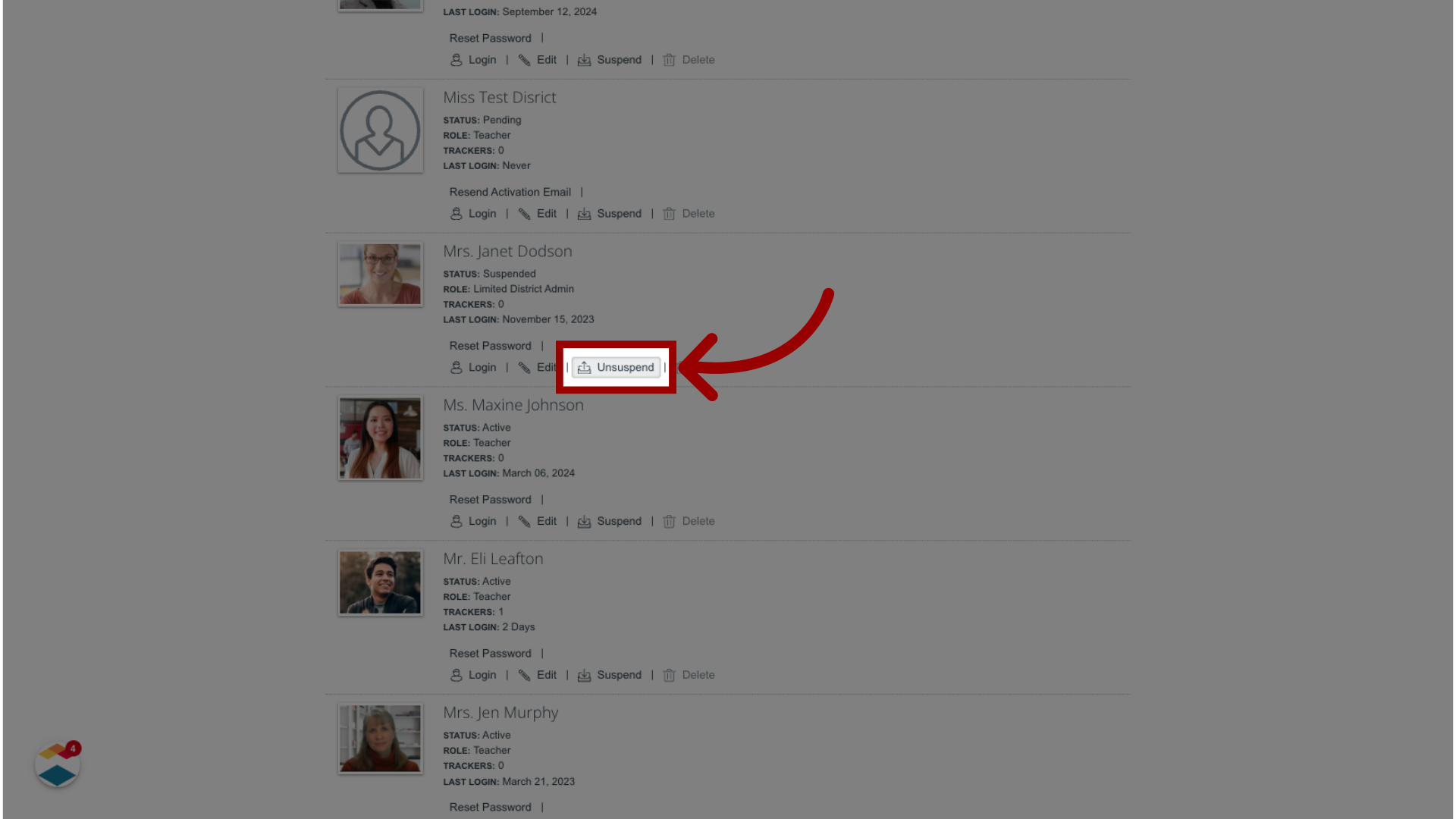
00:26: To reactivate a suspended staff account, click the unsuspended button.
Open Manage Teachers
In global navigation, click the Admin drop-down menu [1] and click the Manage option [2].
In the Manage list, click the Teachers link [3].
Suspend Teacher Account
Locate the staff account profile. Then click the account's Suspend button.
Reactivate Teacher Account
To reactivate a suspended staff account, click the Unsuspend button.