Open Tracker
In the Mastery TrackersHome page [1], click the tracker name link [2].
Click the More Options button.
In the More menu, click the People link.
Add Collaborator
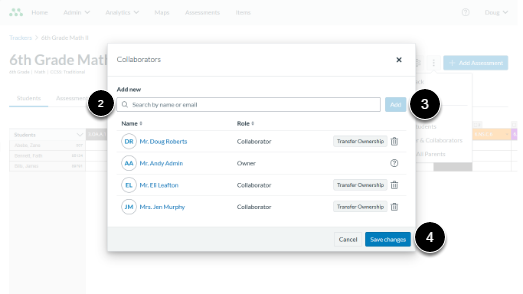
Select Owner & Collaborators. The Collaborators window will open.
In the Add new section, search by name or email in the Search by name or email field [2]. When the teacher’s name appears in the list, select it, then click Add [3].
After adding the collaborator, click Save changes [4] to confirm.