A tracker contains all the mastery data from the assessments your students take during the term. In the tracker Options menu, you can view report options that allow you to access student progress reports, print student reports, export the student list, and export the tracker.
Open Tracker
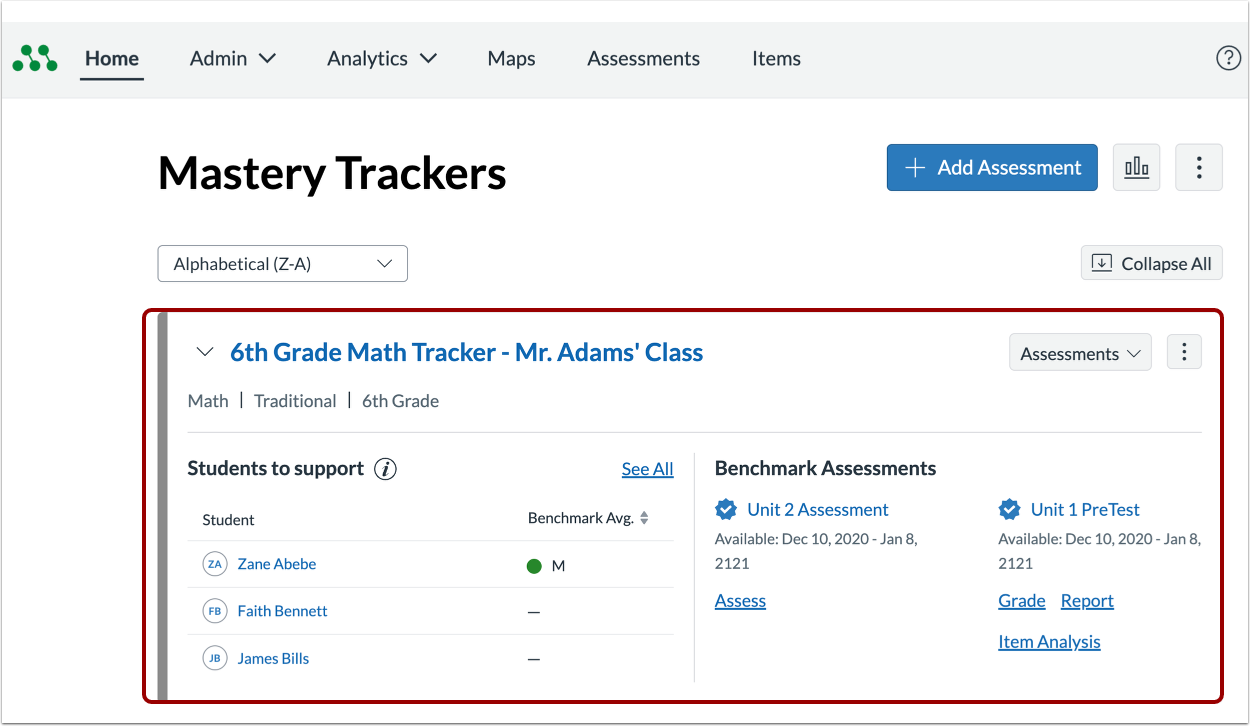
In the Home page, click a tracker name link [1].
Open Reporting Options
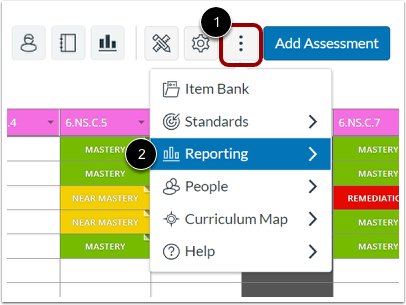
Click the tracker MoreOptions icon [1], and select the Reporting link [2].
View Tracker Reporting Options
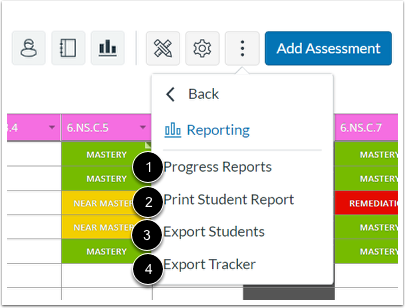
In the Reporting Options menu, you can access progress reports [1], print a student report [2], export the student list [3], and export the tracker as a spreadsheet [4].