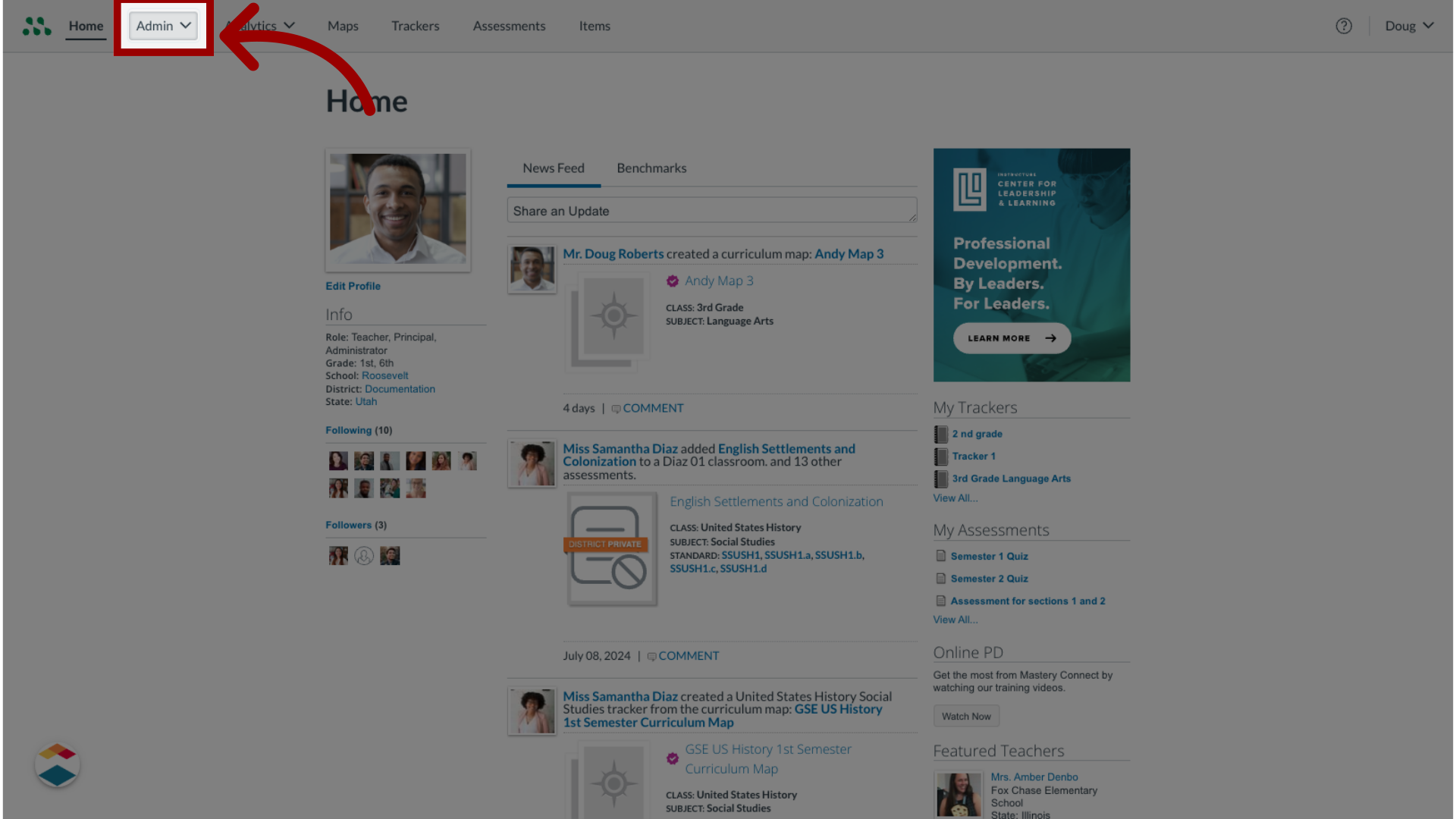
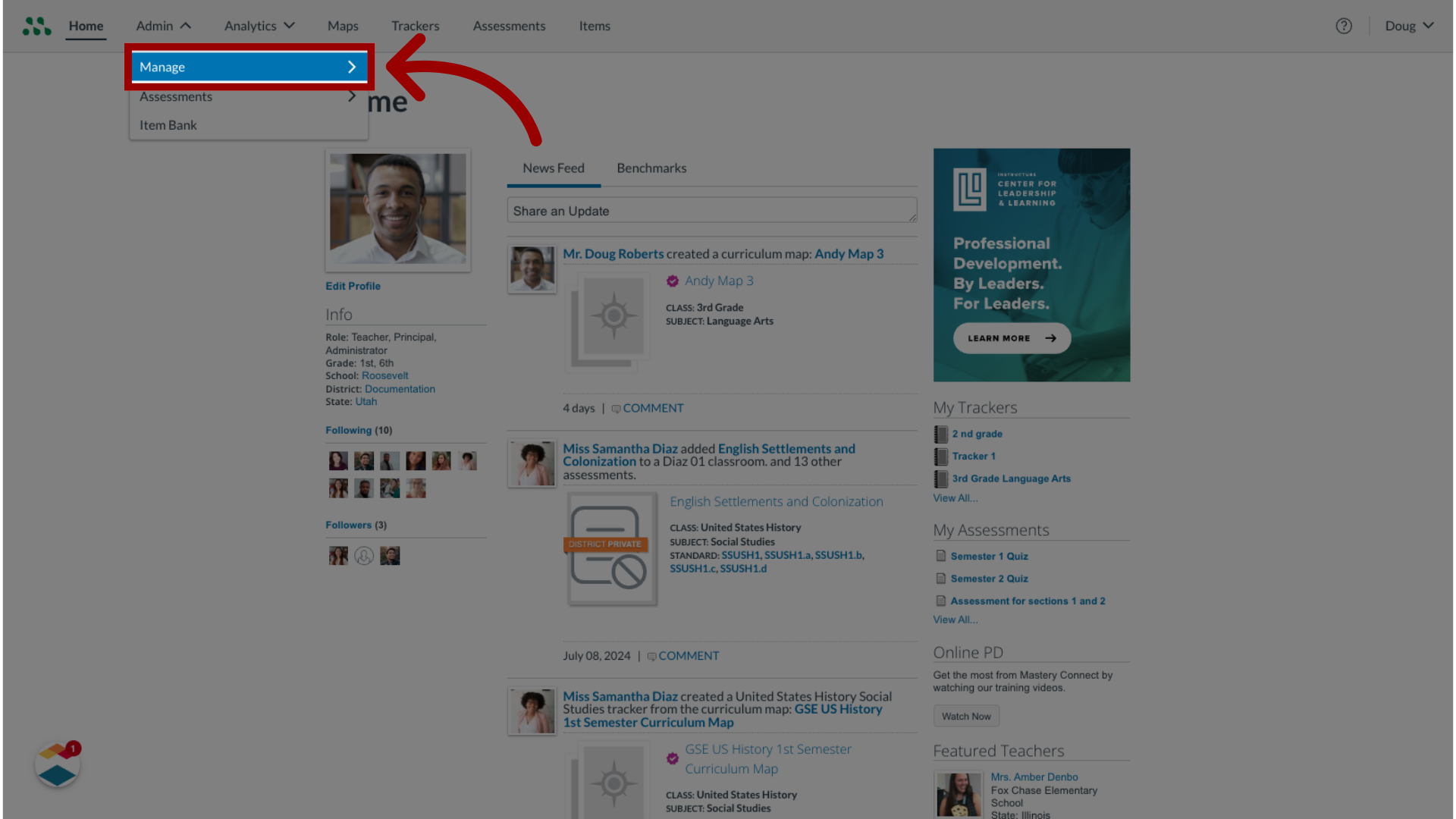
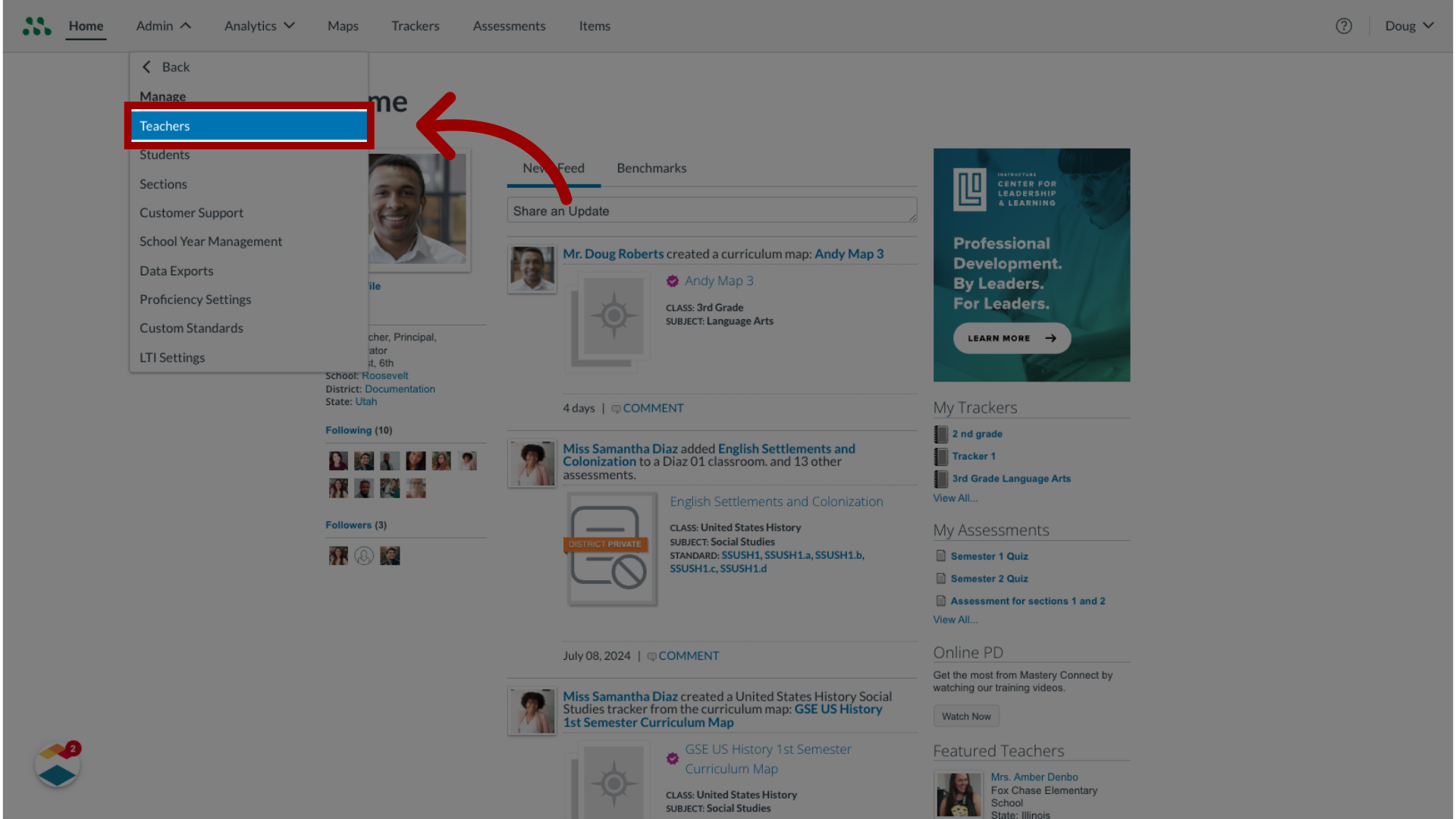
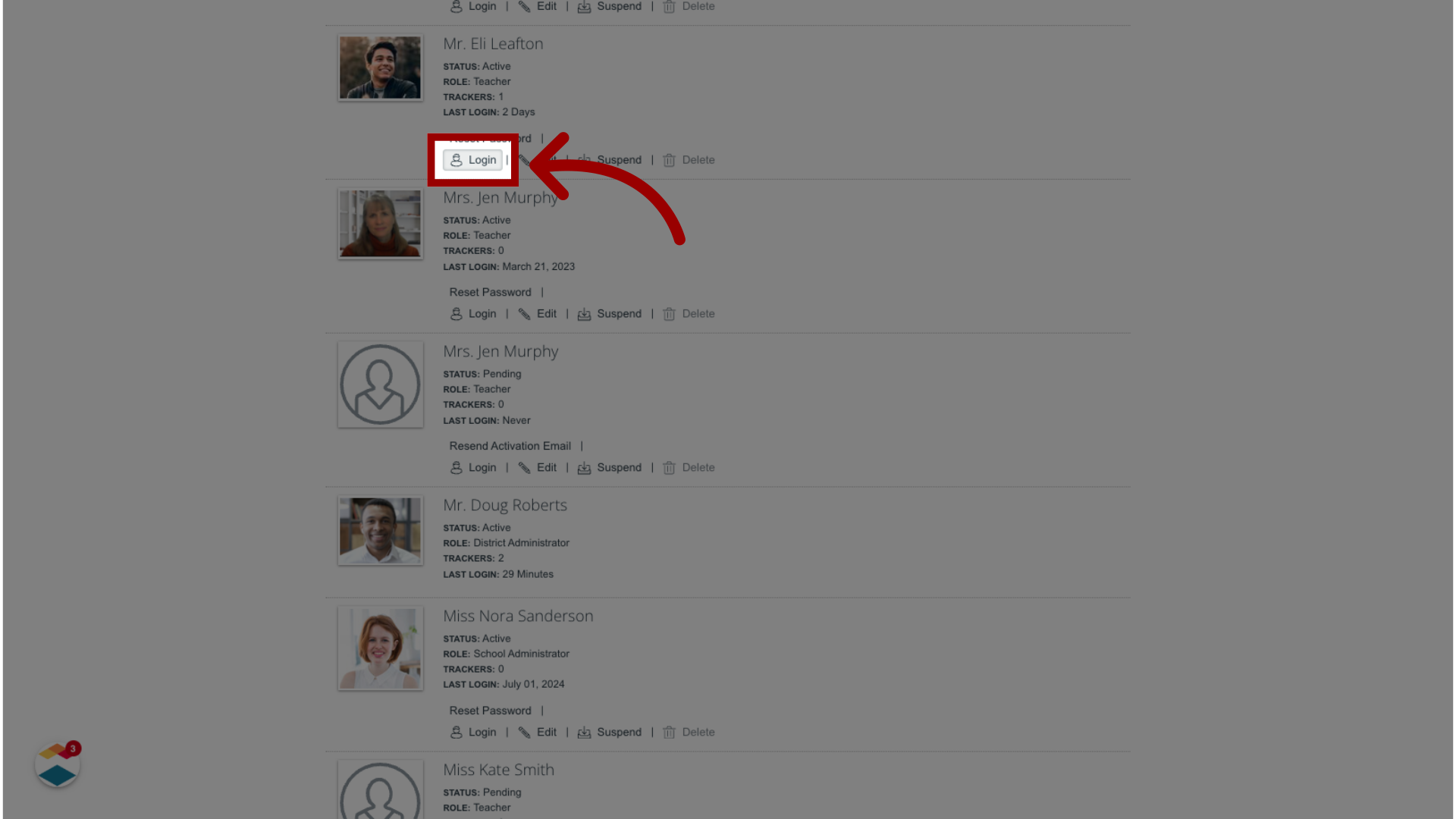
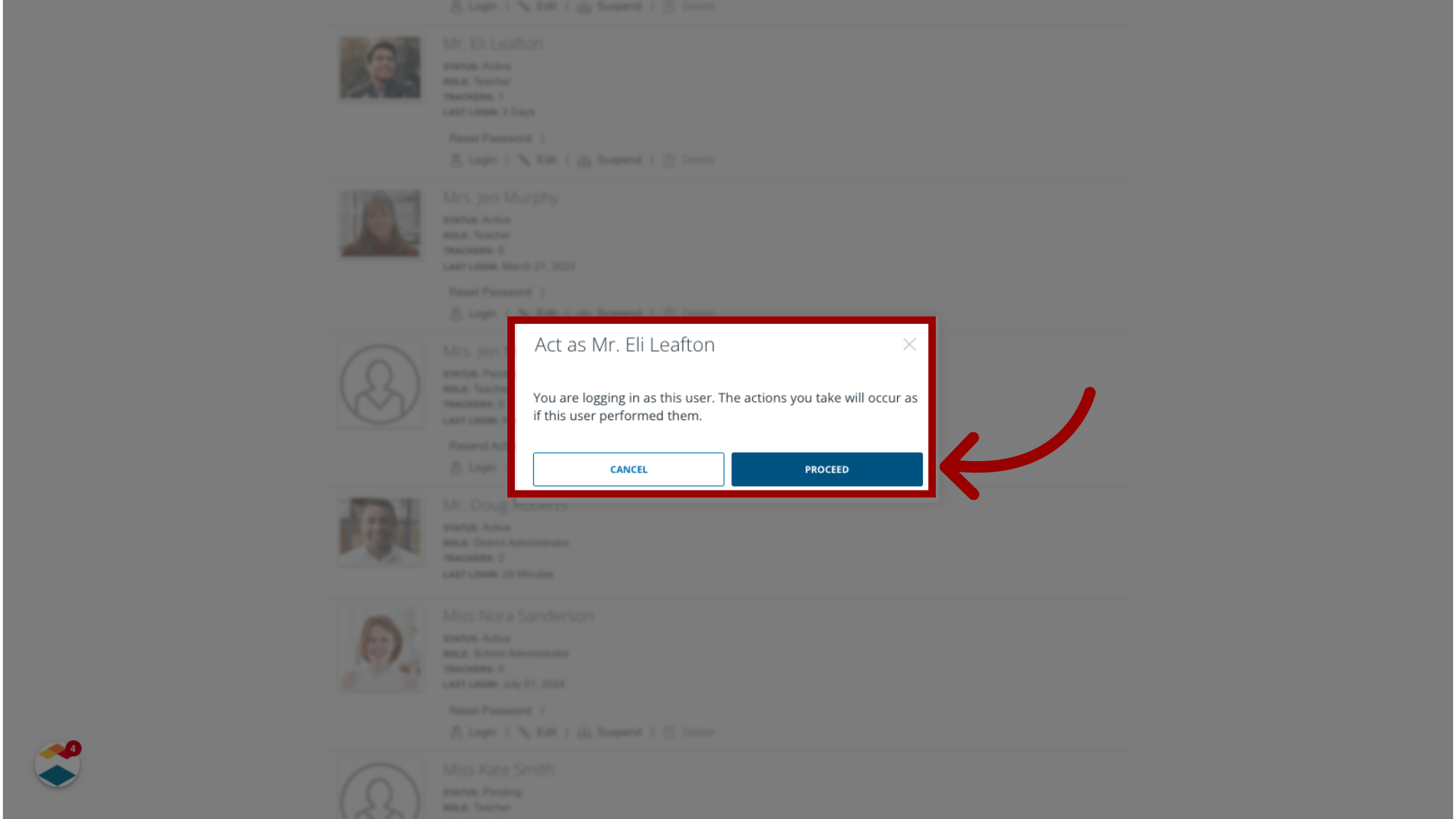
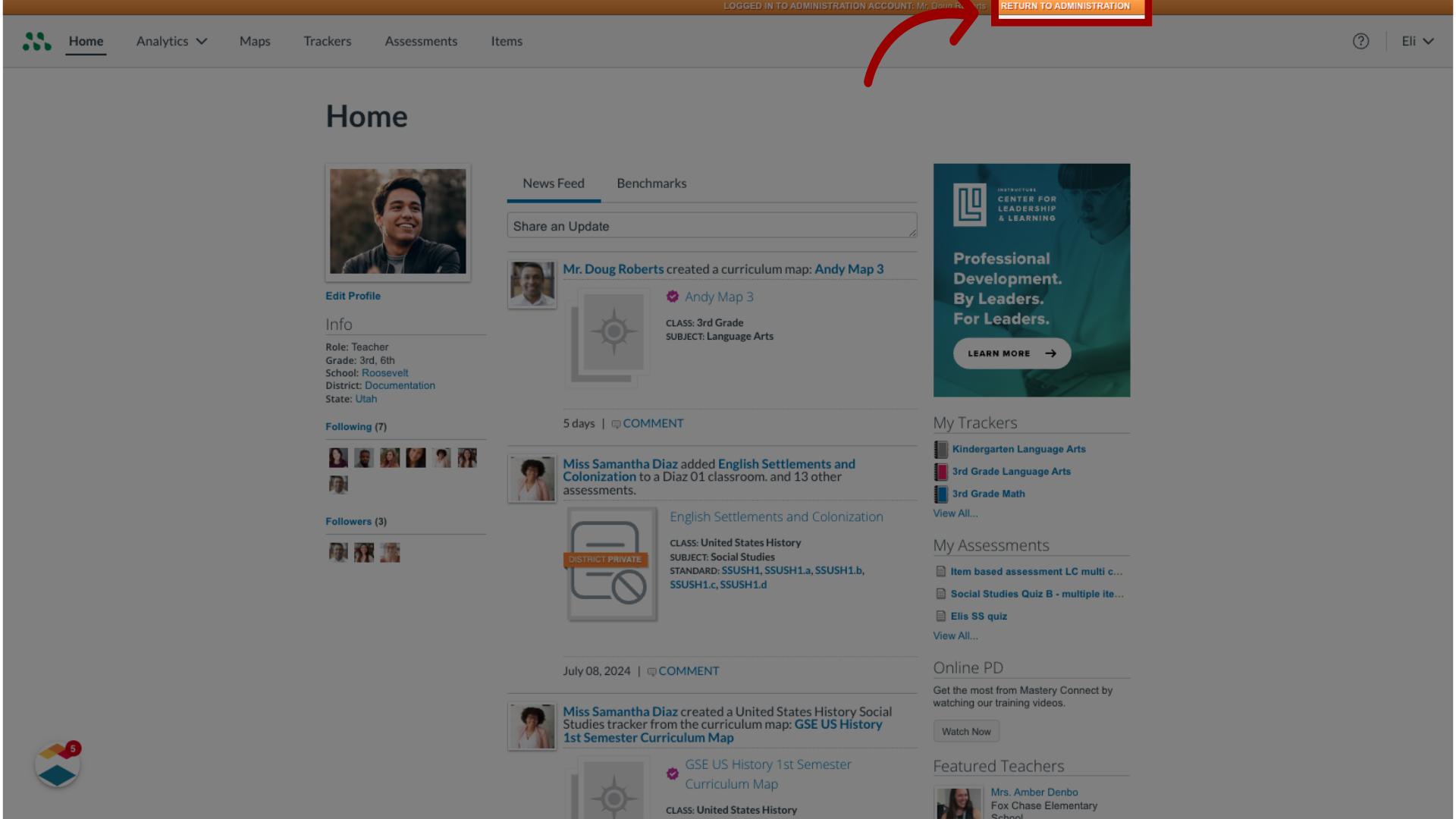
As a Mastery Connect administrator, you can temporarily log in as another staff member. This allows you to act as another user and experience Mastery Connect as they do.Notes:You do not need to log out from your own account to act as another staff member.In Mastery Connect, a teacher account is any account that is neither a student nor a parent account. All staff member accounts are considered teacher accounts. However, users with a teacher account are not necessarily teachers and may have a user role other than the teacher role.How do I log in as another staff member as a Mastery Connect admin?1. Open Admin MenuIn global navigation, click the Admin drop-down menu.2. Open Manage MenuThen, click the Manage option.3. Open Manage TeachersIn the Manage list, click the Teachers link.4. Log in as UserLocate the user account profile, then click the account's Login button.5. Select ProceedThe confirmation window displays. To log in as the teacher, click the Proceed button.6. Log Out as UserTo return to your own account, click the Return to Administration button. This guide covered how to log in as another staff member as a Mastery Connect admin.