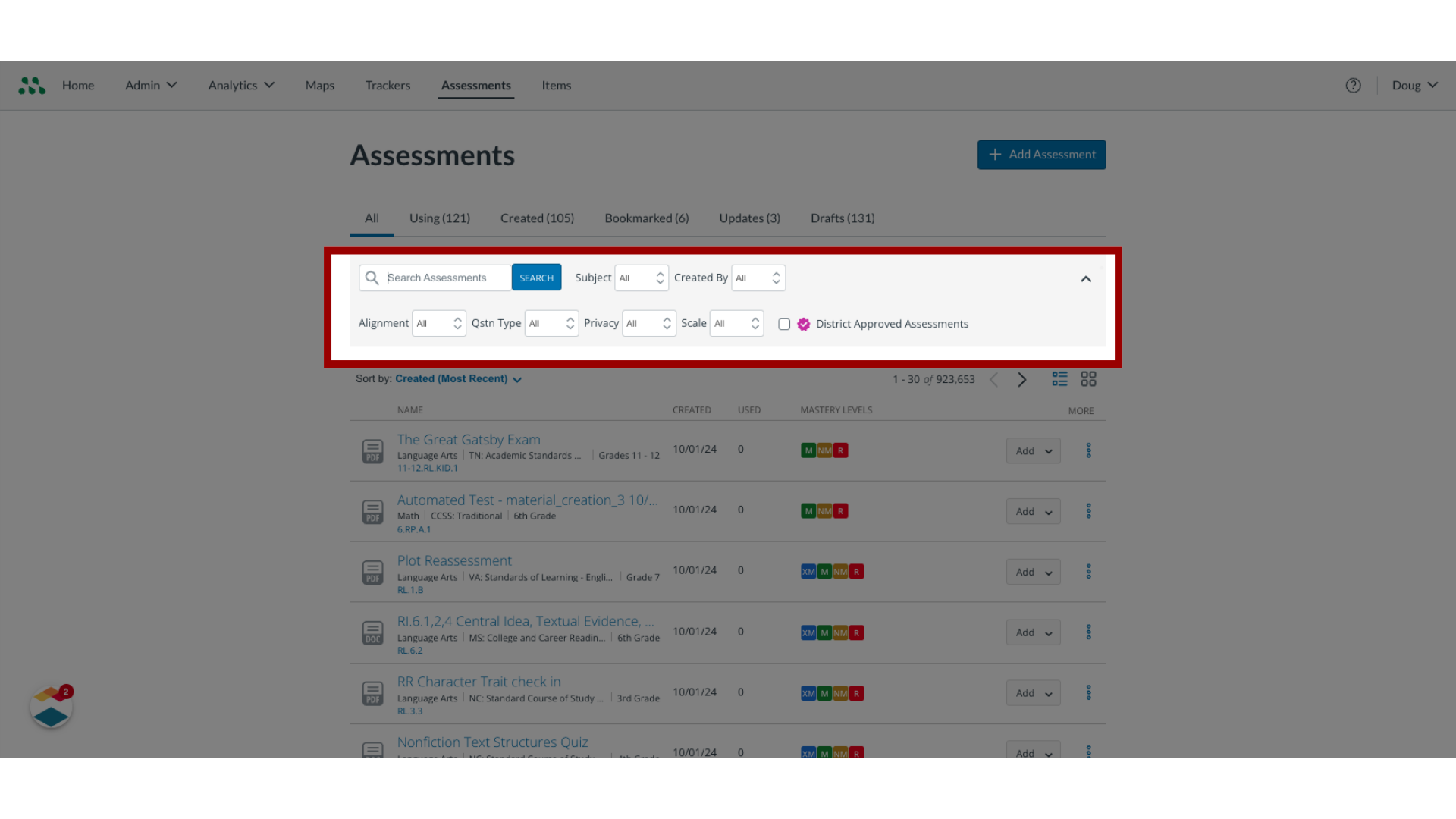
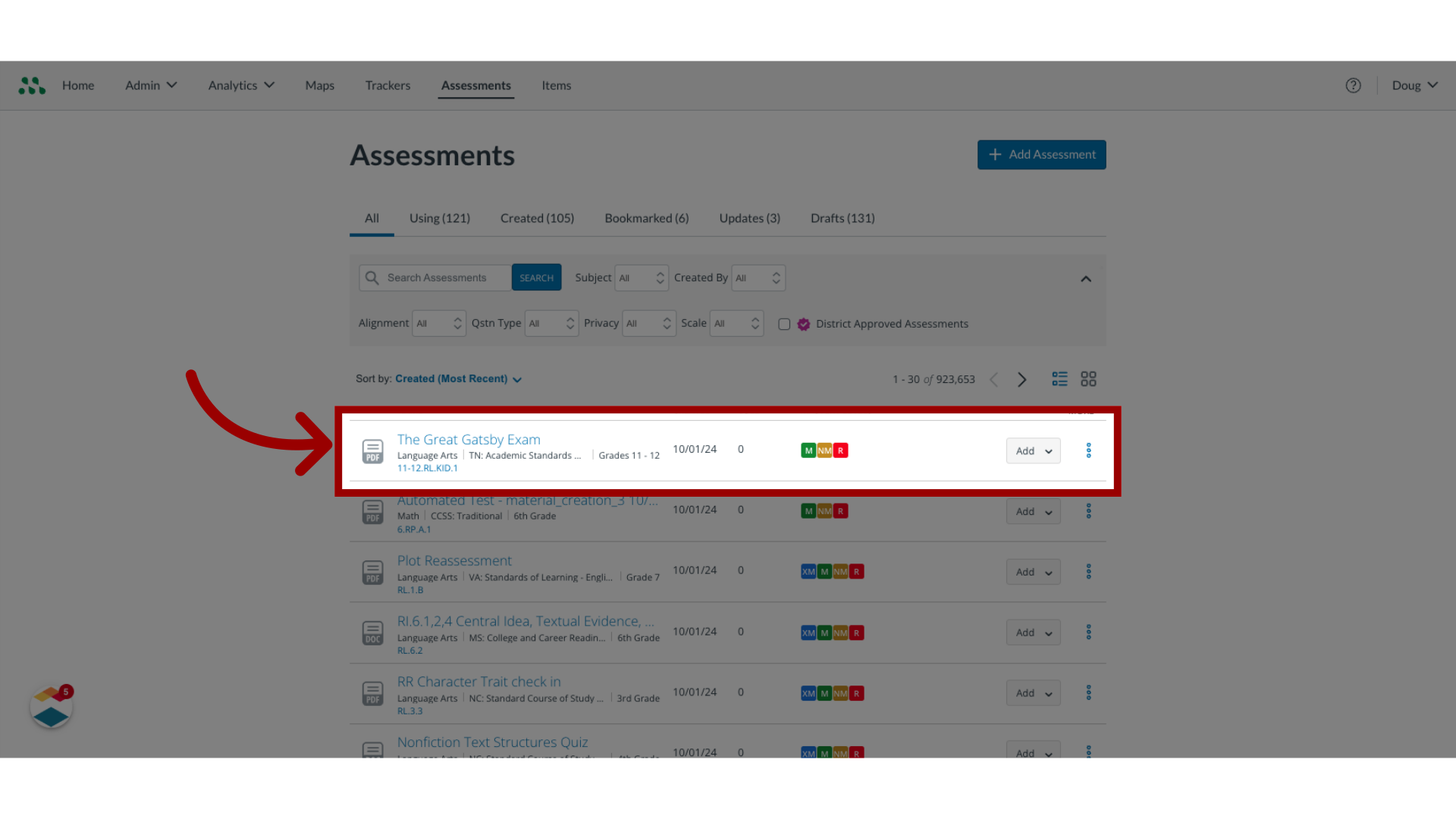
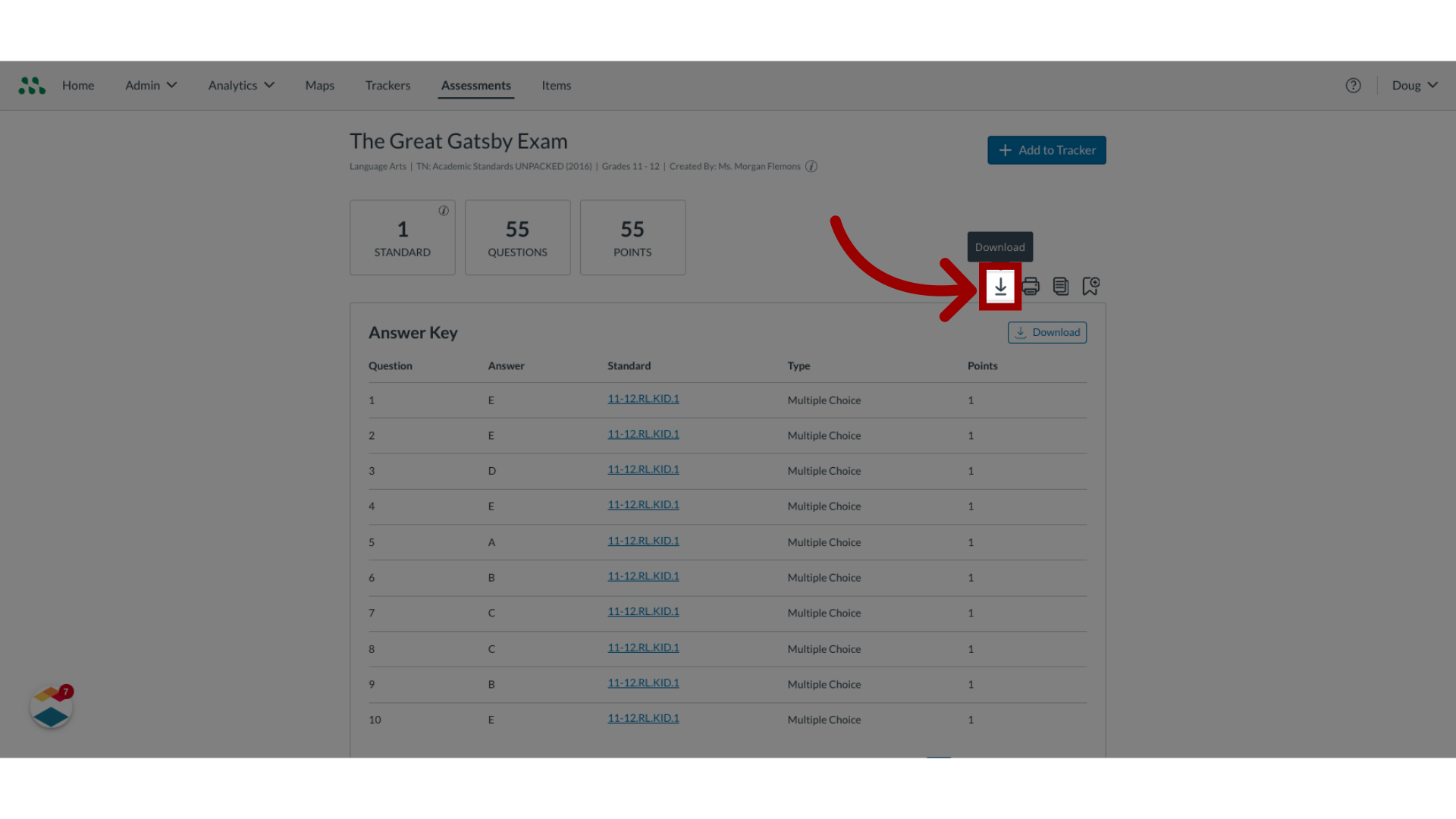
You can download any document-based assessment to which you have access through the Mastery Connect Community. After downloading, you can edit and manage the downloaded file as needed.Note: You cannot download item-based assessments.How do I download an assessment?1. Search Assessments In the Assessments page, find the assessment to download using the search bar and the filters. 2. Open Assessment Name Once you find the assessment to download, click the Assessment Name.3. Download File Then, click the Download icon. You can now work with the downloaded file on your computer. This guide covered how to download an assessment.