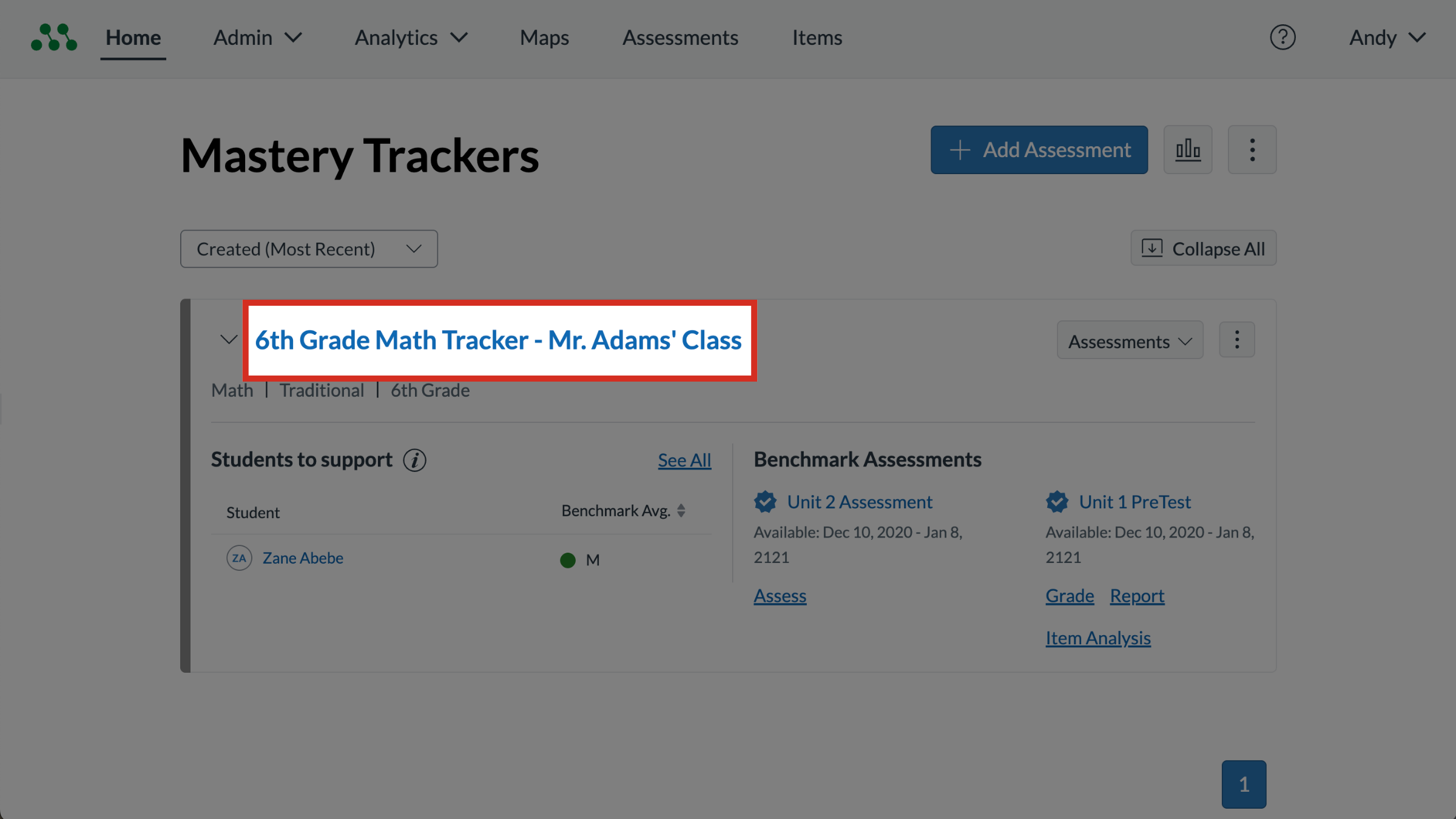
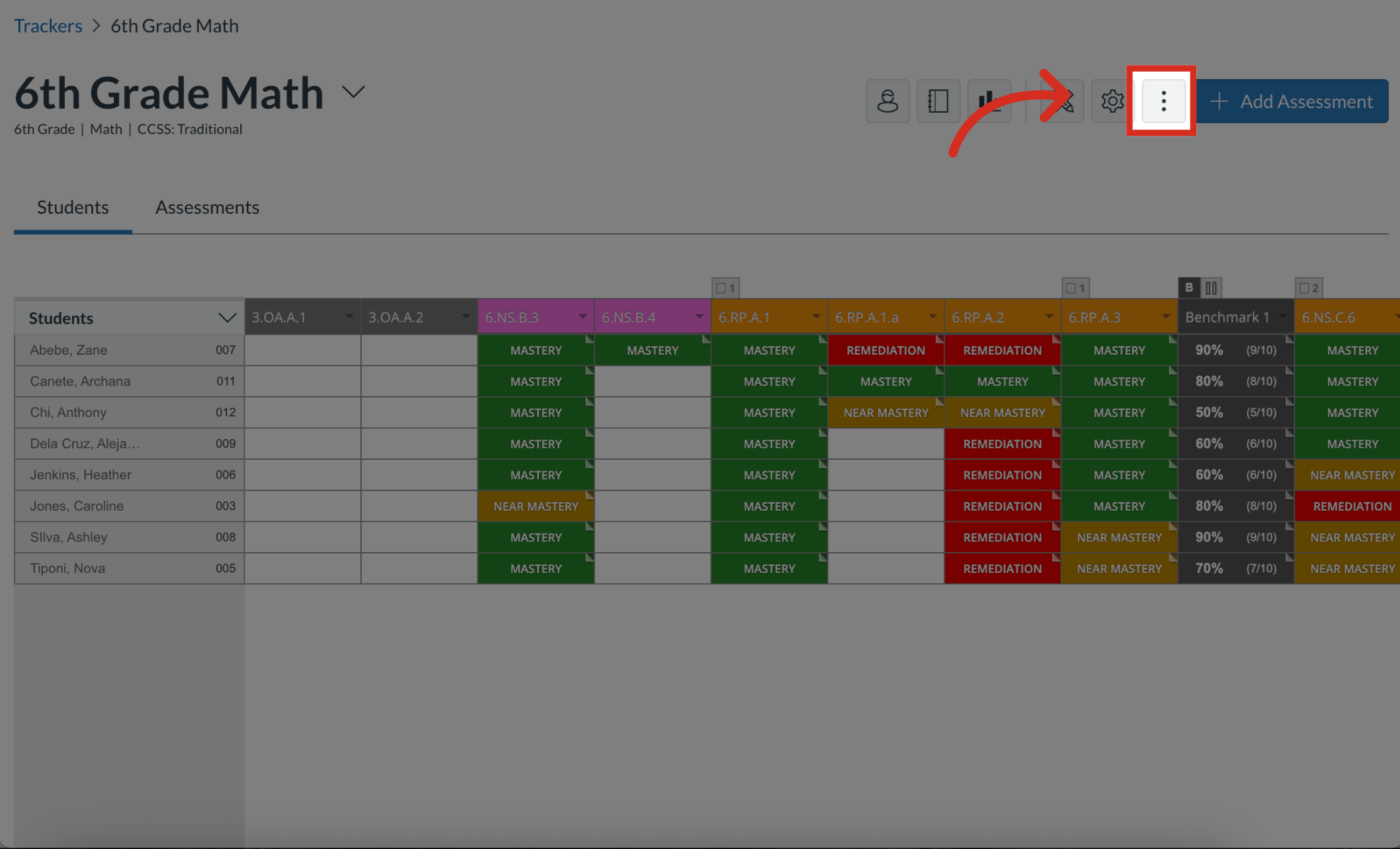
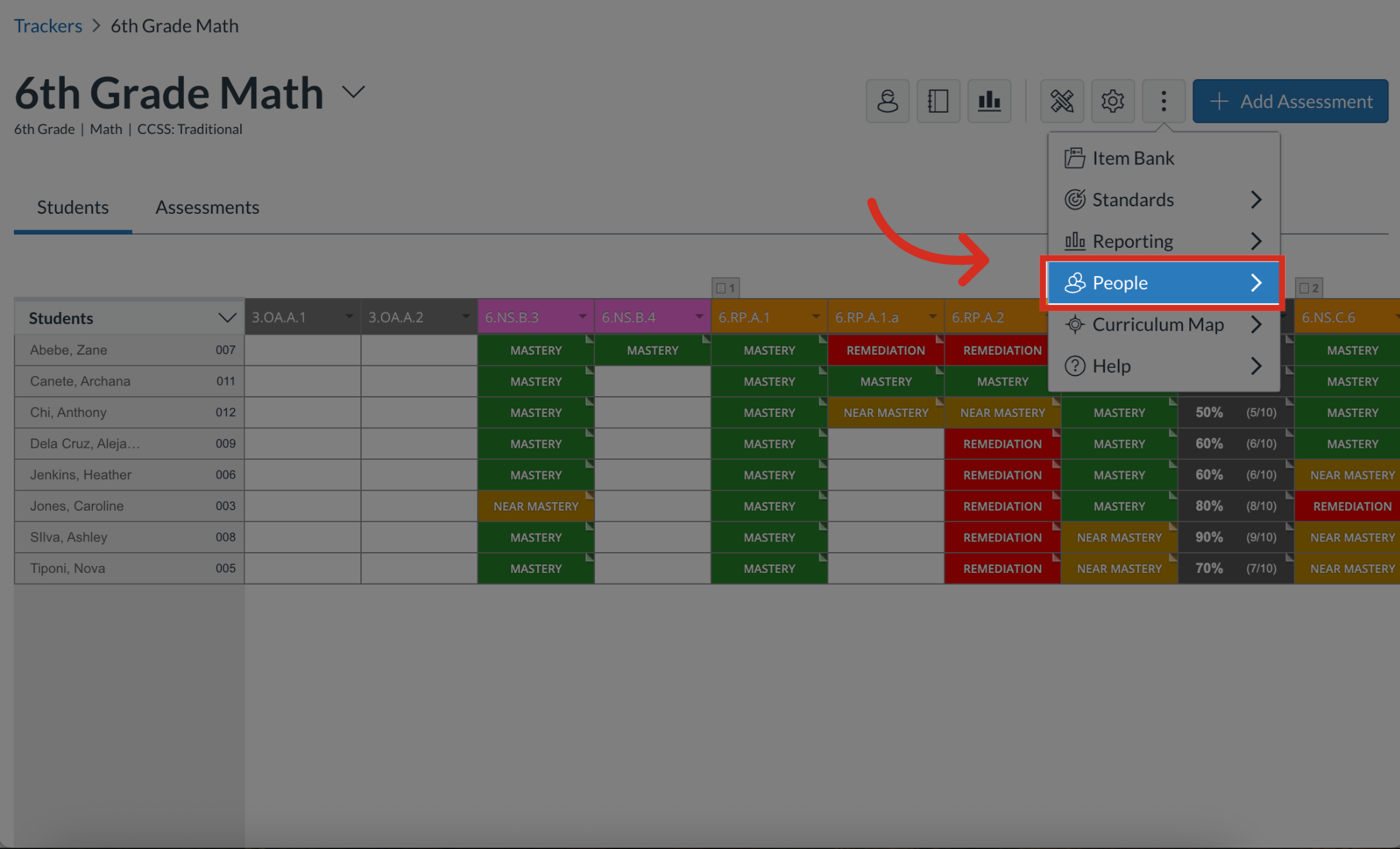
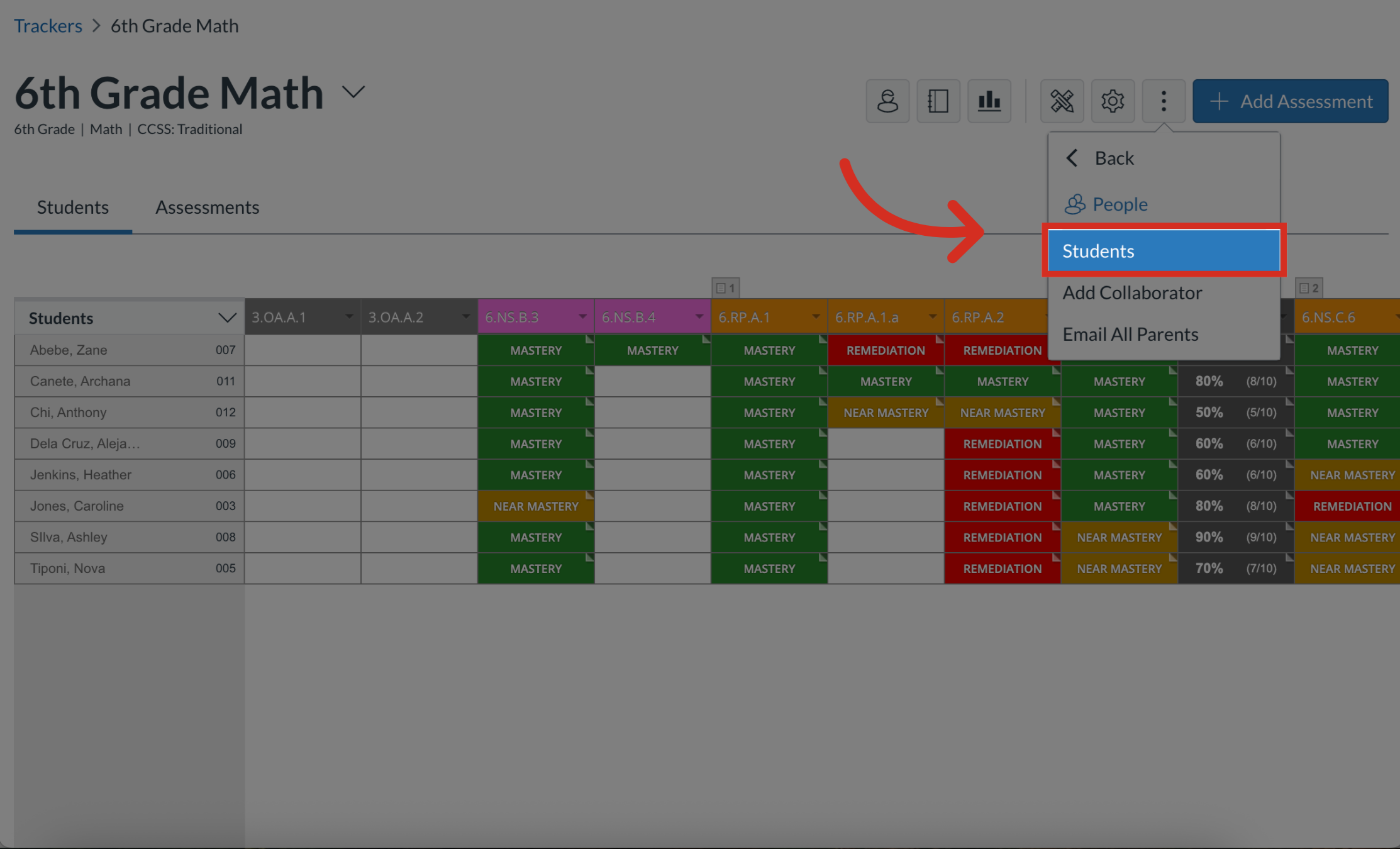
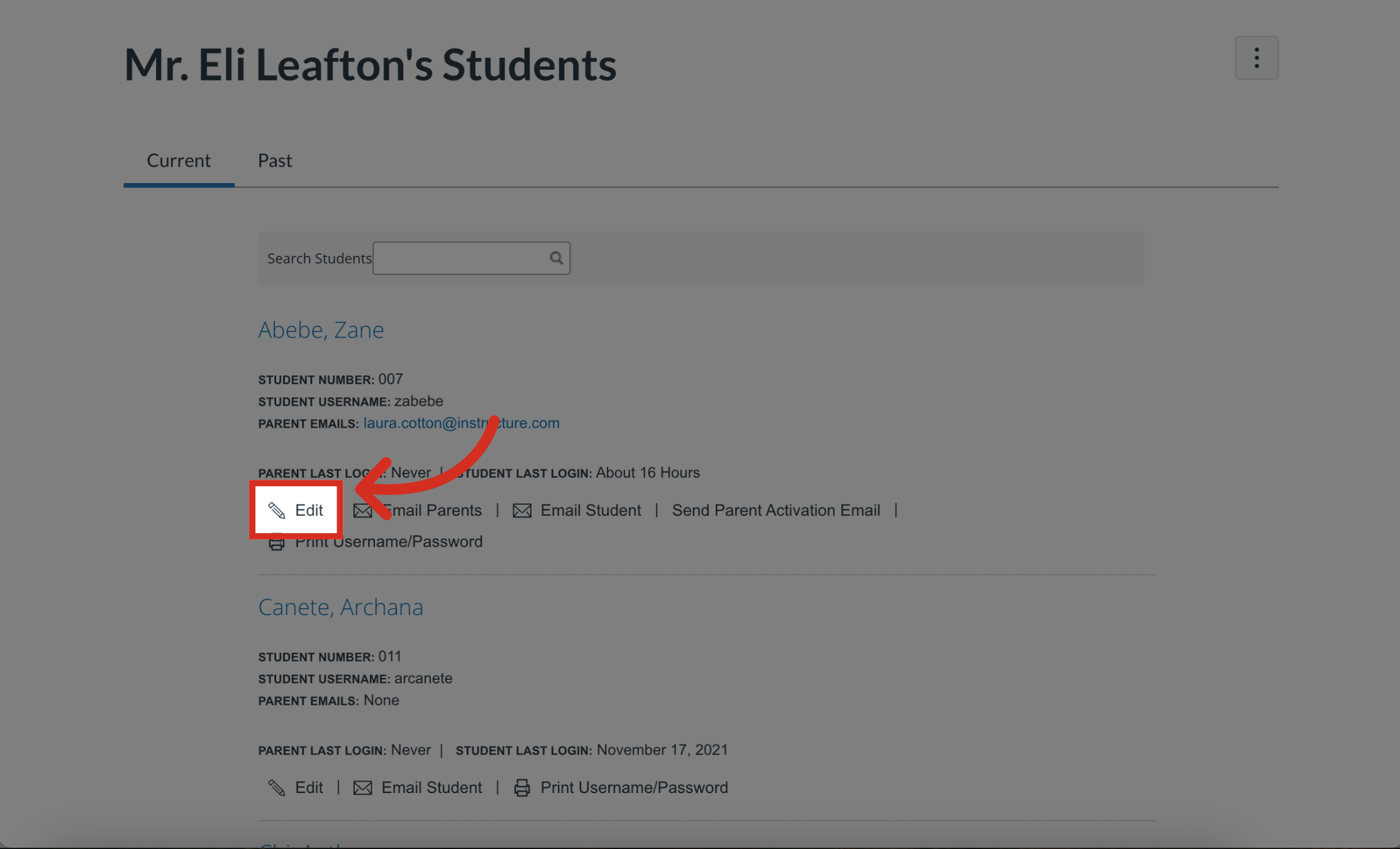
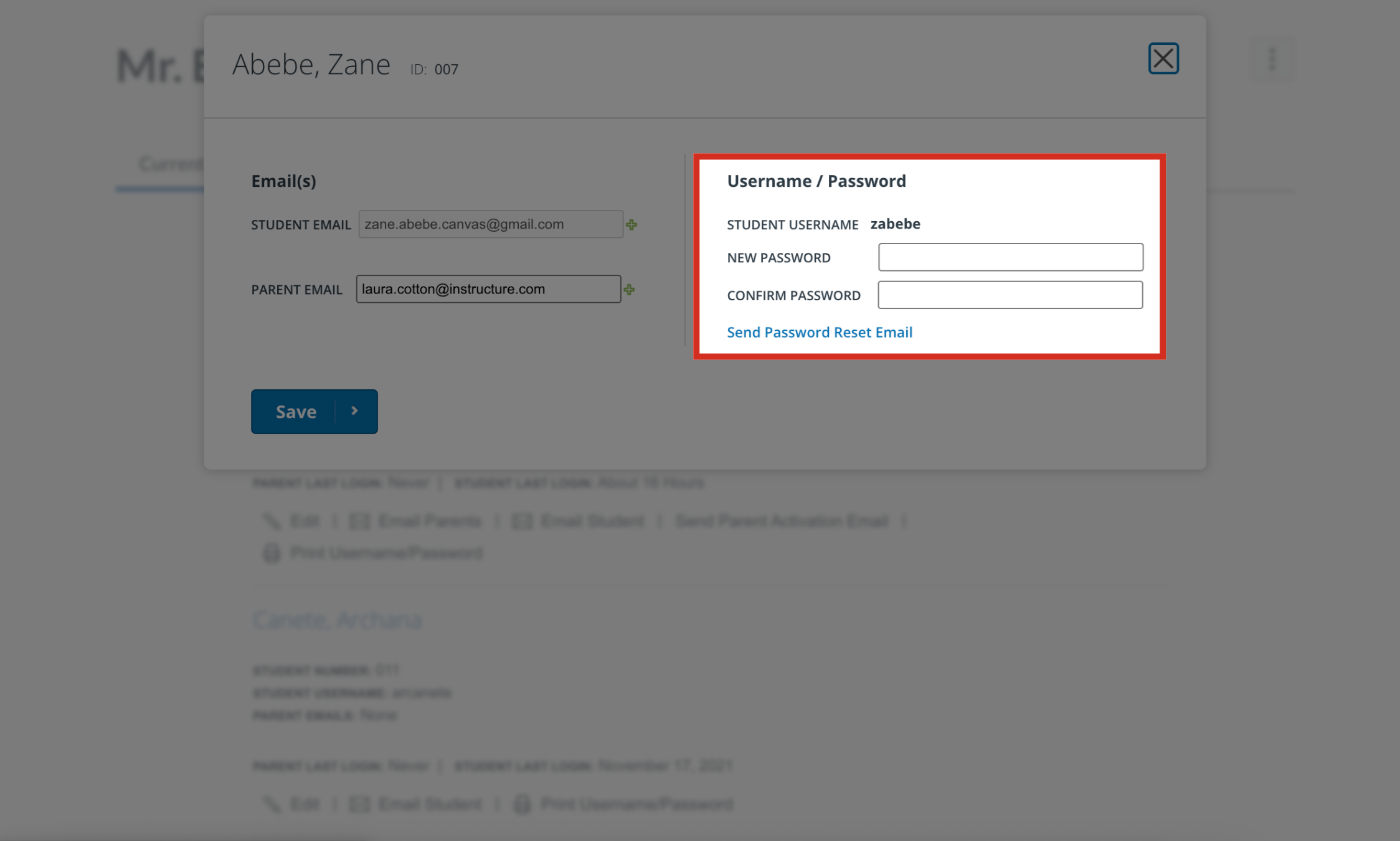
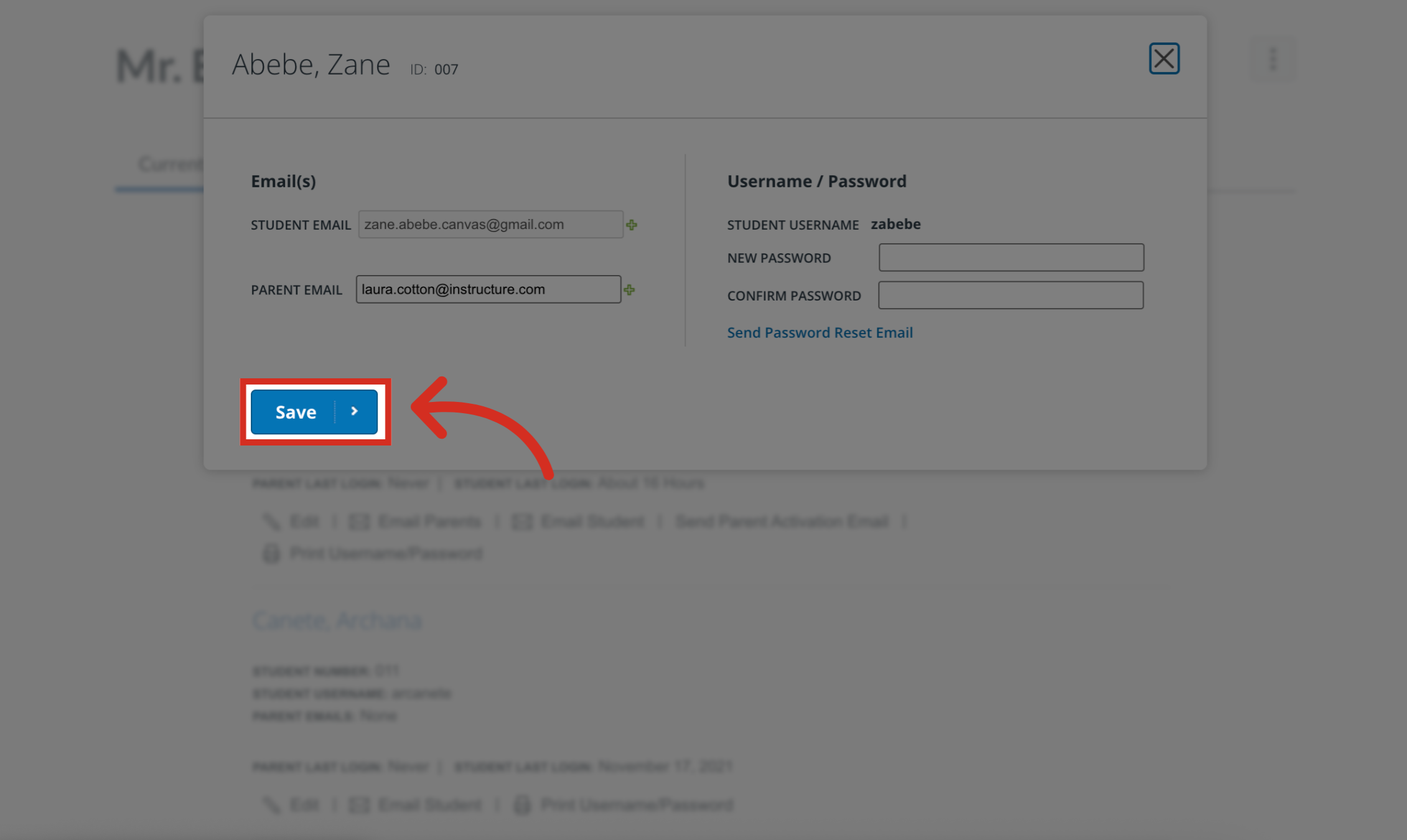
If a student forgets their Mastery Connect password, they must ask their teacher to reset it. You can only reset a student password as a teacher if your school or district Student Information System (SIS) is integrated with Mastery Connect.Note: You can only change a student's password if the student has activated their account. If a student has not activated their account, you can send them account activation information.How do I reset a student’s password as a teacher?1. Select Tracker To select a tracker, click the tracker name link.2. Select More Options Click the More Options button.3. Select People Navigate to the People section.4. Select Students Select the Students link.5. Select Edit Choose the Edit option for the student.6. Enter Password To reset the student's password, enter a temporary password containing at least eight characters into the New Password field. Then, enter the same password into the Confirm Password field.7. Save Click the Save button. This guide covered the process of resetting a student's password in MasteryConnect.