You can move a category from one category to another.
Note: Top-level categories cannot be moved into other categories. To learn how to arrange your support center categories to create subcategories please read this article.
Open Support
In Global Navigation, click the Support link.
Open Arrange Articles
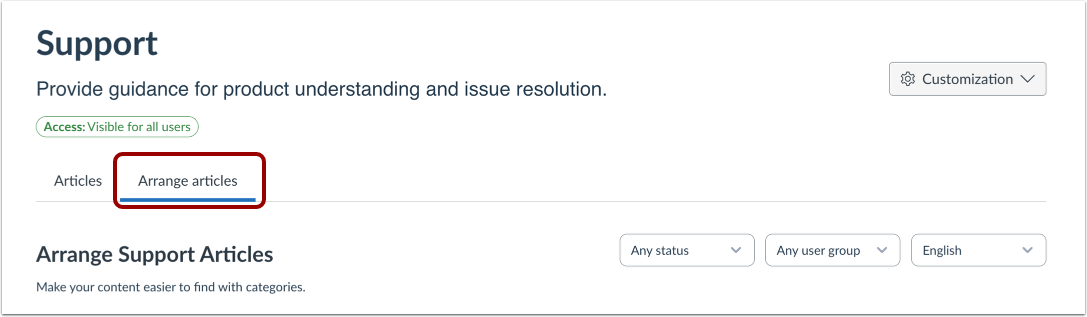
Then click the Arrange Articles tab.
Open Support Center
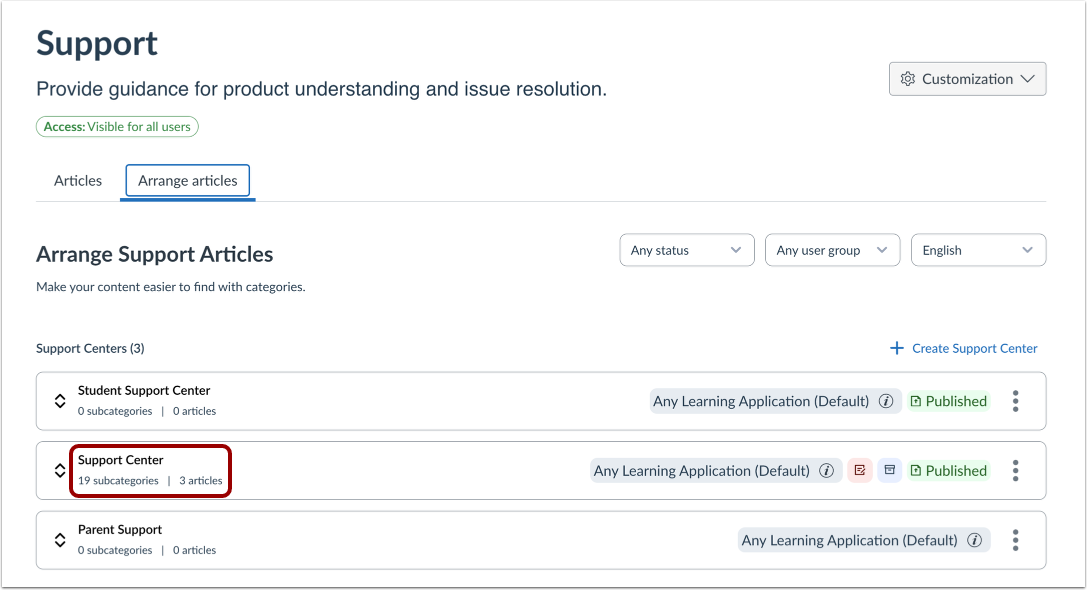
Click the name of the Support Center.
Move Support Center Category
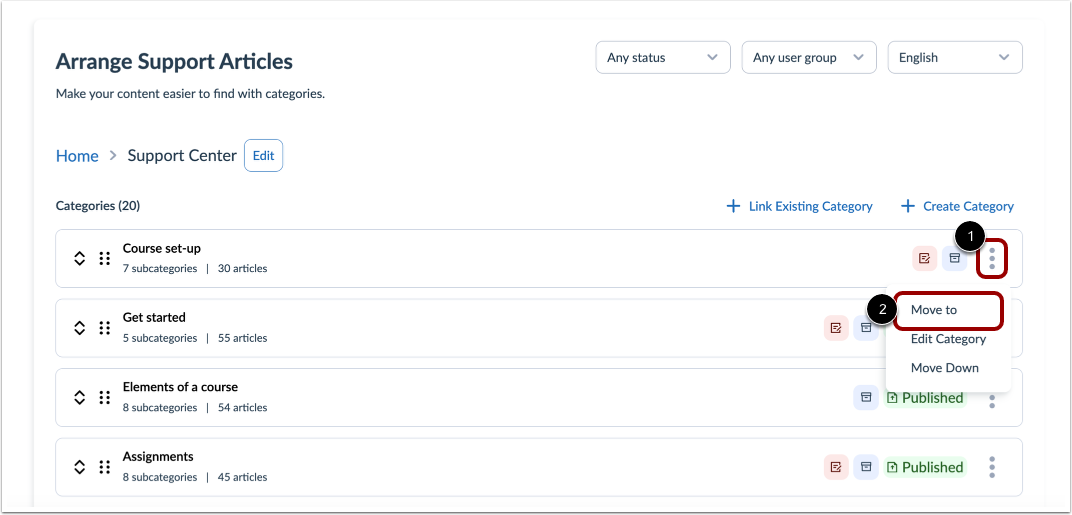
To move an article, locate the category you want to move, click the Options icon [1] and then click the Moveto link [2].
Move Category
Click the name of the category [1] and then click the Move category button [2].