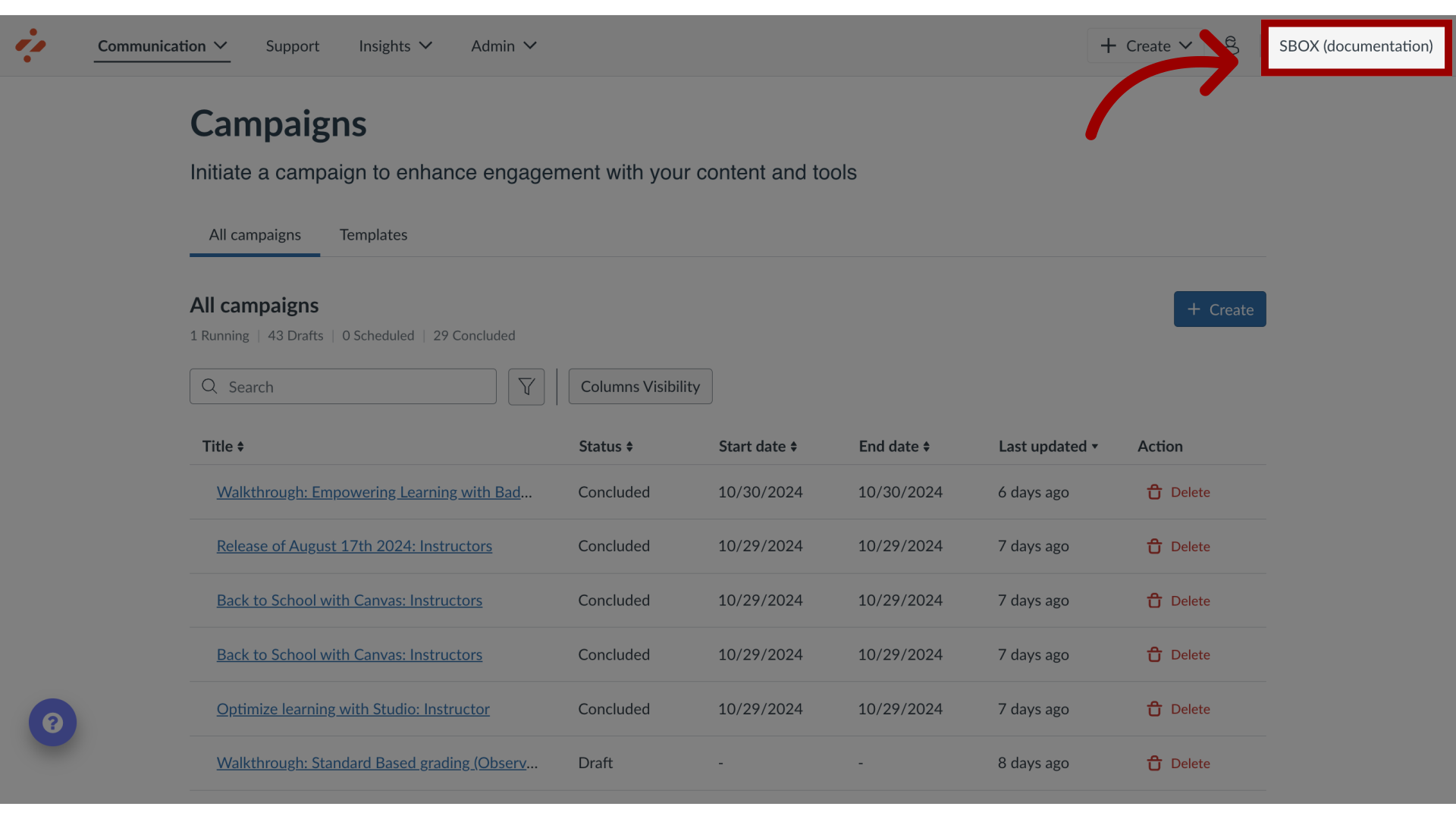
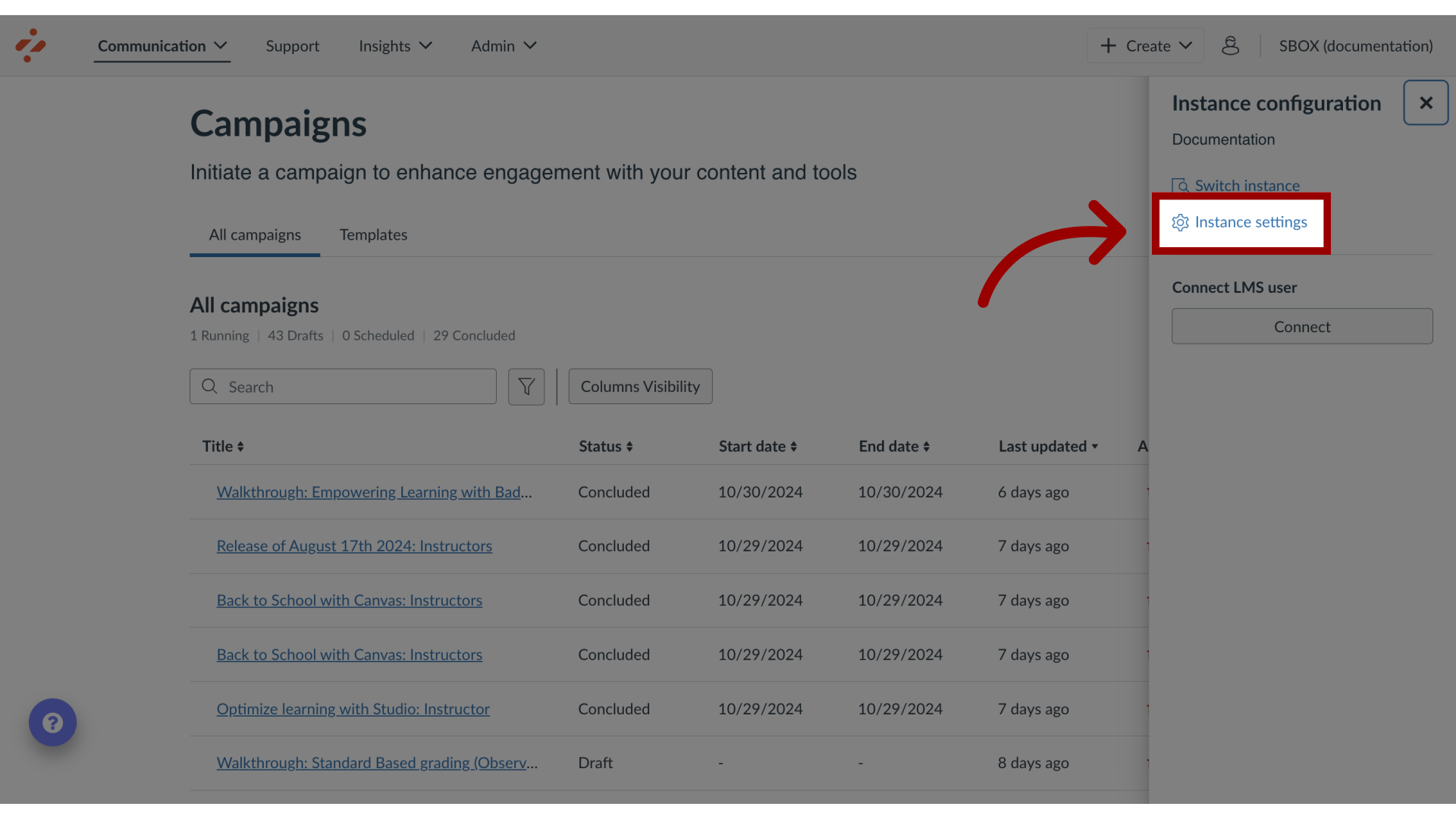
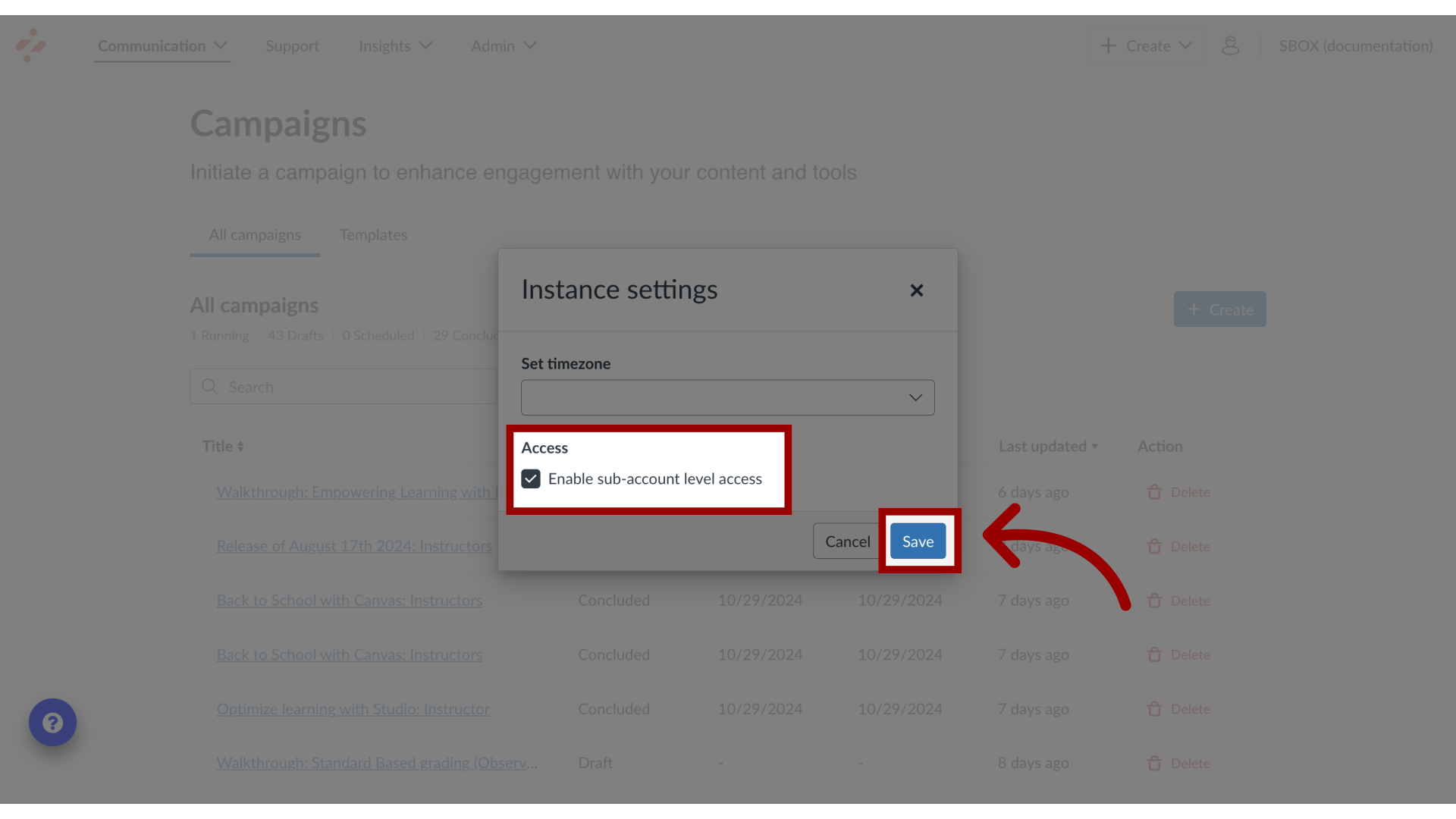
Admins for sub-accounts can enable sub-account level access in the Impact Dashboard Instance Settings menu.How do I enable sub-account level access?1. Open Instance ConfirmationIn the Global Navigation, click the Instance Confirmation link.2. Open Instance Settings Then click the Instance Settings link.3. Enable Sub-account Level Access Select the checkbox to enable sub-account level access. Then click the Save button.Note(s):If the checkbox is grayed out, your Instance needs additional LMS configuration to enable sub-account level access. Please submit a support ticket to support-impact@instructure.com to enable this feature.For more information on enabling Course Reports LTI as an App in Canvas, visit How do I enable Course Report LTI as an App in Canvas?