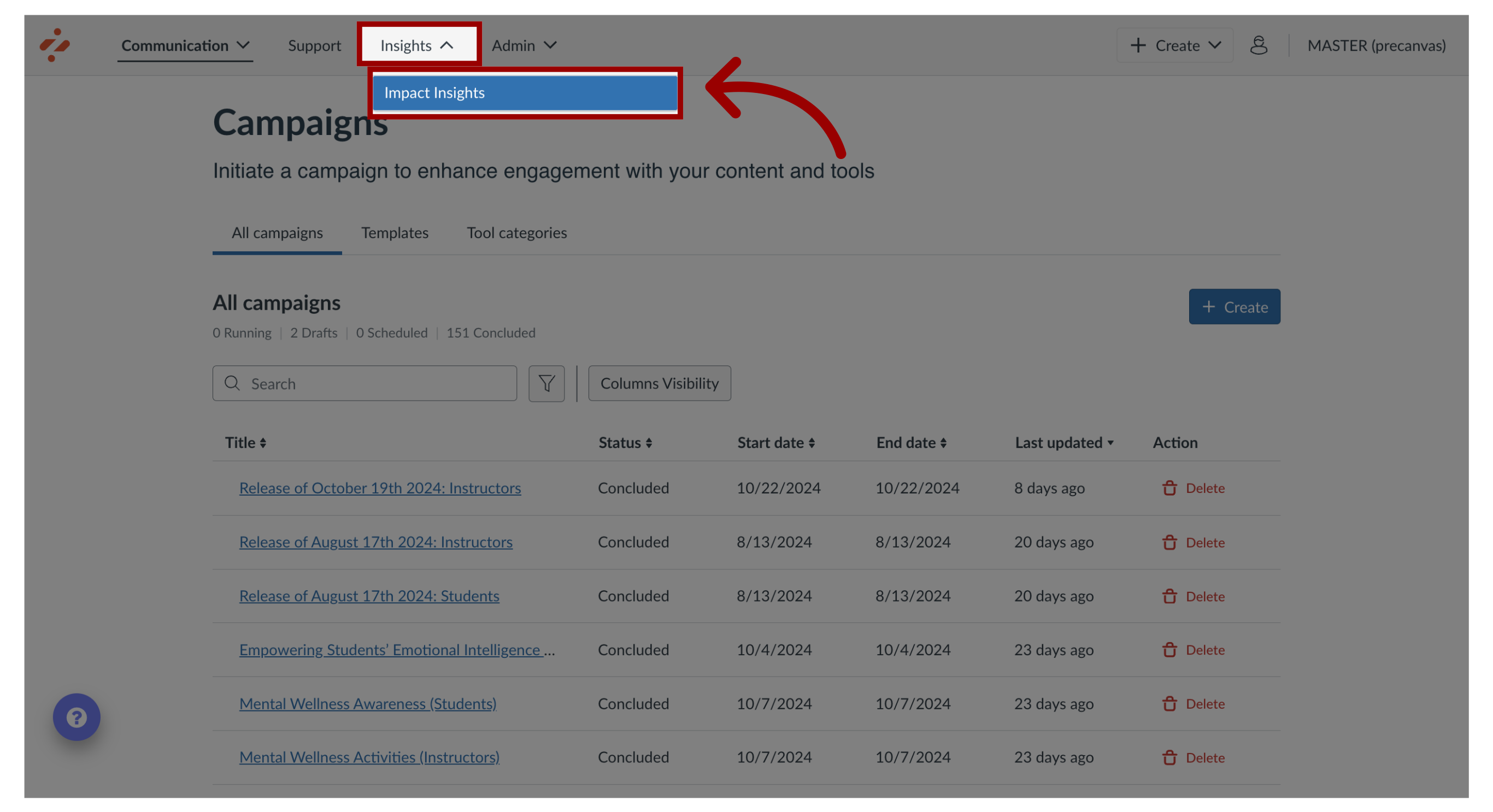
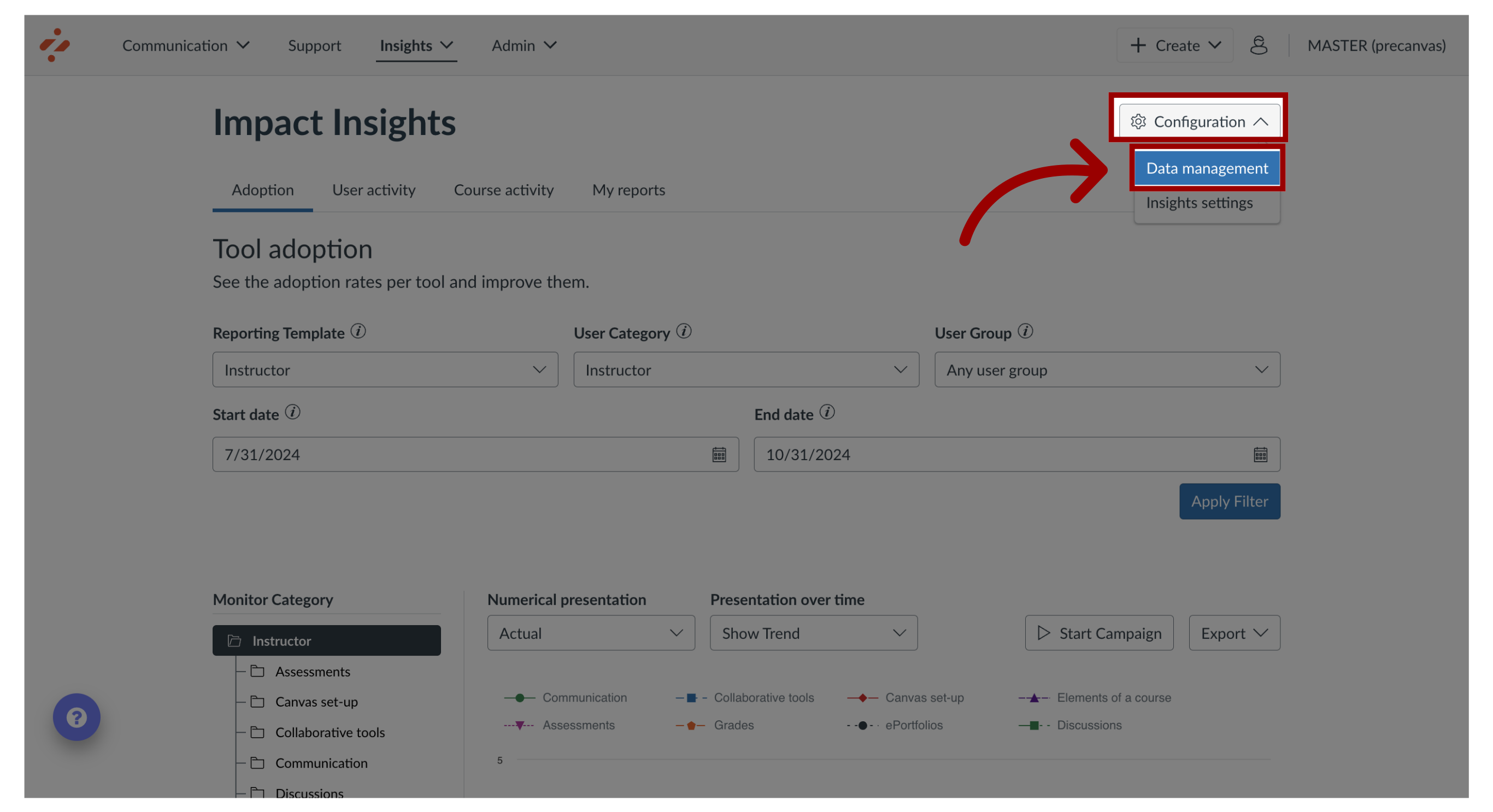
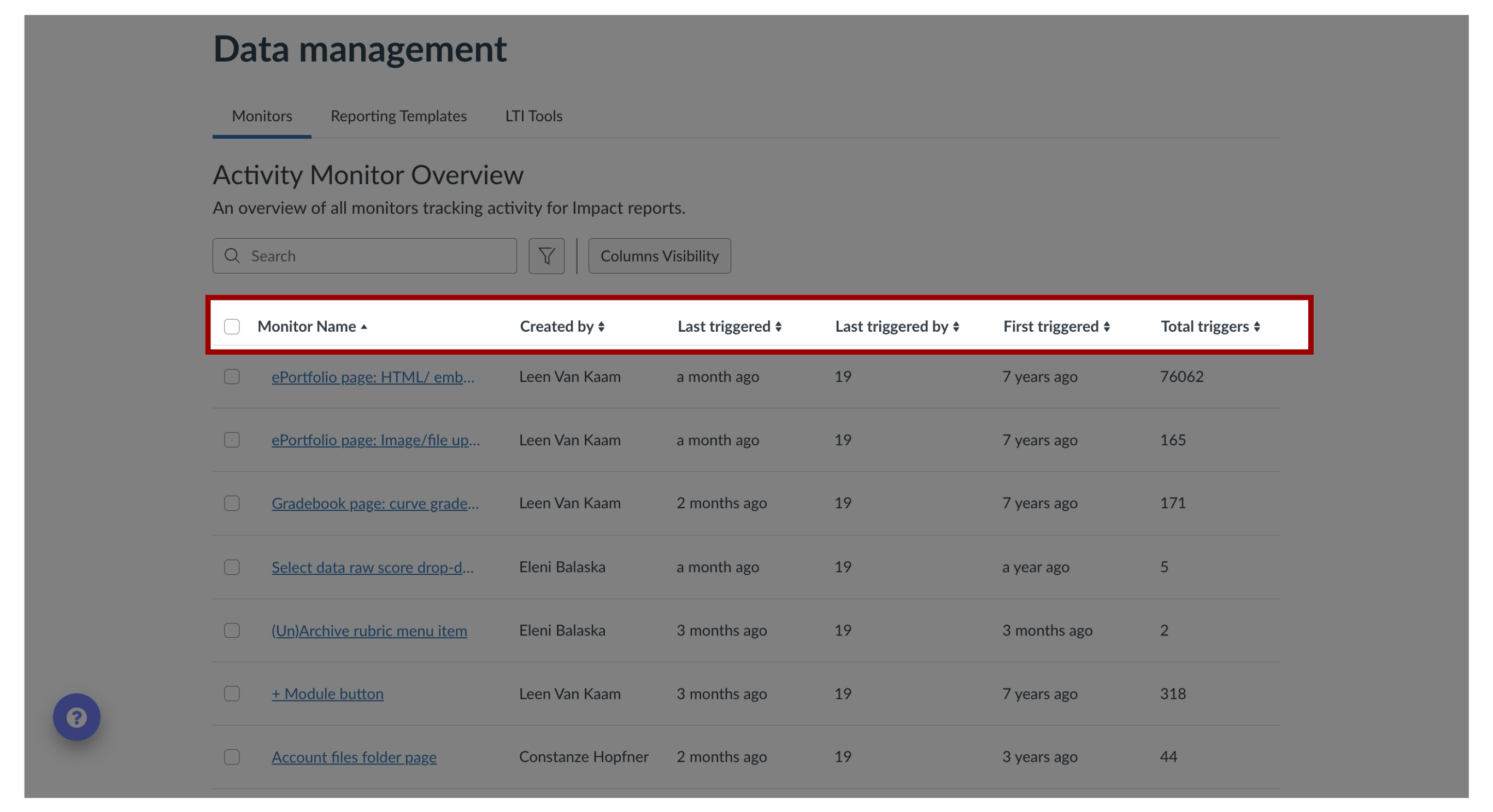
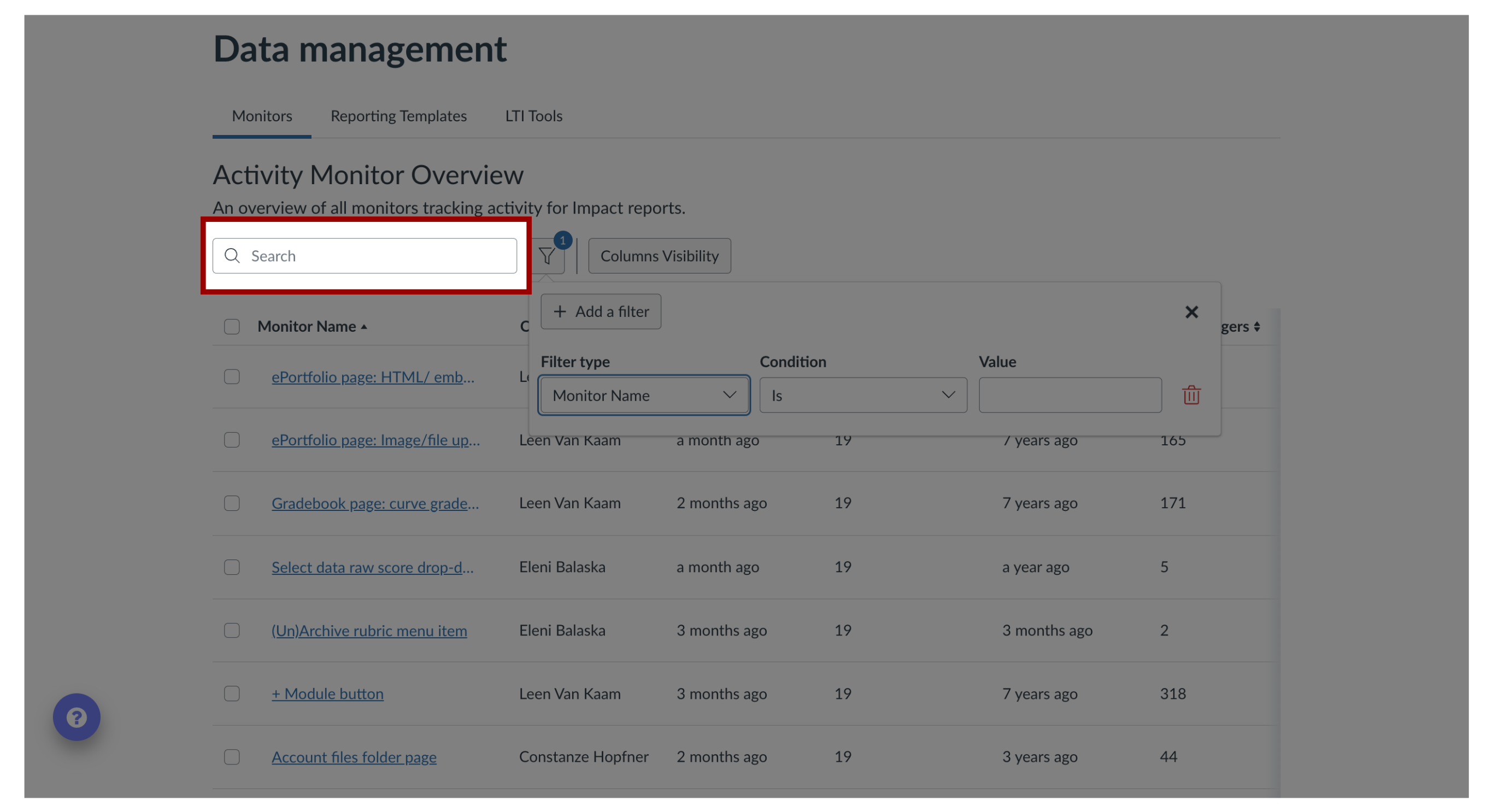
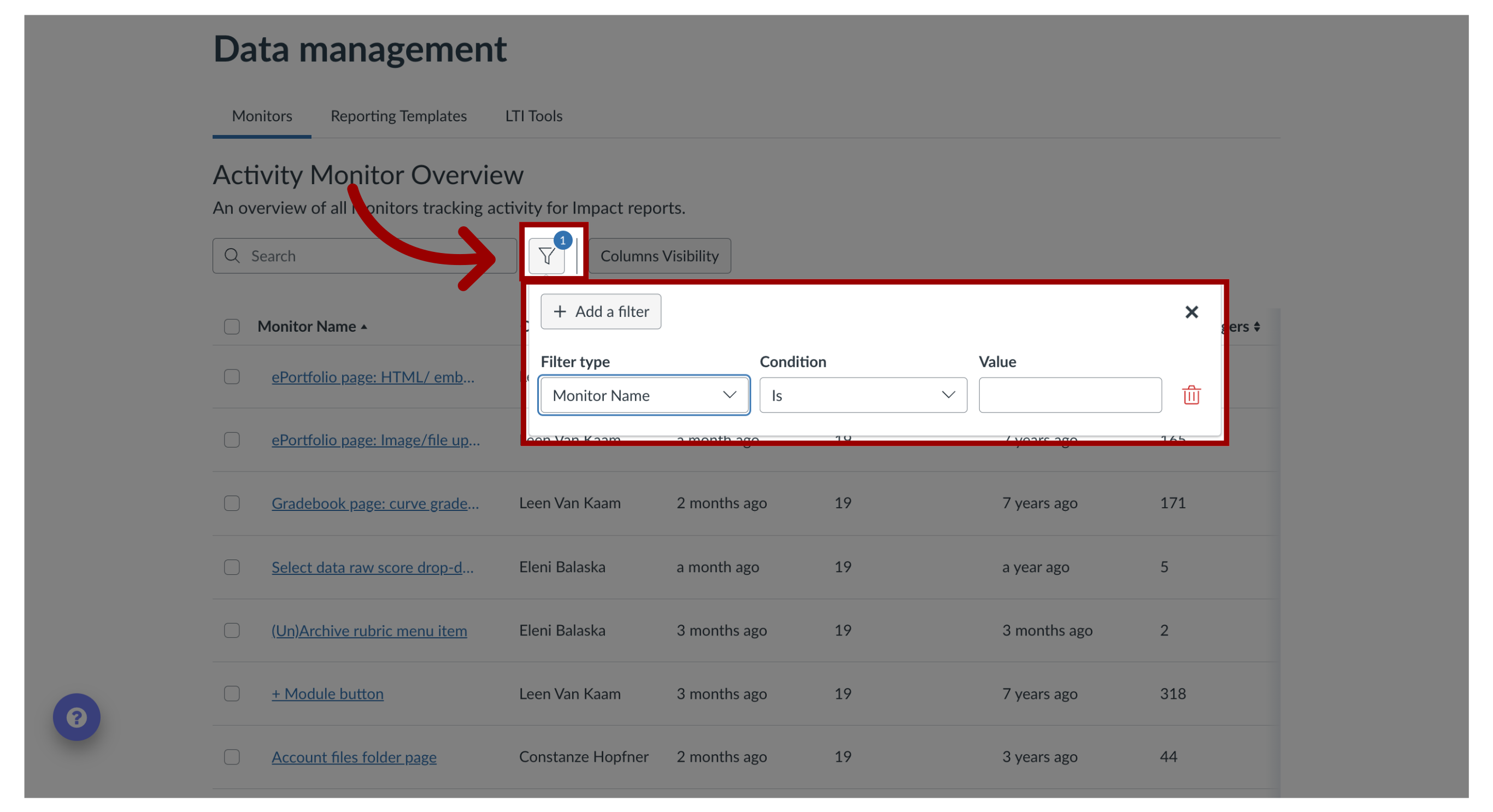
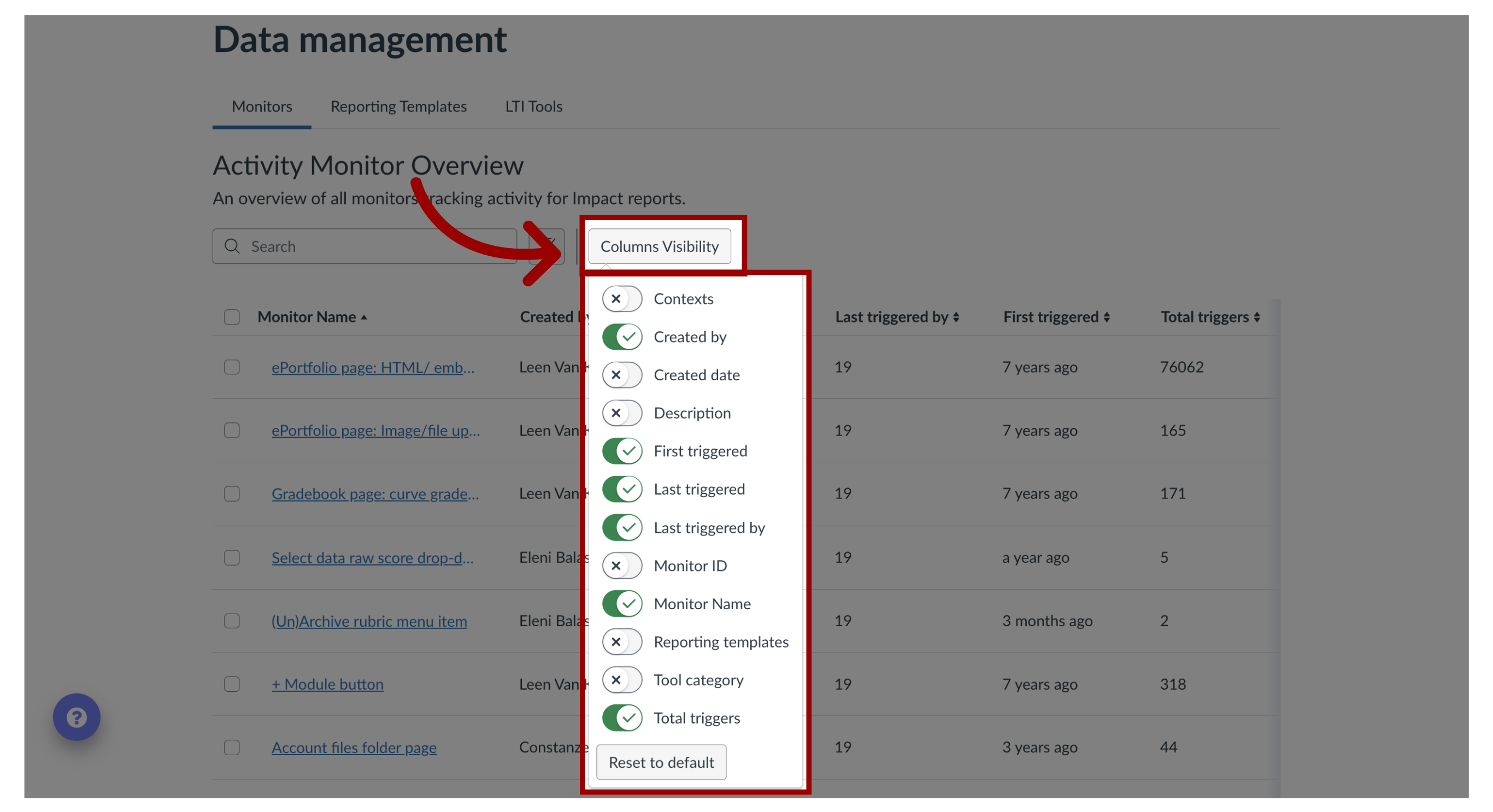
Activity monitors allow you to overview custom-created monitors.Where do I find all of my activity monitors in the Impact Dashboard?1. Open Impact InsightsIn the Global Navigation, click the Insights dropdown menu. Then click the Impact Insights link.2. Open Data ManagementClick the Configuration dropdown menu. Then click the Data Management link.3. View Activity Monitor Overview By default, monitors are listed with their name, creator, by whom and when the monitor was last triggered, when the monitor was first triggered, and the total number of triggers.4. Search MonitorsTo search for specific monitors, enter a term in the Search field.5. Filter MonitorsTo search based on a combination of criteria, click the Filter icon.6. Monitor FieldsTo show or hide certain fields, click the Column Visibility drop-down menu.