You can view sub-accounts associated with support articles in the Impact Dashboard.
Note: This feature is only available to Canvas customers.
Open Support
In Global Navigation, click the Support link.
View Support Articles
You can view sub-accounts associated with support articles on the Support Center Overview table.
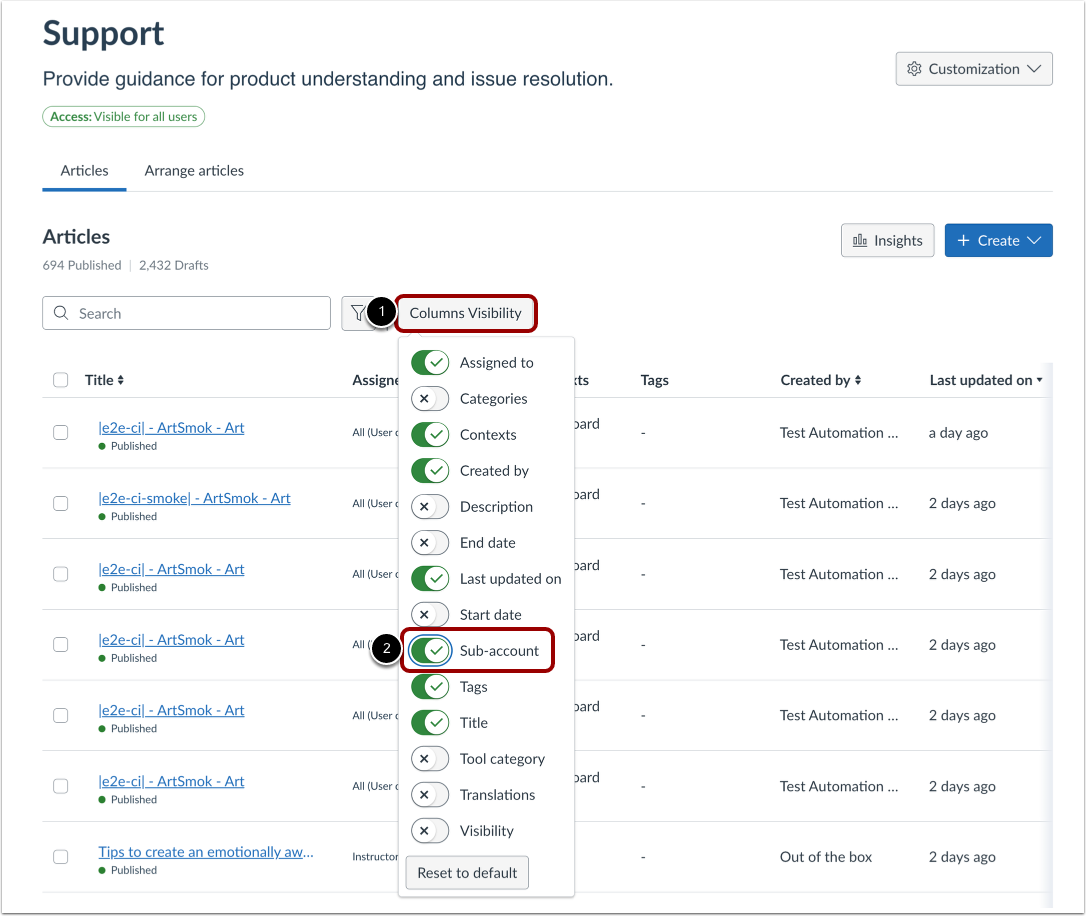
In the Articles tab, click the Columns Visibility button[1]. Click the Sub-account toggle [2] to display the sub-account field in the table.
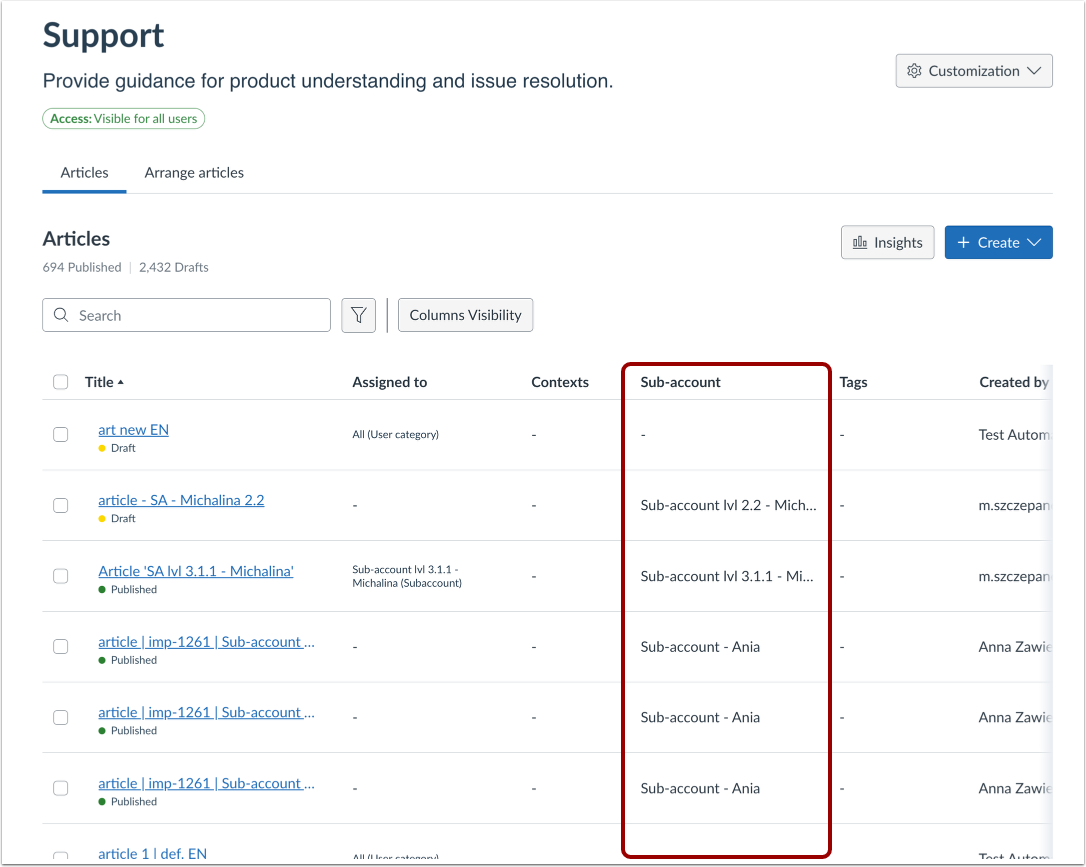
Sub-Account Field
The Sub-account field is displayed, showing the association between each support article and its linked sub-account(s).
View Individual Article
You can also view which sub-account is associated to individual support articles by viewing the Support Article Details.
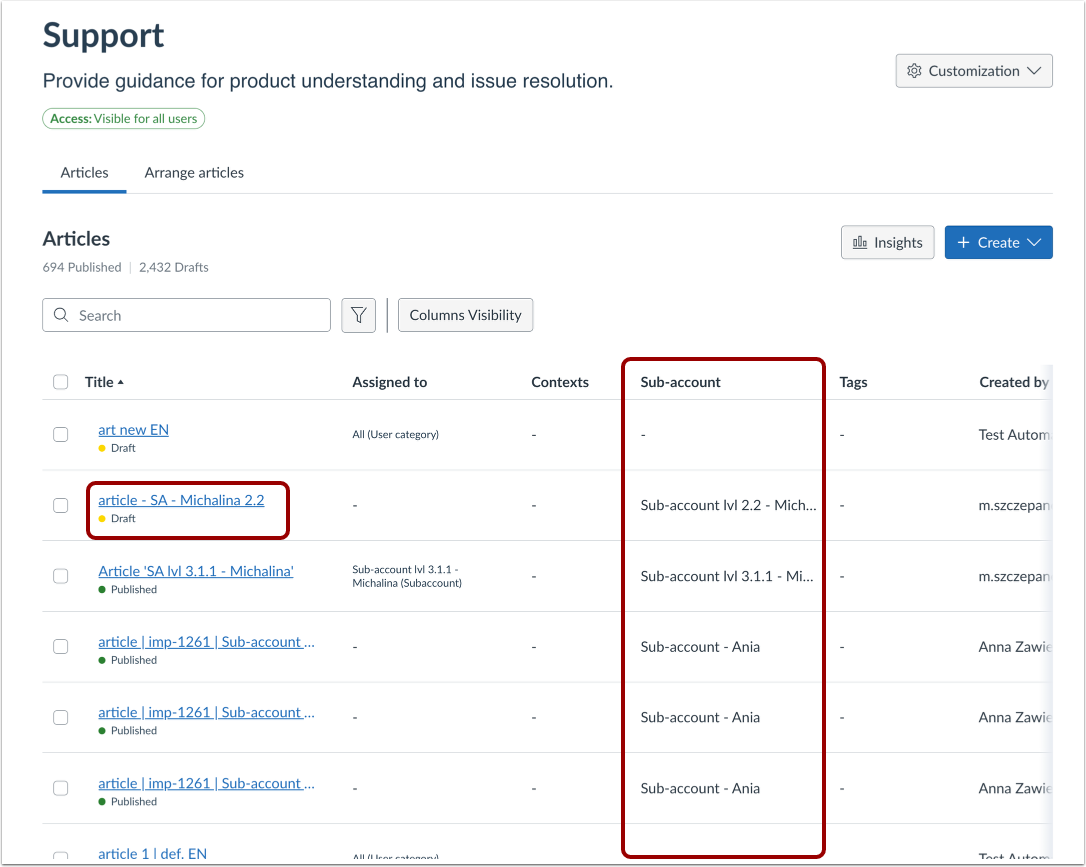
In the Articles tab, to access the sub-accounts linked to a specific support article, select the article you wish to view.
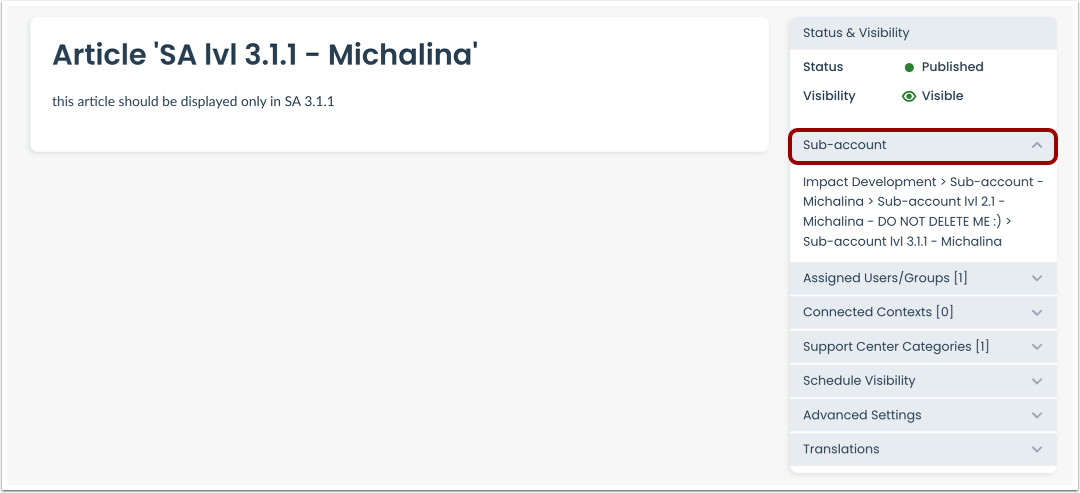
View Support Article Details
In the sidebar of the Support Article Details page, select the Sub-account drop-down menu [1] to display the associated sub-account to the support article.