You can view the Feature Permission Groups assigned to users.
Open Users and Permissions
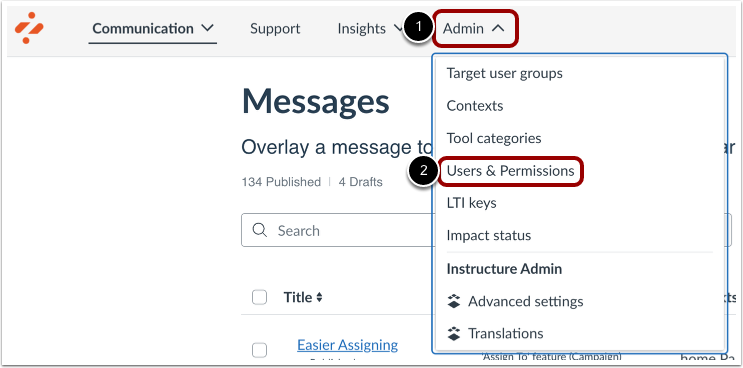
In your Impact dashboard, click the Admin link [1]. Then click the Users & Permissions link [2].
View Users and Permissions
On the Users page, you can create new users, customize user permissions, and remove users from your account.
View Feature Permission Groups
To view a user's Feature Permission Groups, hover over the Permission Groups. A tooltip will display a list of Permission Groups assigned to the user.