As an admin, you can manage the filter presets you have saved in the Monitor tab to keep them organized and up-to-date. This guide shows you how to edit the name of an existing preset for clarity or delete a preset that is no longer in use.
Note: Deleting a filter preset is a permanent action and cannot be undone.
Open Monitor Filters
In Canvas Apps, click the Monitor tab [1] Then click the Filter button [2].
View Preset Filters
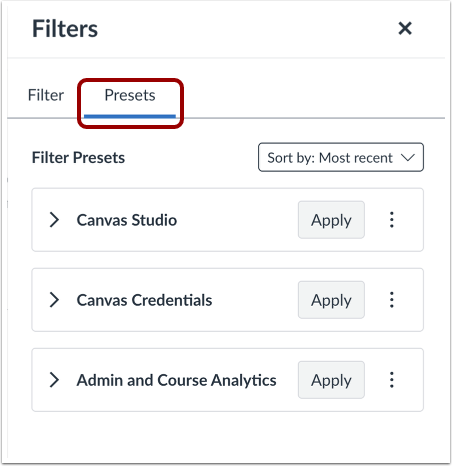
To view presets, click the Presets tab.
Edit Preset Filter
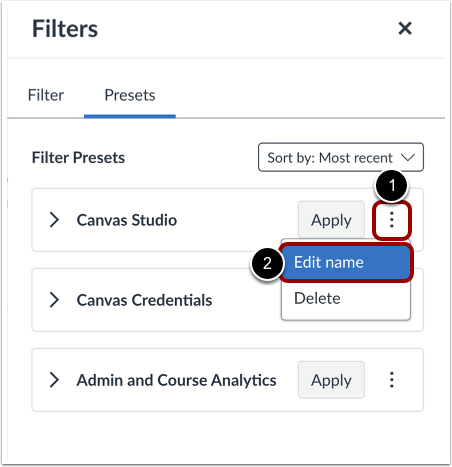
Locate the filter preset you want to edit. Click the Options icon [1] and then click the Edit Name link [2].
Edit Preset Filter Name
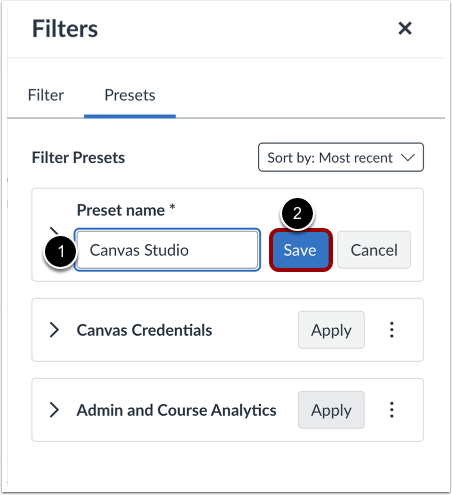
Edit the preset name [1] and click the Save button [2].
Delete Preset Filter
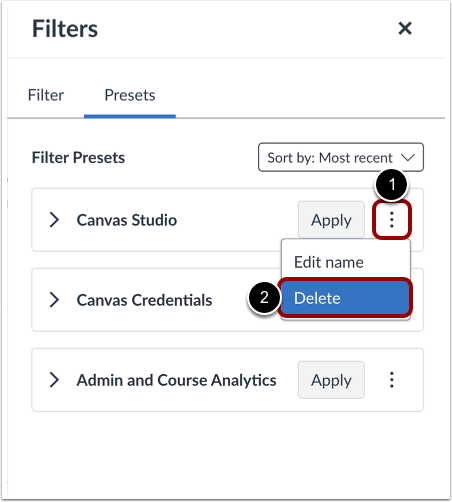
Locate the filter preset you want to delete. Click the Options icon [1] and then click the Delete link [2].
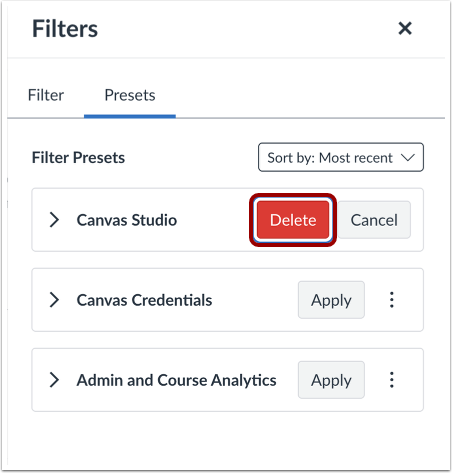
Confirm Preset Filter Deletion
To confirm you want to delete the preset filter, click the Delete button.