You can view the LMS user connected to an Impact user.
Open Users and Permissions
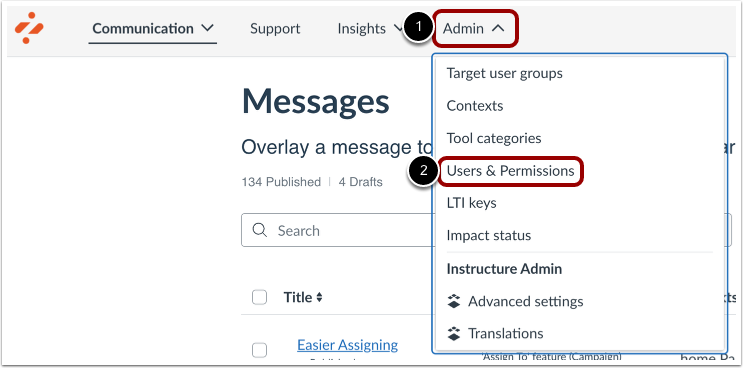
In your Impact dashboard, click the Admin link [1]. Then click the Users & Permissions link [2].
View Users and Permissions
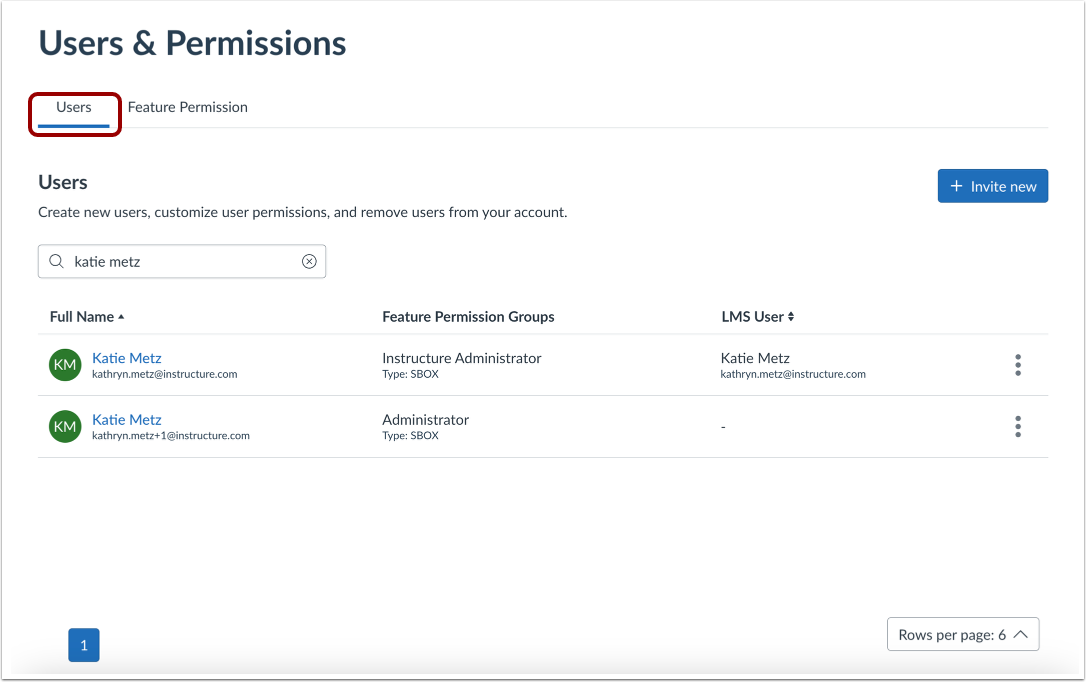
In the Users page, you can create new users, customize user permissions, and remove users from your account.
View LMS User
The LMS user connected to the Impact user will be listed in the LMS User column in the Users table.