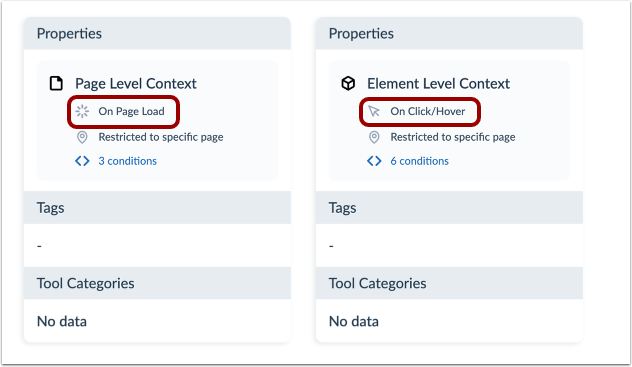
Your context is triggered either on a page load or click/hover depending on your need. This trigger determines how your context behaves. This article explains how you can see the trigger conditions of an existing context.
Open Contexts
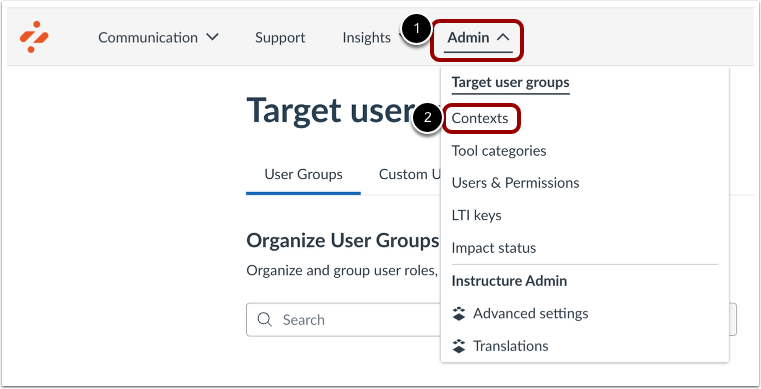
In Global Navigation, click the Settings link [1]. Then click the Contexts link [2].
Enable Behavior Filter
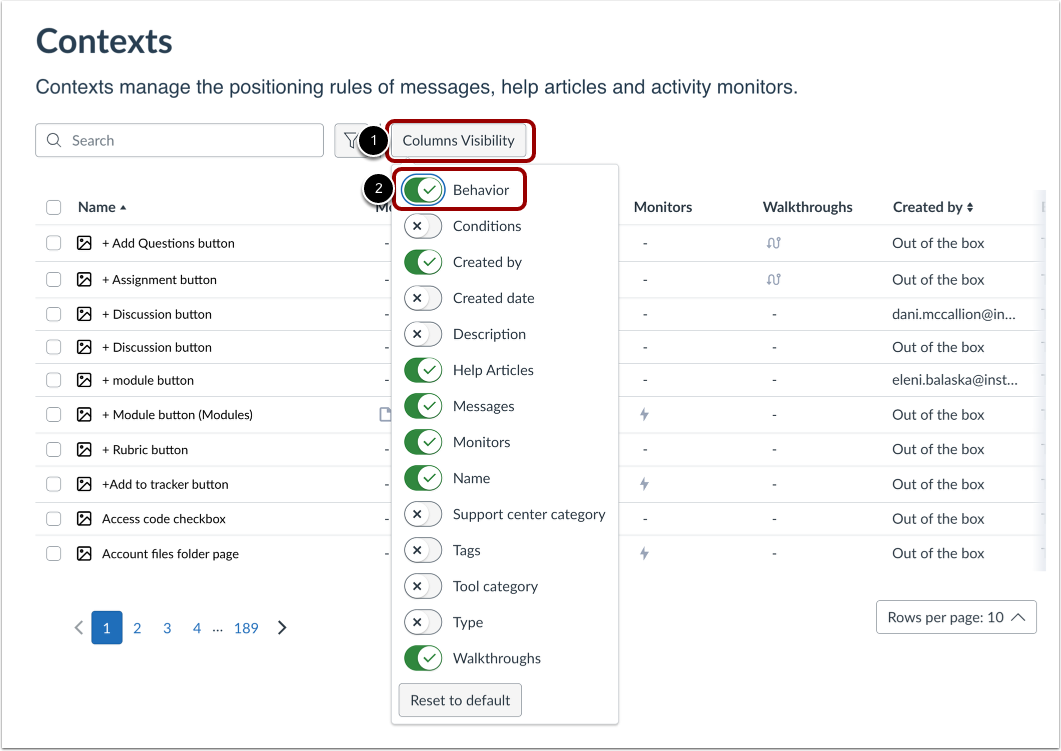
Click the Columns Visibility button [1]. Then enable the Behavior filter [2].
View Behavior Conditions
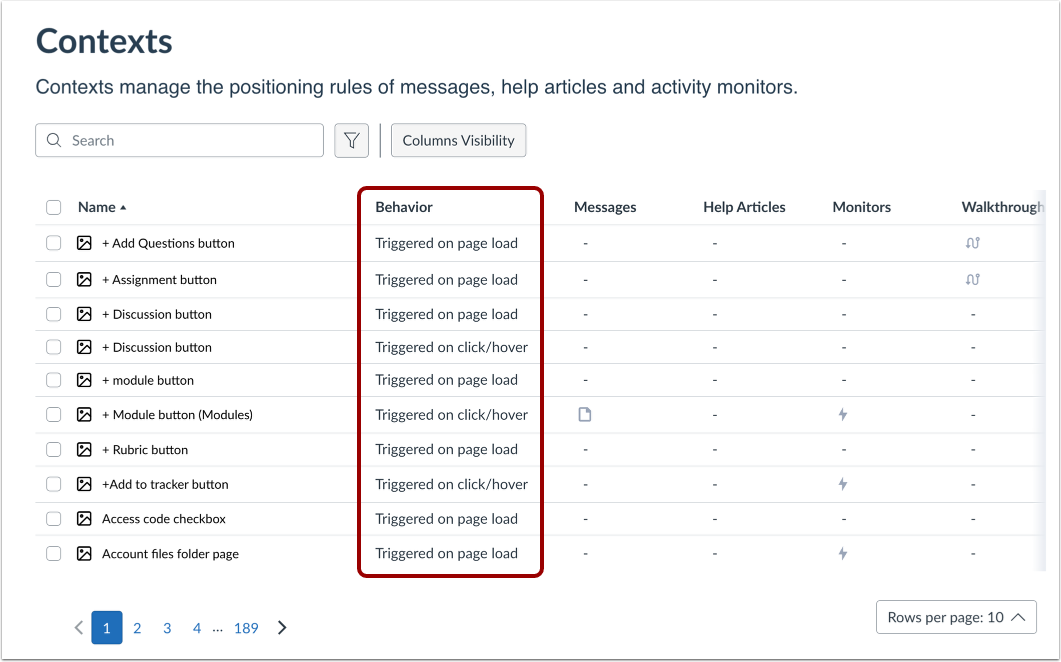
View the trigger conditions of each context.
Open Context
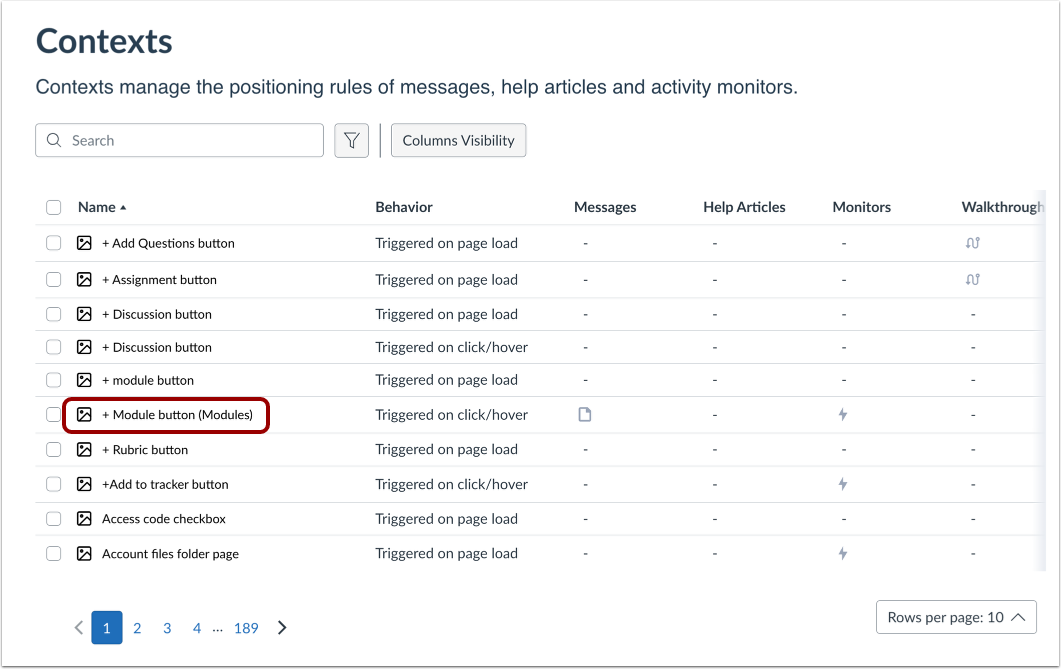
Locate and click the name of a context.
Context Properties
In the Context Properties, the trigger is listed as On Page Load [1] or On Click/Hover [2].