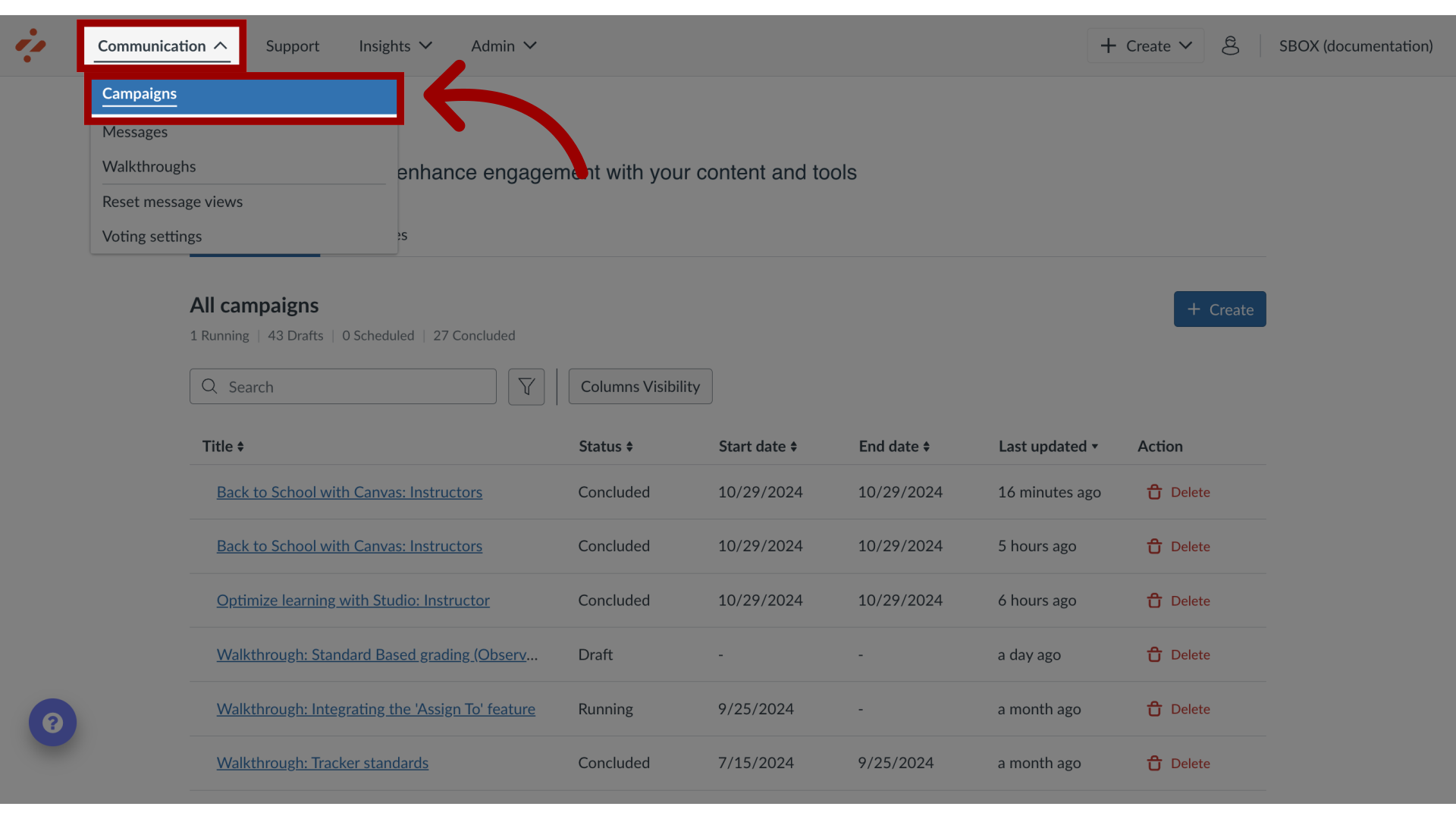
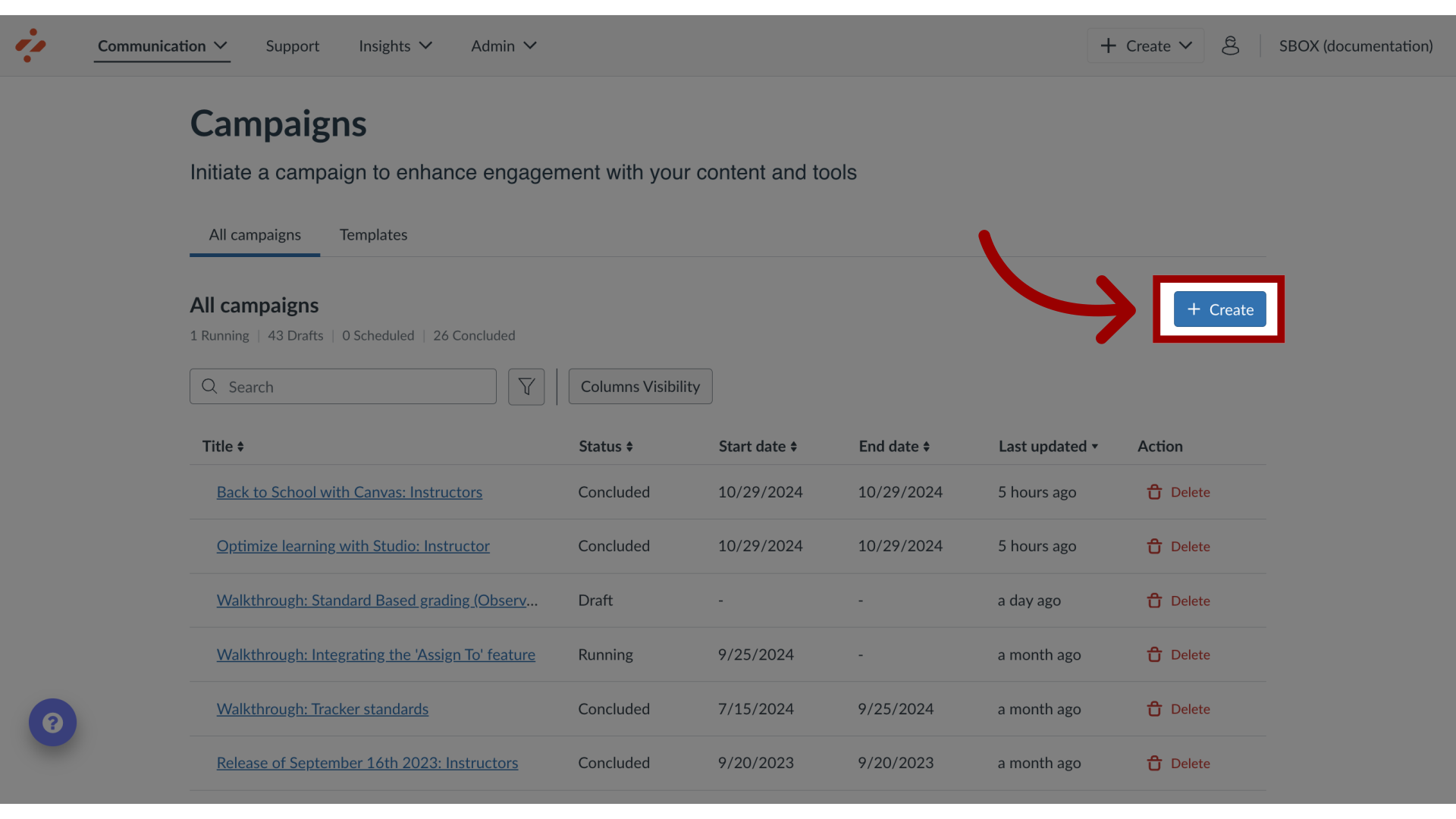
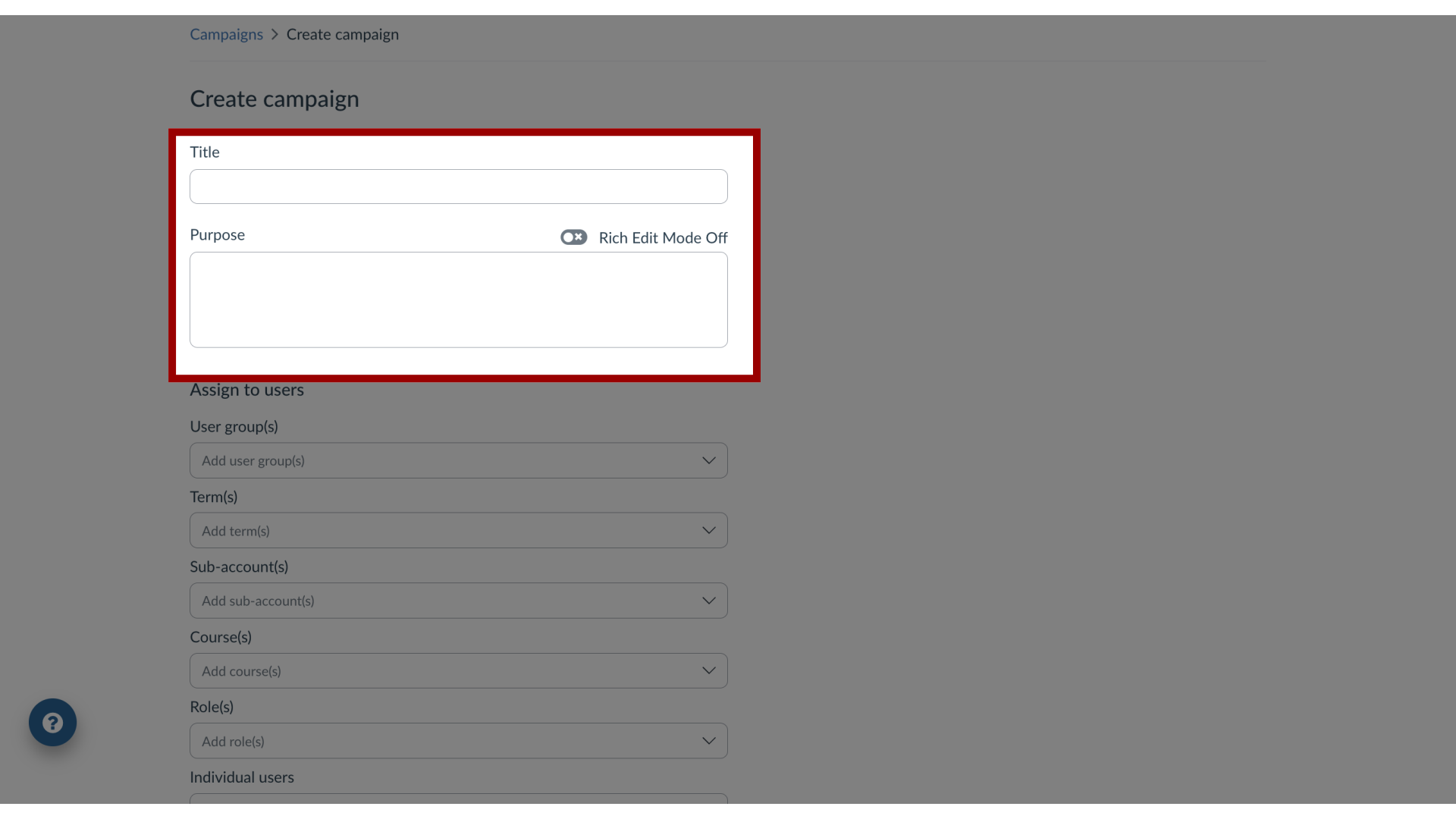
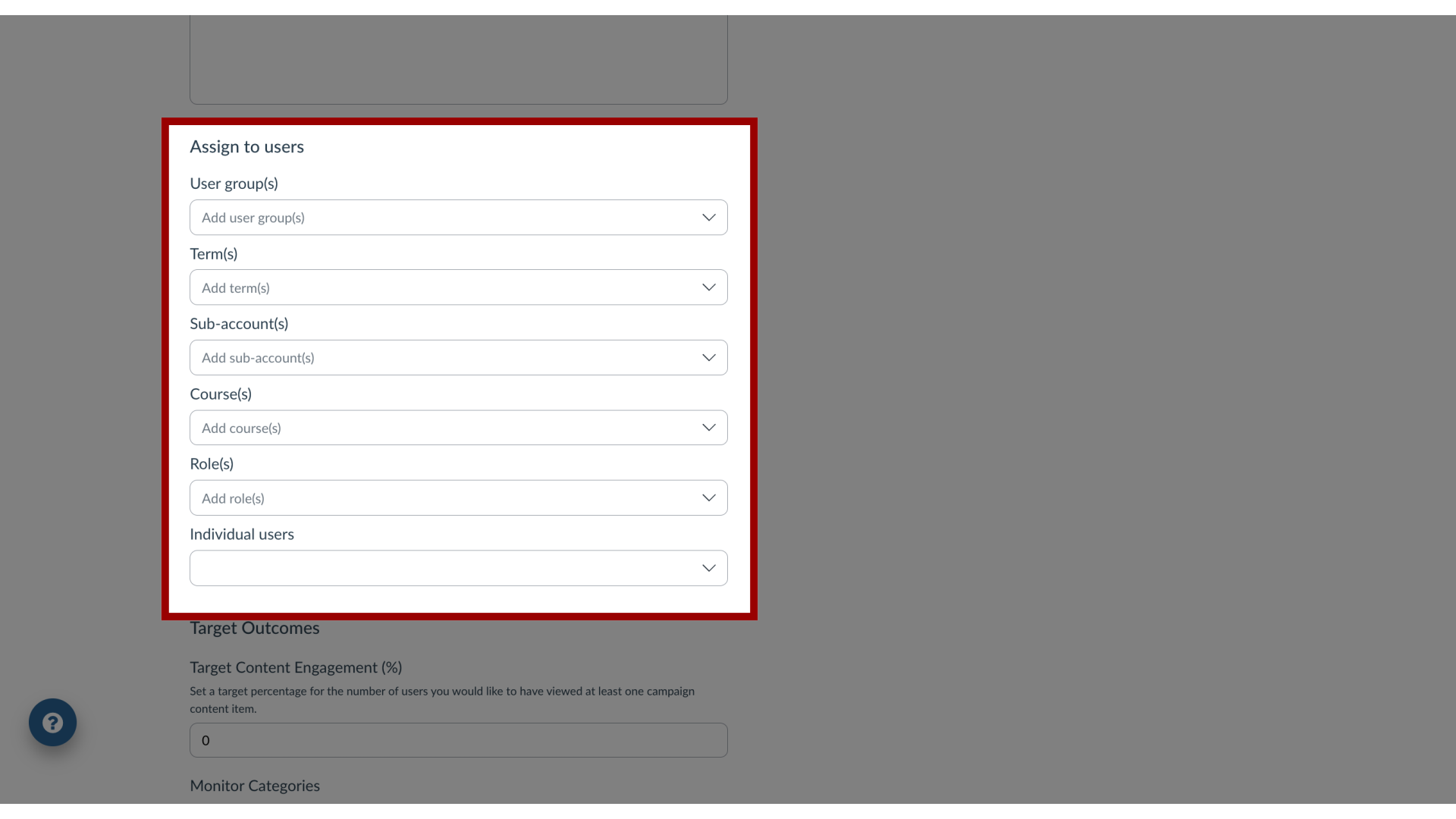
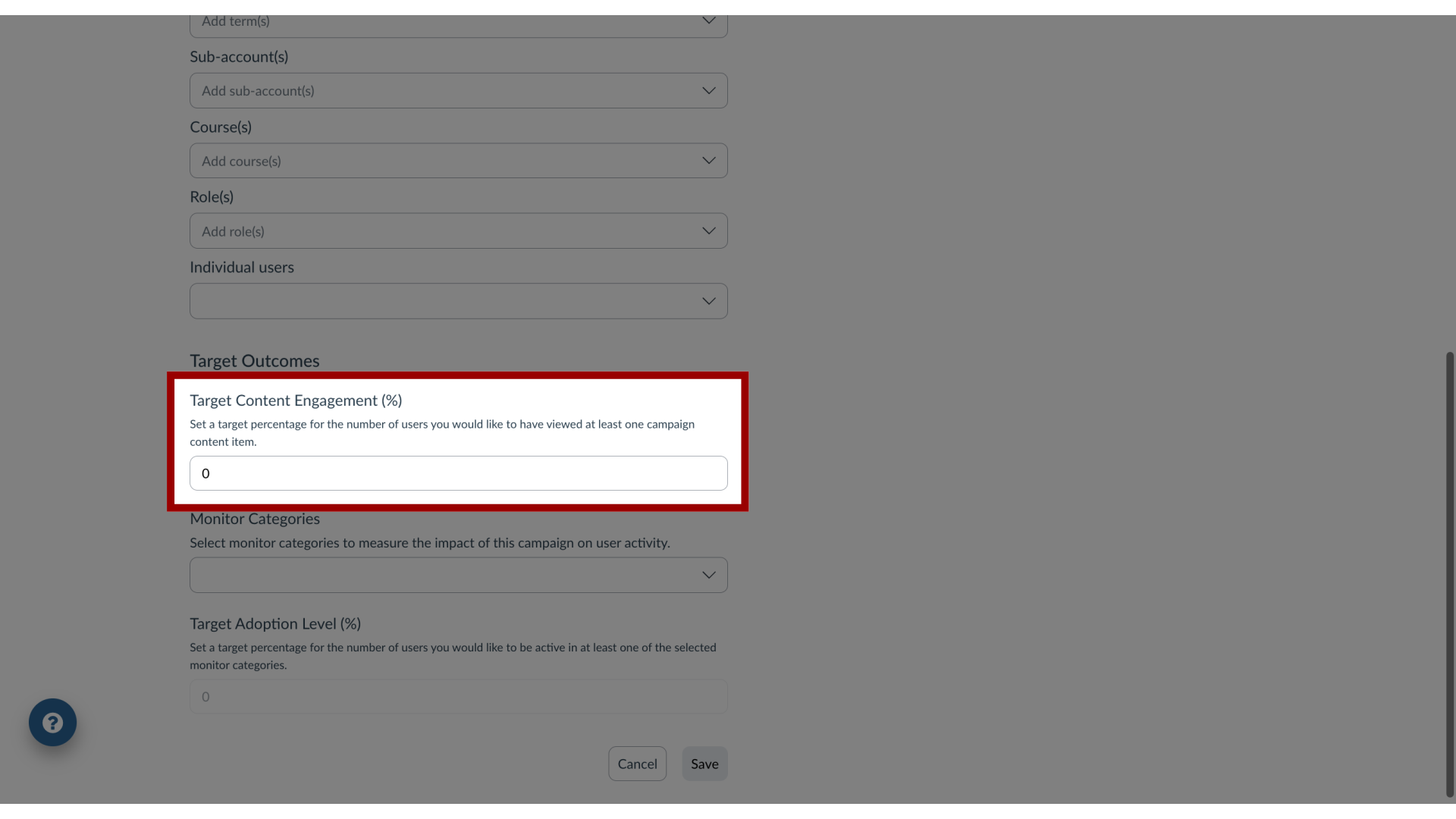
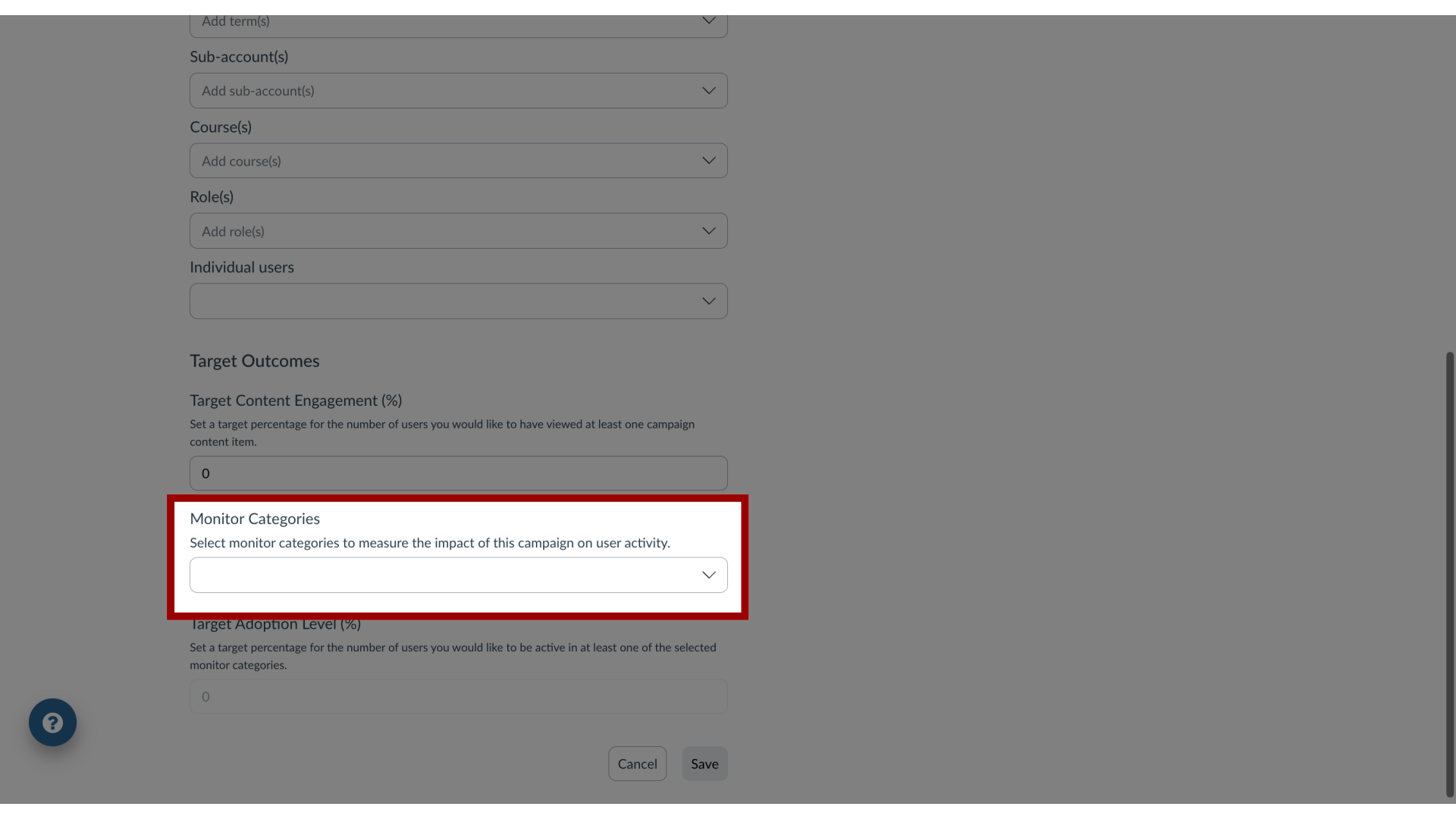
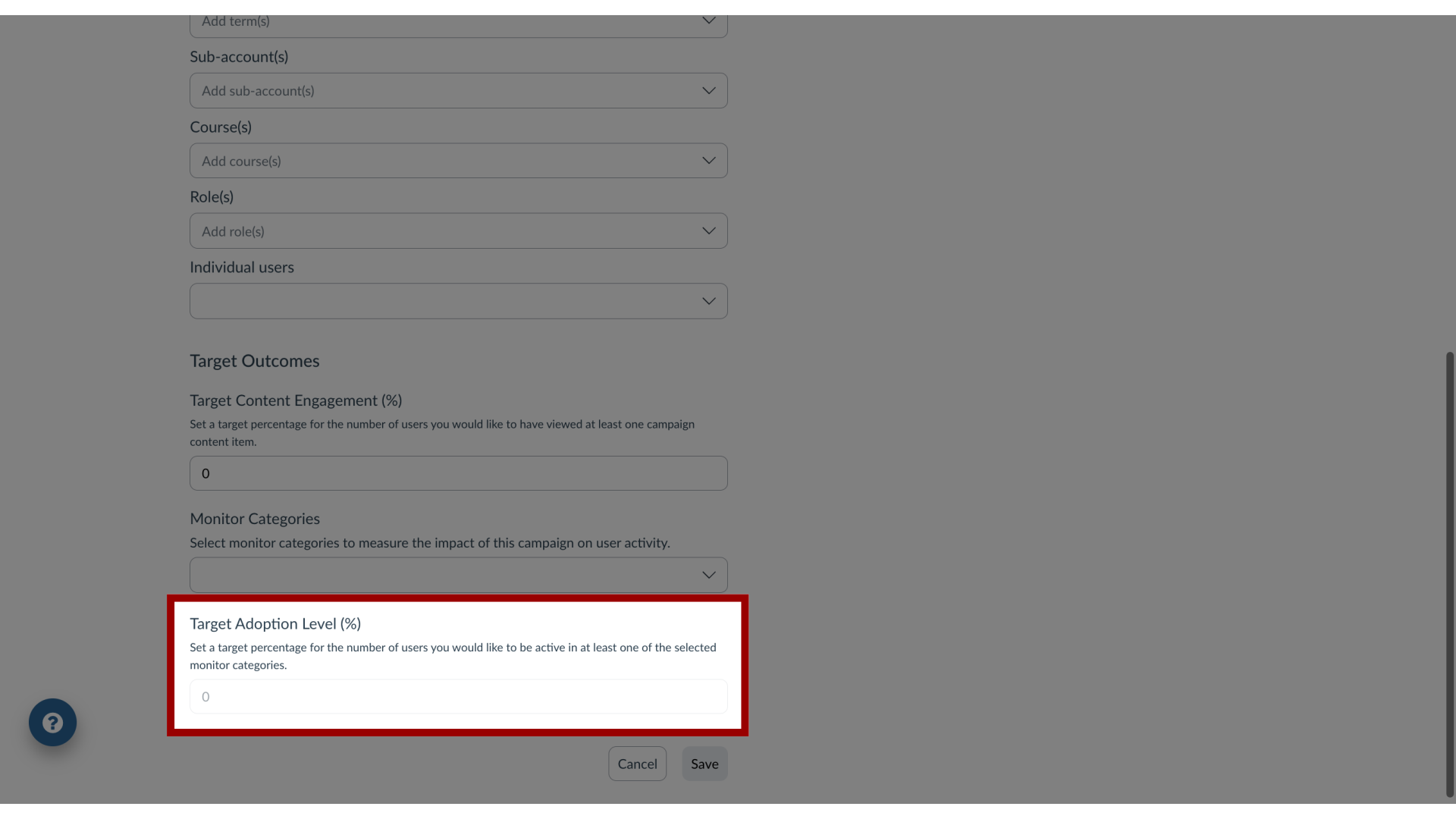
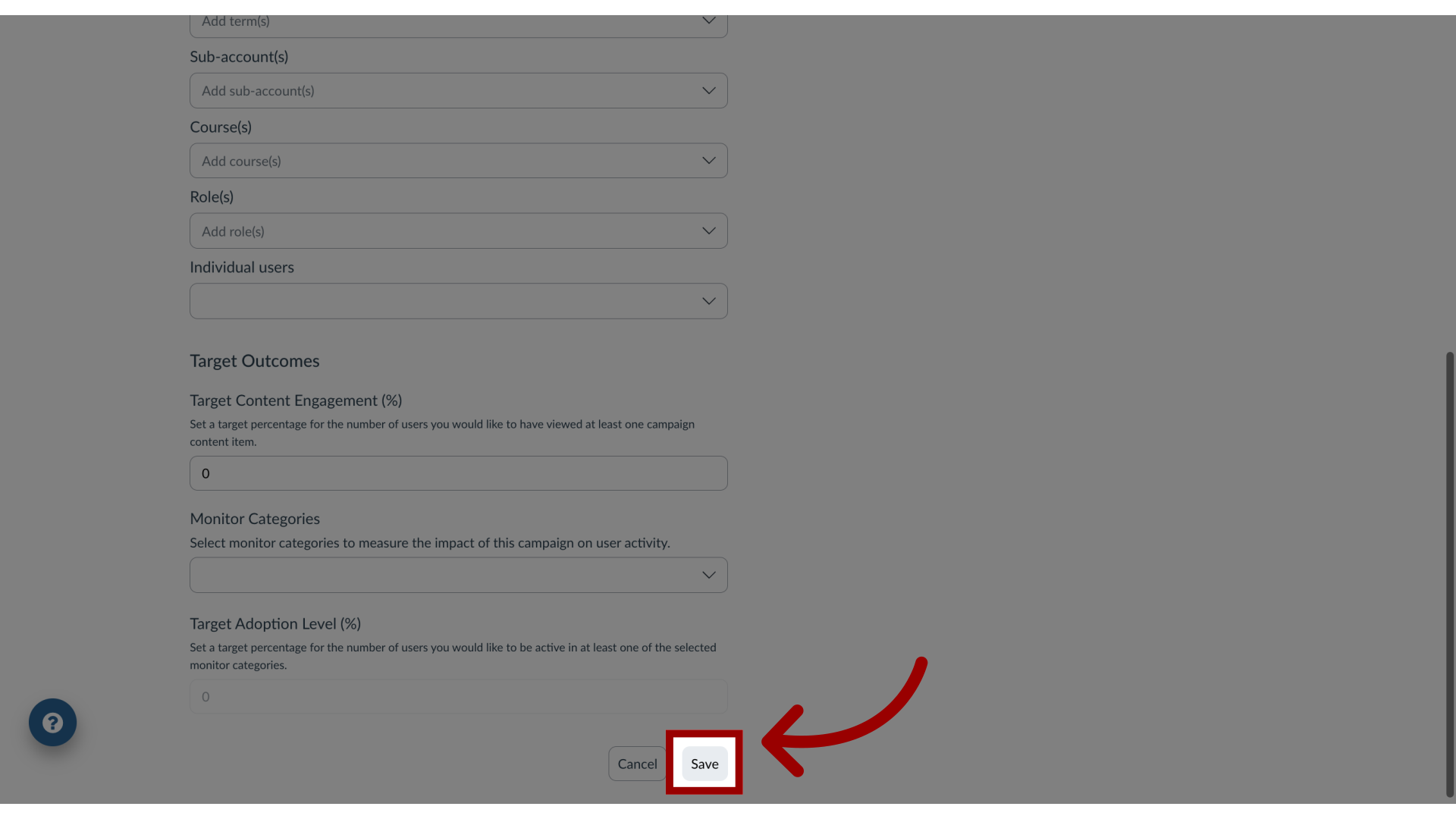
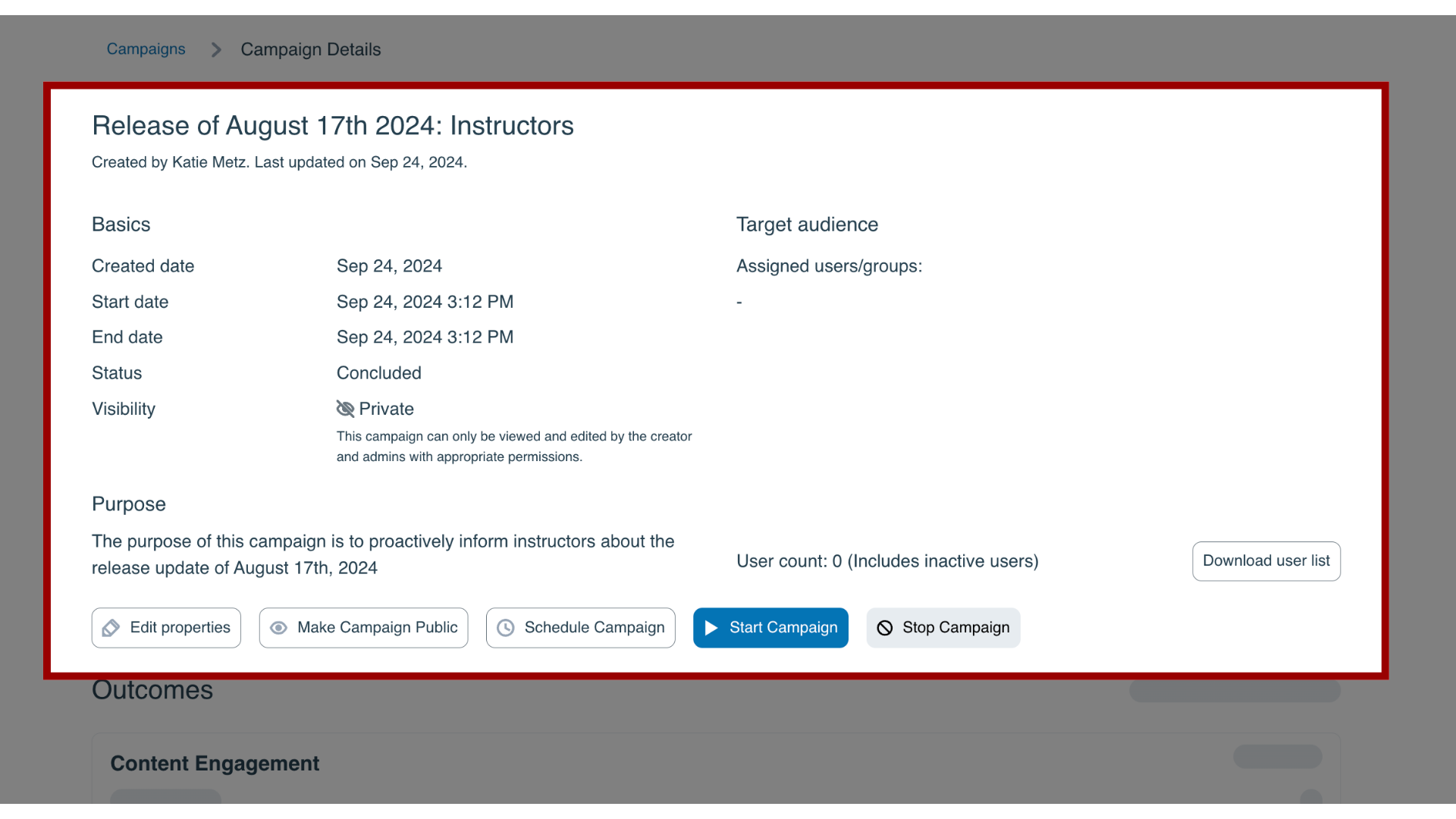
You can create a new campaign, define the target audience, and set the success criteria from scratch.How do I create a campaign from scratch in the Impact Dashboard?1. Open CampaignsIn the Global Navigation, click the Communication dropdown menu. Then click the Campaigns link.2. Add CampaignClick the Create button.3. Add Campaign Details Enter the name and purpose of the campaign.4. Add Target Audience Define the Target audience for your campaign. You can choose any combination of user groups or individual users.5. Add Target Content Engagement In the Target Content Engagement Field, set a target percentage for the number of users you would like to have viewed at least one campaign content item.6. Add Monitor Categories In the Monitor Categories drop-down, select one or more monitor categories to measure the impact of the campaign on user activity.7. Add Target Adoption Level The Target Adoption Level field allows you to set a target percentage for the number of users you would like to be active in at least one of the selected monitor categories.8. Save Campaign DetailsClick the Save button.9. View Campaign DetailsOn the Campaign Details page, you are able to review basic information as well as the campaign audience. Here, you are able to add the messages, walkthroughs, and/or articles you wish to publish to the campaign audience. You can then start the campaign immediately or schedule it for a later date. During or after the campaign you can return to the Campaign Details page to view the results.For more information on the following referenced topics:Add a message to a campaign: Visit How do I add a message to an existing campaign in the Impact Dashboard?Add a walkthrough to a campaign: Visit How do I add a Walkthrough to an existing campaign in the Impact Dashboard?Add a support article to a campaign: Visit How do I add a support article to an existing campaign in the Impact Dashboard?Start, schedule or end a campaign: Visit How do I start, schedule, or end a campaign in the Impact Dashboard?View campaign results: Visit How do I view campaign results in the Impact Dashboard?