If enabled, a user may submit a rating for a walkthrough when a walkthrough is closed or completed. Walkthrough ratings display the percentage of upvotes, downvotes, and number of total votes associated with a walkthrough. You can view walkthrough ratings in the Impact Dashboard.
Open Walkthroughs
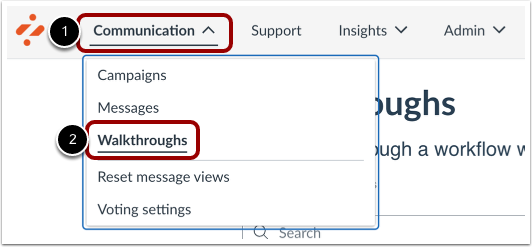
In Global Navigation, click the Communication dropdown menu [1]. Then click the Walkthroughs link [2].
Open Walkthrough
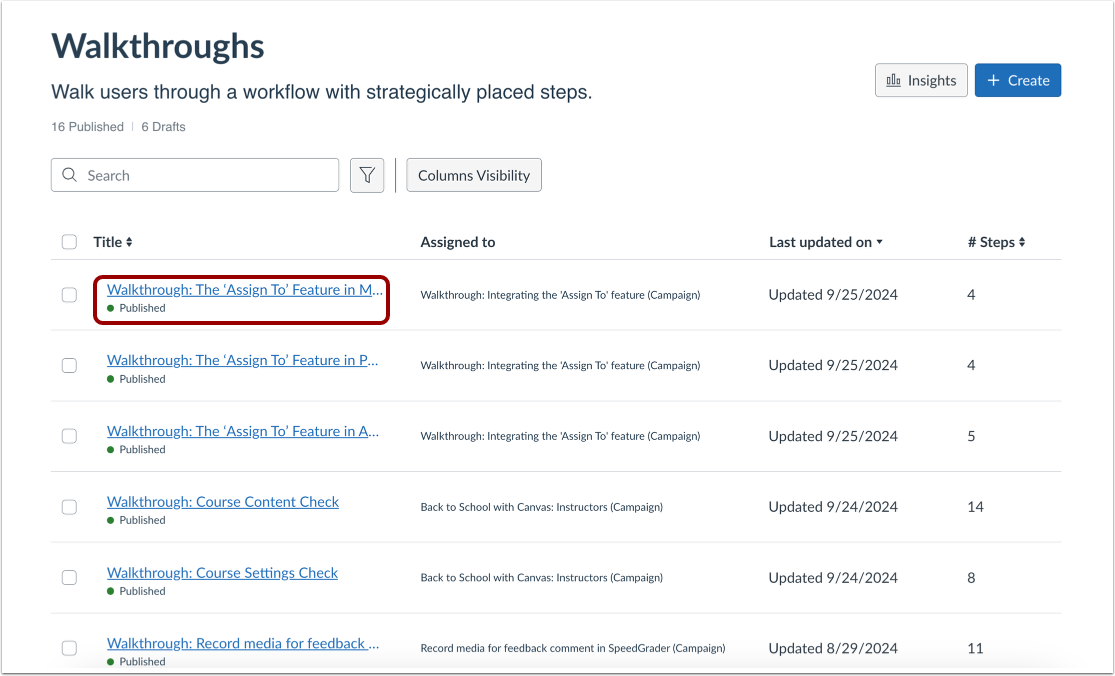
To view ratings associated with a walkthrough, click the walkthrough name.
View Walkthrough Ratings
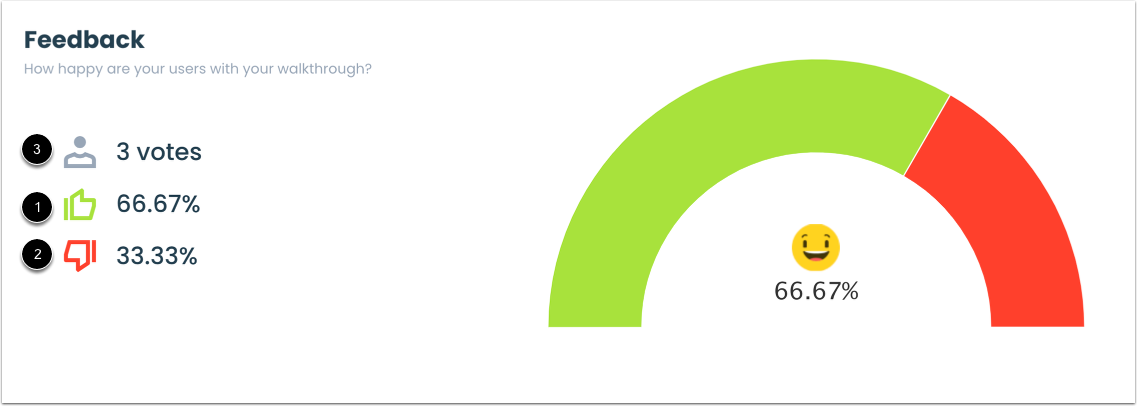
The Feedback section displays walkthrough ratings.
Walkthrough ratings display the percentage of upvotes [1], downvotes [2], and the number of total votes submitted for the walkthrough [3].