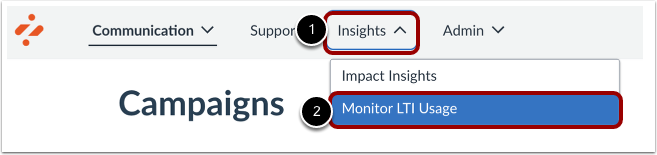
As an Impact admin user, you can view, filter, compare and understand which LTI apps are being used by whom, when and how often.Note: Only data for the most commonly used LTI apps is available for all Canvas Admins as part of this feature.Open Monitor LTI UsageIn Global Navigation, click the Insights dropdown menu [1] and then click the Monitor LTI Usage link [2].View Monitor LTI UsageMonitor LTI Usage will launch the Monitor tab within Canvas. Note: For more information on Monitor LTI Usage, visit How do I view external apps (LTI) data for my institution in Canvas Apps?