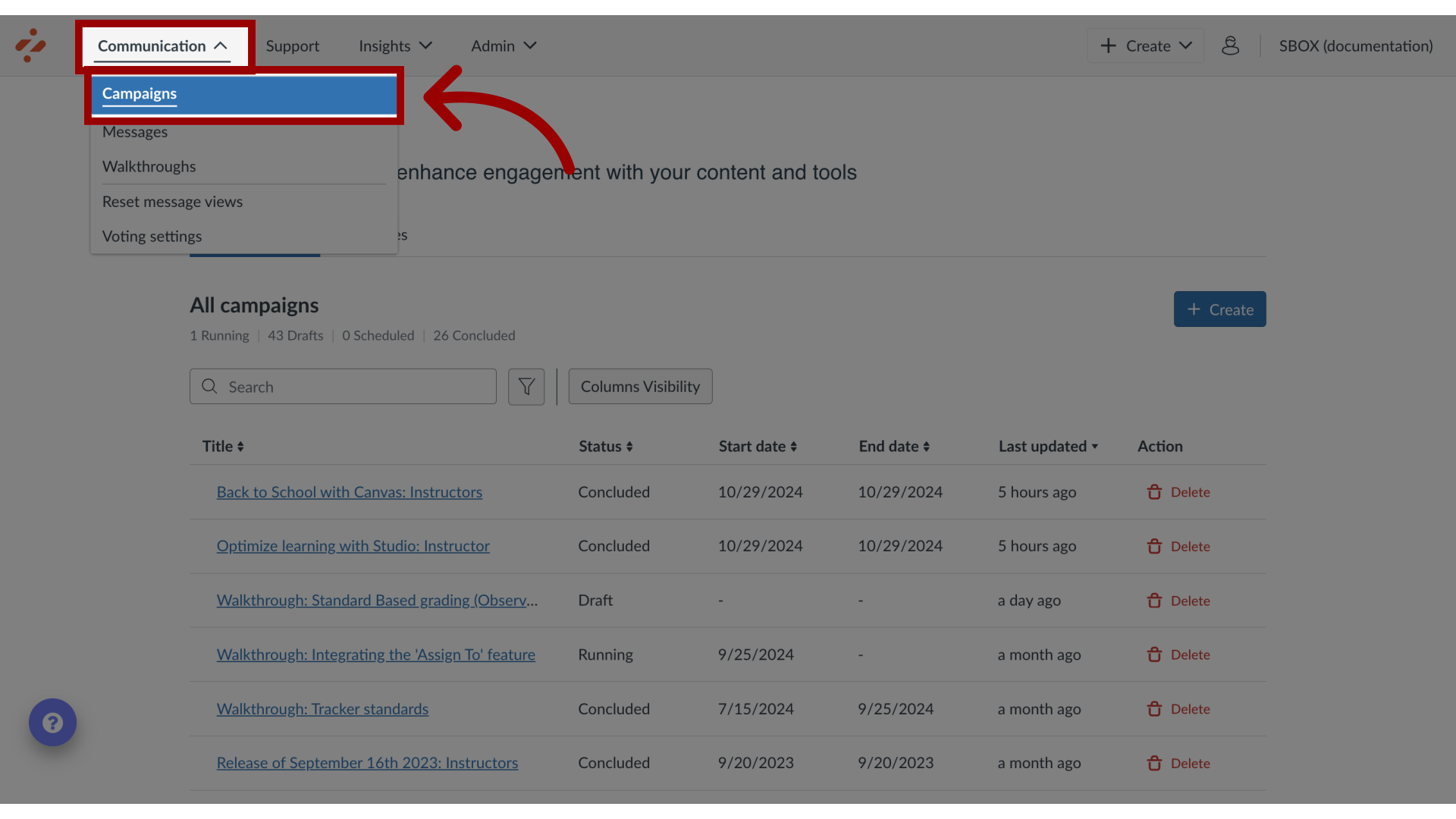
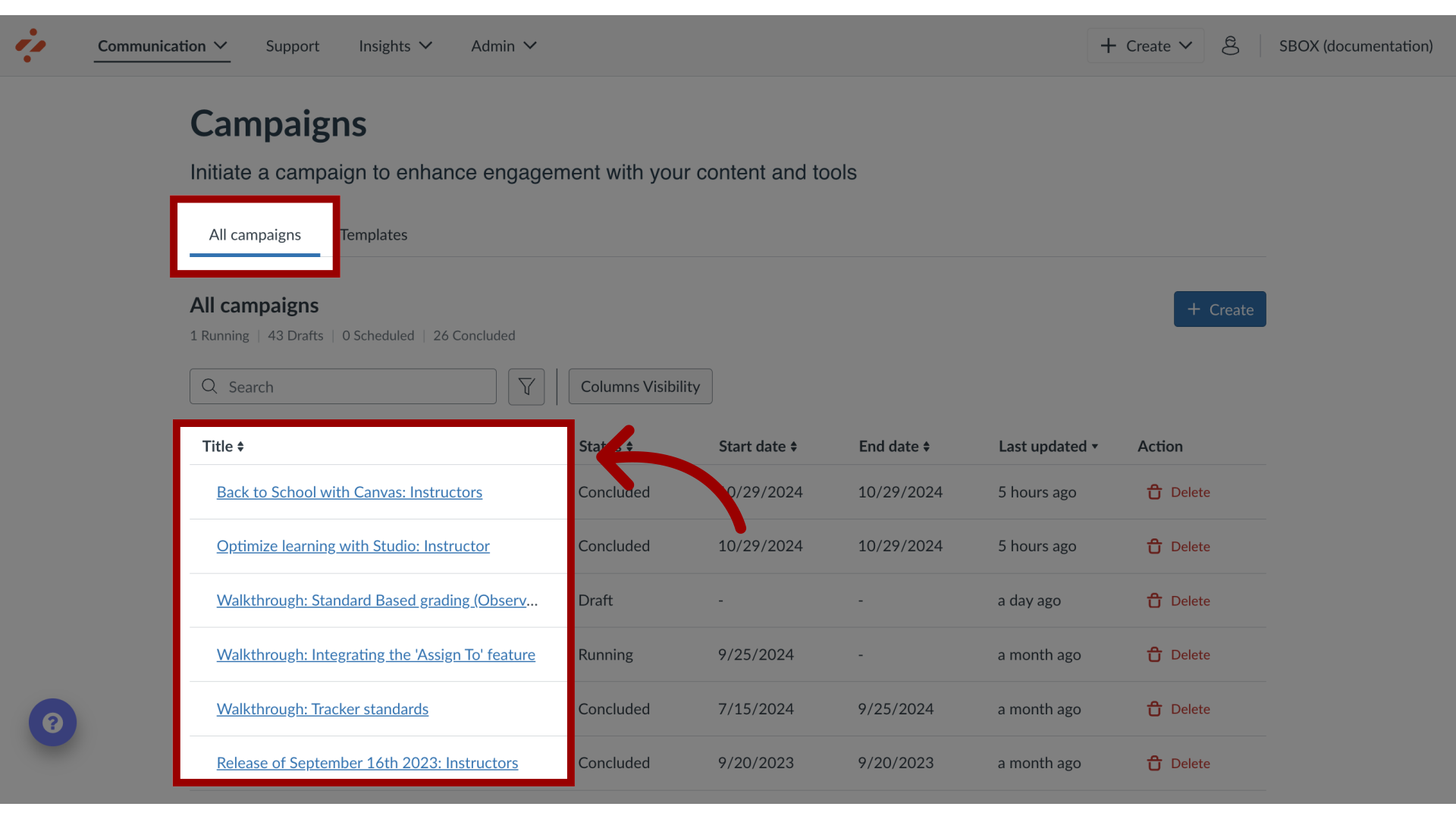
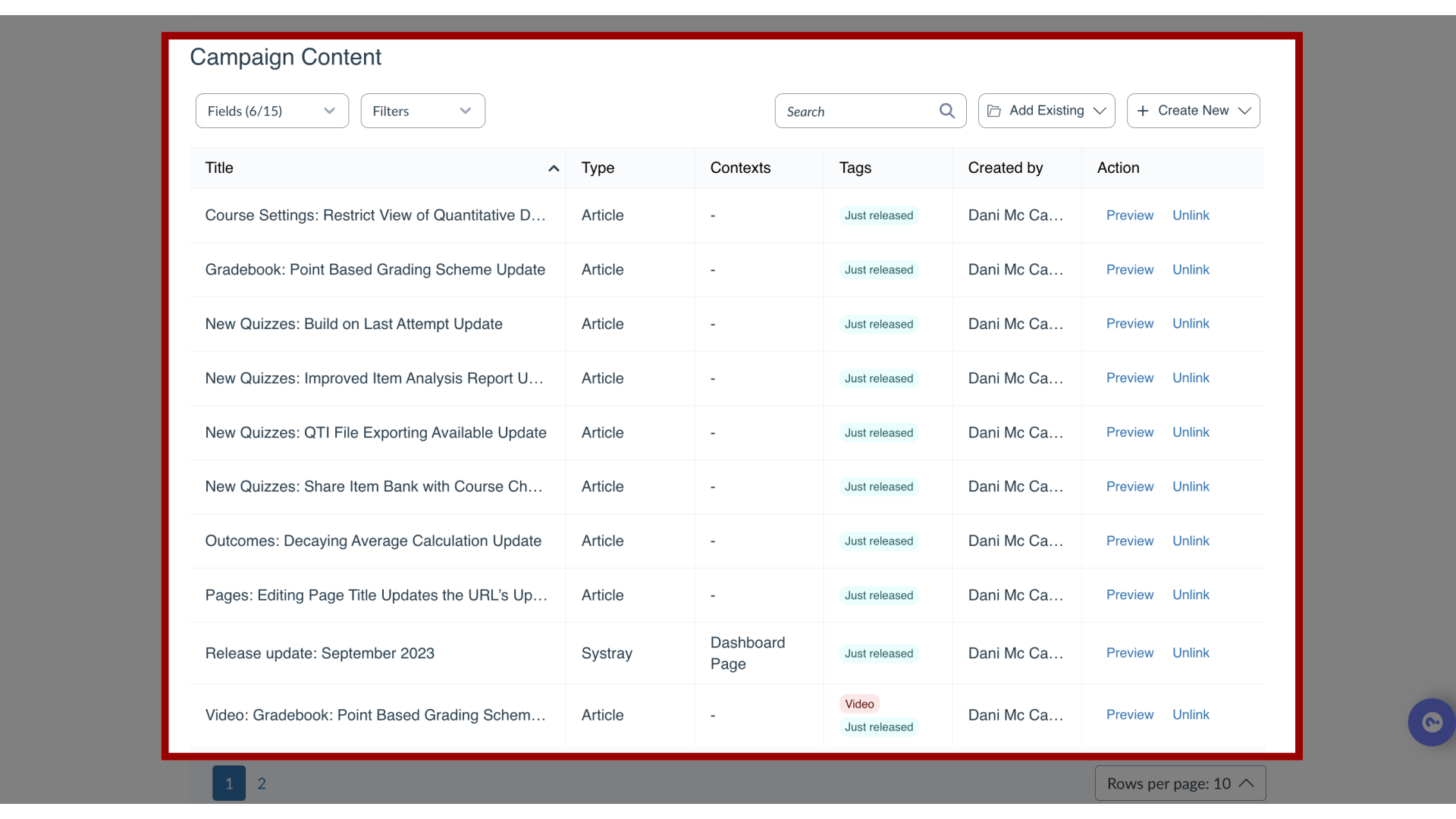
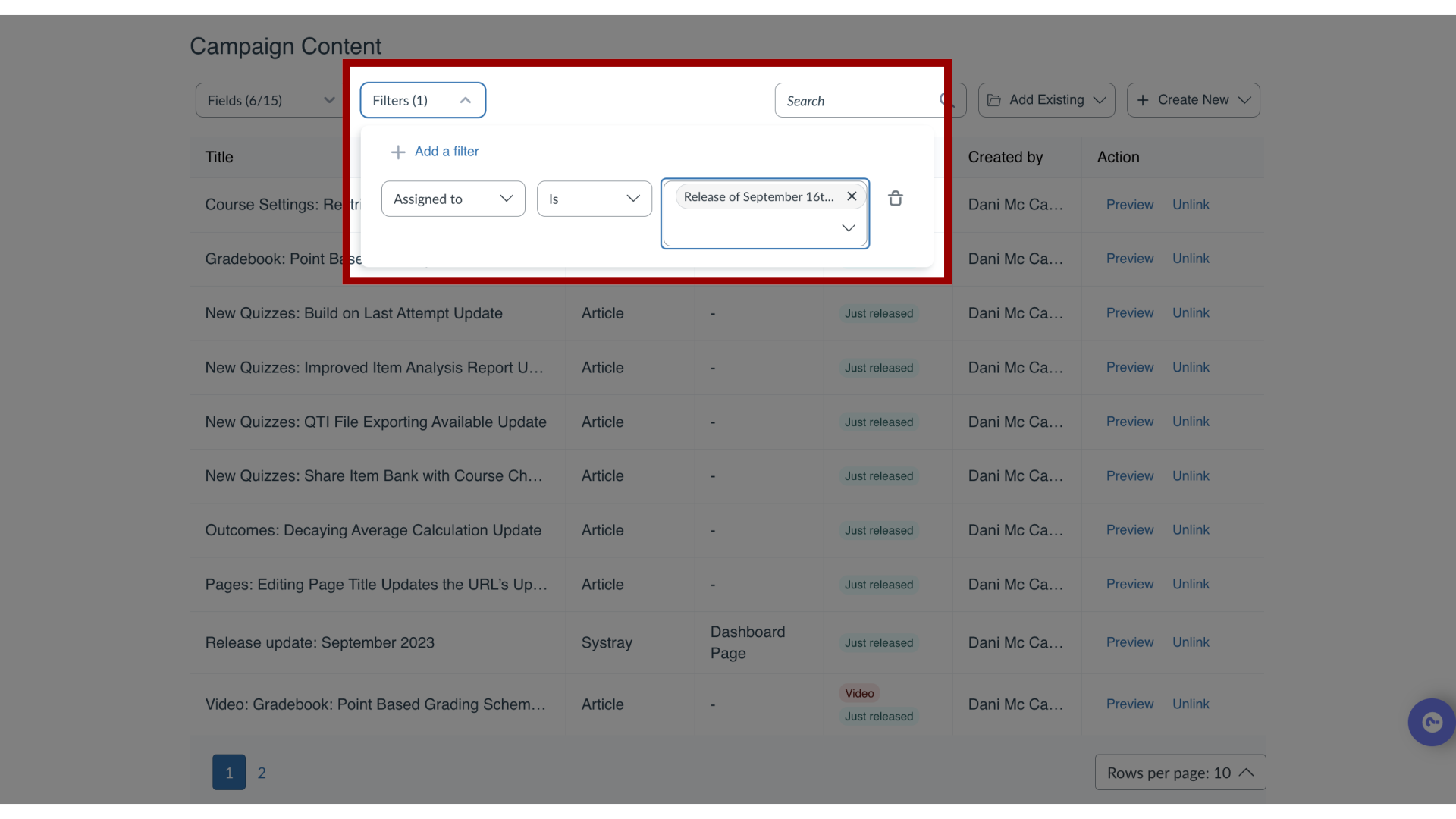
You can view and filter Campaign Content in Campaigns.How do I view and filter Campaign Content?1. Open CampaignsIn Global Navigation, click the Communication dropdown menu. Then click the Campaigns link.2. Open CampaignFrom the All Campaigns tab, select the desired campaign from the overview.3. View Campaign ContentThe defaulted fields listed are Title, Type, Contexts, Tags, Created by, and Action. Additional fields to view are:Assigned toCategoriesDescriptionEnd dateLast updated onStart dateTool categoryTranslationsVisibility4. Filter Campaign ContentYou can filter this list from the same fields for Campaign Content.