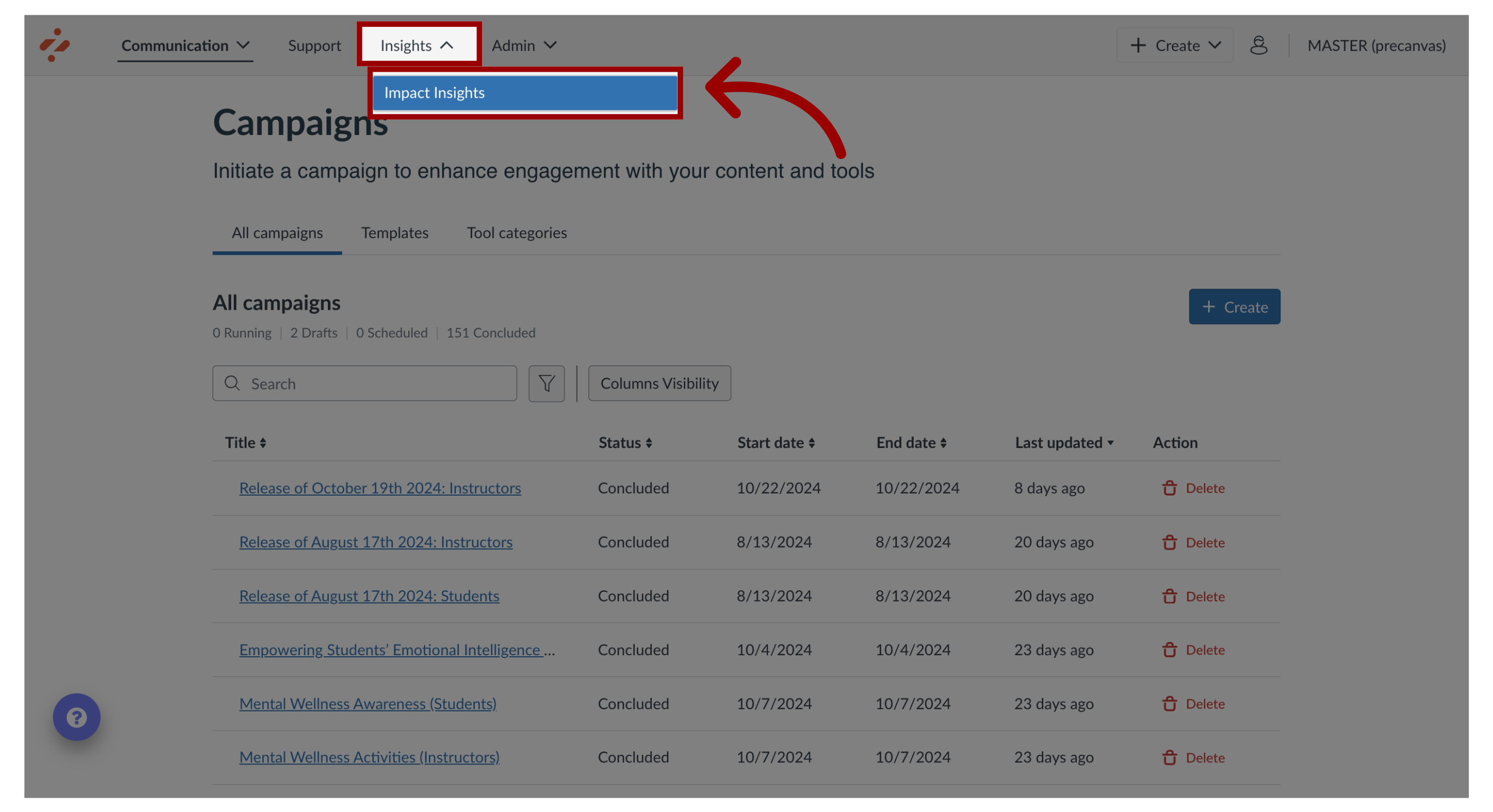
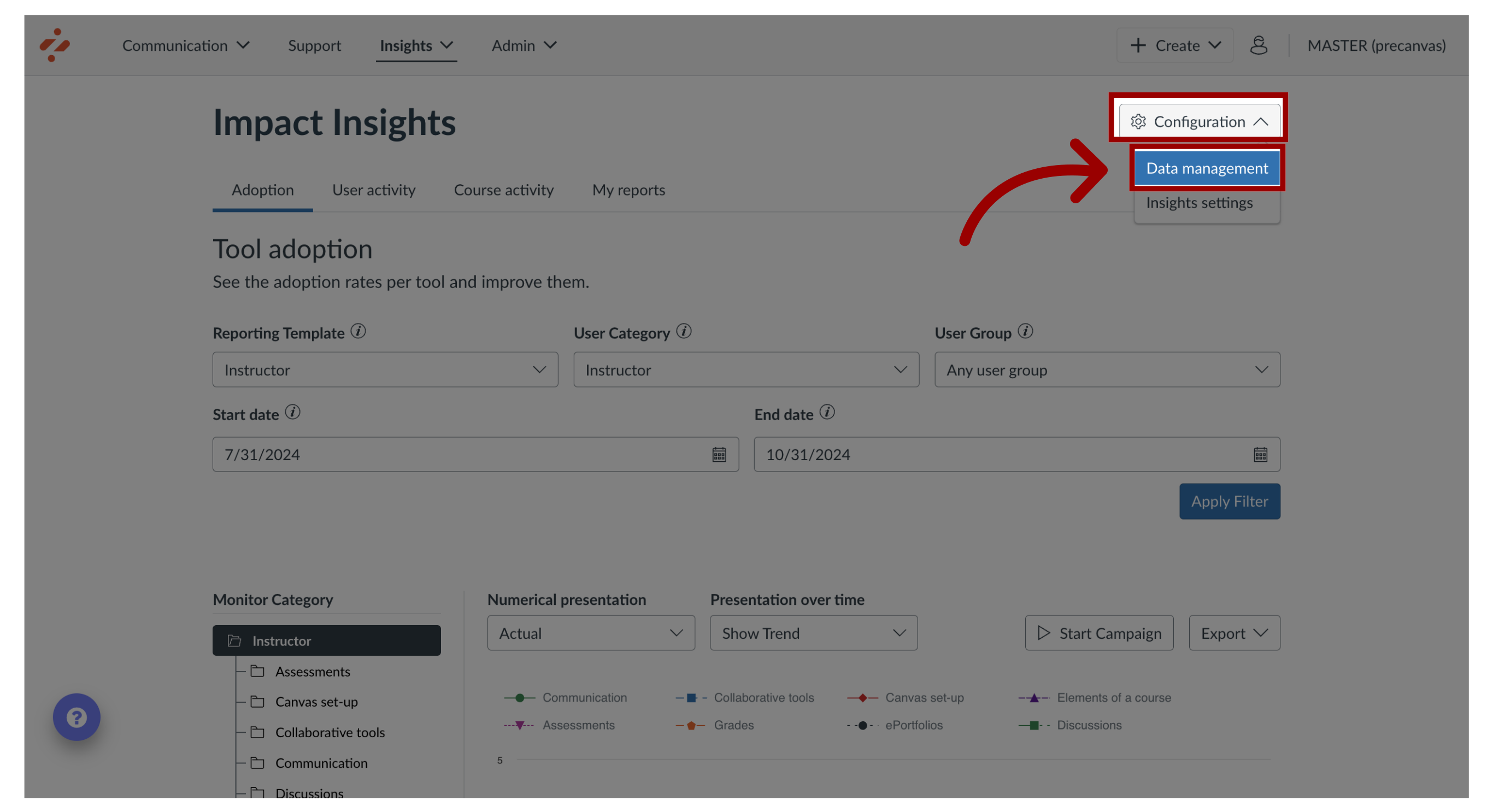
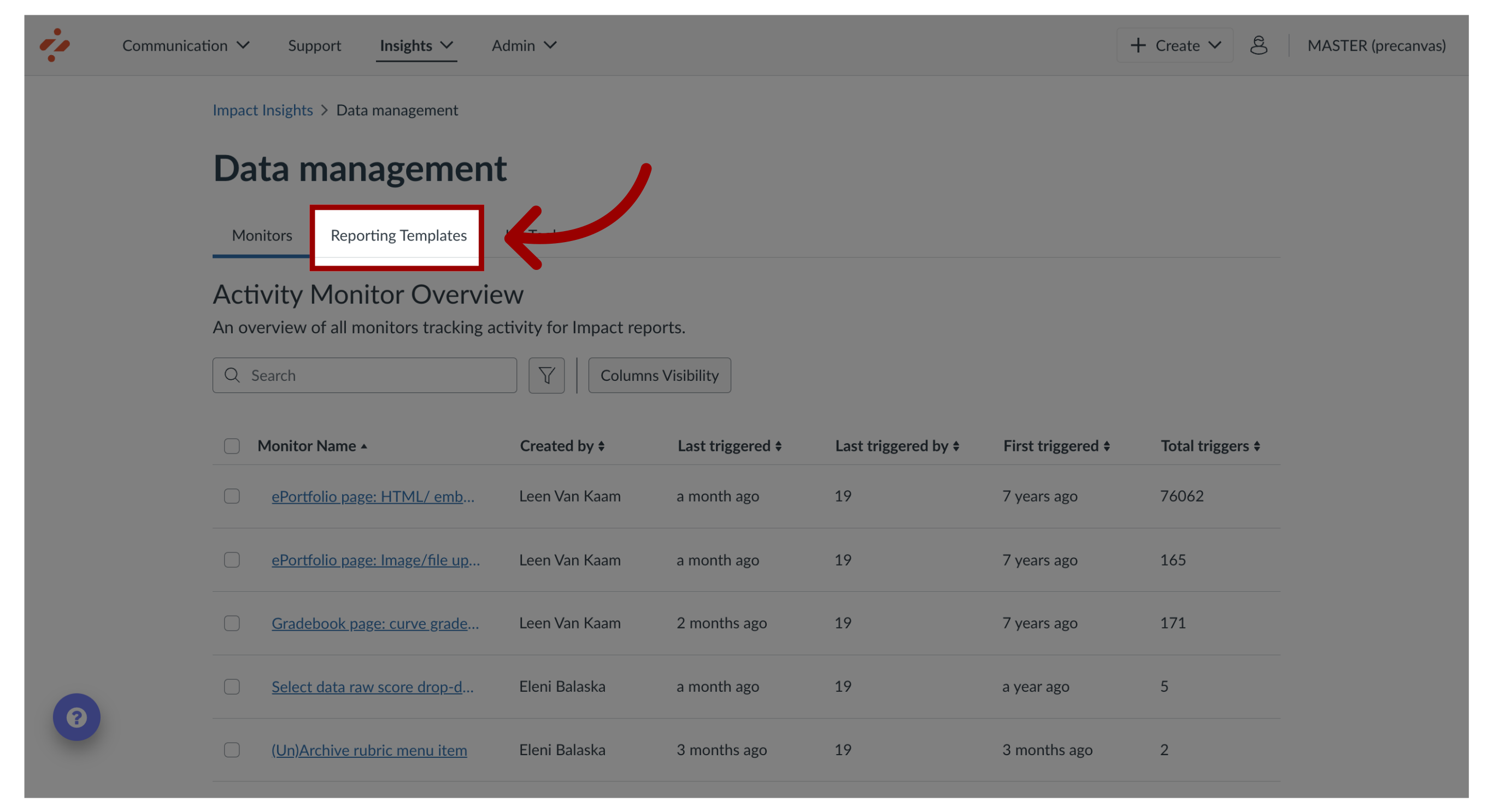
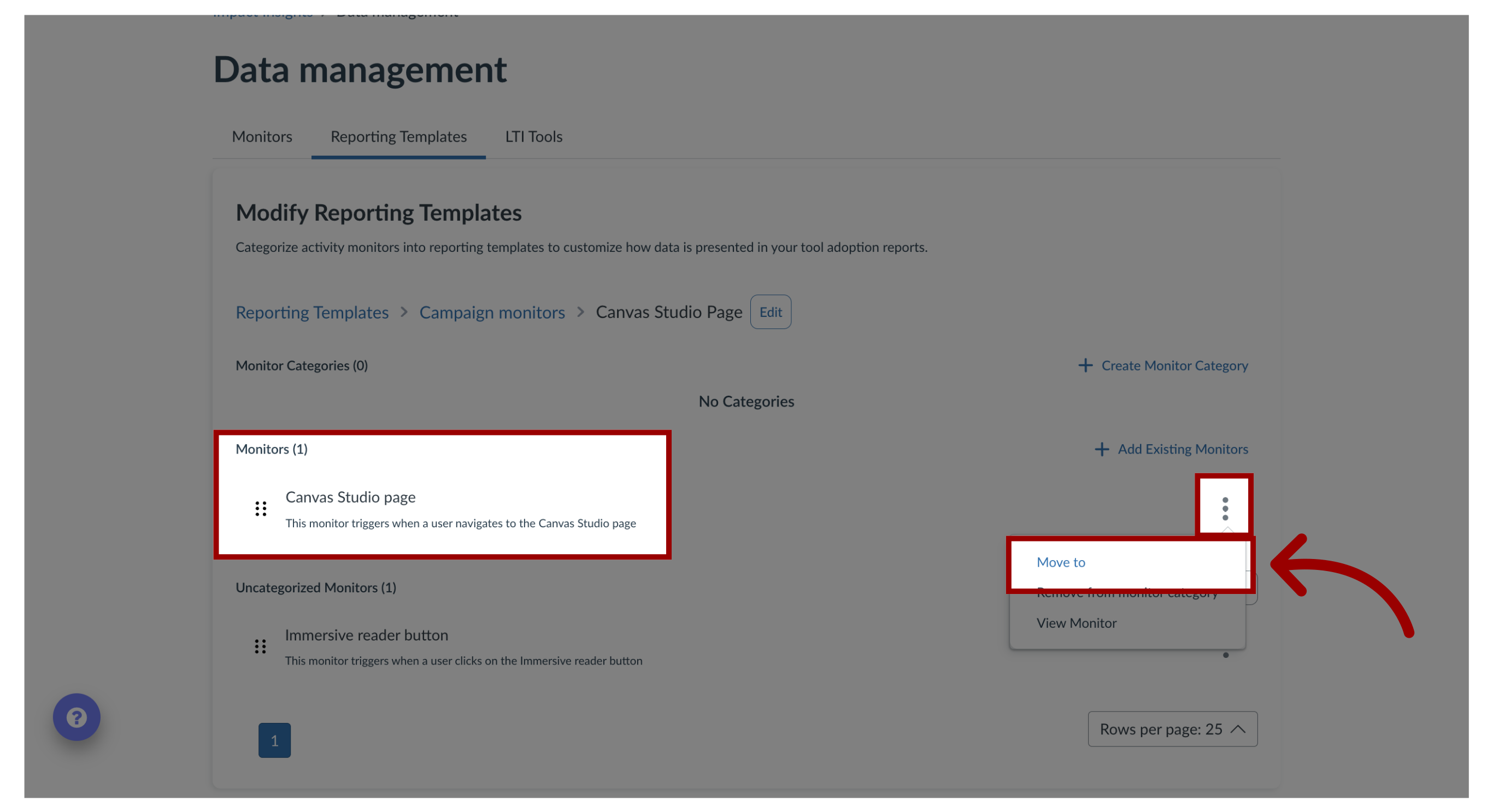
You can manage your activity monitors by assigning them to monitor categories that are within your reporting templates. Once you add an activity monitor to a monitor category, you can move it to another category. How do I move a monitor to another monitor category in the Impact Dashboard?1. Open Impact InsightsIn the Global Navigation, click the Insights dropdown menu. Then click the Impact Insights link.2. Open Data ManagementClick the Configuration dropdown menu. Then click the Data Management link.3. Open Reporting TemplatesClick the Reporting Templates tab.4. Move MonitorLocate the monitor. Click the Options menu and then click the Move To link.5. Add To Reporting TemplateOnce you select the monitor category to move your monitor to, click the Add To Reporting Template button.