Conditions are rules that define a context, allowing messages to be connected to pages and areas within a page.
Open Contexts
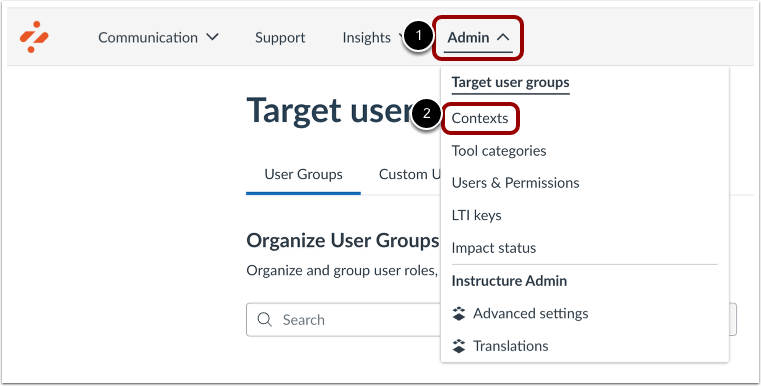
In Global Navigation, click the Settings link [1]. Then click the Contexts link [2].
Enable Conditions Filter
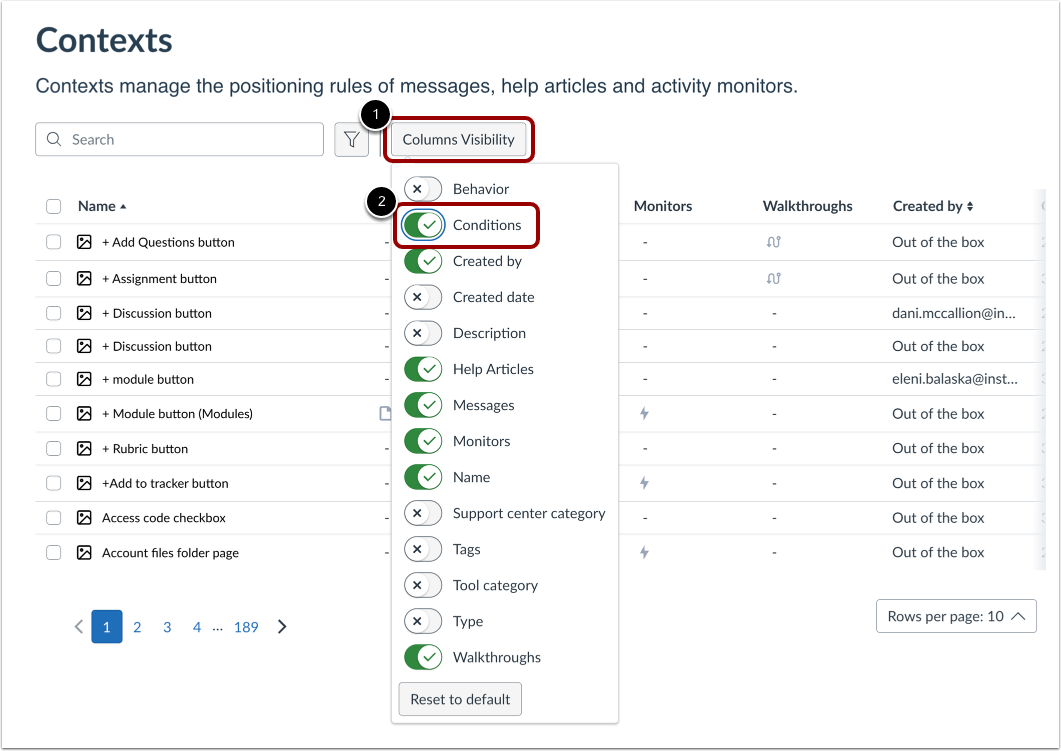
Click the Columns Visibility button [1]. Thenenable the Conditions filter [2].
View Conditions in Context Overview
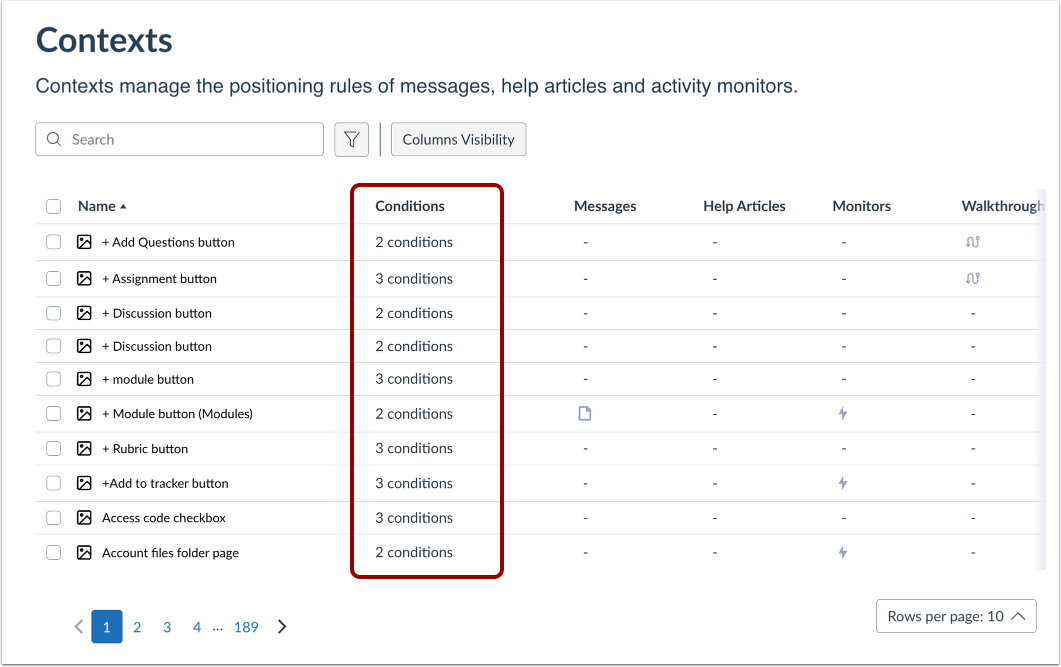
When the Conditions filter is enabled, you can view conditions in the Context Overview.
Hover over each context condition to see the detailed list of conditions that are included in the context.
Open Context
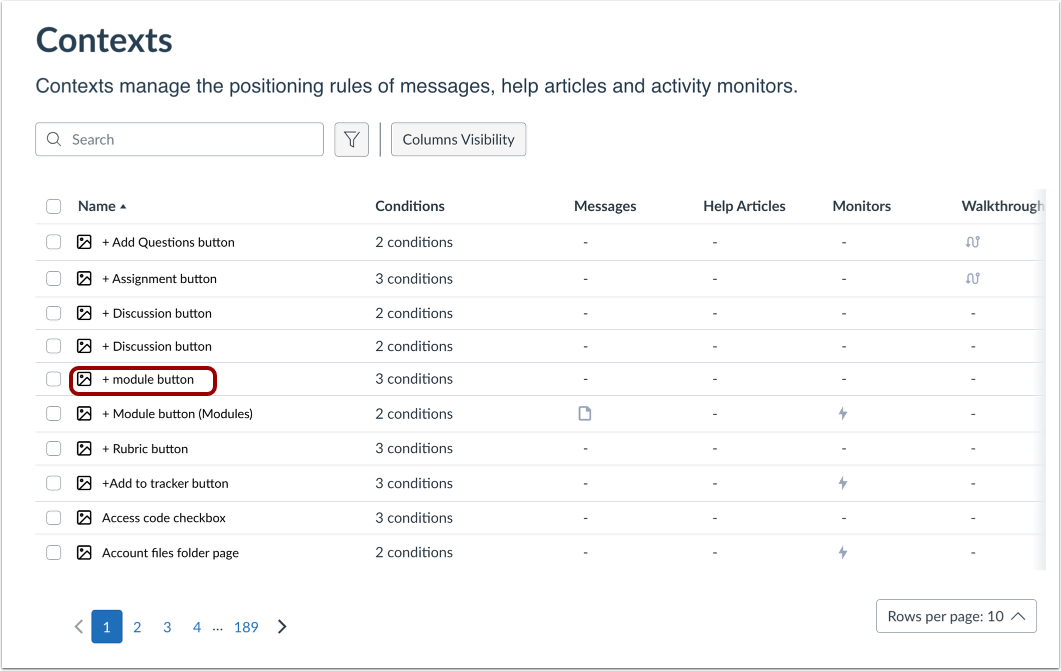
Click the name of a context.
Open Conditions
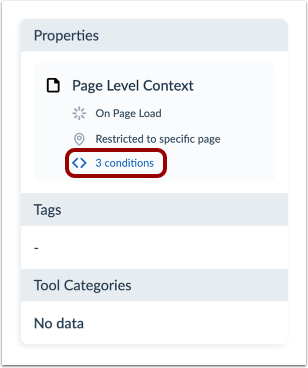
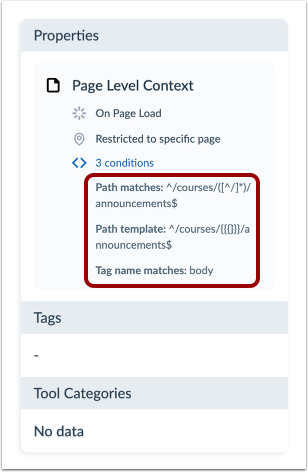
To display all of the conditions that are associated with your context, click the Conditions link.
View Conditions
These conditions are rules for which element/page will trigger the monitor.
Context Conditions
HTML knowledge is desirable if you would like to understand what the conditions of Out of the Box contexts mean in a deeper level or to create reliable local contexts.