You can move an Impact support article to a different category.
Open Support
In Global Navigation, click the Support tab.
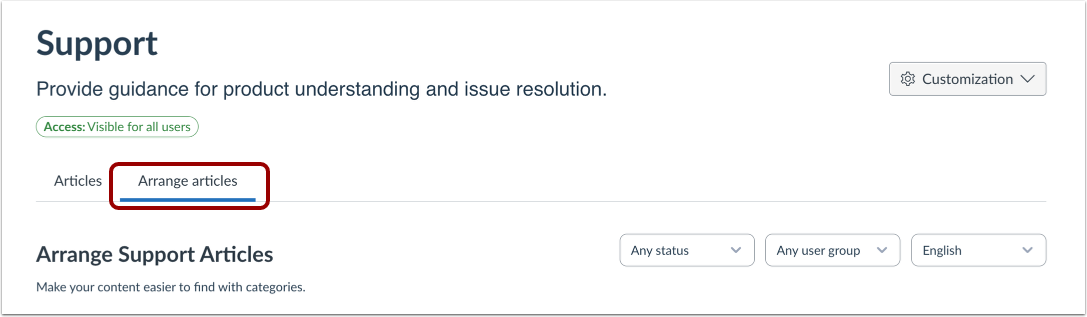
Open Arrange Articles
Then click the Arrange Articles tab.
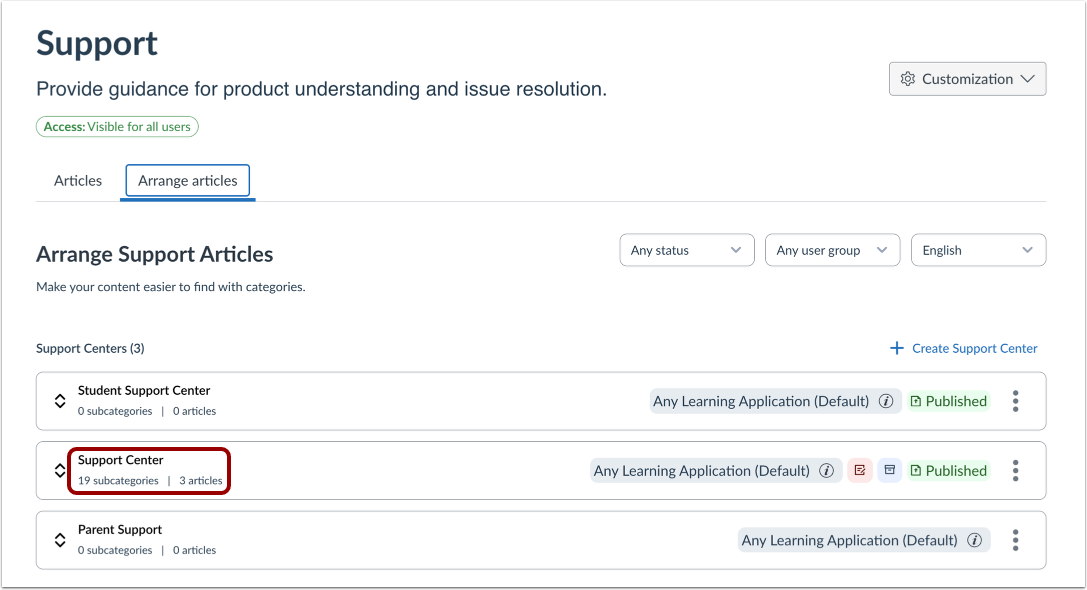
Open Support Center
Click the support center name link.
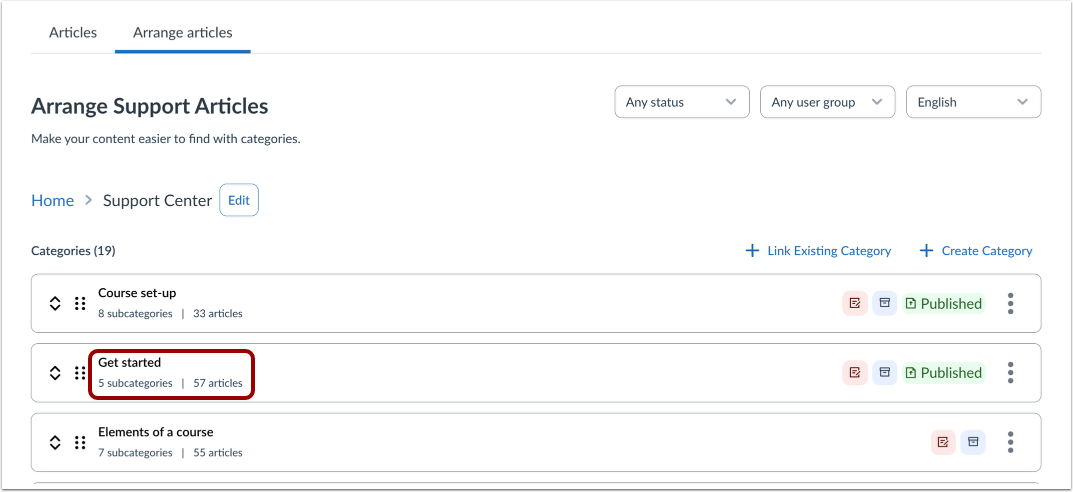
Open Support Center Category
Click the name of the category.
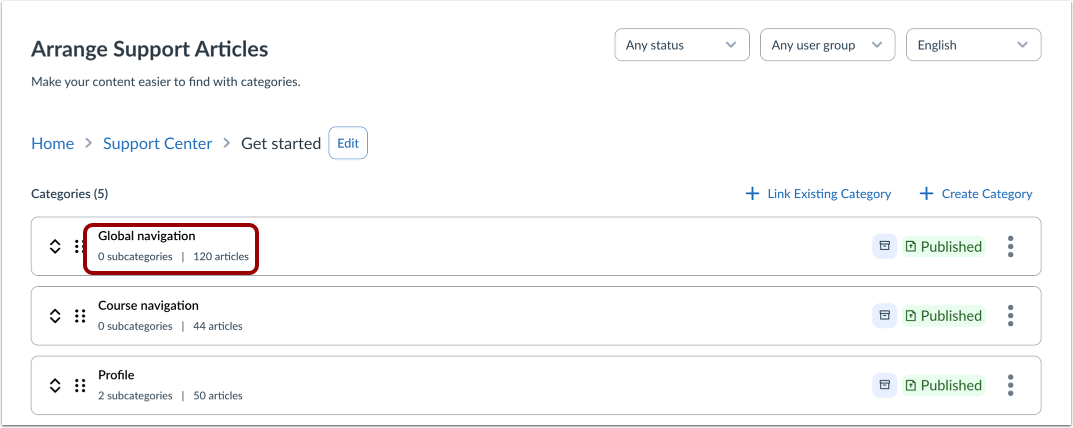
Open Category
Click the category name link.
Move Article
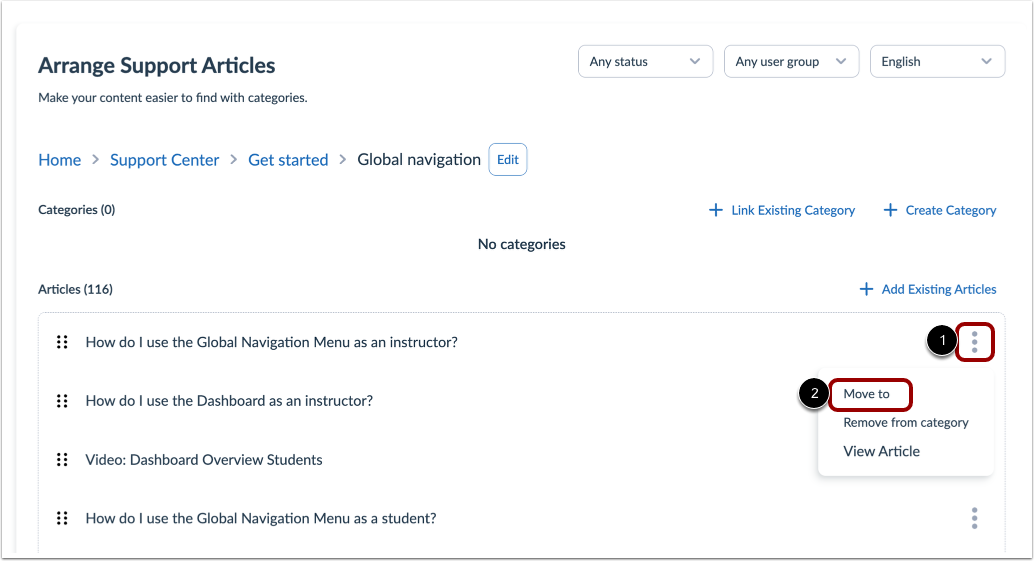
To move an article, click the article's Options icon [1]. Then click the Moveto option [2].
Select Category
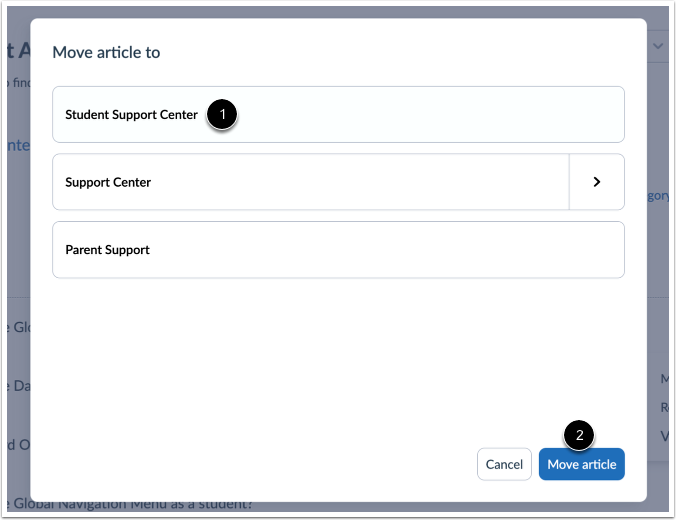
Click the category name where you want to move the article [1]. Then click the Move article button [2].