Visibility with Out of the Box Articles are limited but can be controlled through different settings:
- Unpublish Article
- Edit Tool Category
- Removing the article from the Support Center.
Unpublish Article
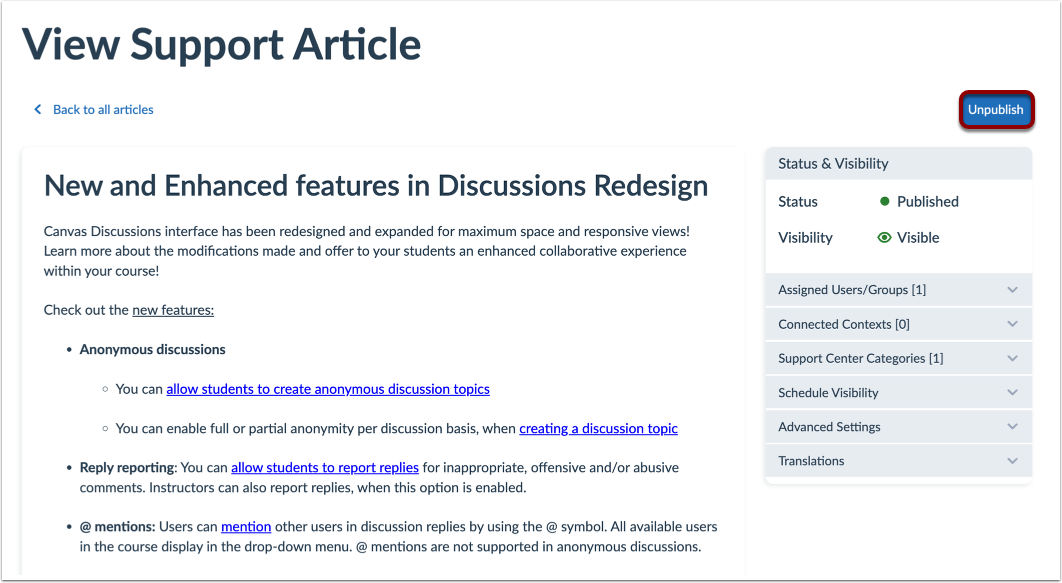
In View Support Article, click the Unpublish button. After you unpublish the article, the new status will be set to hidden.
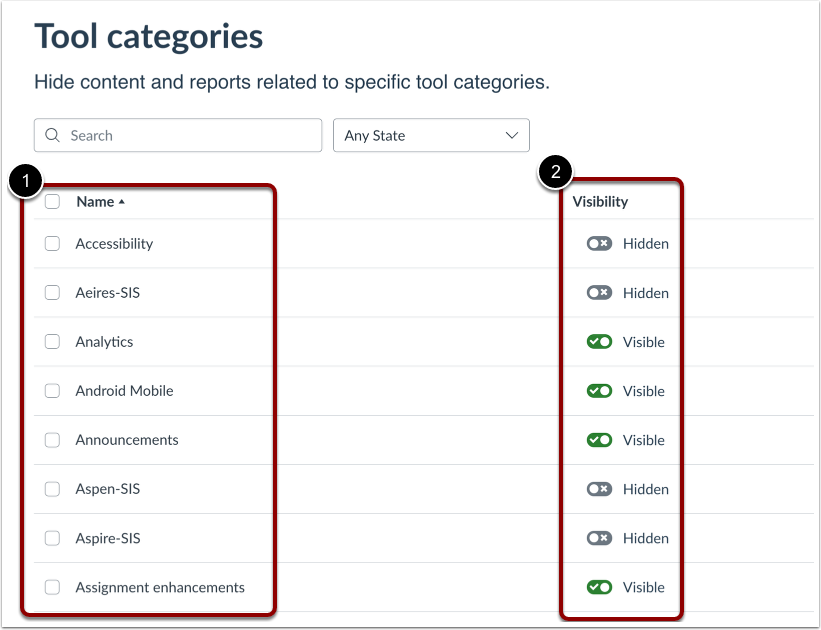
In Tool Categories settings, locate the Tool Category attached to the article [1] and toggle off the visibility [2].
Notes:
Remove Article from Support Center Category
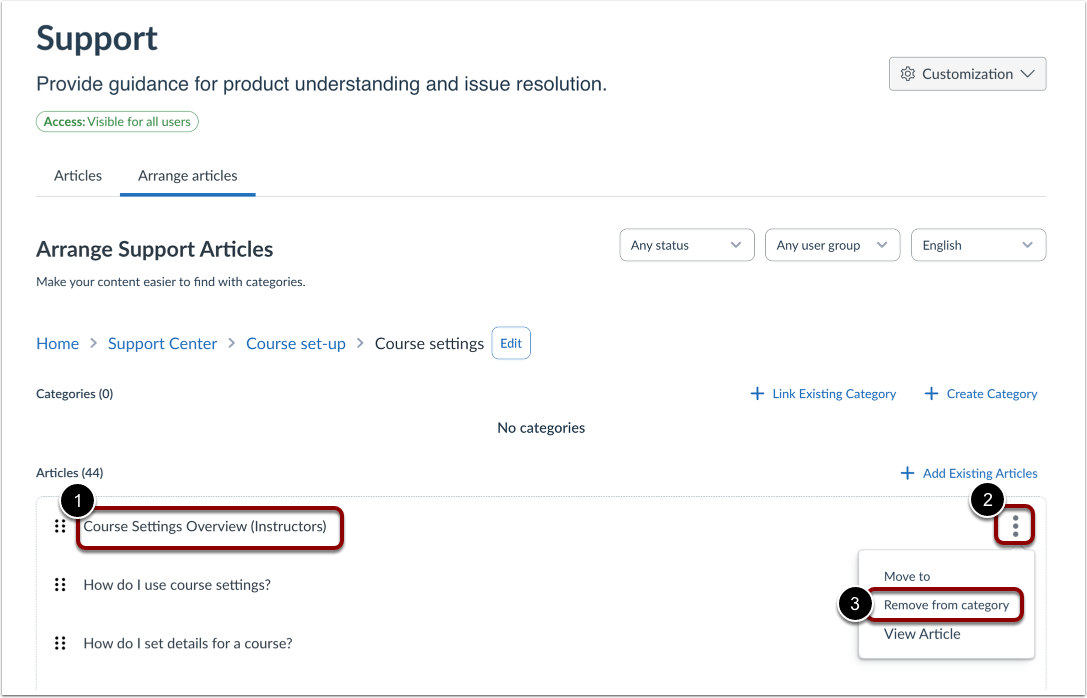
Locate the article within My Support Center [1]. Click the Settings icon [2] and select Remove from category [3].