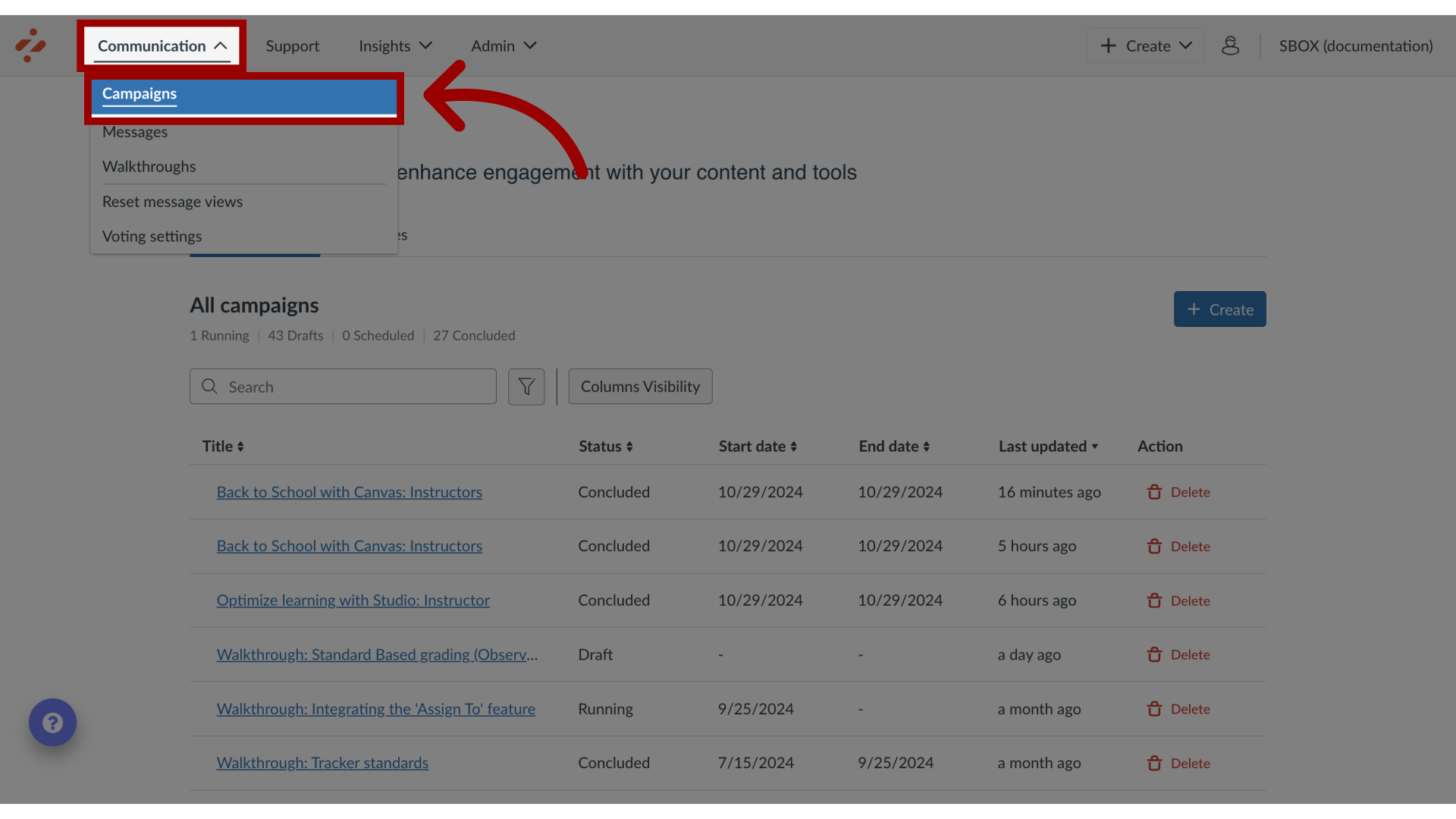
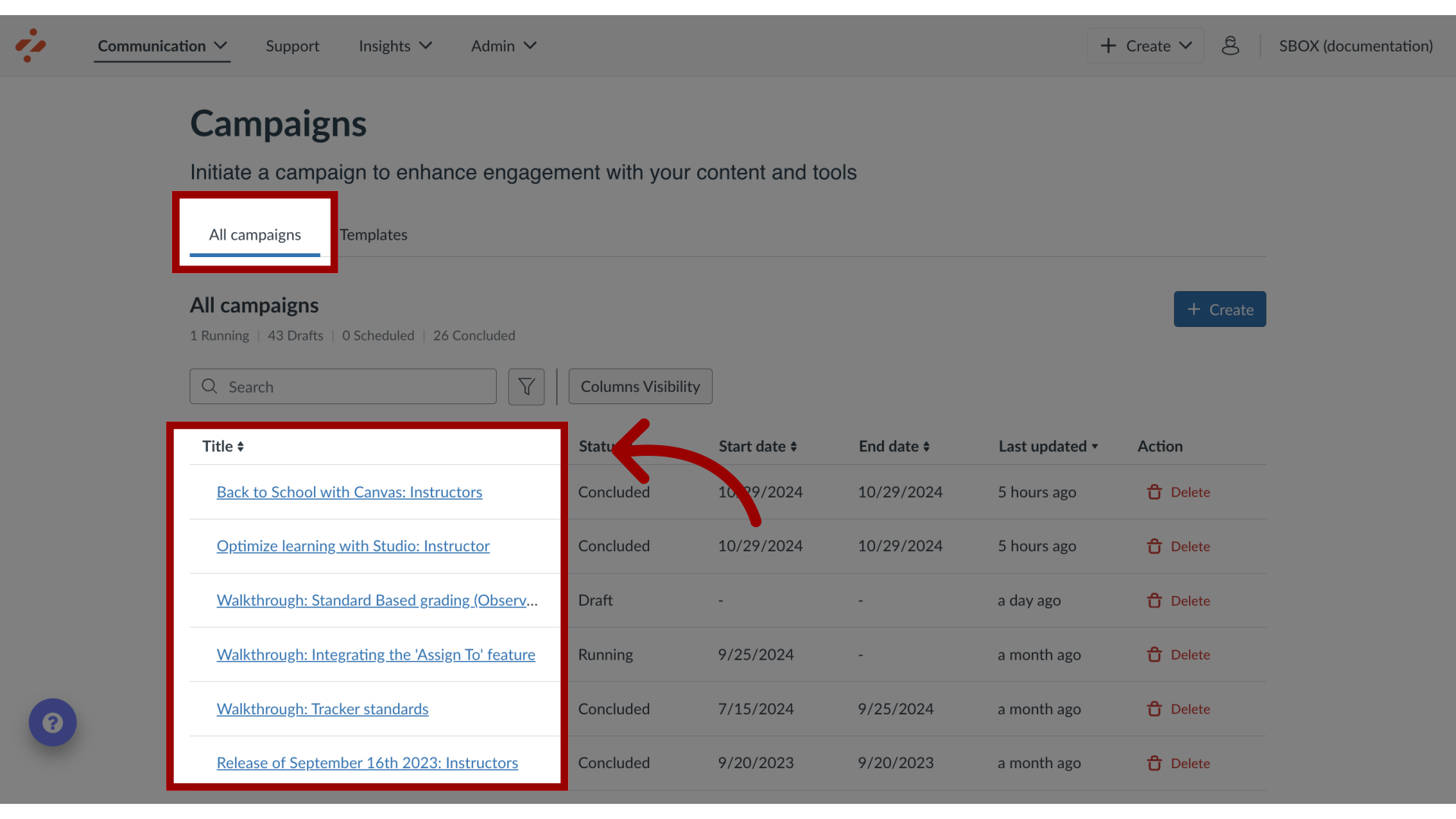
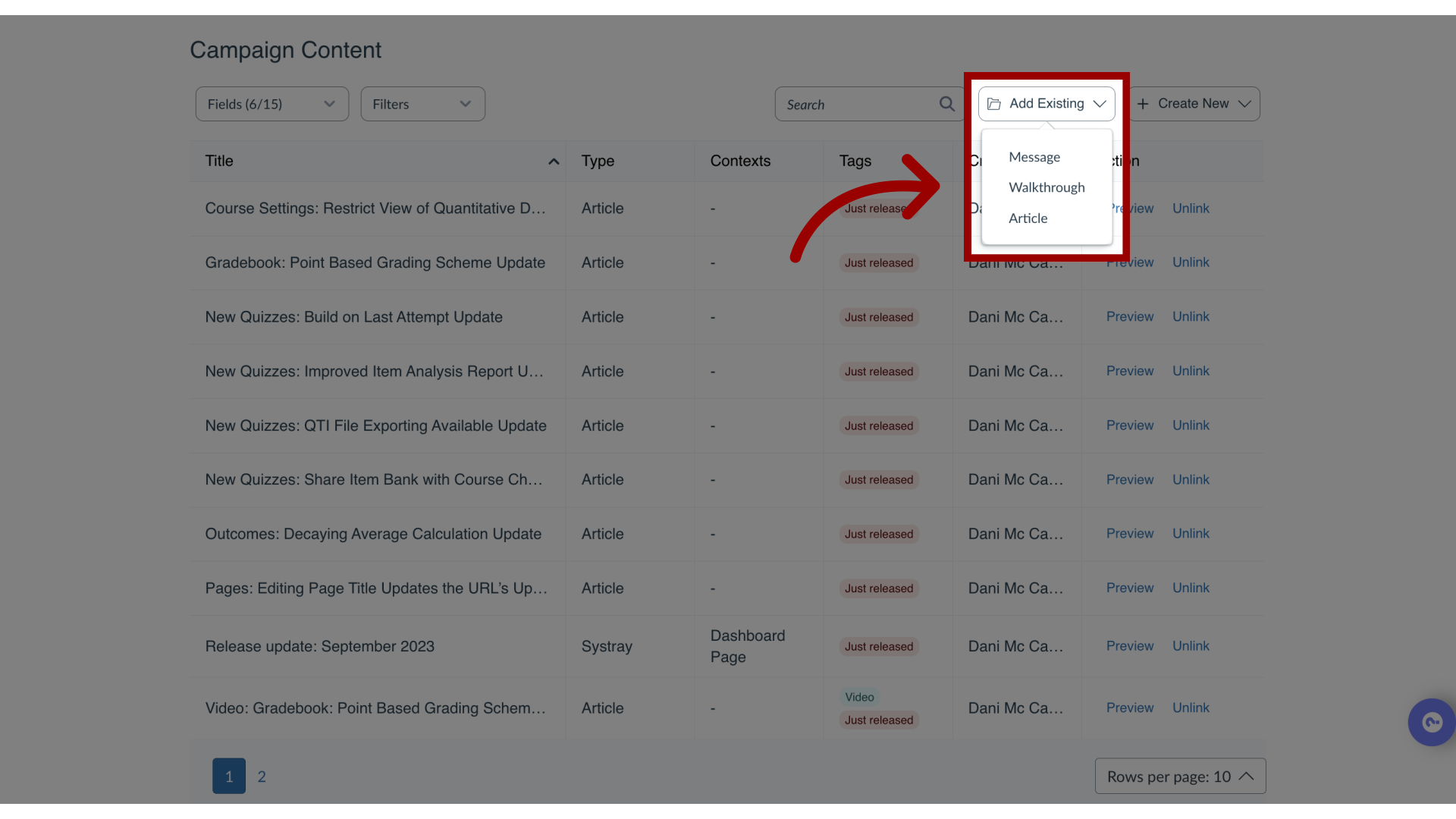
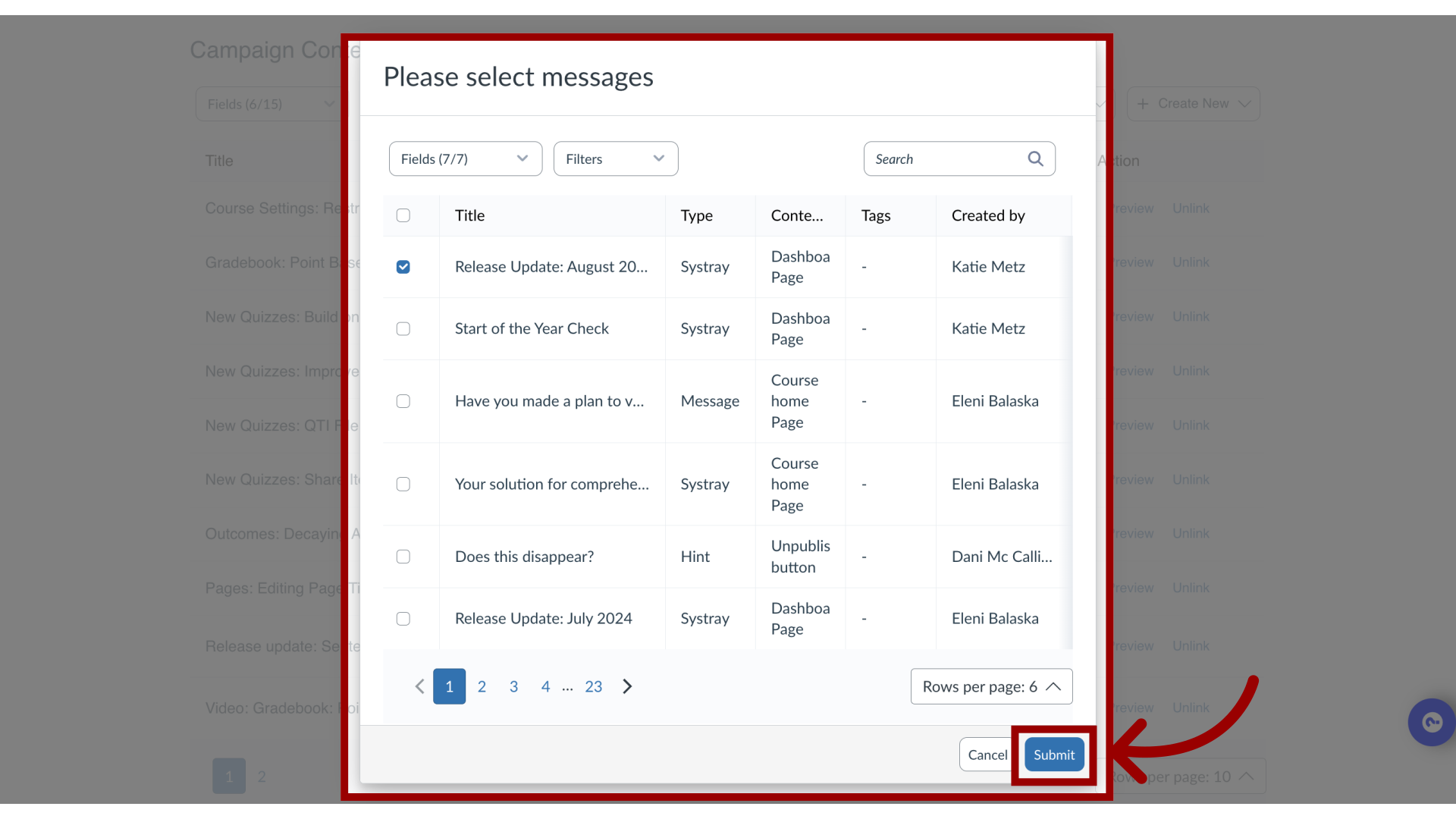
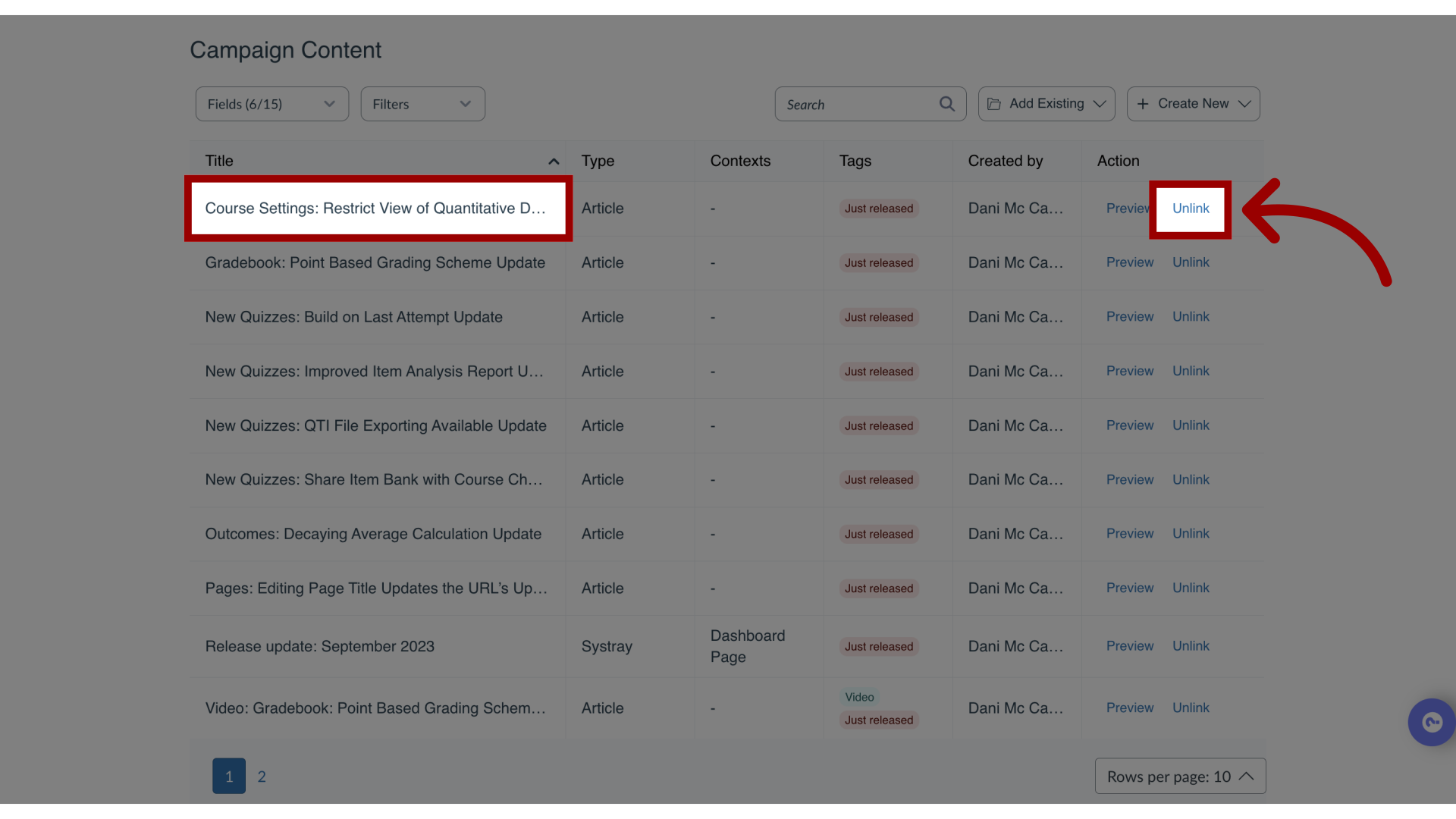
Campaigns allow you to deploy messages, walkthroughs, and articles over a specific period of time. You can add content to or remove content from a campaign.How do I add or remove content within a campaign in the Impact Dashboard?1. Open CampaignsIn the Global Navigation, click the Communication dropdown menu. Then click the Campaigns link.2. Open CampaignFrom the All Campaigns tab, select the desired campaign from the overview.3. Add a Message, Walkthrough, or ArticleOn the Campaign Details page, scroll down to the Campaign Content section and click the AddExisting drop-down menu. Select Message, Walkthrough, or Article to add to your campaign.4. Select Message, Walkthrough, or Article Use the dialog to search through all available content, select the desired message(s), walkthrough(s), or article(s), and click the Submit button.5. Remove a Message, Walkthrough, or ArticleOn the Campaign Details page, scroll down to the Campaign Content section and click to select the message, walkthrough, or article you wish to remove from the campaign. Then, click the Unlink button to remove the content. After a message, walkthrough, or article has been removed from a campaign, it will still be accessible in Messages > Manage Messages, Walkthroughs > Manage Walkthroughs, or Support > Manage Articles.